Home
Categories
WIKI
Topic
User
LANGUAGE:
中文
English
如何撤销“插入鼠标时禁用触控板选项”
Experiences and Insight
465
views ·
2
replies ·
To
floor
Go
四维汉堡包
deepin
2020-03-05 17:51
Author
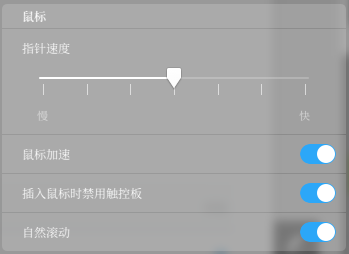
deepin升级后,没有了“插入鼠标时禁用触控板”这一选项。
当时勾选了这一选项,但后来升级版本后,个人使用习惯变更,现在希望取消这一选项。
Reply
Like 0
Favorite
View the author
All Replies
四维汉堡包
deepin
2020-03-05 18:43
#1
灵机一动找到方法了。
1 下载dconf
2 dconf搜索touchbar
3 找到/com/deepin/dde/mouse/disable-touchpad
4 关掉就好了
Reply
Like 0
View the author
Breeze
deepin
2020-03-05 19:37
#2
15.11有的呀
Reply
Like 0
View the author
Please
sign
in first
Featured Collection
Change
[Tutorial] deepin25 WSL Offline Installation Guide
UOS AI 2.8 Released! Three New Intelligent Agents & Major Evolution
Solid Q&A | deepin 25 Common Questions – The Immutable System Edition
New Thread
Popular Ranking
Change
WiFi Drivers
Popular Events
More
当时勾选了这一选项,但后来升级版本后,个人使用习惯变更,现在希望取消这一选项。