Home
Categories
WIKI
Topic
User
LANGUAGE:
中文
English
windows和deepin互相远程
Experiences and Insight
7815
views ·
5
replies ·
To
floor
Go
inflone
deepin
2020-03-04 19:33
Author
本帖最后由 inflone 于 2020-3-4 11:36 编辑
昨天刚安装了deepin15.11,刚好用到了这个功能,搜索了一下论坛,整理了一下简单的方法,分享一下:
1、访问windows:
原来在Ubuntu上,用的就是Remmina,所以在deepin也安装了它:
sudo apt-get install remmina
Copy the Code
直接输入地址就能访问windows远程桌面;
2、访问Deepin:
安装了xrdp,感觉这个比较简单,
sudo apt-get install xrdp
Copy the Code
走的弯路就在下面这里,直接用mstsc访问deepin是不显示菜单栏的,看了论坛的这两个帖子
关于xrdp远程连接deepin
https://bbs.deepin.org/post/143943
deepin有没有像远程桌面那样的开关呢
https://bbs.deepin.org/post/143725
安装了xfce4号称最稳定的桌面环境,根据帖子里面的介绍,注销或者sudo init 3打开的远程桌面还是没有菜单,
后来看到了一个修改xrdp默认登录桌面环境的操作,可以了:
echo xfce4-session >~/.xsession
Copy the Code
然后设置了xrdp的配置文件:
sudo dedit /etc/xrdp/startwm.sh
Copy the Code
在fi后面增加了一行
xfce4-session
Copy the Code
大概文件是这个样子的:
保存 之后,重启了xrdp服务,
sudo service xrdp restart
Copy the Code
再登录deepin就是xfce4的桌面环境了。
那么deepin的远程开关在这里
:
启用(安装):
sudo apt-get install xrdp
Copy the Code
关闭(卸载):
sudo apt-get purge xrdp
Copy the Code
Reply
Like 1
Favorite
View the author
All Replies
jsxman001
deepin
2020-03-05 00:01
#1
技术贴,小白不懂
Reply
Like 0
View the author
thepoy
deepin
2020-03-05 03:12
#2
teamveiwer不好用吗
Reply
Like 0
View the author
mejoy69
deepin
2020-03-05 03:48
#3
xrdp好像有漏洞。deepin这一侧,我直接安装x11vnc服务,windows一侧,也有一个ultravnc,可以下载安装。通过vncview访问。端口可以修改。
Reply
Like 0
View the author
panhangph
deepin
2020-03-17 19:32
#4
向日葵也可以用的,挺好用。你这个内网外访问还要端口映射。
Reply
Like 0
View the author
199******15
deepin
2020-03-17 22:49
#5
我升级了uos,xrdp就没问题了。还是得等v20啊
Reply
Like 0
View the author
Please
sign
in first
Featured Collection
Change
[Tutorial] deepin25 WSL Offline Installation Guide
UOS AI 2.8 Released! Three New Intelligent Agents & Major Evolution
Solid Q&A | deepin 25 Common Questions – The Immutable System Edition
New Thread
Popular Events
More


 中文
中文 
 deepin deepin deepin
 deepin
  deepin deepin
  deepin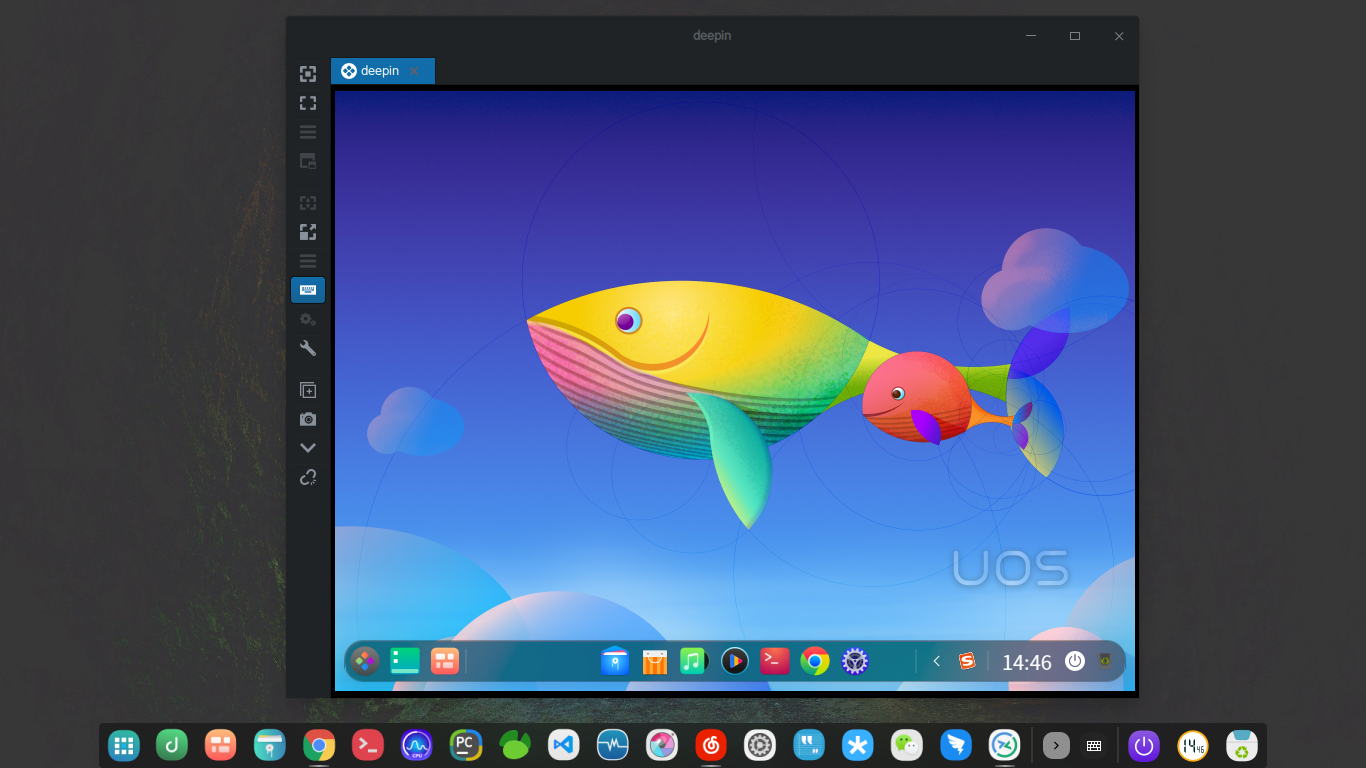


昨天刚安装了deepin15.11,刚好用到了这个功能,搜索了一下论坛,整理了一下简单的方法,分享一下:
1、访问windows:
原来在Ubuntu上,用的就是Remmina,所以在deepin也安装了它:
2、访问Deepin:
安装了xrdp,感觉这个比较简单,
关于xrdp远程连接deepin
https://bbs.deepin.org/post/143943
deepin有没有像远程桌面那样的开关呢
https://bbs.deepin.org/post/143725
安装了xfce4号称最稳定的桌面环境,根据帖子里面的介绍,注销或者sudo init 3打开的远程桌面还是没有菜单,
后来看到了一个修改xrdp默认登录桌面环境的操作,可以了:
然后设置了xrdp的配置文件:
保存 之后,重启了xrdp服务,
再登录deepin就是xfce4的桌面环境了。
那么deepin的远程开关在这里
启用(安装):
关闭(卸载):