Home
Categories
WIKI
Topic
User
LANGUAGE:
中文
English
怎么安装BCM43142 802.11b/g/n 博通网卡驱动
Experiences and Insight
3934
views ·
4
replies ·
To
floor
Go
s1124yy
deepin
2016-10-15 20:22
Author
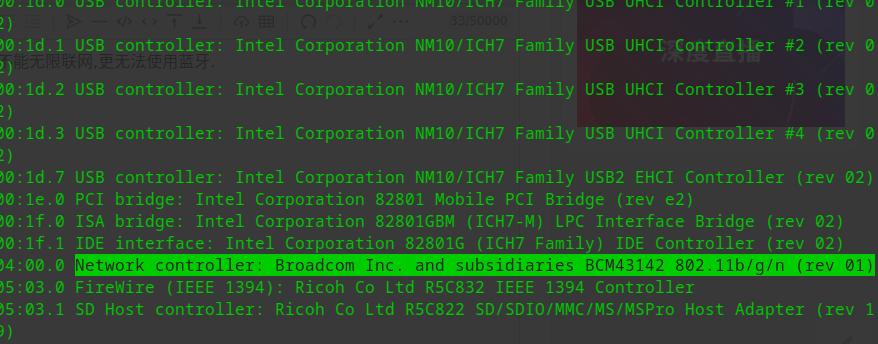
我的deepin能连上wifi,就是信号极差,我用了lspci命令看了网卡型号是这样的:
Broadcom Corporation BCM43142 802.11b/g/n (rev 01)
我想重装一下驱动,找了好久还是没办法,希望大神能帮我一下,该怎么办?
Reply
Like 0
Favorite
View the author
All Replies
isunny
deepin
2016-10-15 21:13
#1
直接试试Ubuntu的最新内核试试
Reply
Like 0
View the author
chenzhiwei
deepin
2016-10-16 06:31
#2
本帖最后由 chenzhiwei 于 2016-10-15 22:45 编辑
试试这个:
apt update && apt install rtl8812au-dkms
modprobe 8812au
然后用 ip address show 命令就能看到你的无线网卡了,连接上就行了。
Reply
Like 0
View the author
22******39@qq.com
deepin
2016-10-16 16:13
#3
apt install broadcom-sta-dkms
Reply
Like 0
View the author
lucxtar
deepin
2021-11-28 06:48
#4
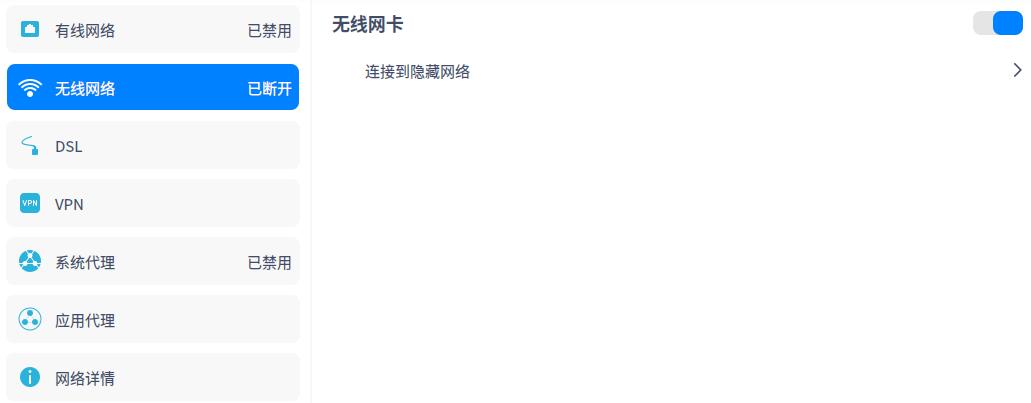
问题解决了么?我的是能发现网卡,但是不能无限联网,更无法使用蓝牙.
Reply
Like 0
View the author
Please
sign
in first
Featured Collection
Change
Nuntia - Modern IMAP/SMTP mail client for Deepin (Beta tester wanted!)
[Tutorial] deepin25 WSL Offline Installation Guide
UOS AI 2.8 Released! Three New Intelligent Agents & Major Evolution
Solid Q&A | deepin 25 Common Questions – The Immutable System Edition
New Thread
Popular Ranking
Change
Adding a Dancing Spectrum Bar to the Deepin Taskbar | deepin-spectrum
Popular Events
More


 中文

 deepin deepin
 deepin

 deepin

 deepin

 deepin


 Adding a Dancing Spectrum Bar to the Deepin Taskbar | deepin-spectrum
Broadcom Corporation BCM43142 802.11b/g/n (rev 01)
我想重装一下驱动,找了好久还是没办法,希望大神能帮我一下,该怎么办?