

 中文

zhqh100 deepin
2016-10-04 17:59 deepin 有人可以帮忙解决下吗?还是说别人电脑都正常的?
Reply Like 0 View the author
deepin 
 deepin
zhqh100 发表于 2016-10-4 09:59
有人可以帮忙解决下吗?还是说别人电脑都正常的?
deepin deepin 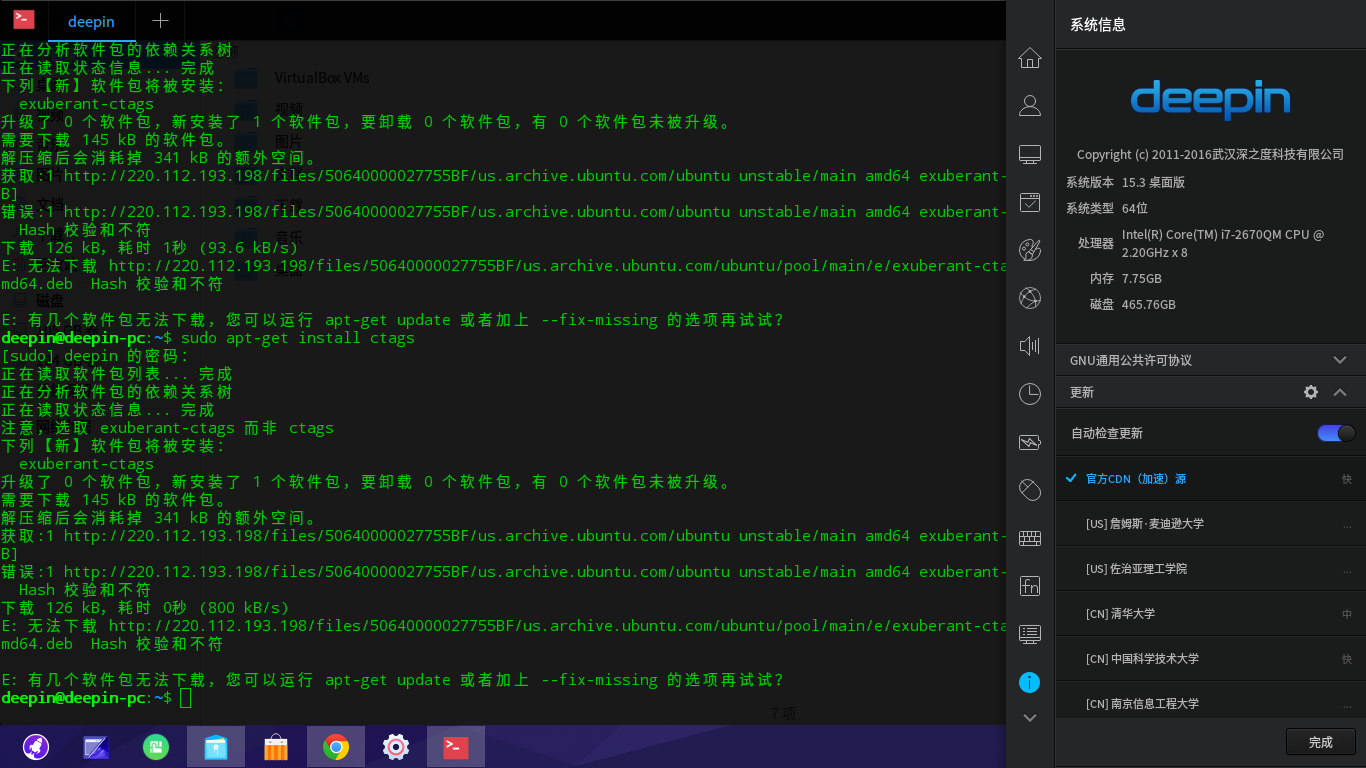 deepin
https://bbs.deepin.org/post/44228
不要混用Ubuntu的源
deepin https://bbs.deepin.org/post/44228
我新安装的,没改过源啊

 deepin deepin
https://bbs.deepin.org/post/44228
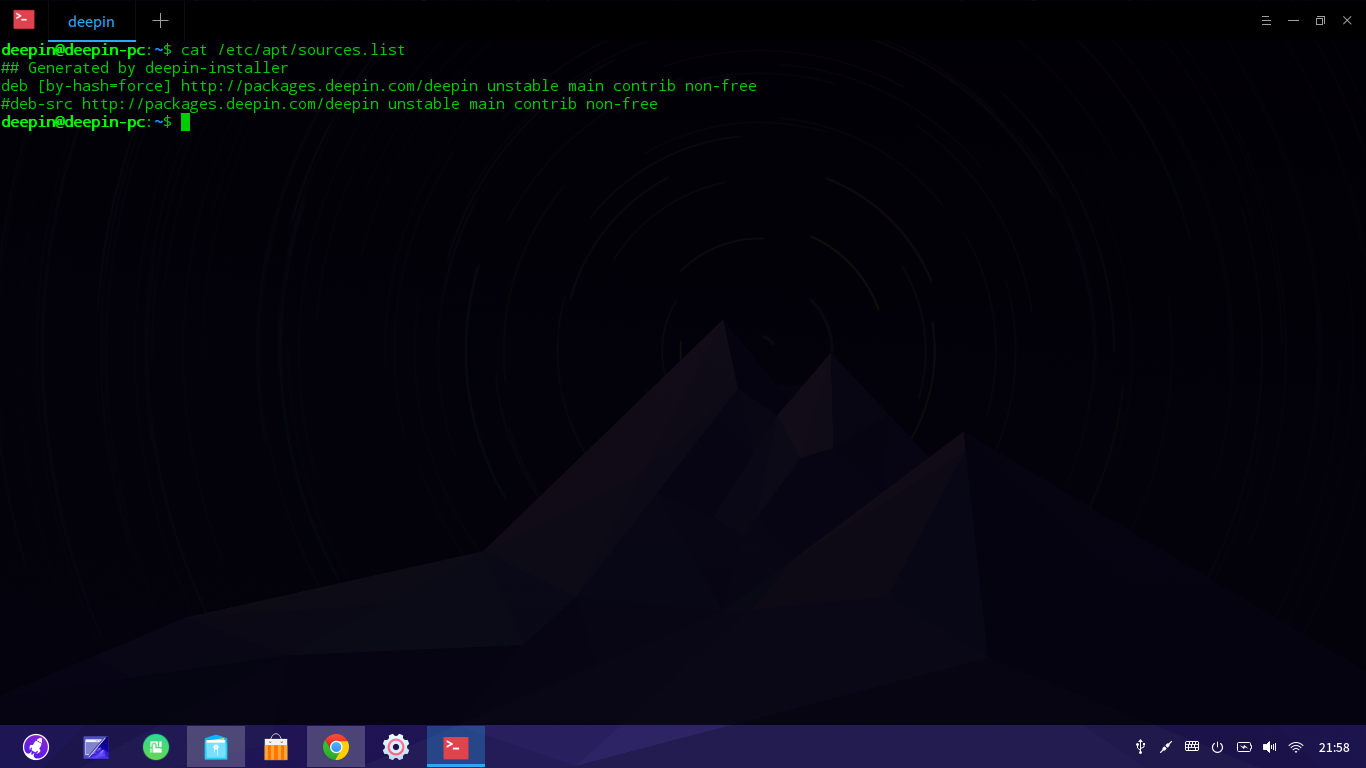
你那提示的就是用的Ubuntu的源。而非官方源。你没有在文件 /etc/apt/sources.list 中加东西? ...
 deepin
https://bbs.deepin.org/post/44228
我现在有点相信楼上的说法,真的被运营商劫持了?
我用的聚友e家
deepin 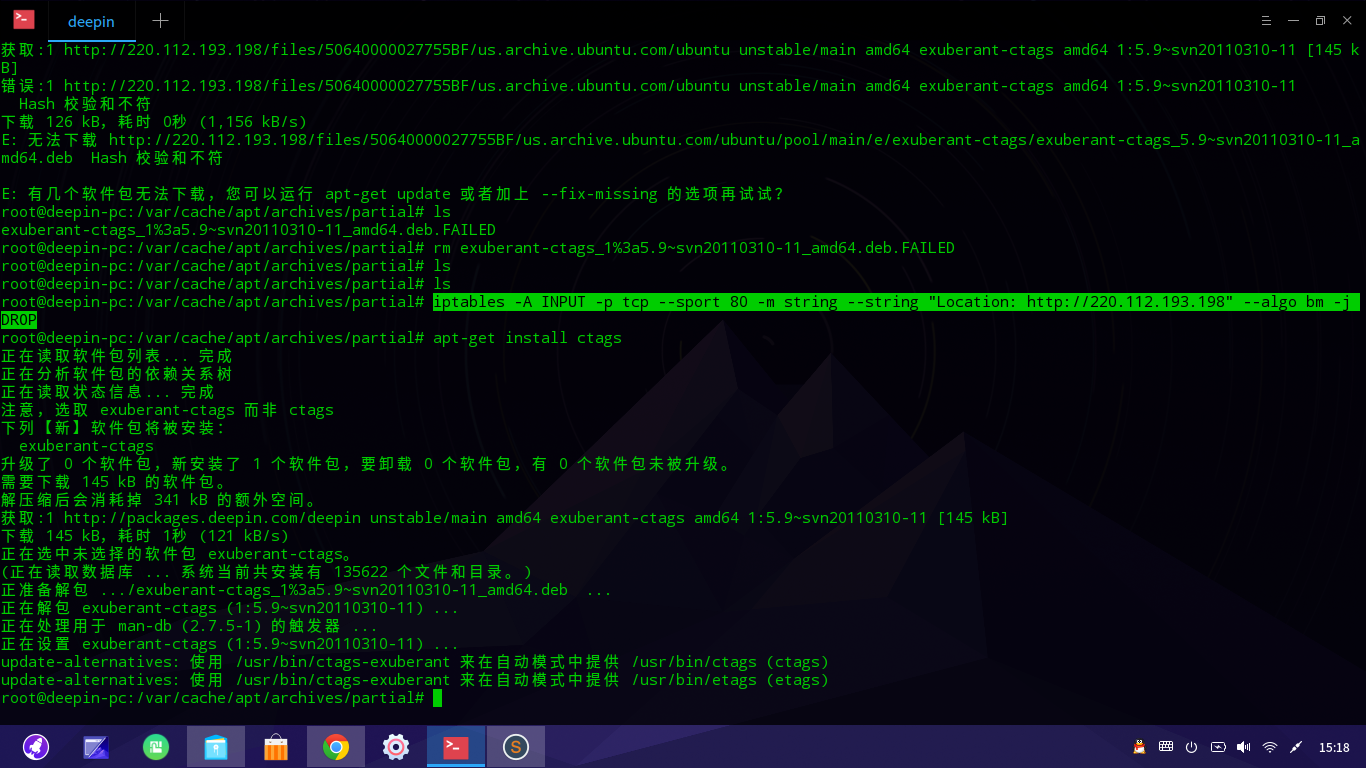
Popular Ranking
ChangePopular Events
More


 Adding a Dancing Spectrum Bar to the Deepin Taskbar | deepin-spectrum
deepin@deepin-pc:~$ sudo apt-get install exuberant-ctags
正在读取软件包列表... 完成
正在分析软件包的依赖关系树
正在读取状态信息... 完成
下列【新】软件包将被安装:
exuberant-ctags
升级了 0 个软件包,新安装了 1 个软件包,要卸载 0 个软件包,有 0 个软件包未被升级。
需要下载 145 kB 的软件包。
解压缩后会消耗掉 341 kB 的额外空间。
获取:1 http://220.112.193.198/files/506 ... e.ubuntu.com/ubuntu unstable/main amd64 exuberant-ctags amd64 1:5.9~svn20110310-11 [145 kB]
错误:1 http://220.112.193.198/files/506 ... e.ubuntu.com/ubuntu unstable/main amd64 exuberant-ctags amd64 1:5.9~svn20110310-11
Hash 校验和不符
下载 126 kB,耗时 0秒 (1,451 kB/s)
E: 无法下载 http://220.112.193.198/files/506 ... 110310-11_amd64.deb Hash 校验和不符
E: 有几个软件包无法下载,您可以运行 apt-get update 或者加上 --fix-missing 的选项再试试?
deepin@deepin-pc:~$