【教程】如何添加【桌面小工具Conky】
Tofloor
poster avatar
youyou2011
deepin
2016-08-26 17:47
Author
本帖最后由 youyou2011 于 2016-9-11 15:30 编辑

系统版本:deepin 15.2
1.下载Conky 和 Conky Manager
在商店里搜索conky


2.打开Conky Manager


3.启用小工具【在方框里选中就会出现在桌面上】


4.设置小工具


5.主题套装


工作环境完全切换到linuxdeepin 附conky配置美化桌面
https://bbs.deepin.org/post/36296

来分享一下我的conky插件代码
https://bbs.deepin.org/post/41086

也来一发conky
https://bbs.deepin.org/post/38992

Deepin安装conky在桌面上显示系统运行状况,设置开机自动启动conky
https://bbs.deepin.org/post/28762

conky配置文件分享
https://bbs.deepin.org/post/24058

conky系统监视工具
https://bbs.deepin.org/post/6956


Reply Favorite View the author
All Replies
avatar
立青
deepin
2016-08-26 22:54
#1
非常感谢,一些人的教程太简略了,连配置文件存在哪里,怎么加载都说不清楚,小白们都看不懂。
楼主的教程很详细,支持!!!
Reply View the author
avatar
szp1120
deepin
2016-08-31 18:34
#2
不错,很详细,好评。
Reply View the author
avatar
随风
deepin
2016-08-31 18:45
#3
好,顶一个。
Reply View the author
avatar
15******06@sina.cn
deepin
2016-08-31 19:14
#4
不错~~
Reply View the author
avatar
150******02
deepin
2016-09-16 19:56
#5
conky背景不是透明的是什么情况

直接是黑底的 然后还有直接窗口化了。。。。
Reply View the author
avatar
风吹过的绿洲
deepin
2016-10-16 02:18
#6
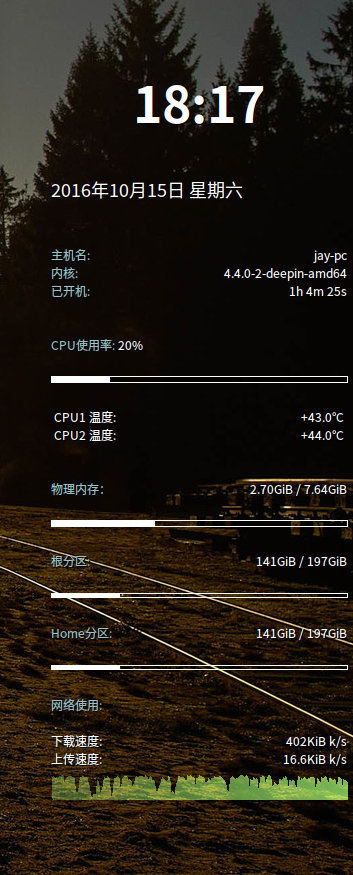
楼主分享不错!!!不过自带的主题好像有些问题,我这个是自己弄的
Reply View the author
avatar
153******66
deepin
2016-10-16 23:14
#7
conky这种东西 为啥还会有人去折腾? 不是从开机到关机 全天都看不见桌面的么? 多显的土豪略过.
Reply View the author
avatar
liuyu226
deepin
2016-10-19 19:12
#8
非常适合我这种新人学习使用,感谢分享
Reply View the author
avatar
中国新蔡
deepin
2017-02-27 23:02
#9
Reply View the author
avatar
185******04
deepin
2017-02-28 02:35
#10
Reply View the author
avatar
185******04
deepin
2017-03-04 04:41
#11
楼主,我按照教程配置了conky,但是cpu温度不显示,据说电脑是四核,然后各种修改更丑,果断卸载了coonky,但是原先开启了开机启动,所以即使卸载了,桌面还是又各种内存/流量等的conky内容,重启无效,怎么办?麻烦大神指教
Reply View the author
avatar
qq731008714
deepin
2017-04-20 07:27
#12
有没有苹果主题?
Reply View the author
avatar
lyxlgr
deepin
2017-04-26 22:19
#13
Mark      
Reply View the author