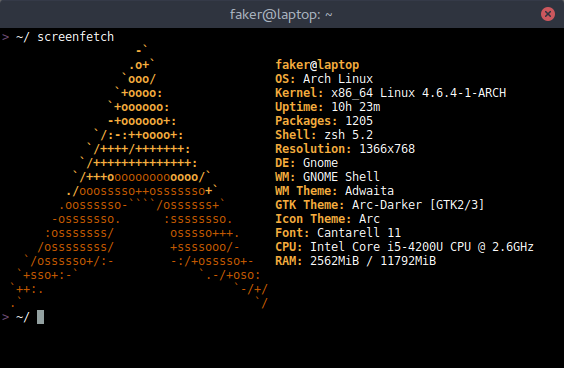
【征求终端主题】你们都喜欢用什么样的终端配色主题?
Tofloor
poster avatar
wangyong
deepin
2016-08-05 02:32
Author
先来个定海神针: 深度终端2.0一定会在15.3中发布的, 15.3什么时候发布? 很快了

为了让各位大神每天在终端中享受, 现在跟大家调查一下, 你们都喜欢啥颜色的终端主题? 
如果有喜欢的主题, 可以把主题的连接地址, 截图或者配色信息分享一下。

当然也欢迎大家自己创造主题哈, 然后把你们的主题就像截图中 solarized 主题 这样给我16个 16进制的颜色值。
名字可以自己取, 最好配一张主题的截图好让 deepiner 给你们点赞。

我会在深度终端发布之前把大家最喜欢的10个终端主题集成到深度终端2.0中, 当然还会在代码里面种下作者的名字。

这是一次推广自己终端主题给全世界用户的极好机会, 欢迎大家积极参与!


Reply Favorite View the author
All Replies
3 / 3
To page
avatar
Q29KAW5N
deepin
2016-08-05 21:48
#41
https://bbs.deepin.org/post/42093
小伙伴们快快上传配色值,新版dock我放靓照哈。。

先爆照在考虑
Reply View the author
avatar
rekols
deepin
2016-08-05 22:23
#42
https://bbs.deepin.org/post/42093
小伙伴们快快上传配色值,新版dock我放靓照哈。。

老王已经爆了。
Reply View the author
Comments
jingle
2016-08-05 22:29
左边的见过么。
avatar
daniel--di
deepin
2016-08-06 03:57
#43

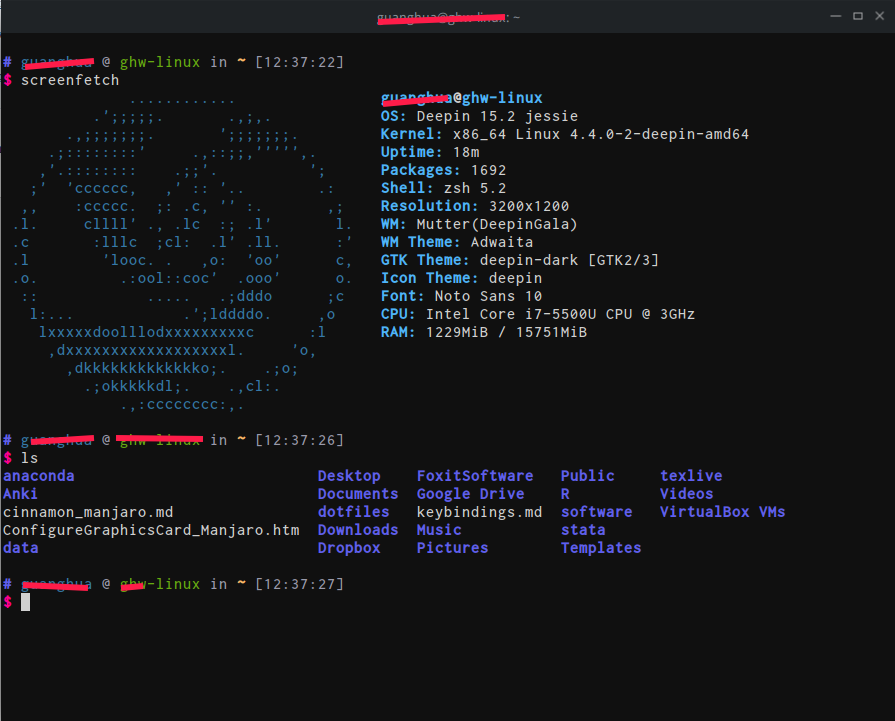
请问是什么终端主题以及系统主题,你这是Ubuntu?
Reply View the author
avatar
8***4@qq.com
deepin
2016-08-06 04:03
#44
https://bbs.deepin.org/post/42093
请问是什么终端主题以及系统主题,你这是Ubuntu?
在虚拟机装的ubuntu  然后给terminal配个色 截图  哈哈  
Reply View the author
avatar
152******14
deepin
2016-08-06 16:47
#45
https://bbs.deepin.org/post/42093
其实吧,我挺喜欢深度终端的默认样式,比较醒目,其他的都是浮云。

...

你的图片哪里搞得,我想要一张
Reply View the author
avatar
4***8@qq.com
deepin
2016-08-06 16:55
#46
ifango 发表于 2016-8-6 08:47
你的图片哪里搞得,我想要一张

哈子。好像是苹果的壁纸,那个版本叫什么来着?优美胜地版本10.10.5?
Reply View the author
avatar
152******14
deepin
2016-08-06 16:58
#47
https://bbs.deepin.org/post/42093
哈子。好像是苹果的壁纸,那个版本叫什么来着?优美胜地版本10.10.5?

只要图片不要主题,那个图片视野好开阔。。。
Reply View the author
avatar
user_998
deepin
2016-08-07 02:38
#48


  1. !!color
  2. URxvt.fading:                  40
  3. URxvt.fadeColor:               #002b36
  4. URxvt.cursorColor:             #93a1a1
  5. URxvt.pointerColorBackground:  #586e75
  6. URxvt.pointerColorForeground:  #93a1a1
  7. URxvt.foreground: white
  8. URxvt.background: black

  9. URxvt.color0:  #2E3436
  10. URxvt.color1:  #a40000
  11. URxvt.color2:  #4E9A06
  12. URxvt.color3:  #C4A000
  13. URxvt.color4:  #3465A4
  14. URxvt.color5:  #75507B
  15. URxvt.color6:  #ce5c00
  16. URxvt.color7:  #babdb9
  17. URxvt.color8:  #555753
  18. URxvt.color9:  #EF2929
  19. URxvt.color10: #8AE234
  20. URxvt.color11: #FCE94F
  21. URxvt.color12: #729FCF
  22. URxvt.color13: #AD7FA8
  23. URxvt.color14: #fcaf3e
  24. URxvt.color15: #EEEEEC
Copy the Code


Reply View the author
avatar
wangyong
deepin
2016-08-07 06:39
#49
Reply View the author
avatar
myTTYY
deepin
2016-08-08 05:39
#50
我没找颜色值,不过可以参考这里,用起来和看起来挺舒服的:https://github.com/termux/termux-app
Reply View the author
avatar
bobo
deepin
2016-08-08 05:58
#51
本帖最后由 bobo 于 2016-8-8 00:41 编辑
https://bbs.deepin.org/post/42093
urxvt 的 molokai主题

https://github.com/brainss/dotfiles/blob/master/.colors/molokai

  1. !! source: https://github.com/spazzpp2/dotfiles/blob/29819a5ac5e451bfa39bc324378aa508ef75cae8/Molokai.xrdb
  2. ! Molokai theme
  3. URxvt*background: #101010
  4. URxvt*foreground: #d0d0d0
  5. URxvt*color0: #101010
  6. URxvt*color1: #960050
  7. URxvt*color2: #66aa11
  8. URxvt*color3: #c47f2c
  9. URxvt*color4: #30309b
  10. URxvt*color5: #7e40a5
  11. URxvt*color6: #3579a8
  12. URxvt*color7: #9999aa
  13. URxvt*color8: #303030
  14. URxvt*color9: #ff0090
  15. URxvt*color10: #80ff00
  16. URxvt*color11: #ffba68
  17. URxvt*color12: #5f5fee
  18. URxvt*color13: #bb88dd
  19. URxvt*color14: #4eb4fa
  20. URxvt*color15: #d0d0d0

  21. *xterm*background: #101010
  22. *xterm*foreground: #d0d0d0
  23. *xterm*cursorColor: #d0d0d0
  24. *xterm*color0: #101010
  25. *xterm*color1: #960050
  26. *xterm*color2: #66aa11
  27. *xterm*color3: #c47f2c
  28. *xterm*color4: #30309b
  29. *xterm*color5: #7e40a5
  30. *xterm*color6: #3579a8
  31. *xterm*color7: #9999aa
  32. *xterm*color8: #303030
  33. *xterm*color9: #ff0090
  34. *xterm*color10: #80ff00
  35. *xterm*color11: #ffba68
  36. *xterm*color12: #5f5fee
  37. *xterm*color13: #bb88dd
  38. *xterm*color14: #4eb4fa
  39. *xterm*color15: #d0d0d0
Copy the Code
Reply View the author
avatar
庸俗的浪漫着
deepin
2017-01-10 19:33
#52
https://bbs.deepin.org/user/33235 可否给终端添加下自定义字体呢。
Reply View the author
avatar
wangyong
deepin
2017-01-11 02:07
#53
https://bbs.deepin.org/post/42093
@wangyong 可否给终端添加下自定义字体呢。

只要你的字体是等宽的字体, 双击安装到系统后。
直接重启终端就可以选择字体了。
如果你的字体不是等款的, 终端就不会允许设置。

非等款的字体终端显示有问题, 非等款的字体终端显示有问题, 非等款的字体终端显示有问题
Reply View the author
avatar
庸俗的浪漫着
deepin
2017-01-11 04:52
#54
本帖最后由 langmannanren 于 2017-1-10 21:05 编辑
https://bbs.deepin.org/post/42093
只要你的字体是等宽的字体, 双击安装到系统后。
直接重启终端就可以选择字体了。

难道我下载的思源黑体不是等宽的?
Reply View the author
avatar
waittingsummer
deepin
2017-01-11 05:02
#55
Reply View the author
avatar
wangyong
deepin
2017-01-11 17:23
#56
https://bbs.deepin.org/post/42093
难道我下载的思源黑体不是等宽的?

思源黑体系统中有, 直接安装就可以了。
凡是终端识别不出来的都不是等宽字体。

有部分爱好者合成的等宽字体非常不规范, 终端识别不出来, 但是确实是等宽字体。
遇到这种字体 @ 我, 我会加入白名单的。
Reply View the author
3 / 3
To page