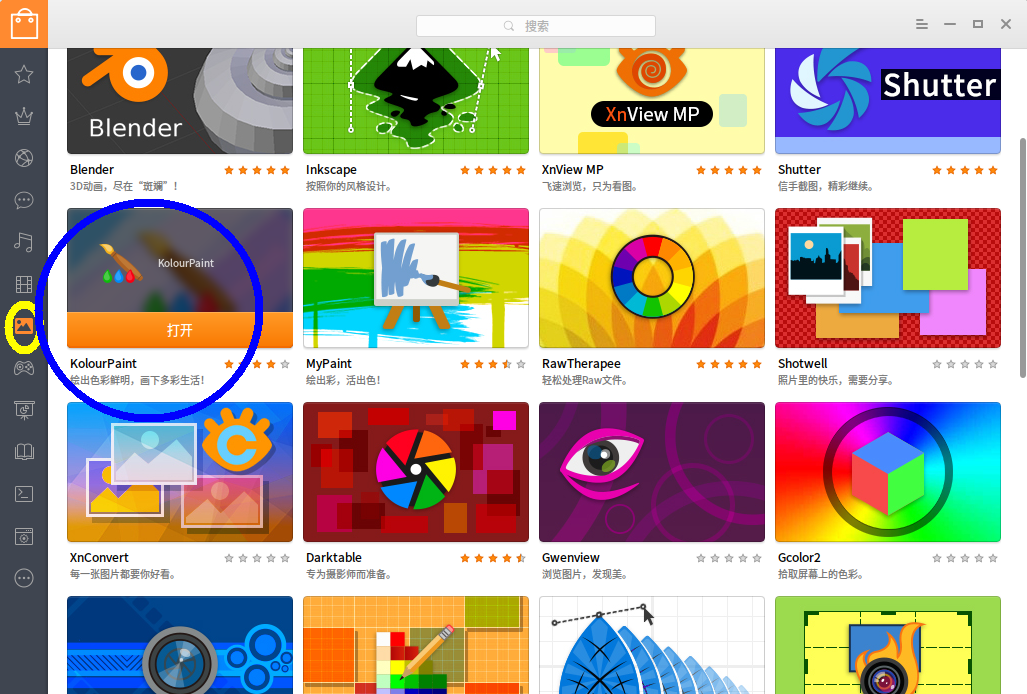
有什么简单易用的画图程序
Tofloor
poster avatar
152******09
deepin
2016-06-20 23:34
Author
我只是用来圈圈点点一些截图。 越小越好。
Reply Favorite View the author
All Replies
avatar
zqpetlee
deepin
2016-06-20 23:47
#1
不是有一个GIMP吗
Reply View the author
avatar
探索
deepin
2016-06-20 23:56
#2
深度截图可做一些简单标记
Reply View the author
Comments
md5_crc4
2016-06-21 00:10
方便 。。
avatar
152******09
deepin
2016-06-21 00:07
#3
https://bbs.deepin.org/post/40787
不是有一个GIMP吗

太高级了,一些图有时就是加些矩形,用gimp太大才小用了,而且每次导出图都出那个对话框,很浪费时间。。
Reply View the author
avatar
152******09
deepin
2016-06-21 00:08
#4
https://bbs.deepin.org/post/40787
深度截图可做一些简单标记

恩 谢谢,刚刚看到深度截图下面的一些按钮。。是够方便的。
Reply View the author
avatar
zzz19760225
deepin
2016-06-21 00:40
#5
本帖最后由 zzz19760225 于 2016-6-20 16:43 编辑

kolou        r    认准自己喜欢的名字,这样系统重装后不容易再化力气(个性化定制系统这个功能没出来或未熟练前,至少要麻烦点)


Reply View the author
avatar
yzca
deepin
2016-06-21 01:28
#6
mypaint, gpaint
Reply View the author
avatar
xliang9550
deepin
2016-06-21 02:30
#7
我还是常用Pinta作为简易栅格图编辑工具,理由是和Windows Paintbrush最为接近。
现在的Pinta版本支持ORA开放格式,强烈推荐使用。
Reply View the author
avatar
152******09
deepin
2016-06-21 03:19
#8
https://bbs.deepin.org/post/40787
我还是常用Pinta作为简易栅格图编辑工具,理由是和Windows Paintbrush最为接近。
现在的Pinta版本支持ORA开 ...

恩,谢谢,我只是简要标识一下截图,所以深度的截图软件足够了 谢谢
Reply View the author
avatar
152******09
deepin
2016-06-21 03:20
#9

谢谢,试了一下,mypaint是非常不错的,在存储管理上类似于git、vim那样的感觉 。gpaint没有流畅感 。
Reply View the author
avatar
Birdofwander
deepin
2016-06-21 04:46
#10
我喜欢用inkscape
Reply View the author
avatar
152******09
deepin
2016-06-21 14:28
#11

恩小的 mypaint估计是比较稳定的了。 我现在用深度自带的那个,也不知道啥名。
Reply View the author