

 中文

laoguang deepin
2016-06-12 05:27 deepin 
Reply Like 0 View the author
 deepin
 deepin
https://bbs.deepin.org/post/40504
来个os x的
谁再把windows powershell 的发过来就凑成一盘菜了!

 deepin
https://bbs.deepin.org/post/40504
这个下载了怎么按到deepin里。。。。不是很了解
 deepin
https://bbs.deepin.org/post/40504
来个os x的
谁再把windows powershell 的发过来就凑成一盘菜了!
deepin https://bbs.deepin.org/post/40504
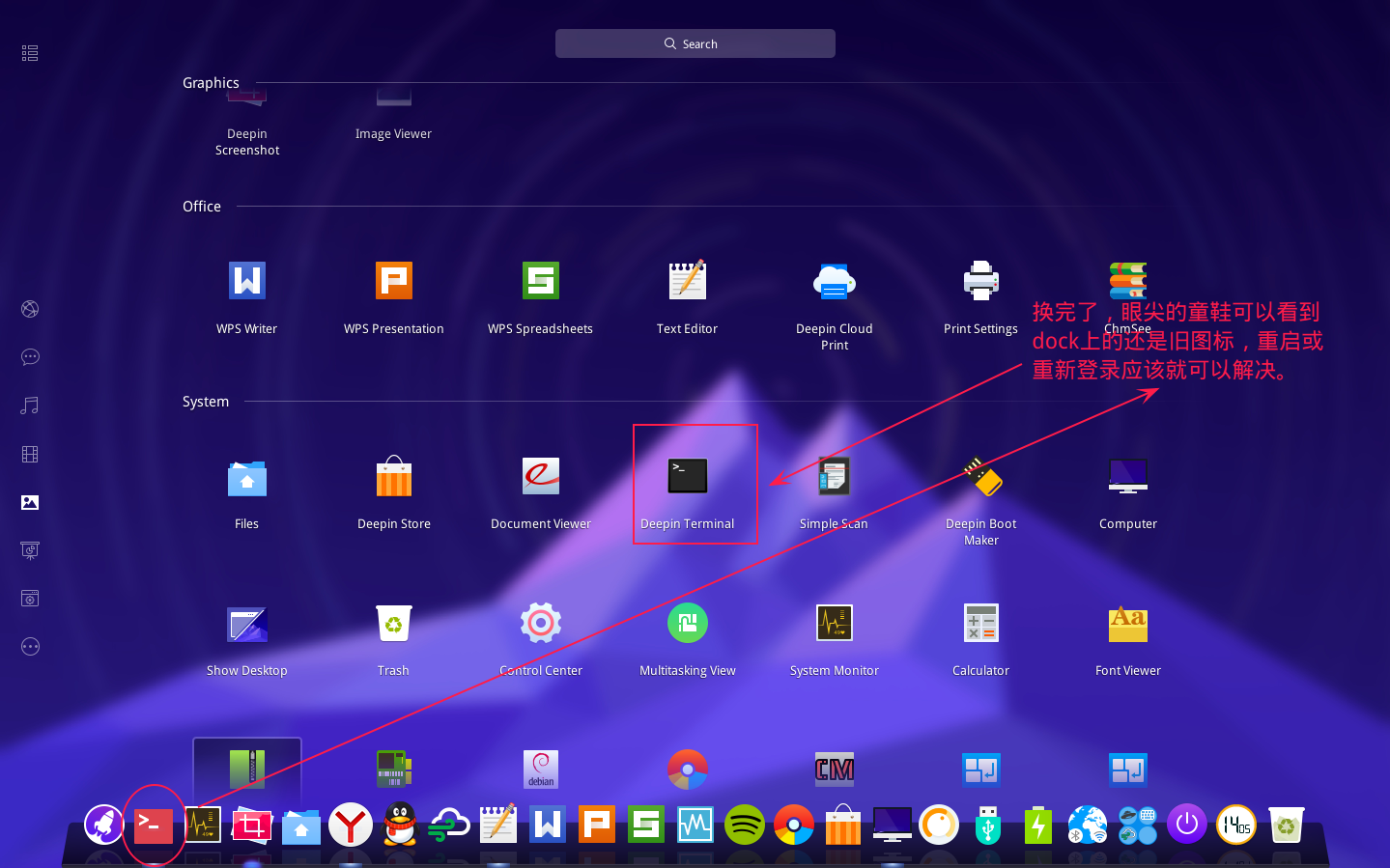
分别放到/usr/share/icons/deepin的48、128、s~文件夹里,对应的哦
deepin https://bbs.deepin.org/post/40504
你的这个我知道,但是他给的这个OS X的。。。只有一个文件啊,还是os x的文件类型。。。。。 ...
deepin https://bbs.deepin.org/post/40504
用Inkscape打开,另存为svg或png
deepin https://bbs.deepin.org/post/40504
OK。我去弄一下,对了导出来只有一个图标,放在那个尺寸的里面呢,还是想放哪个尺寸就调整成哪个尺寸保存 ...
deepin https://bbs.deepin.org/post/40504
你的这个我知道,但是他给的这个OS X的。。。只有一个文件啊,还是os x的文件类型。。。。。 ...
deepin https://bbs.deepin.org/post/40504
你的这个我知道,但是他给的这个OS X的。。。只有一个文件啊,还是os x的文件类型。。。。。 ...
deepin https://bbs.deepin.org/post/40504
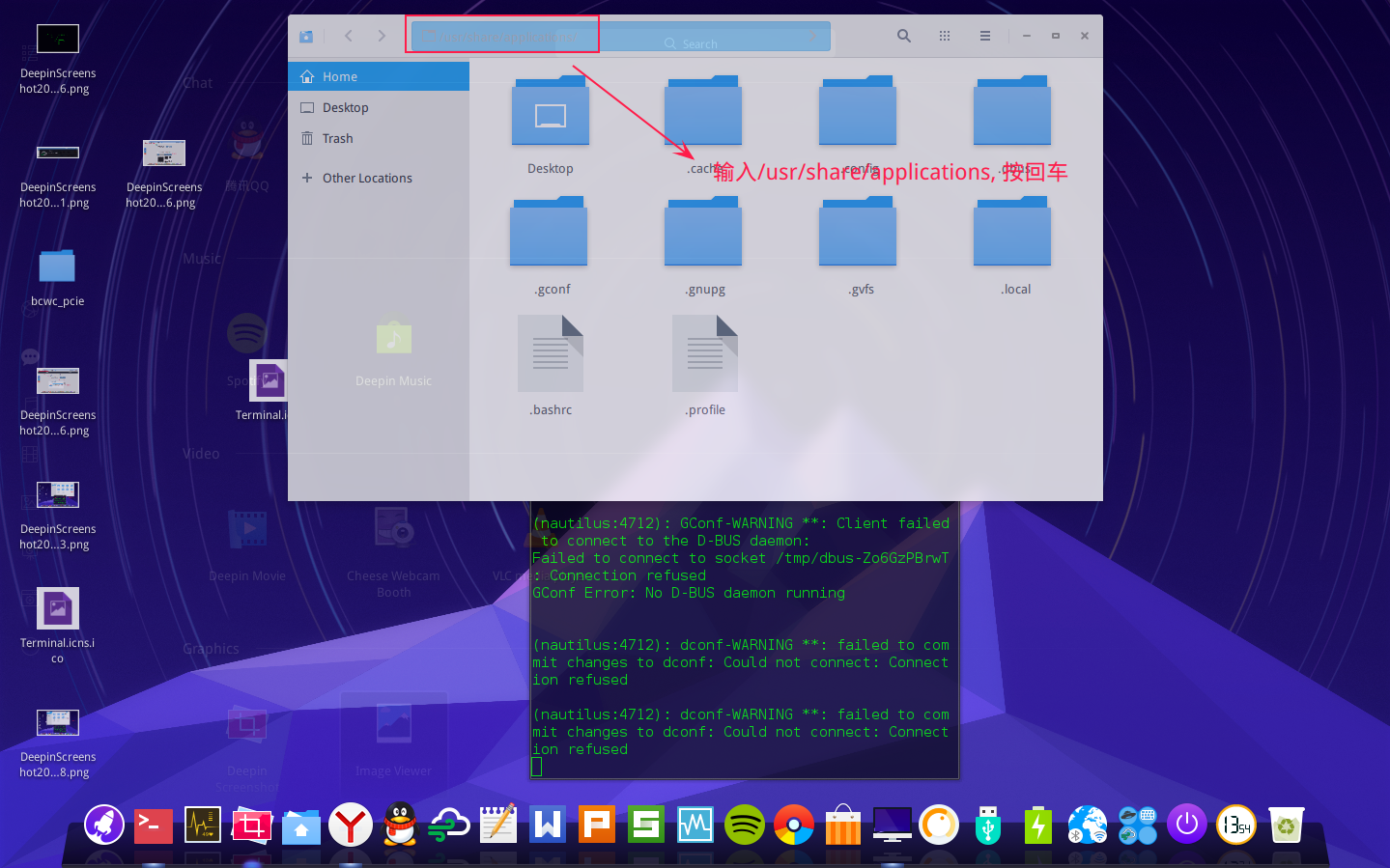
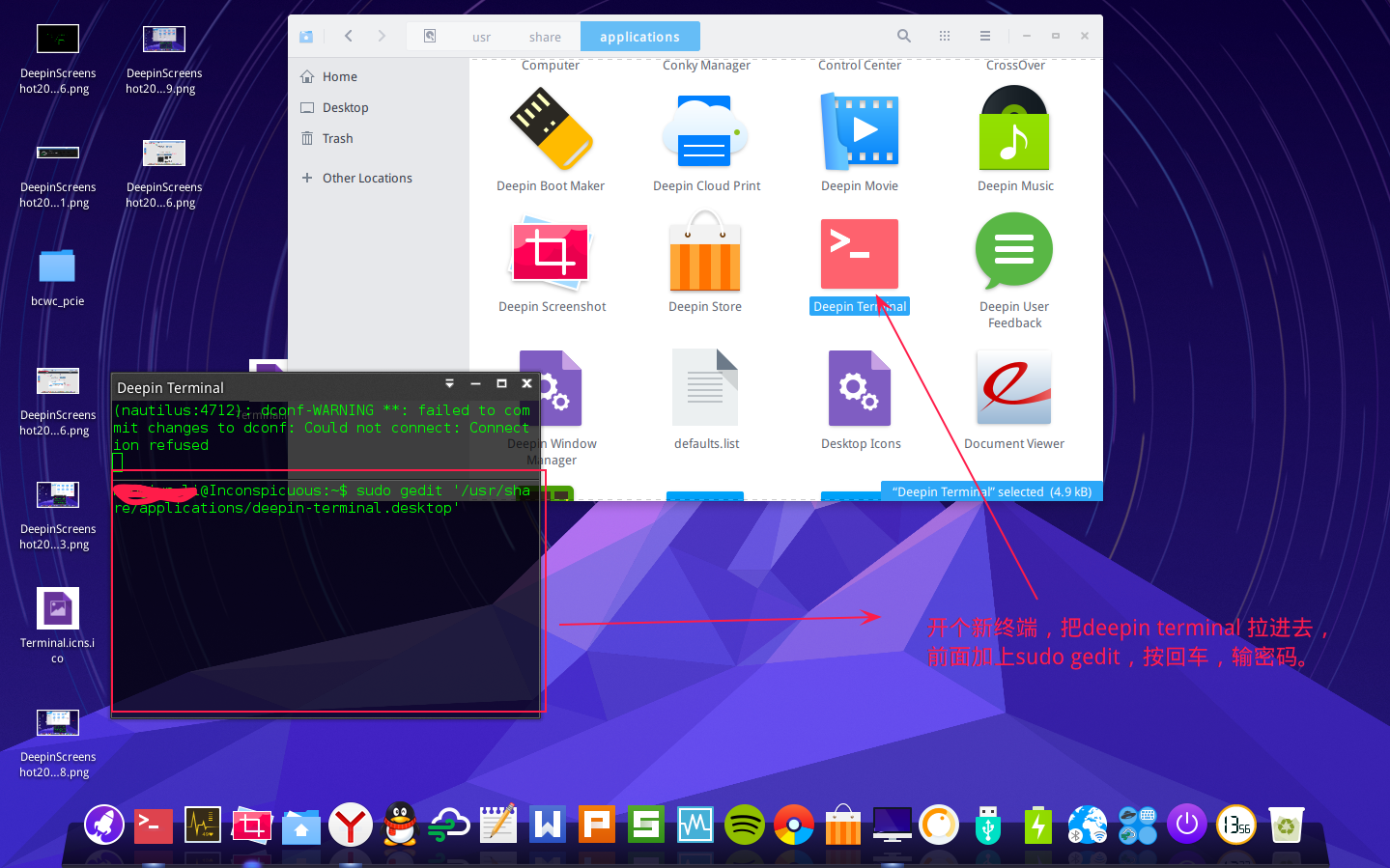
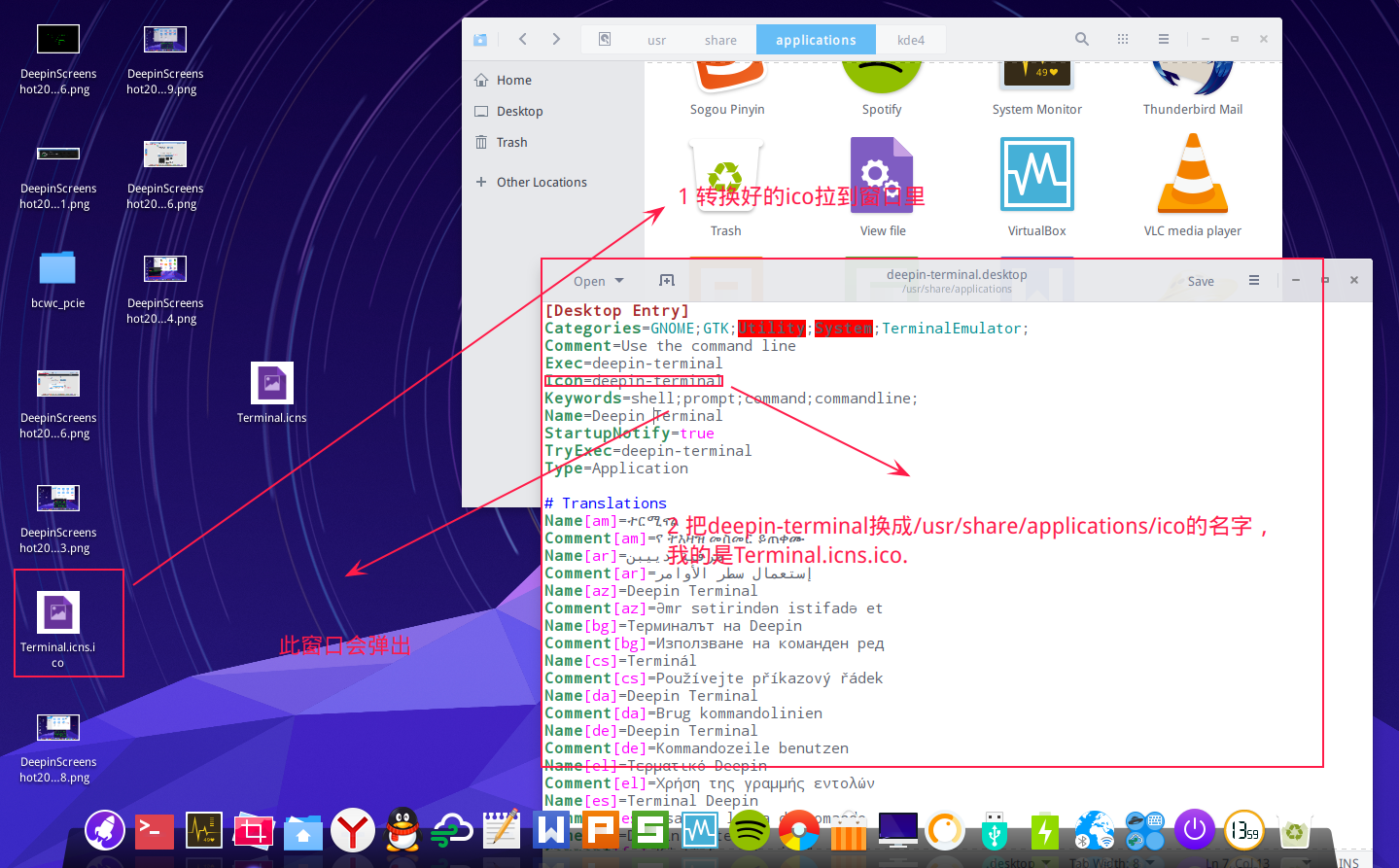
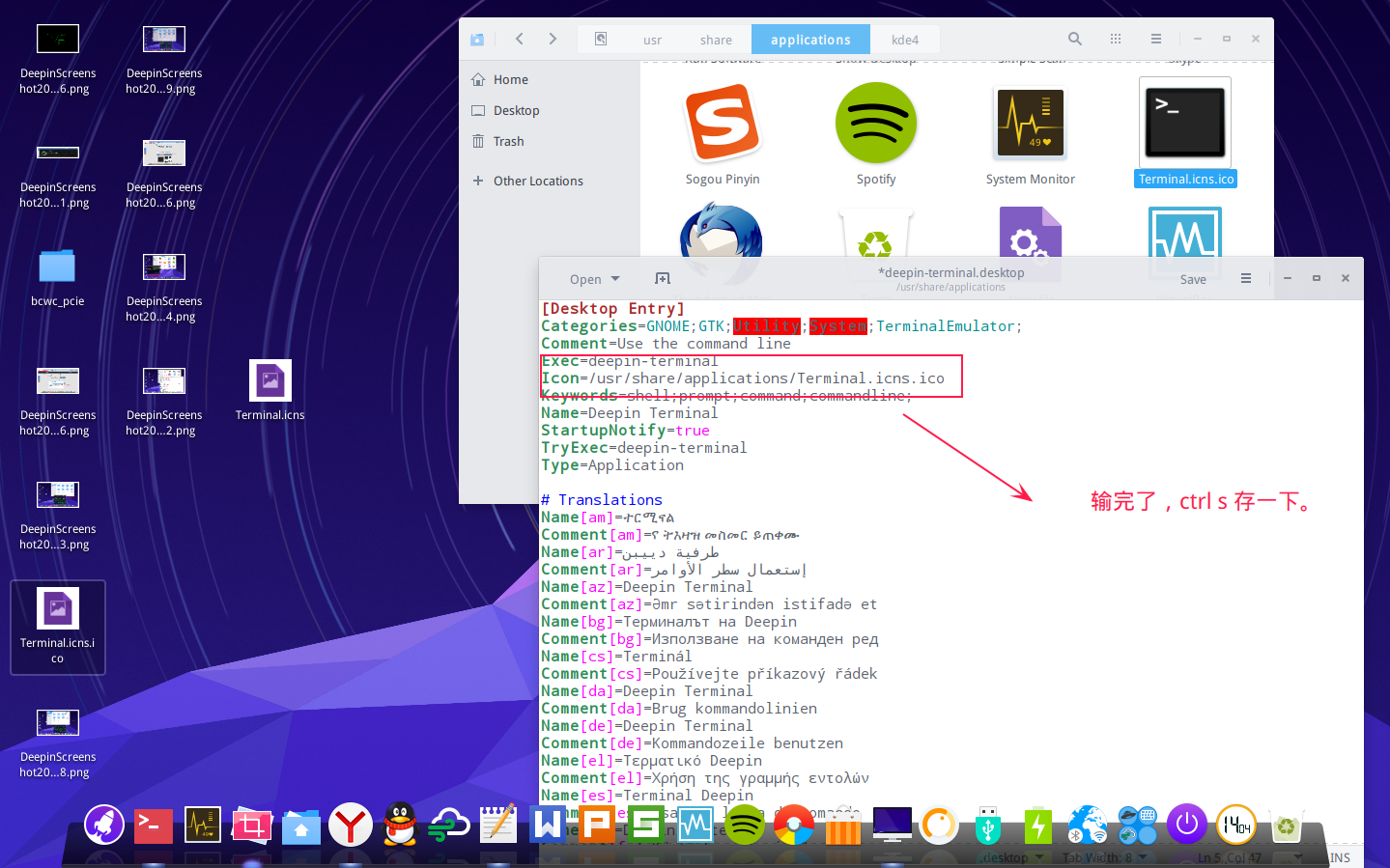
还有个方法,直接编辑 。desktop 文件。
把ico 文件 放进/usr/share/applications/
找到deepin terminal ...
 deepin
https://bbs.deepin.org/post/40504
还有个方法,直接编辑 。desktop 文件。
把ico 文件 放进/usr/share/applications/
找到deepin terminal ...
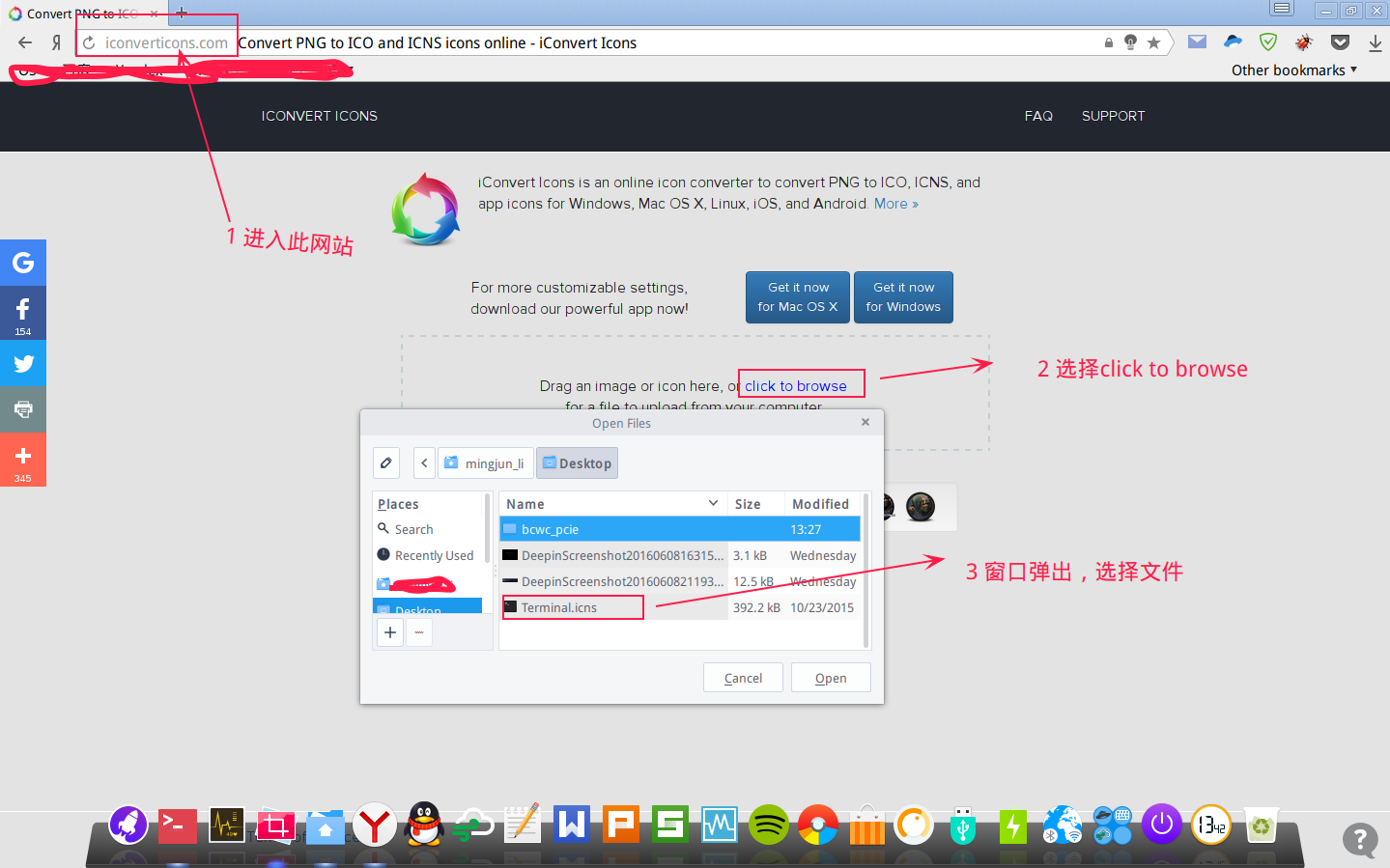
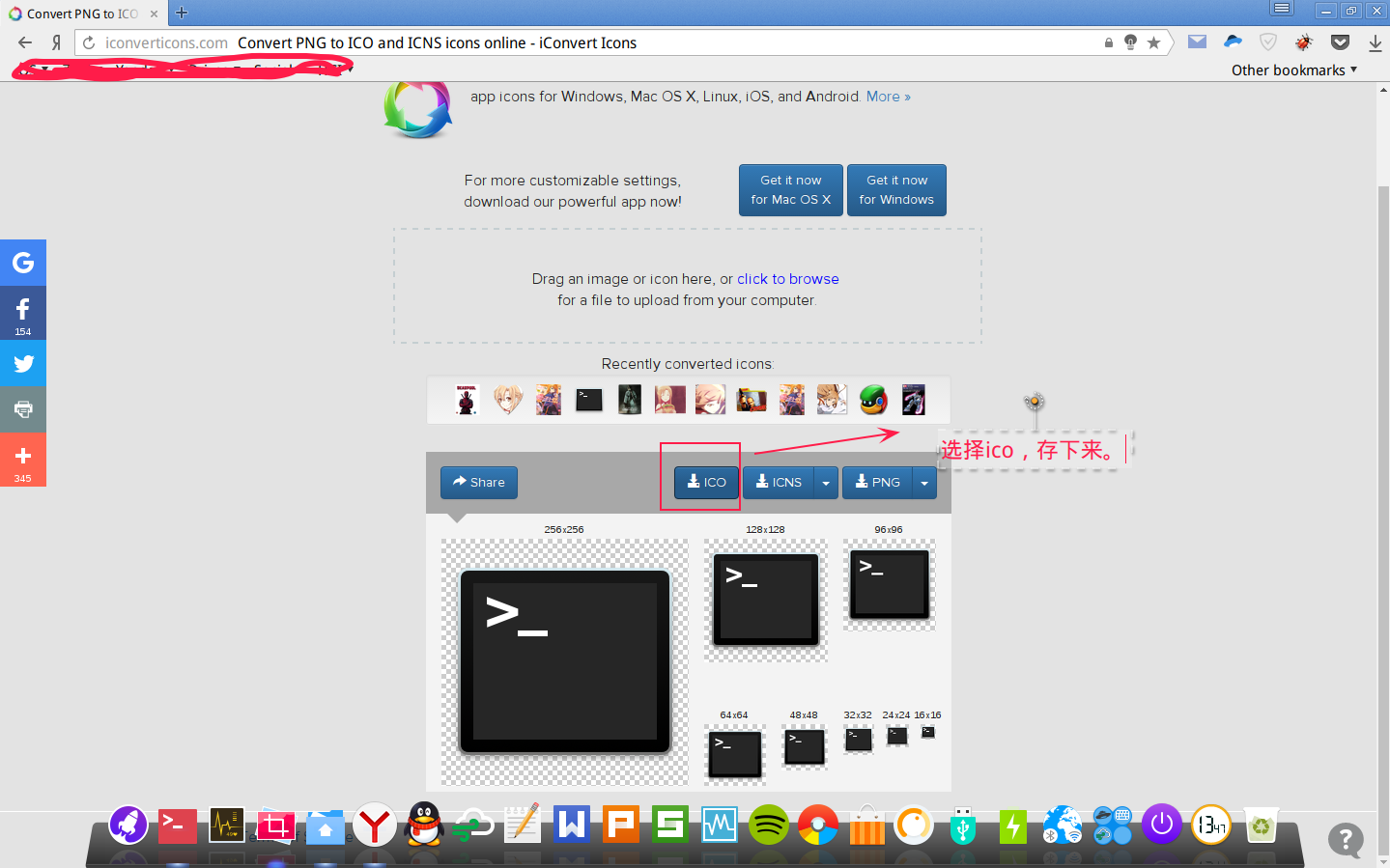
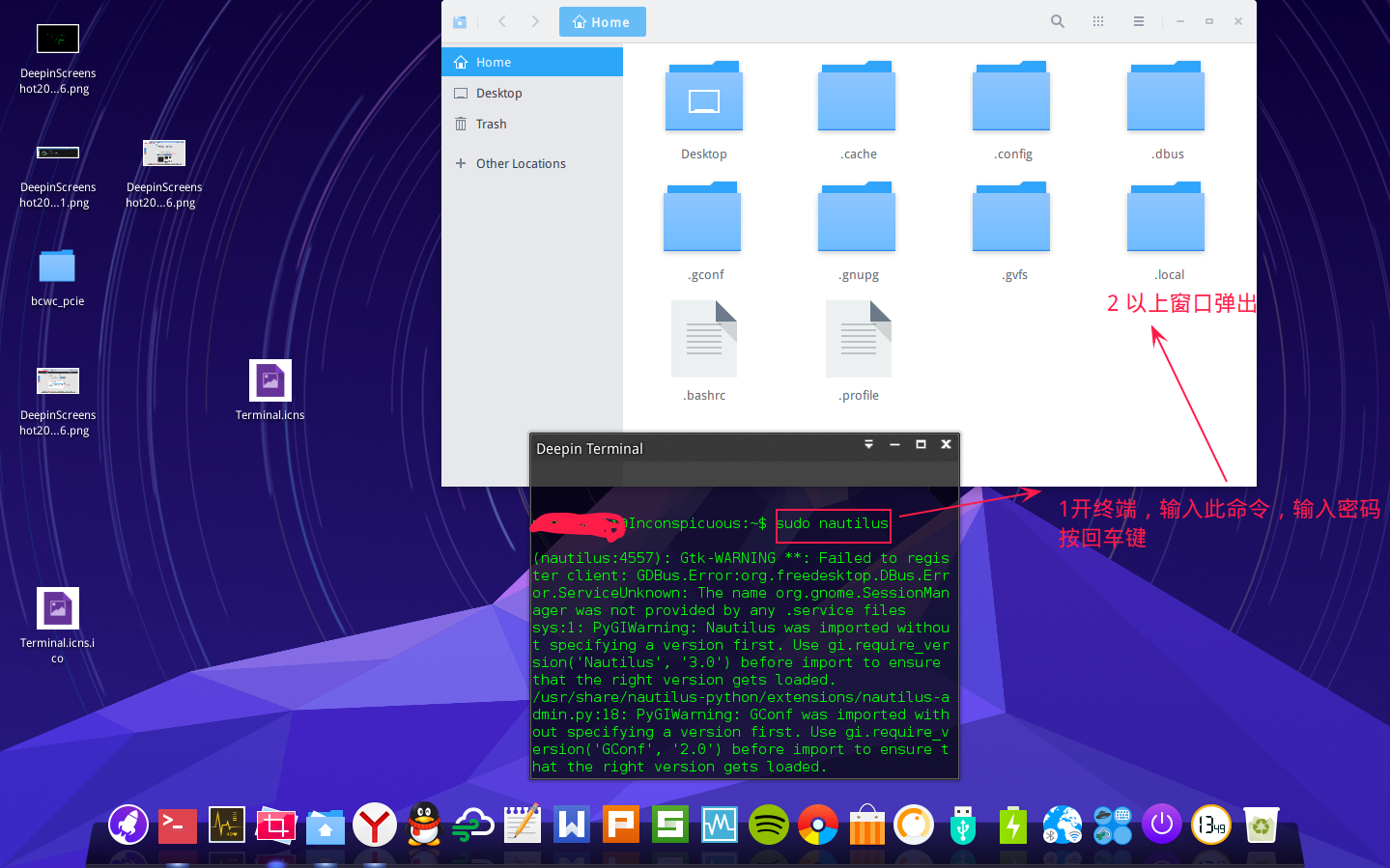
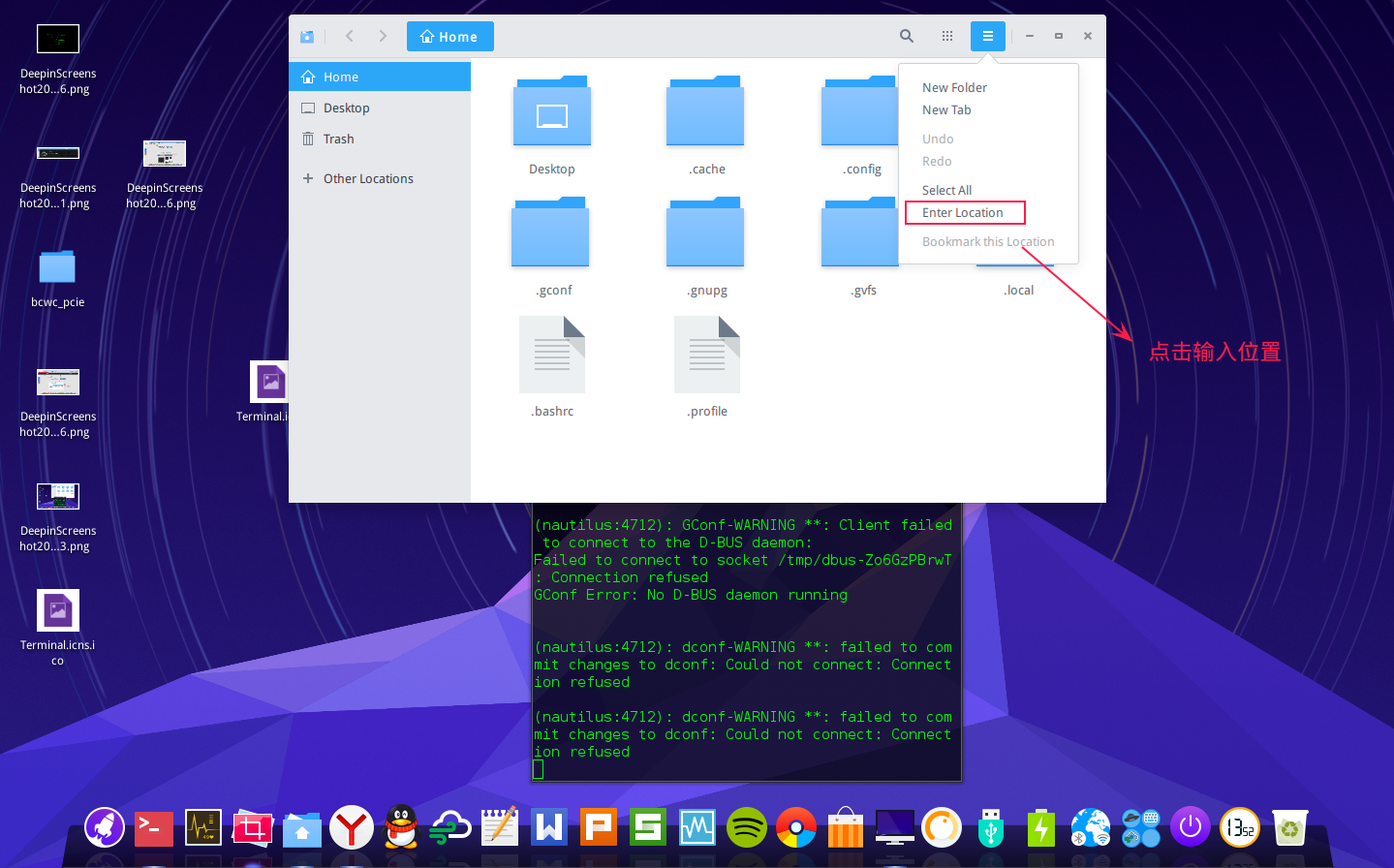
 deepin
https://bbs.deepin.org/post/40504
分别放到/usr/share/icons/deepin的48、128、s~文件夹里,对应的哦
deepin  deepin

 deepin
 deepin

 deepin deepin
https://bbs.deepin.org/post/40504
@smdnnutk

 deepin
https://bbs.deepin.org/post/40504
我更好奇你的Dock栏是怎么换更改样式的……
Popular Ranking
ChangePopular Events
More


 Adding a Dancing Spectrum Bar to the Deepin Taskbar | deepin-spectrum
觉得终端的图标都不太好看,于是上网找了个图标替换个深度终端的那个。感觉挺萌的
我把48*48的、128*128的还有svg文件打包了,感兴趣的朋友,应该都懂得怎么弄的了吧*^ . ^*