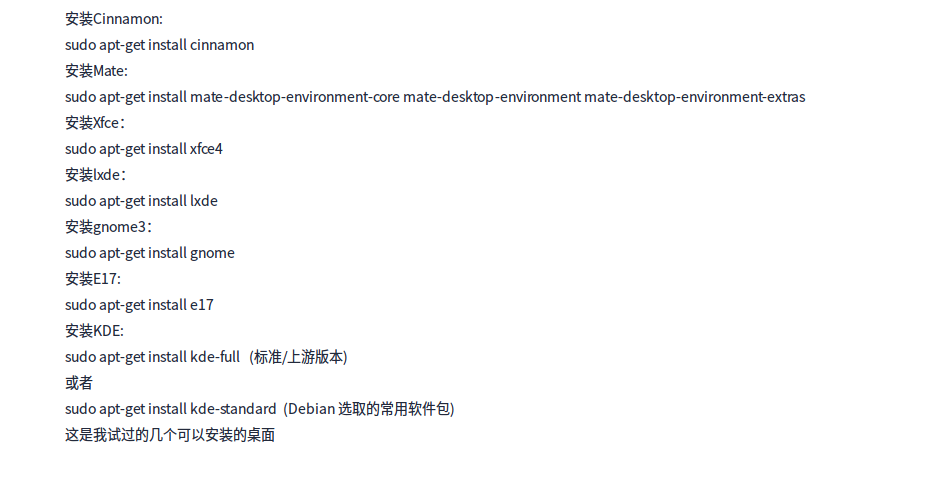
安装了多个桌面 如何设置默认登陆界面管理器
Tofloor
poster avatar
182******97
deepin
2016-03-27 18:52
Author
现在的登陆界面需要密码 ,怎么改回deepin默认的那个登陆界面?
Reply Favorite View the author
All Replies
avatar
182******97
deepin
2016-03-27 18:52
#1
Reply View the author
avatar
182******97
deepin
2016-03-27 18:54
#2
我安装了这些桌面
Reply View the author
avatar
la******ng@outlook.com
deepin
2016-03-27 19:29
#3
https://bbs.deepin.org/post/38385
我安装了这些桌面

冒昧地问一下,您安装这么多桌面做什么用呢?
Reply View the author
avatar
182******97
deepin
2016-03-28 01:11
#4
https://bbs.deepin.org/post/38385
冒昧地问一下,您安装这么多桌面做什么用呢?

我不至于想体验另一个桌面就更换发型版吧?
Reply View the author
avatar
182******97
deepin
2016-03-28 01:16
#5
https://bbs.deepin.org/user/4296 @cxbii @cxbii @cxbii @cxbii @cxbii @cxbii @cxbii
Reply View the author
avatar
136******54
deepin
2016-03-28 01:33
#6
你现在用的哪个桌面?不管哪个桌面,在登录界面应该都有桌面环境的选择选项的
Reply View the author
avatar
Plasma
deepin
2016-03-28 05:57
#7
进入KDE。
设置自动登录:系统设置>MDM Login Manager>自动登录。
切换到Deepin默认的窗口管理器:系统设置>默认程序>窗口管理器>使用另外的窗口管理器。

Reply View the author
avatar
ArthurDeepin
deepin
2016-03-28 06:21
#8
本帖最后由 ArthurDeepin 于 2016-3-27 22:26 编辑

登录管理器,会话管理器、窗口管理器、桌面环境,这几个一定要分清楚
https://wiki.archlinux.org/index.php/LightDM

重点看看lightdm-webkit-greeter
Reply View the author
avatar
Plasma
deepin
2016-03-28 12:06
#9
本帖最后由 D51Du 于 2016-3-28 04:16 编辑

之前以为切换窗口管理器后登录界面也会跟着一同改变,看过9楼的回复后查阅了相关资料,发现其实登录界面是由显示管理器控制的。常见的显示管理器有:KDM(KDE Display Manager,KDE4及之前版本默认的显示管理器)、GDM(The GNOME Display Manager,GNOME默认的显示管理器)、SDDM(Simple Desktop Display Manager,KDE5默认的显示管理器)、LightDM(Deepin默认的显示管理器)、MDM(LinuxMint默认的显示管理器)等。
所以要切换到Deepin默认的登录界面只需将显示管理器设置为LightDM。终端中输入:
    sudo dpkg-reconfigure lightdm
使用方向键选中“lightdm”,再按下Tab键选中“确定”,回车,重启生效。之前设置的自动登录也随之生效。不过设置自动登录后就无法在登录前选择会话(桌面环境)了,只能等待进入默认会话后注销并重新选择会话,或设置新的默认会话。
之前的回复中以KDE4为例,然而Deepin中安装软件包kde-standard后得到是KDE5,设置自动登录的方式变为:系统设置>开机和关机>登录屏幕>高级,勾选“自动登录”。

Reply View the author
avatar
cxbii
deepin
2016-03-28 17:17
#10
Reply View the author