15.1.1更新后桌面图标消失
Tofloor
poster avatar
子非鱼
deepin
2016-03-10 06:48
Author
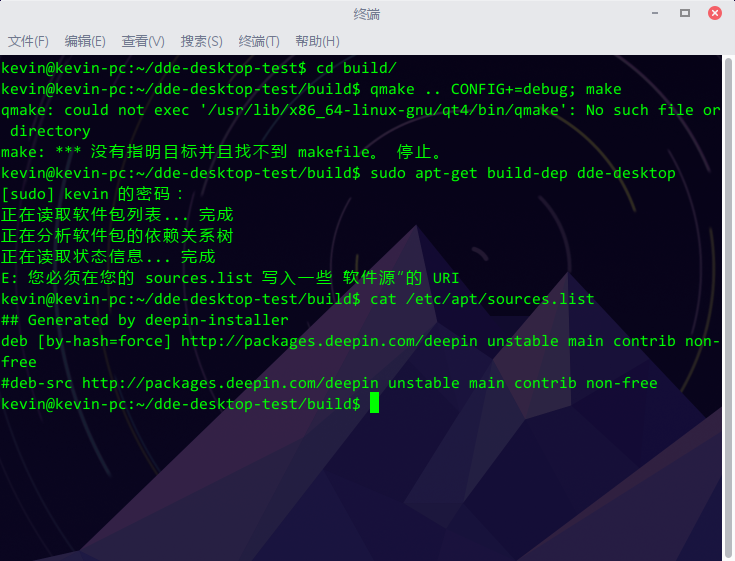
如题,公司和家里两台电脑都是这样的,截图如下:

并且dde-desktop进程占用CPU和内存居高不下

麻烦尽快看看是我哪里没配置好还是没更新完整,还是出现了bug
Reply Favorite View the author
All Replies
avatar
子非鱼
deepin
2016-03-10 06:58
#1
风扇呼呼的转,真要命,希望明天能看到解决方案。。
Reply View the author
avatar
u855697021
deepin
2016-03-10 08:07
#2
有一样的问题,很多时候本来在桌面文件夹里的文件,在桌面上莫名其妙的不显示了。
而新拖拽到桌面上的文件倒没事...
Reply View the author
avatar
子非鱼
deepin
2016-03-10 16:58
#3
https://bbs.deepin.org/post/37919
有一样的问题,很多时候本来在桌面文件夹里的文件,在桌面上莫名其妙的不显示了。
而新拖拽到桌面上的文件 ...

看来的确有问题,呼叫https://bbs.deepin.org/user/4296 快来看看
Reply View the author
avatar
HualetWang
deepin
2016-03-10 17:37
#4
应该跟这个issue一样的问题:https://github.com/linuxdeepin/d ... uecomment-193256634

先执行下
  1. xdg-user-dir DESKTOP
Copy the Code

如果结果不是指向你的桌面路径,说明跟上面的问题一致。

执行一下
  1. xdg-user-dirs-update --set DESKTOP ~/桌面/
Copy the Code

把其中 ~/桌面/ 换成你桌面的路径。
注销一下,应该就好了。
Reply View the author
avatar
子非鱼
deepin
2016-03-10 17:47
#5
https://bbs.deepin.org/post/37919
应该跟这个issue一样的问题:https://github.com/linuxdeepin/developer-center/issues/59#issuecomment-19 ...

我试了,和这个issue不一致,第一步指向的是我的桌面路径
Reply View the author
avatar
wangjiawei
deepin
2016-03-10 17:47
#6
我的也是,上个版本一开始也没有,突然有一天就有了,现在新安装的版本又没有了!
Reply View the author
avatar
u855697021
deepin
2016-03-10 18:03
#7
https://bbs.deepin.org/post/37919
我试了,和这个issue不一致,第一步指向的是我的桌面路径

跟这个不太一样,我桌面上那些文件有时有有时又消失了...
Reply View the author
avatar
HualetWang
deepin
2016-03-10 18:17
#8
  1. tar -xvf dde-desktop-test.tar.gz -C .
  2. cd dde-desktop-test; mkdir build
  3. cd build; qmake .. CONFIG+=debug; make
  4. ./dde-desktop-test
Copy the Code
谁能帮忙按上面的步骤编译一下我提供的测试程序?看看输出如何?
如果缺少依赖的话,执行 sudo apt-get build-dep dde-desktop
Reply View the author
avatar
子非鱼
deepin
2016-03-10 18:33
#9
https://bbs.deepin.org/post/37919
谁能帮忙按上面的步骤编译一下我提供的测试程序?看看输出如何?
如果缺少依赖的话,执行 sudo apt-get bu ...
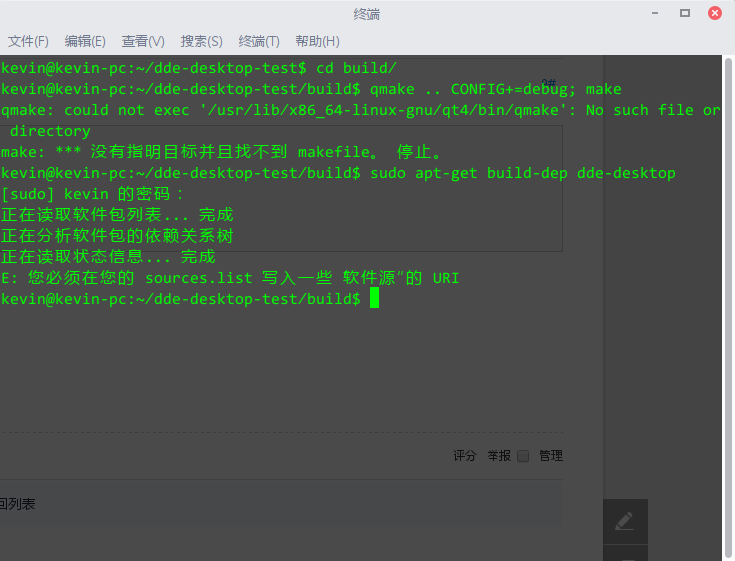

然后怎么操作捏?
其实“桌面”文件夹里的文件并没丢失,只是桌面上没显示出来,而且我注意到每隔一段时间desktop进程就会刷新/重启一次
Reply View the author
avatar
HualetWang
deepin
2016-03-10 18:51
#10
我晕,你 sources.list什么内容啊?

cat /etc/apt/sources.list
Reply View the author
avatar
子非鱼
deepin
2016-03-10 18:54
#11
https://bbs.deepin.org/post/37919
我晕,你 sources.list什么内容啊?

cat /etc/apt/sources.list

貌似没动过啊。。

Reply View the author
avatar
HualetWang
deepin
2016-03-10 19:15
#12
我64位的编译了一个,你下载直接执行看看?
Reply View the author
avatar
子非鱼
deepin
2016-03-10 19:21
#13
https://bbs.deepin.org/post/37919
我64位的编译了一个,你下载直接执行看看?

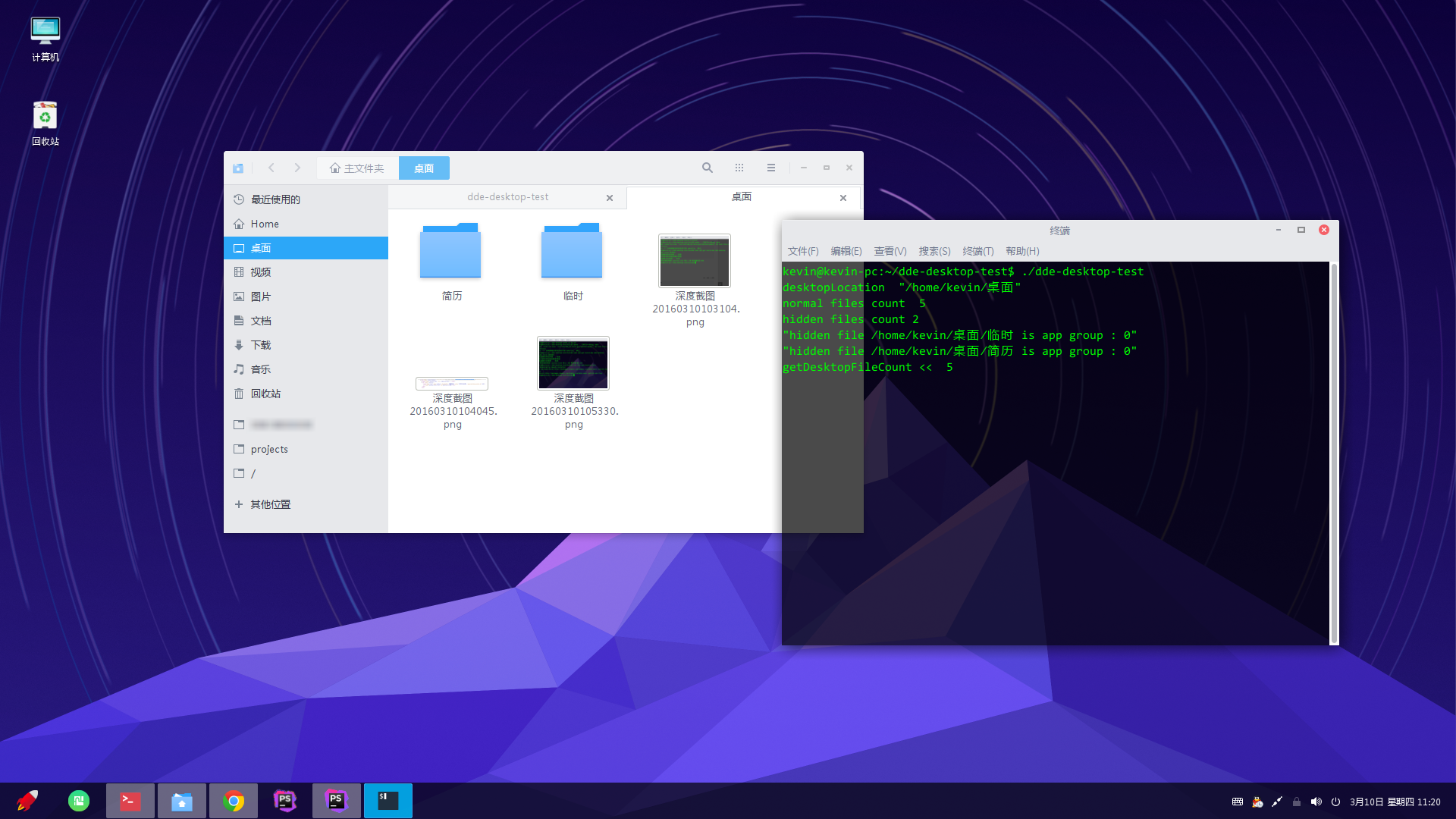
新鲜报告出炉了

Reply View the author
avatar
HualetWang
deepin
2016-03-10 19:27
#14
额,不好意思忘了说,麻烦桌面的log ~/.cache/deepin/dde-desktop/dde-desktop.log 也上传下看看
Reply View the author
avatar
子非鱼
deepin
2016-03-10 19:45
#15
https://bbs.deepin.org/post/37919
额,不好意思忘了说,麻烦桌面的log ~/.cache/deepin/dde-desktop/dde-desktop.log 也上传下看看 ...
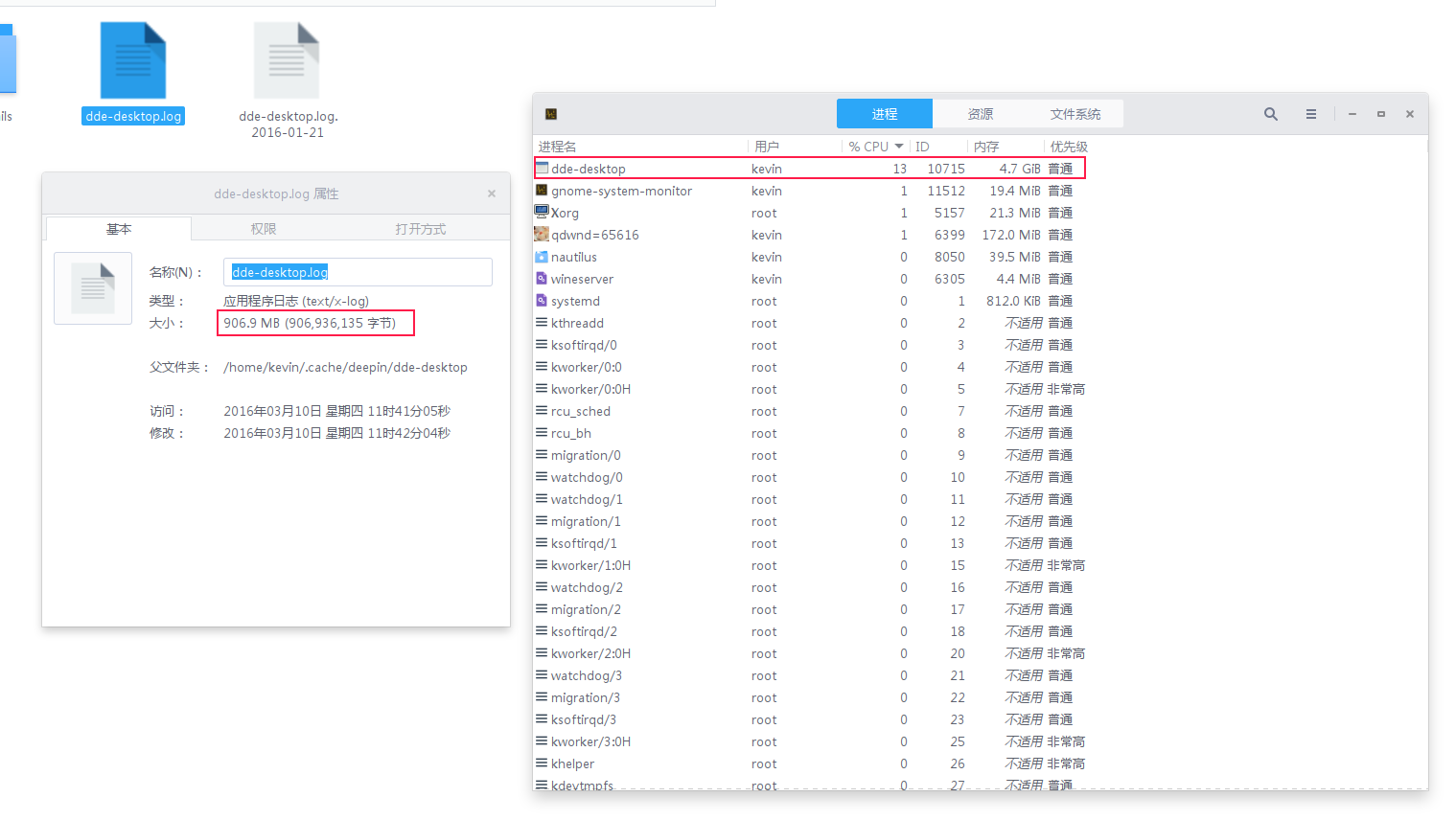
不行啊,这个文件有点大,有啥办法重新开始log生成个小点的?另外内存快被dde-desktop吃光啦,我要重启下电脑。。

Reply View the author
avatar
子非鱼
deepin
2016-03-10 19:57
#16
https://bbs.deepin.org/post/37919
不行啊,这个文件有点大,有啥办法重新开始log生成个小点的?另外内存快被dde-desktop吃光啦,我要重启下 ...

最新报告:就在我刚才因为内存吃光重启后我发现问题居然奇迹般的没有啦!我之前也重启过,但问题没解决,难道这也要拼人品?。。。
Reply View the author
avatar
HualetWang
deepin
2016-03-10 20:52
#17
https://bbs.deepin.org/post/37919
最新报告:就在我刚才因为内存吃光重启后我发现问题居然奇迹般的没有啦!我之前也重启过,但问题没解决, ...

那下次出现的时候我们再合作调试吧。。。
Reply View the author
avatar
子非鱼
deepin
2016-03-11 04:52
#18
本帖最后由 xlight 于 2016-3-10 21:25 编辑
https://bbs.deepin.org/post/37919
那下次出现的时候我们再合作调试吧。。。
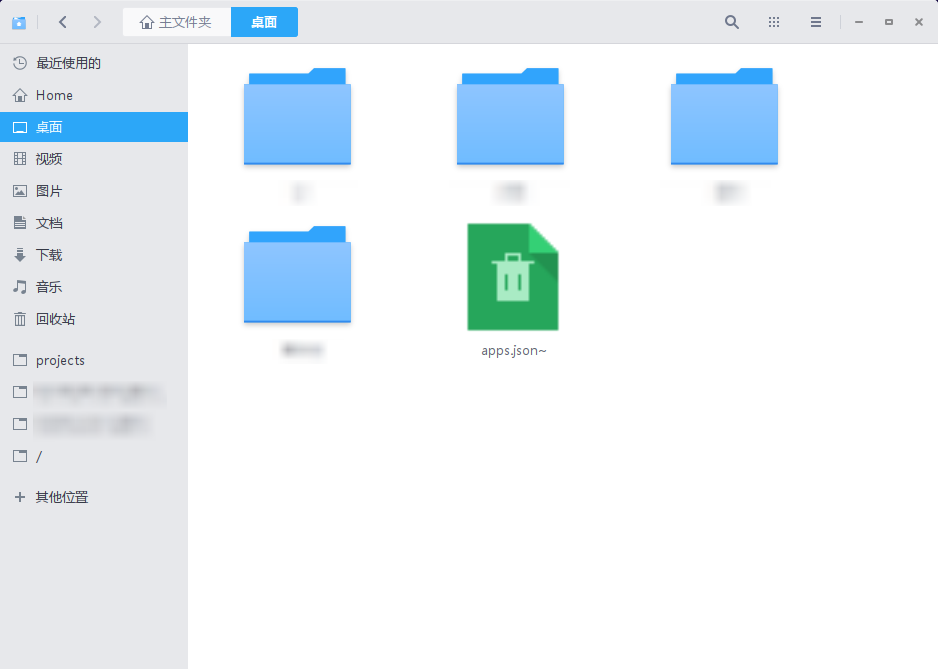
@WangYaohua 同学,我找到了在我这100%重现的办法,问题就出在桌面文件夹里有~结尾的gedit备份文件,见下图最后那个文件:
下午公司电脑之所以重启后神奇的好了,我记起来也是之前随手把里面几个~文件删掉了。。
话说我之前就提过一次类似的bug,那次好像是dock不能加载,问题也是因为文件中包含了特殊字符(记得应该是notepad++的一个快捷方式),嫩还是没足够重视啊。好啦,期望尽快修复这个bug吧
如果有其它同学同样遭此不测,只需要打开“桌面”文件夹,ctrl+h显示全部文件,并删掉里面的~结尾的文件再注销重新登录就行了


Reply View the author
Comments
china140106
2016-03-13 06:17
同样的问题,同样的解决办法!