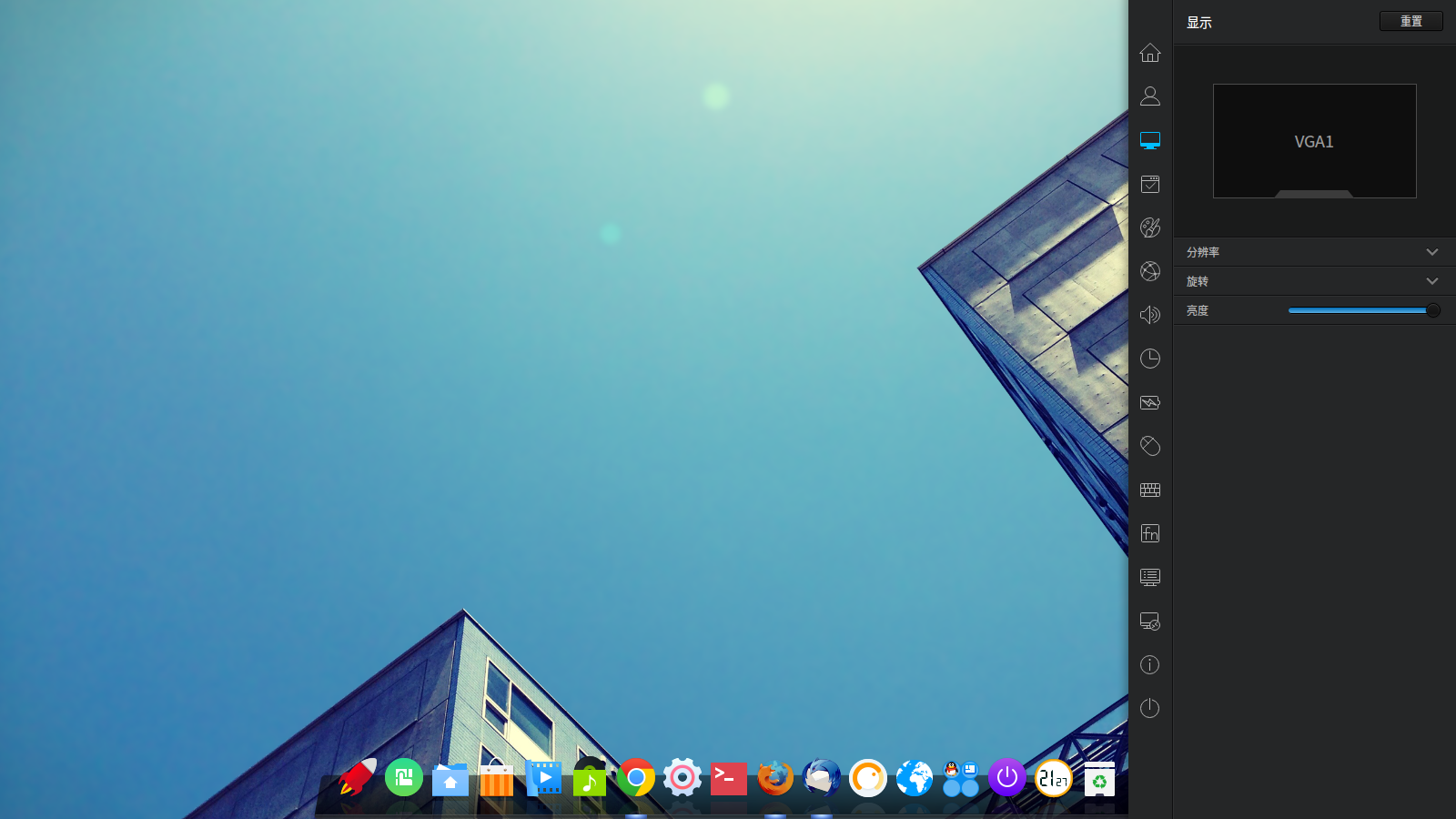
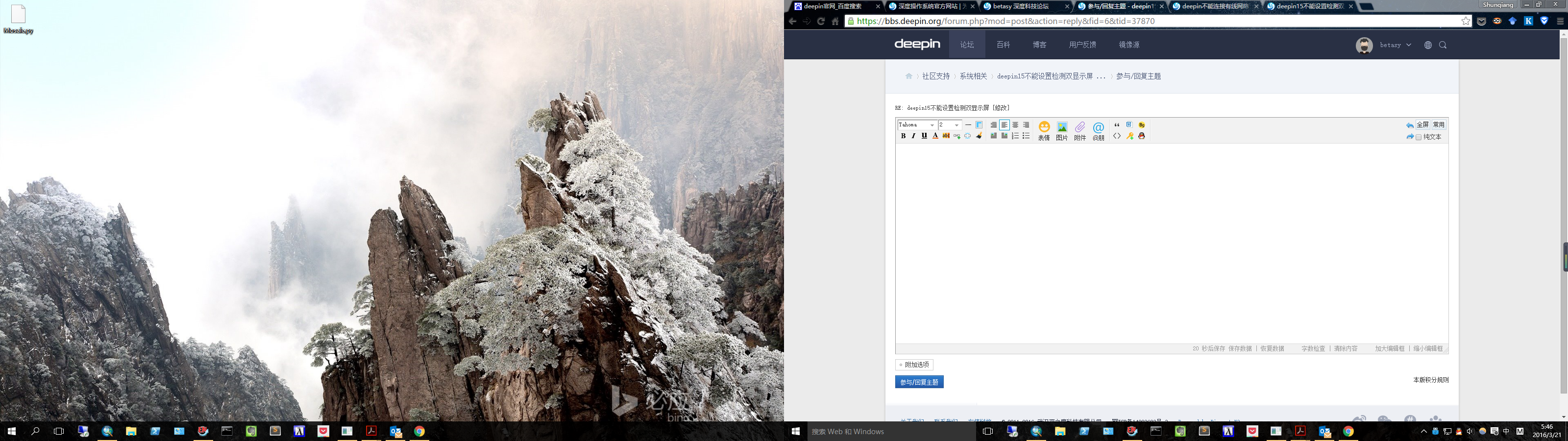
deepin15不能设置检测双显示屏
Tofloor
poster avatar
betasy
deepin
2016-03-09 05:28
Author
win10+deepin双系统,今天刚装的,不能检测并启用双屏显示。忘有经验的同学帮忙啊。


Reply Favorite View the author
All Replies
1 / 2
To page
avatar
wangyong
deepin
2016-03-09 06:12
#1
插上外显就可以自动切换成多屏设置了, 请检查一下视频线是否接好?
Reply View the author
Comments
meow366
2017-12-04 22:03
也是这个问题,尝试了好多次,应该是驱动或配置方面的问题吧。
avatar
betasy
deepin
2016-03-09 18:09
#2
https://bbs.deepin.org/post/37870
插上外显就可以自动切换成多屏设置了, 请检查一下视频线是否接好?

视频线确认是接好的,因为切换到win10是可以双屏显示的。
Reply View the author
avatar
方老四
deepin
2016-03-09 18:17
#3
本帖最后由 fangling 于 2016-3-9 10:37 编辑

我用笔记本(dell笔记本,集成intel核芯显卡)上的hdmi接口连上大电视,选择Deepin15系统,开始时笔记本和电视上都显示,进入图形界面后(出现用户登陆界面)电视上就不显示了。选择win7系统,开始时电视上不显示,进入图形界面后笔记本和电视都能显示。不知道是系统的问题,还是linux的驱动问题?
Reply View the author
avatar
176******20
deepin
2016-03-09 19:13
#4
桌面环境的问题吧  
Ubuntu安装好默认是有两个屏幕的,需要手动安装。
Reply View the author
avatar
guanjiwwei
deepin
2016-03-09 20:18
#5
我的也不行,连接两个显示就卡死了。
如果开机之前连上,就一直黑屏。
真的坑死人。
Reply View the author
avatar
yanbowen
deepin
Community Developer
2016-03-09 20:52
#6
麻烦贴下 xrandr --verbose 的输出结果
Reply View the author
avatar
betasy
deepin
2016-03-12 04:09
#7
Screen 0: minimum 8 x 8, current 1600 x 900, maximum 32767 x 32767
DP2 disconnected (normal left inverted right x axis y axis)
        Identifier: 0x82
        Timestamp:  39548
        Subpixel:   unknown
        Clones:     HDMI1
        CRTCs:      0 1 2
        Transform:  1.000000 0.000000 0.000000
                    0.000000 1.000000 0.000000
                    0.000000 0.000000 1.000000
                   filter:
        Broadcast RGB: Automatic
                supported: Automatic, Full, Limited 16:235
        audio: auto
                supported: force-dvi, off, auto, on
DP3 disconnected (normal left inverted right x axis y axis)
        Identifier: 0x83
        Timestamp:  39548
        Subpixel:   unknown
        Clones:     HDMI2
        CRTCs:      0 1 2
        Transform:  1.000000 0.000000 0.000000
                    0.000000 1.000000 0.000000
                    0.000000 0.000000 1.000000
                   filter:
        Broadcast RGB: Automatic
                supported: Automatic, Full, Limited 16:235
        audio: auto
                supported: force-dvi, off, auto, on
HDMI1 disconnected (normal left inverted right x axis y axis)
        Identifier: 0x84
        Timestamp:  39548
        Subpixel:   unknown
        Clones:     DP2
        CRTCs:      0 1 2
        Transform:  1.000000 0.000000 0.000000
                    0.000000 1.000000 0.000000
                    0.000000 0.000000 1.000000
                   filter:
        aspect ratio: Automatic
                supported: Automatic, 4:3, 16:9
        Broadcast RGB: Automatic
                supported: Automatic, Full, Limited 16:235
        audio: auto
                supported: force-dvi, off, auto, on
HDMI2 disconnected (normal left inverted right x axis y axis)
        Identifier: 0x85
        Timestamp:  39548
        Subpixel:   unknown
        Clones:     DP3
        CRTCs:      0 1 2
        Transform:  1.000000 0.000000 0.000000
                    0.000000 1.000000 0.000000
                    0.000000 0.000000 1.000000
                   filter:
        aspect ratio: Automatic
                supported: Automatic, 4:3, 16:9
        Broadcast RGB: Automatic
                supported: Automatic, Full, Limited 16:235
        audio: auto
                supported: force-dvi, off, auto, on
VGA1 connected primary 1600x900+0+0 (0x54) normal (normal left inverted right x axis y axis) 443mm x 249mm
        Identifier: 0x86
        Timestamp:  39548
        Subpixel:   unknown
        Gamma:      1.0:1.0:1.0
        Brightness: 1.0
        Clones:   
        CRTC:       0
        CRTCs:      0 1 2
        Transform:  1.000000 0.000000 0.000000
                    0.000000 1.000000 0.000000
                    0.000000 0.000000 1.000000
                   filter:
        _MUTTER_PRESENTATION_OUTPUT: 0
        EDID:
                00ffffffffffff0010ac534053514330
                241301030a2c1978eeee95a3544c9926
                0f5054a54b00714f8180a9c001010101
                010101010101302a40c8608464301850
                1300bbf91000001e000000ff00574a35
                3954393856304351530a000000fc0044
                454c4c204532303130480a20000000fd
                00384c1e5310000a2020202020200050
  1600x900 (0x54) 108.000MHz +HSync +VSync *current +preferred
        h: width  1600 start 1624 end 1704 total 1800 skew    0 clock  60.00KHz
        v: height  900 start  901 end  904 total 1000           clock  60.00Hz
  1280x1024 (0x55) 135.000MHz +HSync +VSync
        h: width  1280 start 1296 end 1440 total 1688 skew    0 clock  79.98KHz
        v: height 1024 start 1025 end 1028 total 1066           clock  75.02Hz
  1280x1024 (0x56) 108.000MHz +HSync +VSync
        h: width  1280 start 1328 end 1440 total 1688 skew    0 clock  63.98KHz
        v: height 1024 start 1025 end 1028 total 1066           clock  60.02Hz
  1152x864 (0x57) 108.000MHz +HSync +VSync
        h: width  1152 start 1216 end 1344 total 1600 skew    0 clock  67.50KHz
        v: height  864 start  865 end  868 total  900           clock  75.00Hz
  1024x768 (0x58) 78.800MHz +HSync +VSync
        h: width  1024 start 1040 end 1136 total 1312 skew    0 clock  60.06KHz
        v: height  768 start  769 end  772 total  800           clock  75.08Hz
  1024x768 (0x59) 65.000MHz -HSync -VSync
        h: width  1024 start 1048 end 1184 total 1344 skew    0 clock  48.36KHz
        v: height  768 start  771 end  777 total  806           clock  60.00Hz
  800x600 (0x5a) 49.500MHz +HSync +VSync
        h: width   800 start  816 end  896 total 1056 skew    0 clock  46.88KHz
        v: height  600 start  601 end  604 total  625           clock  75.00Hz
  800x600 (0x5b) 40.000MHz +HSync +VSync
        h: width   800 start  840 end  968 total 1056 skew    0 clock  37.88KHz
        v: height  600 start  601 end  605 total  628           clock  60.32Hz
  640x480 (0x5c) 31.500MHz -HSync -VSync
        h: width   640 start  656 end  720 total  840 skew    0 clock  37.50KHz
        v: height  480 start  481 end  484 total  500           clock  75.00Hz
  640x480 (0x5d) 25.200MHz -HSync -VSync
        h: width   640 start  656 end  752 total  800 skew    0 clock  31.50KHz
        v: height  480 start  490 end  492 total  525           clock  60.00Hz
  720x400 (0x5e) 28.320MHz -HSync +VSync
        h: width   720 start  738 end  846 total  900 skew    0 clock  31.47KHz
        v: height  400 start  412 end  414 total  449           clock  70.08Hz
VIRTUAL1 disconnected (normal left inverted right x axis y axis)
        Identifier: 0x87
        Timestamp:  39548
        Subpixel:   no subpixels
        Clones:   
        CRTCs:      3
        Transform:  1.000000 0.000000 0.000000
                    0.000000 1.000000 0.000000
                    0.000000 0.000000 1.000000
                   filter:
Reply View the author
avatar
FzcNeo
deepin
2016-03-14 02:43
#8
我的两个屏,完全没问题
Reply View the author
avatar
yanbowen
deepin
Community Developer
2016-03-15 21:32
#9
https://bbs.deepin.org/post/37870
Screen 0: minimum 8 x 8, current 1600 x 900, maximum 32767 x 32767
DP2 disconnected (normal left inv ...

从输出信息上看到,你只有 VGA1 是 connected,其它的都是 disconnected,所以只检测是单屏。
Reply View the author
avatar
kingskill
deepin
2016-03-15 21:50
#10
关机,重开机一下看看。。。
Reply View the author
avatar
132******13
deepin
2016-03-16 03:20
#11
我的t440正常使用双屏,无能为力。。
Reply View the author
avatar
wanywhn
deepin
2016-03-16 16:53
#12
Intel集显正常
Reply View the author
avatar
betasy
deepin
2016-03-21 21:47
#13

我的windows双屏显示没问题啊,很明显是系统的问题。
Reply View the author
avatar
探索
deepin
2016-03-21 21:55
#14
可能是HDMI的驱动问题,我用HDMI接电视也不行,但用VGA接投影就可以显示了。
Reply View the author
avatar
Dragonbuf
deepin
2017-04-19 01:04
#15
https://bbs.deepin.org/post/37870
插上外显就可以自动切换成多屏设置了, 请检查一下视频线是否接好?

  我的为什么自动切换成  只有外显屏显示,笔记本的屏幕黑屏啊。而且 外屏 只有壁纸,别的都没有。
Reply View the author
avatar
hh23485
deepin
2017-08-30 05:13
#16
楼主解决了吗,我现在也遇到这个问题了。除了vga都是disconnected。。。vga的显示正常,另外一个是dvi的口,没有显示,安装的时候倒是正常的。。
Reply View the author
avatar
lfol
deepin
2017-09-13 21:12
#17
hh23485 发表于 2017-8-29 21:13
楼主解决了吗,我现在也遇到这个问题了。除了vga都是disconnected。。。vga的显示正常,另外一个是dvi的口 ...

先
xrandr --listproviders
看下有几个provider,如果有多个,那么可能是不同显示口在不同显卡上,运行
xrandr --setprovideroutputsource 0 1
或
xrandr --setprovideroutputsource 1 0
做下链接,就可以看到所有硬件接口,然后
xrandr --output xxxxx --auto
设置输出
Reply View the author
Comments
jingle
2017-09-20 00:33
点赞
avatar
leo_dong218
deepin
2017-10-12 06:00
#18
xrandr --setprovideroutputsource 0 1 的 0 1是什么意思
Reply View the author
avatar
leo_dong218
deepin
2017-10-12 06:01
#19
我的好就是扩展过去了,怎么样让他只在hdmi上输出
Reply View the author
avatar
chistar
deepin
2017-10-25 06:27
#20
我今天也突然不能双屏了。系统显示那都无法显示双屏设置的地方。之后我又更新了所有的软件到最新版本,还是不行。今天突然不行的。下午还好好的。请深度大牛帮忙下呗。
Reply View the author
1 / 2
To page