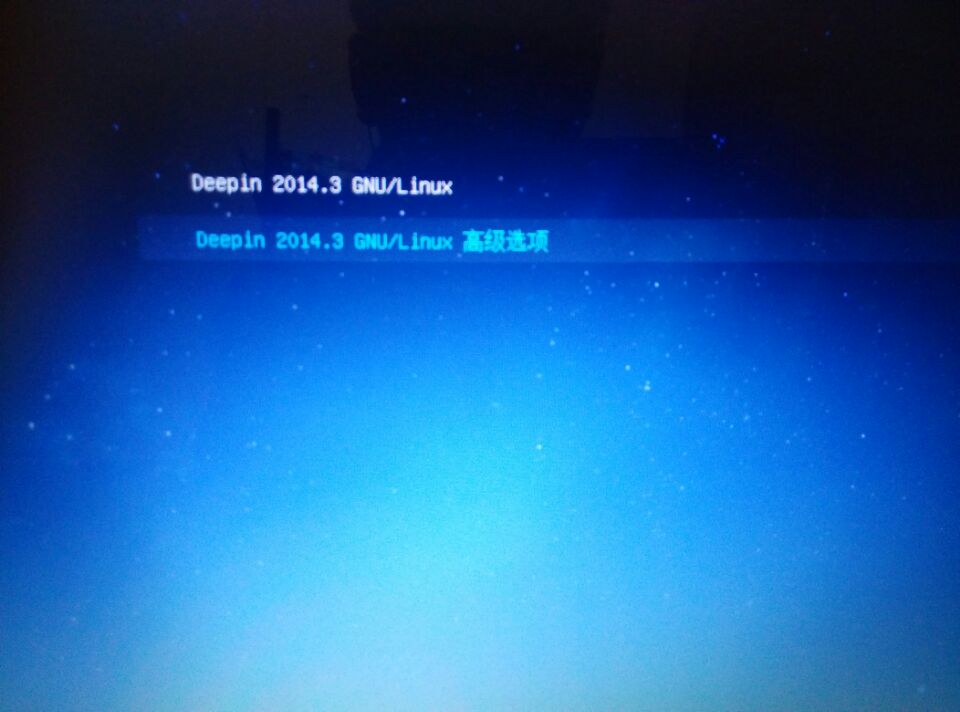
安装Linuxdeepin后无法启动回Windows
Tofloor
poster avatar
潜水7年
deepin
2016-01-16 04:48
Author
我安装了win7 win10和Linuxdeepin三个系统,但是安装了Linuxdeepin后重启到系统选择界面却只有linuxdeepin和recovery mode,我的win7和win10都不见了,怎么办啊,我们学校没有Linux版本联网的客户端,,,我也不想把硬盘全清空了重装。。。。好多资料呢有
Reply Favorite View the author
All Replies
avatar
usen68
deepin
2016-01-16 06:07
#1
sudo update-grub
Reply View the author
avatar
136******54
deepin
2016-01-16 08:12
#2
如楼上所说
另外,安装系统前最好备份重要资料
Reply View the author
avatar
潜水7年
deepin
2016-01-16 08:13
#3
我用了这个命令了。。。还是没用。
Reply View the author
avatar
潜水7年
deepin
2016-01-16 08:17
#4

没用啊,还是只有这两个选项
Reply View the author
avatar
潜水7年
deepin
2016-01-16 08:20
#5
https://bbs.deepin.org/post/36143
如楼上所说
另外,安装系统前最好备份重要资料
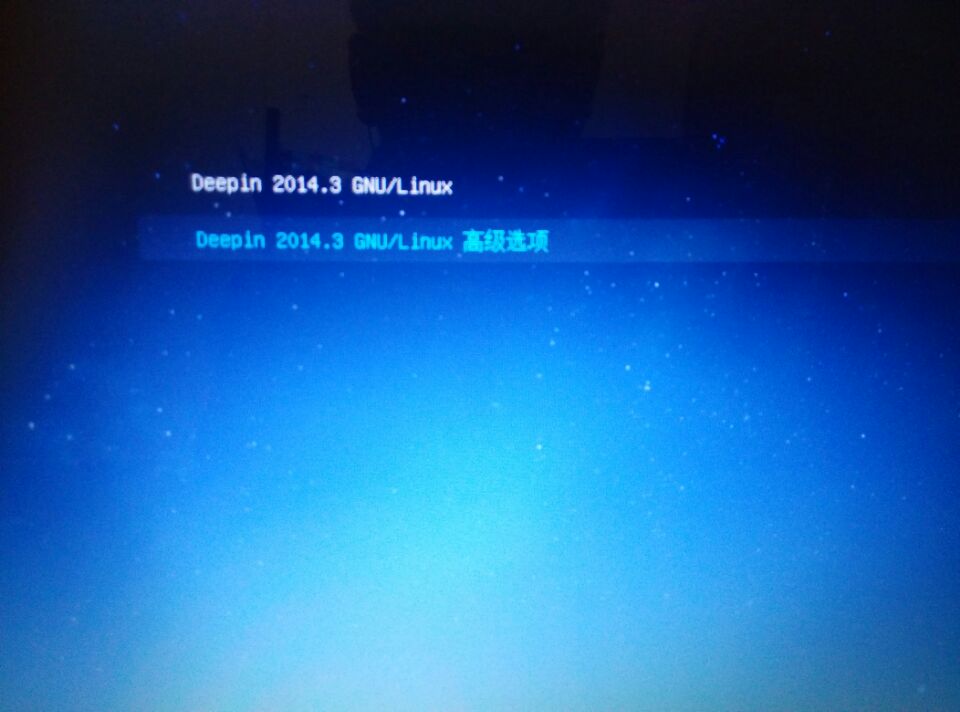
恩,其实倒也没什么很重要的料,重要的我都备份云盘了。用了命令还是只有这两个选项啊,怎么弄。。。
Reply View the author
avatar
水之无根
deepin
2016-01-16 16:20
#6
是否使用 uefi 启动管理?
Reply View the author
avatar
wandsgood
deepin
2016-01-16 17:59
#7
开机进bios里把启动项从legend boot改成 UEFI boot看看行不行
Reply View the author
avatar
somethingbad
deepin
2016-01-16 21:42
#8
请依次在稳定的网络环境下执行下列命令:
sudo apt-get update
sudo apt-get install grub2
sudo grub-install /dev/sda
sudo update-initramfs -u
sudo update-grub
这样应该可以修复问题
Reply View the author
avatar
金声玉振
deepin
2016-01-17 17:17
#9
sudo grub-mkconfig
Reply View the author
avatar
Feng Yu
deepin
2016-01-17 20:49
#10
目测你的引导方式是UEFI,在开机F12那里设置一下启动的EFI文件应该就行了
Reply View the author
avatar
cxbii
deepin
2016-01-18 21:35
#11
https://bbs.deepin.org/post/36143
目测你的引导方式是UEFI,在开机F12那里设置一下启动的EFI文件应该就行了

+1
Reply View the author