Home
Categories
WIKI
Topic
User
LANGUAGE:
中文
English
搜狗输入法更换皮肤
Apps Section
1865
views ·
2
replies ·
To
floor
Go
zqpetlee
deepin
2015-12-31 23:18
Author
第一步,首先去搜狗官方网站
http://pinyin.sogou.com/skins/
选择自己喜欢的皮肤并下载。
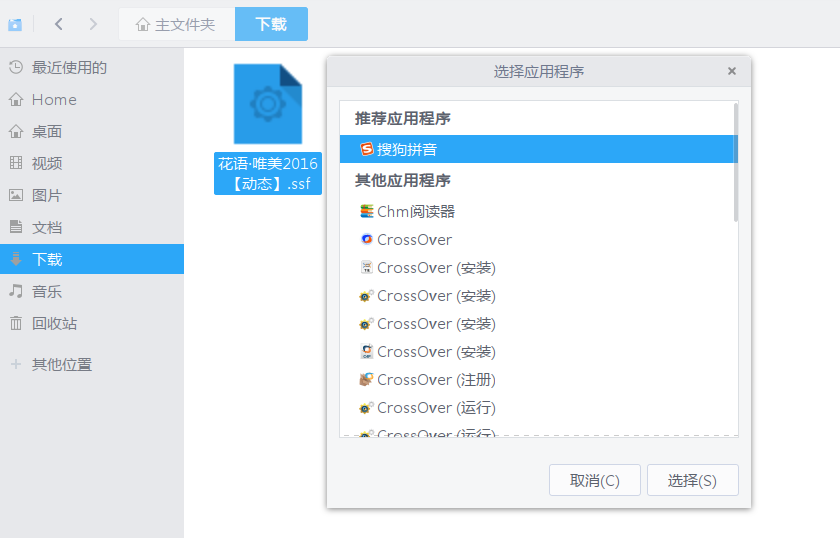
第二步,双击下载的.ssf文件用搜狗拼音打开
第三步,打开搜狗设置选择外观选项卡,点击使用皮肤选择你刚刚安装的皮肤。
第四步,点击应用并确定退出
Reply
Like 0
Favorite
View the author
All Replies
renzhi
deepin
2017-03-05 05:52
#1
谢谢!
Reply
Like 0
View the author
A_sheng
deepin
2017-03-08 06:00
#2
版主!!!!
FCITX输入法在哪设置竖直候选字啊?
还是要安装什么包吗?
Reply
Like 0
View the author
Please
sign
in first
Featured Collection
Change
Nuntia - Modern IMAP/SMTP mail client for Deepin (Beta tester wanted!)
[Tutorial] deepin25 WSL Offline Installation Guide
UOS AI 2.8 Released! Three New Intelligent Agents & Major Evolution
Solid Q&A | deepin 25 Common Questions – The Immutable System Edition
New Thread
Popular Ranking
Change
Adding a Dancing Spectrum Bar to the Deepin Taskbar | deepin-spectrum
Popular Events
More


 中文

 deepin deepin

 deepin

 deepin deepin


 Adding a Dancing Spectrum Bar to the Deepin Taskbar | deepin-spectrum