

 中文
中文 
OrangeJuice deepin
2026-08-29 18:37 deepin Looks nice, difference with deepin?
Reply Like 1 View the author
 deepin
 Looks nice, difference with deepin?

 deepin
 Looks nice, difference with deepin?
Yes. It's based on debian and use old but classic desktop environment.

 deepin
 Woooww You put back sideBar Settings Again! IS Possible use again on Stable Deepin? or the Dock?
But Great Job!
deepin Woooww You put back sideBar Settings Again! IS Possible use again on Stable Deepin? or the Dock?
But Great Job!
Becouse I relly want use The Native taskbar on top and a Dock
Popular Ranking
ChangePopular Events
More


 Unable to install HP Laserject Pro M15a Printer
Below is the full English translation of the GXDE 25.5 beta1 release announcement, preserving all Markdown formatting, links, and images.
After continuous polishing over this period, GXDE 25.5 beta1 is officially released
GXDE OS is a Debian‑based Linux distribution that supports amd64, arm64, loong64, and riscv64 architectures. Featuring the Deepin Desktop Environment from the Deepin 15 era, it continuously refines the desktop experience, striving to provide an elegant, stable, and lightweight out‑of‑the‑box experience—reducing the pain for beginners and saving time for veterans.
The GXDE desktop environment is built upon the Deepin Desktop Environment (DDE), and its components are open‑sourced under the original upstream licenses (GPLv2/LGPL).
Note: 25.5 beta enables the internal testing repository by default. After the 25.5 stable release, please opt out of the internal testing repository via the Control Center for a better experience.
Note: 25.5 beta is still a test version. If you need a more stable experience, we recommend sticking with 25.4.1. Users who have not joined the internal testing repository will not be automatically upgraded to 25.5 beta.
💡 Note: The GXDE 15 series is no longer maintained. Please upgrade to GXDE 25 as soon as possible.
Official website: https://www.gxde.top/
Open‑source repositories:
https://gitee.com/GXDE-OS/
https://github.com/GXDE-OS/
QQ group: 881201853
DistroWatch: https://distrowatch.com/table.php?distribution=gxde
Download Links
(Some mirrors may not have synced yet.)
⚠️ Note: The Hisilicon and Pangu images are special and are only recommended for users with tinkering experience. Beginners should not install them. Furthermore, users with Hisilicon or Pangu chips must install GXDE on an external hard drive and must not modify or adjust any partitions on the machine's internal hard drive; otherwise, the computer may fail to boot and you may be unable to reinstall the system.
Note: Users with Phytium or Kunpeng chips should download the image inside the
arm64folder; Pangu M900 users should download the image inside thearm64-pangu-m900folder; Hisilicon 9000c users should download the image inside thearm64-hisi9000cfolder. Other Hisilicon chips are not currently supported.CERNET combined mirror (automatically selects the nearest CERNET mirror): https://mirrors.cernet.edu.cn/GXDE/ISO/
Harbin Institute of Technology open‑source mirror: https://mirrors.hit.edu.cn/GXDE/ISO/
Shandong University mirror: https://mirrors.sdu.edu.cn/GXDE/ISO/
Nanyang Institute of Technology open‑source mirror: https://mirror.nyist.edu.cn/GXDE/ISO/
Henan Provincial Education and Research Network open‑source mirror: https://mirrors.ha.edu.cn/GXDE/ISO/
Sourceforge: https://sourceforge.net/projects/gxde-os/
Primary mirror: https://repo.gxde.top/ISO/
Android version (Mini PC): https://repo.gxde.top/APK/
Changelog
GXDE 25.5 is the single update with the most changes in GXDE history, including comprehensive Wayland support, Qt6 migration, kernel updates, driver upgrades, security vulnerability fixes, and bug fixes. This update touches more than 60 code repositories, with hundreds of new features, patches, performance optimisations, and security enhancements.
Wayland Support Essentially Ready
The GXDE desktop environment can now run entirely in a Wayland session, with all major components natively adapted:
gxde-wlcomsignificantly upgraded, supporting session lock screen, screenshot management, global shortcuts, window blur/rounded corners, etc.GXDMupgraded, supporting Wayland/X11 session switching and a new UI.More Components Migrated to Qt6
Over 20 core components have been migrated to Qt6, including: dock, top panel, launcher, control center, file manager, session management, text editor, video player, voice recorder, font manager, system assistant, printer, clipboard, etc. Additionally, multiple Qt6‑version foundational libraries have been added (DFrameworkDBus, gxde-network-utils, disomaster, libdbusmenu, qt6mpris, etc.).
Kernel and Driver Updates
Massive Bug Fixes
New Components and New Hardware Support
New functional components:
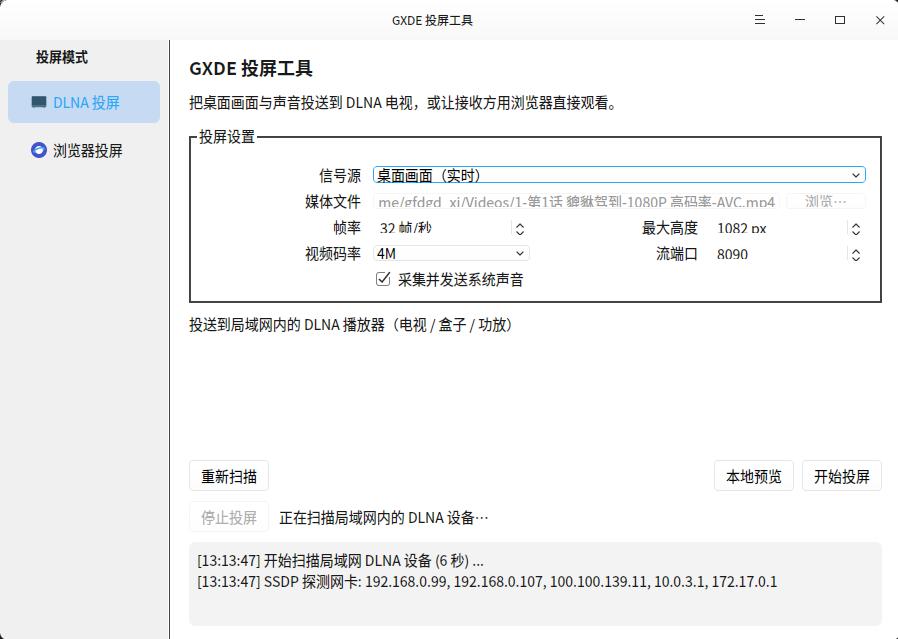
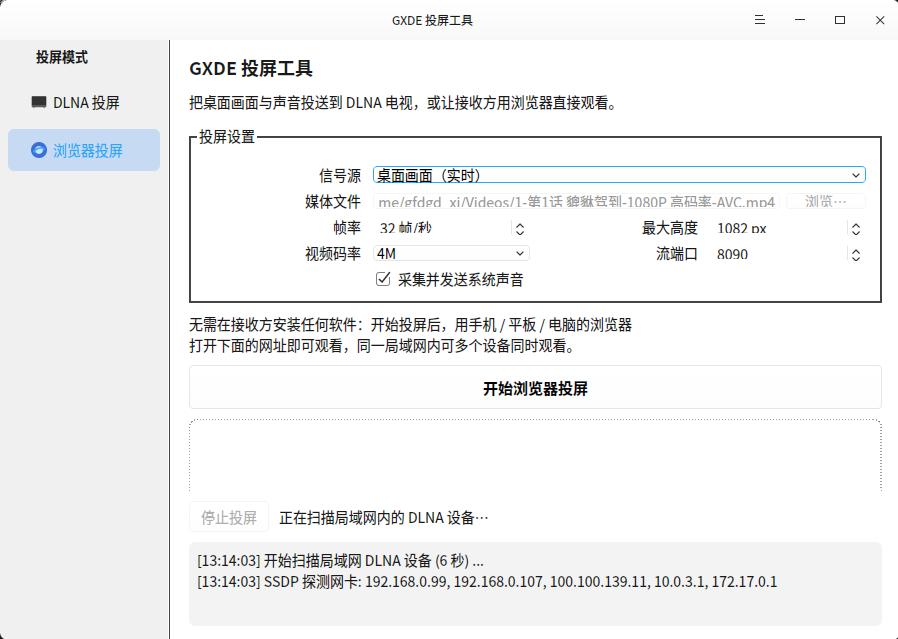
deepin-liferaftmemory lifesaver,gxde-dlna-casterscreen casting tool,gxde-k9service manager,gxde-sni-servertray service, etc.HiSilicon Kirin 9000c (Qingyun w515x and similar devices):
gxde-hisi-9000c-gpu-compathardware acceleration compatibility layer, providing hardware acceleration for the Maleoon 910 GPU.gxde-wlcom (>= 2.1.6-gxde5): the startup script automatically switches to the hardware‑accelerated session launcher when the 9000c kernel is detected; falls back to software rendering if the compatibility layer is not installed.gxde-hisi-9000c-audio-compatfor audio driver support.Pangu M900 (HiSilicon Pangu platform):
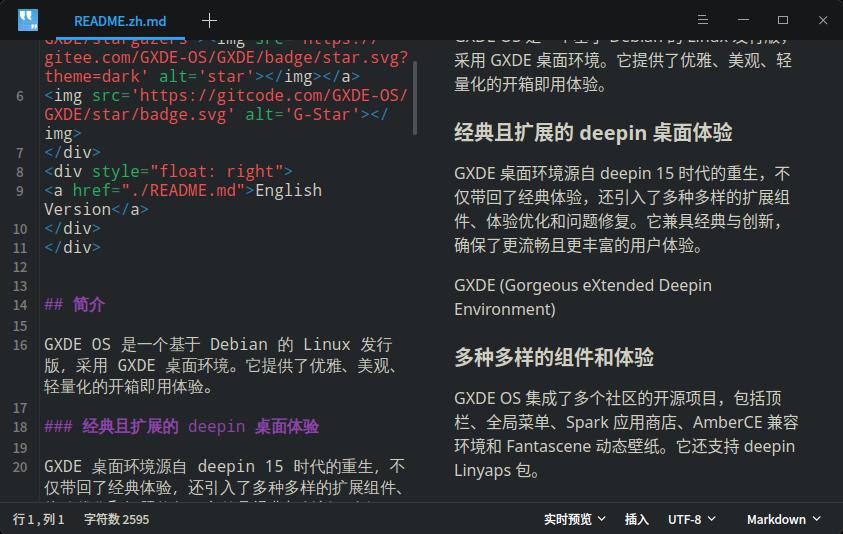
Application enhancements: editor adds Markdown live preview, video player native Wayland playback, voice recorder waveform rewritten, system monitor supports Intel integrated GPU usage, etc.
Detailed Changelog
Since the detailed changelog is extremely long, please visit the following link for more comprehensive information:
https://www.gxde.top/news/25.5b1
If you need any adjustments or a different formatting style, feel free to ask.