[Topic DIscussion] deepin不关机挑战
Tofloor
poster avatar
babyfengfjx
Super Moderator
CQA
2026-01-19 10:21
Author

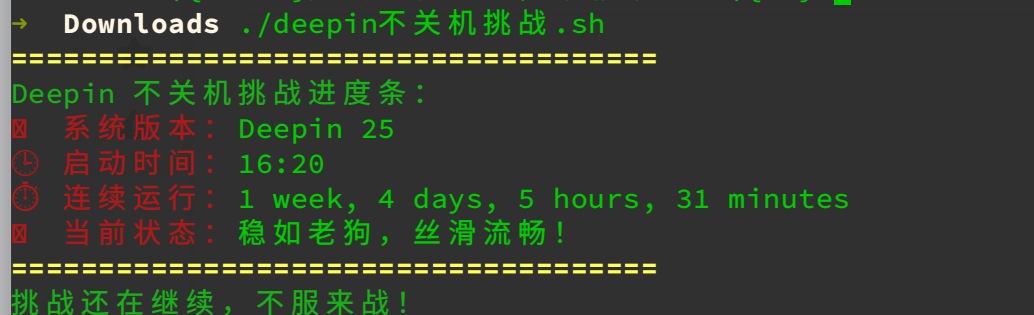
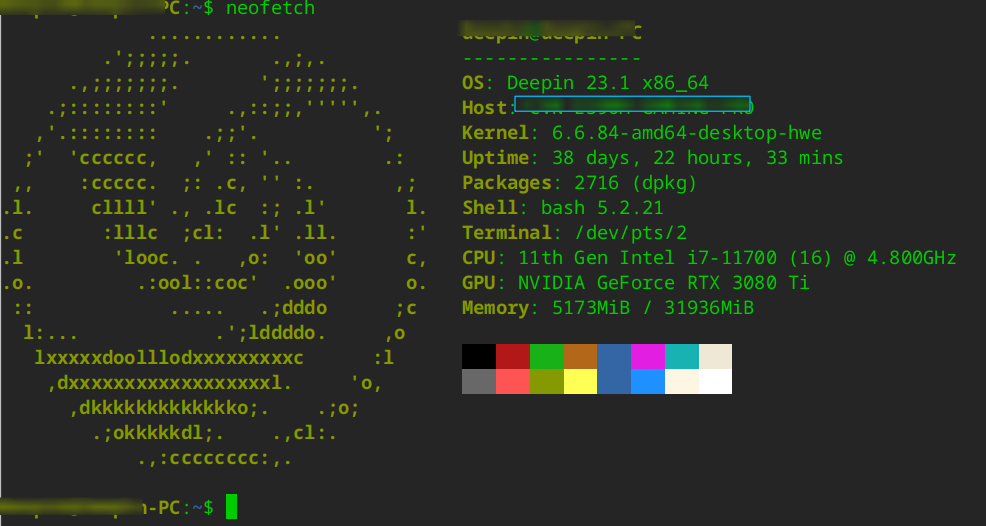
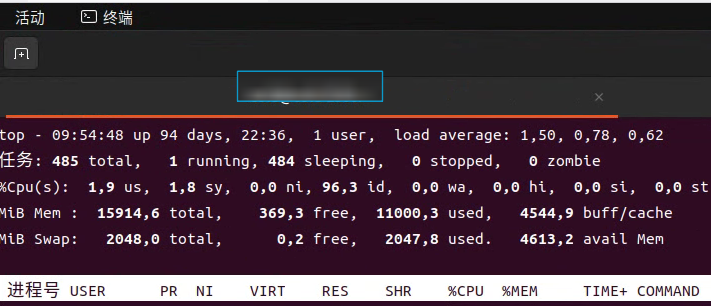
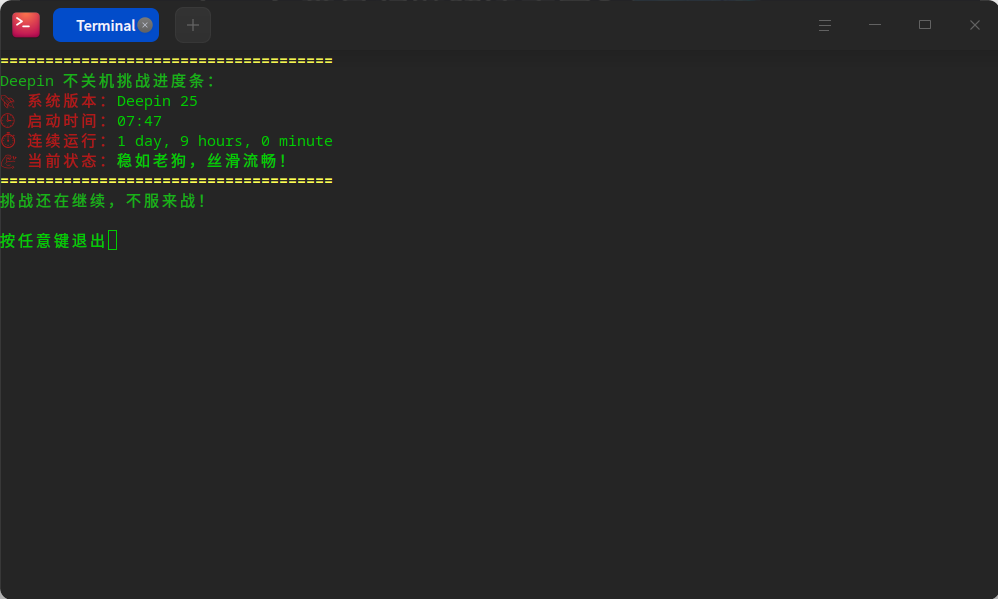
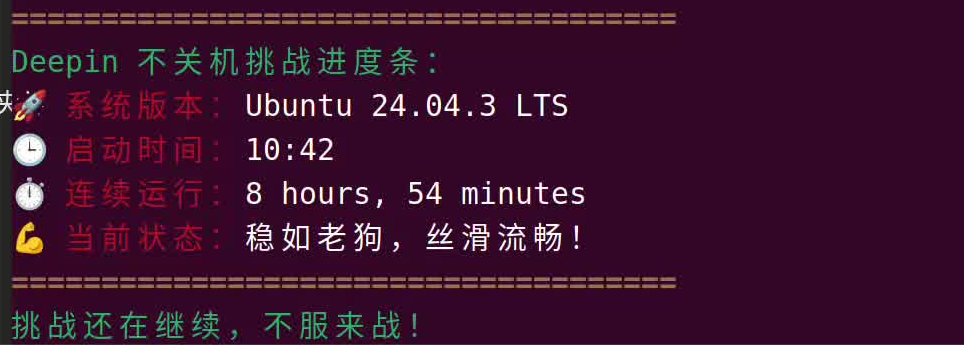
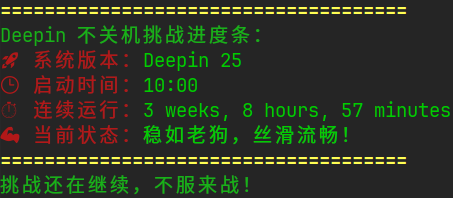
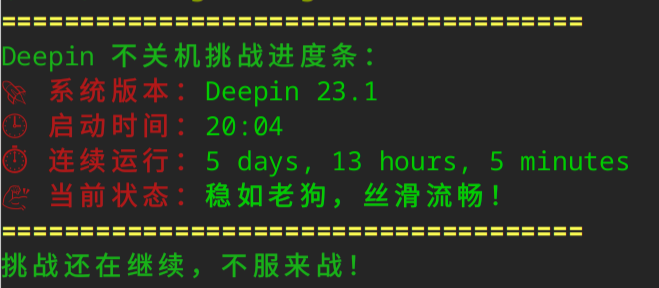
今天维护我的服务时,发现系统应该很久没有重启了,于是手欠看了一下,我的机器已经个把月没重启了,于是乎也想看看大伙一般都多久不关机的?

20.9的:

image.png

25的:
image.png

Reply Favorite View the author
All Replies
2 / 3
To page
说书人
deepin
2026-01-19 17:35
#21

说,国家电网给了你多少好处pride

Reply View the author
Amber
deepin
2026-01-19 17:52
#22

之前20.9开MC私服(一般两三个人玩)试过每天晚上开几个小时然后自动休眠,第二天再继续.......这样持续一个周。电脑内存8g,没啥问题

Reply View the author
HualetWang
deepin
2026-01-19 21:54
#23

image.png

Reply View the author
耀眼的明星
deepin
2026-01-19 23:45
#24

我一般是有问题才重启,不然也是一直待机

Reply View the author
babyfengfjx
Super Moderator
CQA
2026-01-20 09:33
#25
Amber

之前20.9开MC私服(一般两三个人玩)试过每天晚上开几个小时然后自动休眠,第二天再继续.......这样持续一个周。电脑内存8g,没啥问题

那还是很不错的嘛,真正生产还是没得啥问题。

Reply View the author
babyfengfjx
Super Moderator
CQA
2026-01-20 09:34
#26
说书人

说,国家电网给了你多少好处pride

送了点优惠券😏

Reply View the author
babyfengfjx
Super Moderator
CQA
2026-01-20 09:34
#27
HualetWang

image.png

此乃神人也😁

Reply View the author
babyfengfjx
Super Moderator
CQA
2026-01-20 09:35
#28
耀眼的明星

我一般是有问题才重启,不然也是一直待机

貌似我现在的使用场景就是这个玩法,一般都不会关机😃

Reply View the author
yicold
deepin product team
2026-01-20 09:53
#29

image.png

Reply View the author
yicold
deepin product team
2026-01-20 09:55
#30

image.png

Reply View the author
babyfengfjx
Super Moderator
CQA
2026-01-20 10:03
#31
yicold

image.png

秀儿~

Reply View the author
秦岭(胖胖老师)
deepin
2026-01-20 16:48
#32

截图_deepin-terminal_20260120164826.png

Reply View the author
天木木
deepin
2026-01-20 19:37
#33

图片.png

Reply View the author
babyfengfjx
Super Moderator
CQA
2026-01-21 09:22
#34
天木木

图片.png

怎么有个摸鱼的😂

Reply View the author
我是昵称
deepin
2026-01-21 18:58
#35

image.png

Reply View the author
GaoJZ 
deepin
2026-01-22 08:36
#36

你们多发掘办公工具,告诉官方支持该工具。例如小米拍拍驱动支持等。

Reply View the author
Forget_dust
deepin
2026-01-23 09:03
#37

修改了下 某些地方红字不容易看清

image.png

#!/bin/bash
# 定义颜色,让输出更炫酷
GREEN='\033[0;32m'
YELLOW='\033[1;33m'
NC='\033[0m' # No Color

# 获取运行时长
UP_TIME=$(uptime -p | sed 's/up //')
# 获取启动时间
BOOT_TIME=$(who -b | awk '{print $2, $3}')
# 获取系统版本
DEEPIN_VER=$(hostnamectl | grep "System" | cut -b "19-50")

# 输出炫酷文案
echo "${YELLOW}====================================="
echo "${GREEN}Deepin 不关机挑战进度条:"
echo "${YELLOW}🚀 系统版本:${NC}$DEEPIN_VER"
echo "${YELLOW}🕒 启动时间:${NC}$BOOT_TIME"
echo "${YELLOW}⏱️  连续运行:${NC}$UP_TIME"
echo "${YELLOW}💪 当前状态:${NC}稳如老狗,丝滑流畅!"
echo "${YELLOW}====================================="
echo "${GREEN}挑战还在继续,不服来战!"
Reply View the author
朝闻道
deepin
2026-01-23 09:12
#38

当NAS服务器用的,两三年了,前几天装东西,重启了一下
截图_选择区域_20260123091127.png

Reply View the author
babyfengfjx
Super Moderator
CQA
2026-01-23 09:31
#39
朝闻道

当NAS服务器用的,两三年了,前几天装东西,重启了一下
截图_选择区域_20260123091127.png

那还是很不错的!

Reply View the author
babyfengfjx
Super Moderator
CQA
2026-01-23 09:32
#40
Forget_dust

修改了下 某些地方红字不容易看清

image.png

#!/bin/bash
# 定义颜色,让输出更炫酷
GREEN='\033[0;32m'
YELLOW='\033[1;33m'
NC='\033[0m' # No Color

# 获取运行时长
UP_TIME=$(uptime -p | sed 's/up //')
# 获取启动时间
BOOT_TIME=$(who -b | awk '{print $2, $3}')
# 获取系统版本
DEEPIN_VER=$(hostnamectl | grep "System" | cut -b "19-50")

# 输出炫酷文案
echo "${YELLOW}====================================="
echo "${GREEN}Deepin 不关机挑战进度条:"
echo "${YELLOW}🚀 系统版本:${NC}$DEEPIN_VER"
echo "${YELLOW}🕒 启动时间:${NC}$BOOT_TIME"
echo "${YELLOW}⏱️  连续运行:${NC}$UP_TIME"
echo "${YELLOW}💪 当前状态:${NC}稳如老狗,丝滑流畅!"
echo "${YELLOW}====================================="
echo "${GREEN}挑战还在继续,不服来战!"

哈哈,创新总在不经意间!

Reply View the author
2 / 3
To page