[Bug Report] 数据盘莫名出现乱码文件,如何删除???
Tofloor
poster avatar
YxLiu
deepin
2026-01-17 19:38
Author

数据盘莫名出现以下文件,请教如何删除???不是第一次出现了,总不能每次都清盘吧。
图片.png

Reply Favorite View the author
All Replies
YxLiu
deepin
2026-01-17 19:41
#1

图片.png

Reply View the author
YxLiu
deepin
2026-01-17 19:42
#2

图片.png

Reply View the author
YxLiu
deepin
2026-01-17 19:48
#3

已经搞定。使用ls -i命令,列出当前目录下所有inode(假设为12345),使用以下命令删除

find -inum 12345 -delete

Reply View the author
MeGusta
deepin
2026-01-17 21:36
#4

我这里的情况,是WPS的锅,经常在主目录生成这种乱码文件。

Reply View the author
柚稚
deepin
2026-01-18 14:48
#5

是压缩软件的锅,不是wps的锅

Reply View the author
昨夜的星辰
deepin
2026-01-18 17:16
#6

乱码那个在终端里可以删除

用ls命令查看显示的文件夹名,然后直接 sudo rm -r 文件夹名 回车就可以了

文件夹名复制ls命令显示出来的名字,引号也一起复制,显示是啥复制啥

Reply View the author
克亮
Moderator
2026-01-19 20:49
#7

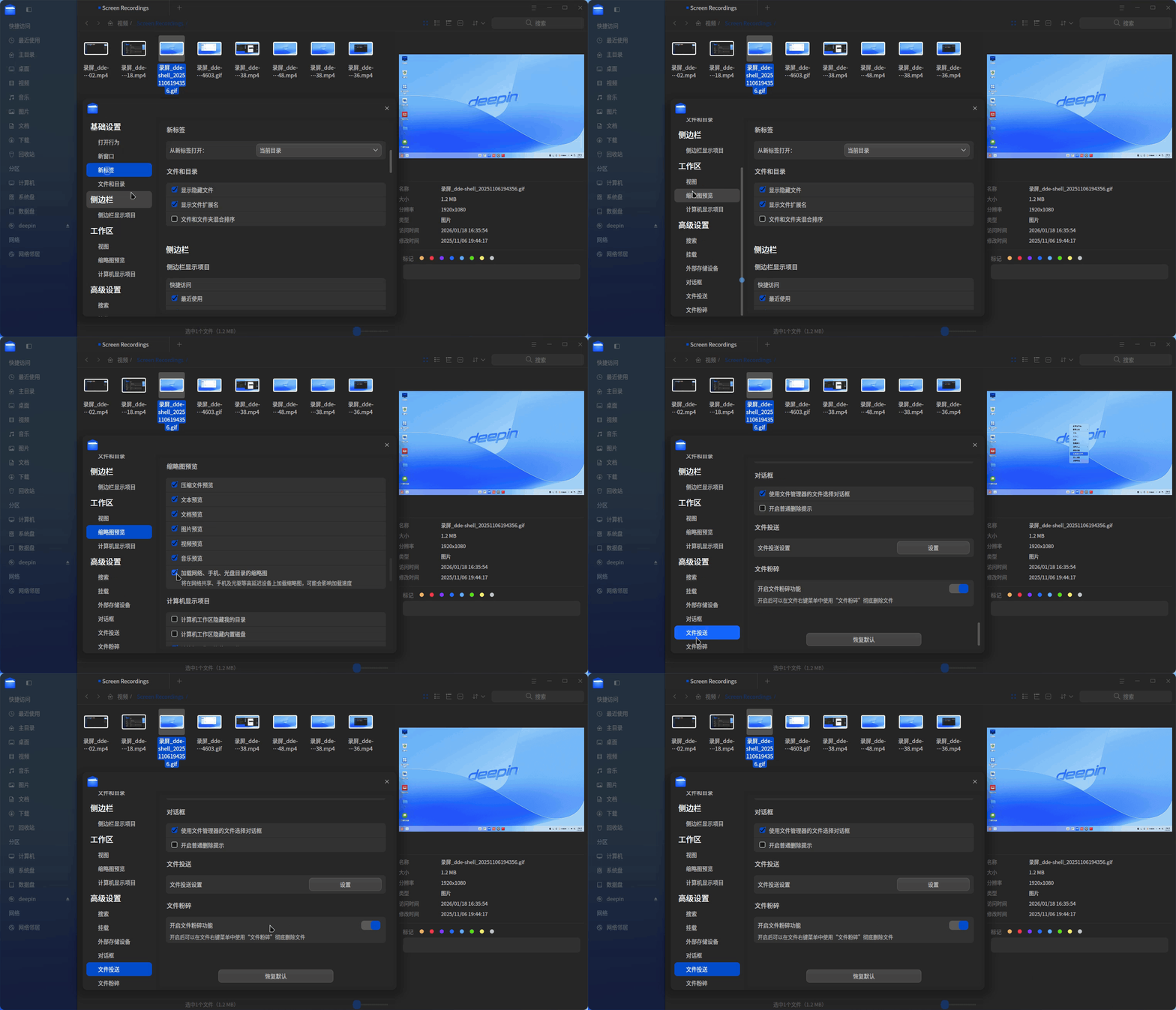
不用那么麻烦了,新版本的文管版本将内嵌粉碎功能。

录屏_dde-file-manager_20260119204712.gif

Reply View the author