

 中文
中文 
zijinyise deepin
2025-12-29 16:43 deepin 防火墙放开端口了吗
Reply Like 0 View the author
 deepin
 防火墙放开端口了吗
 deepin deepin
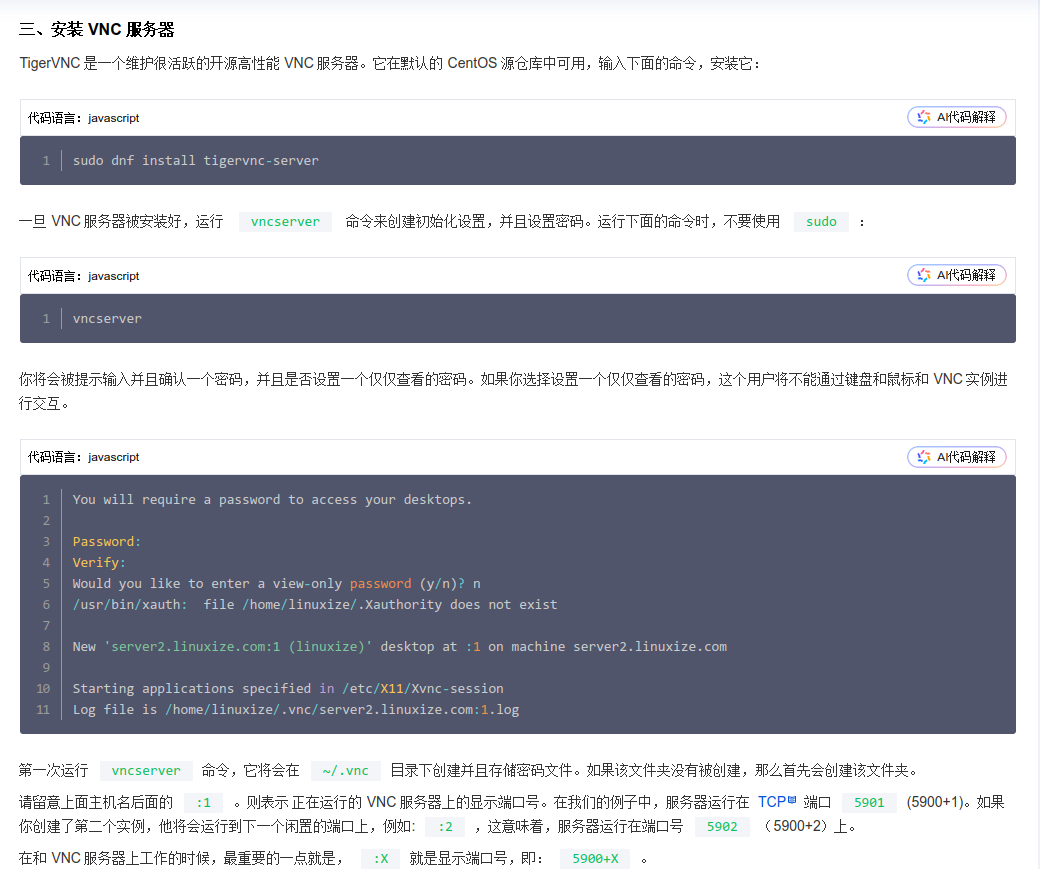
 我用的这个教程,你可以试试 https://cloud.tencent.com/developer/article/1626123
远程的时候:ip地址:5901

 deepin
 我用的这个教程,你可以试试 https://cloud.tencent.com/developer/article/1626123
远程的时候:ip地址:5901
推荐用这个,

 deepin
 防火墙放开端口了吗
这个deepin25 默认是没开防火墙的吧?
deepin 推荐用这个,
好的,我来试一下。

 deepin
 -auth guess 可能会有问题,如果是 deepin 的默认显示服务器,直接改成 -auth /run/lightdm/root/:0 就行-rfbauth /etc/x11vnc.pwd,需要启动服务前先执行 sudo x11vnc -storepasswd /etc/x11vnc.pwd 创建密码才行-loop 参数给个我自己的 x11vnc.service 文件作 参考,里面的 -rfbpath 路径一定要按你自己的写
(也可以从服务器版上抄,服务器版系统安装 x11vnc 就自带一份 systemd 服务,开箱即用)
[Unit]
Description=start x11vnc (Remote access)
Wants=network-online.target
After=display-manager.service network.target network-online.target syslog.target

[Service]
Type=simple
ExecStart=/usr/bin/x11vnc -auth /run/lightdm/root/:0 -capslock -desktop deepin-amd64 -display :0 -forever -oa /var/log/x11vnc.log -repeat -rfbauth /etc/x11vnc/passwd -rfbport 5900 -shared -xkb
ExecStop=/usr/bin/kill -int ${MAINPID}
Restart=on-failure

[Install]
WantedBy=graphical.target
Popular Ranking
ChangePopular Events
More


 Frequent kernel panic error since the last kernel update.
目前在本地测试5900端口监听是正常的。 但是远端测试5900端口时,测试端口未打开。
本机查看端口5900开放,没问题。远端的ssh 的22端口是没问题的。
