

 中文
中文 
Vellichor deepin
2025-11-10 13:30 deepin 欧路词典可以
Reply Like 0 View the author
deepin 欧路词典可以

 deepin
 百度翻译
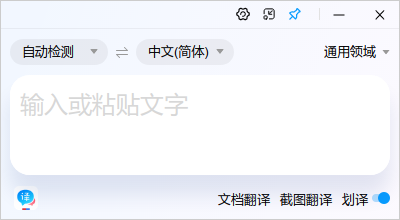
deepin 腾讯交互翻译也可以,但很久没有更新了。
deepin 欧路词典可以
我装了,但是鼠标指向后没有反应。从官网下载的
deepin 百度翻译
需要复制或是选中词是吧
deepin 需要复制或是选中词是吧
不是,你试用一下就知道了,应用商店里可以直接下载。
deepin 我从官网下载的那个不能屏幕取词。你安装的商店中的deb版还是玲珑版?
 deepin
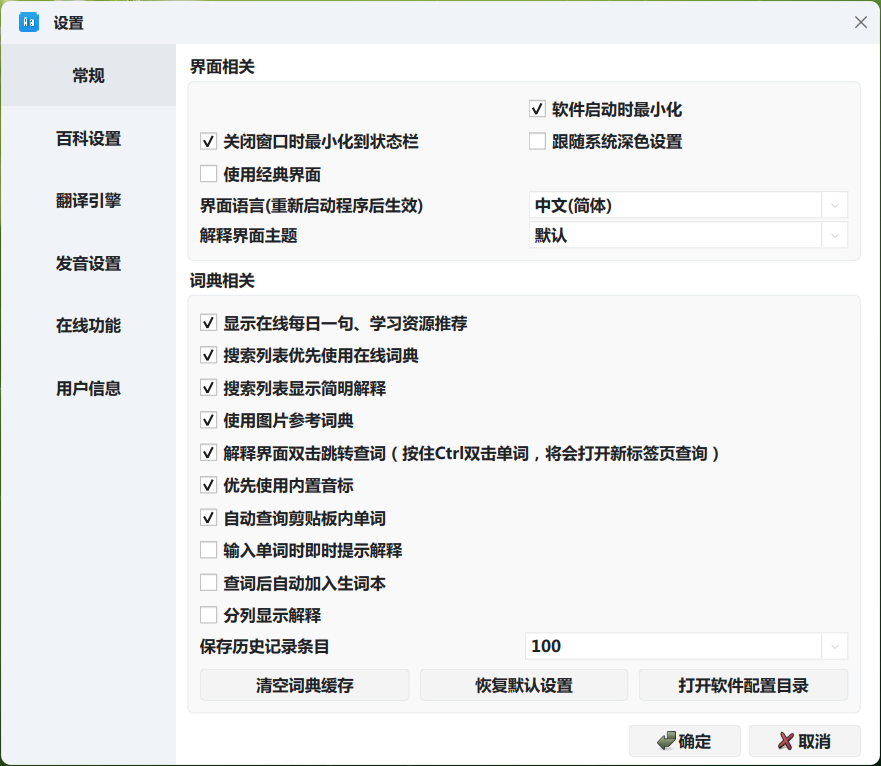
 其实可以考虑下剪切板取词,欧路词典里面就有这个功能,可以在设置里开启,选中要翻译的文本,按两次ctrl+c就能取词了。
像Windows那样鼠标取词,还没有发现哪个词典在Linux上具备这个功能。
deepin 其实可以考虑下剪切板取词,欧路词典里面就有这个功能,可以在设置里开启,选中要翻译的文本,按两次ctrl+c就能取词了。
像Windows那样鼠标取词,还没有发现哪个词典在Linux上具备这个功能。
开启了,好像按两个Ctr+C也不起作用,以前我记得星际译王可以屏幕取词。
Markdown
deepin 开启了,好像按两个Ctr+C也不起作用,以前我记得星际译王可以屏幕取词。
Markdown
复制单词后,并不会弹出来弹窗显示单词意思,需要再次重新回到欧路词典窗口,查词的输入框会自动填充复制的单词。
目前欧路词典似乎只能做到这个地步了。
deepin 哦,这样啊,谢谢。

 deepin
 直接用AI,方便快捷

 deepin
 其实自带的截图功能可以加入(AI)翻译功能,参看下Windows下的一款软件“小旺AI截图”
deepin 可惜我的自带截图软件,截图后模糊。
Popular Events
More


 WhatsApp doesn't work in the official Deepin browser!
商店中有很多词典软件:金山词霸、欧路词典...,哪个软件可以屏幕取词,尤其是在wps PDF阅读器中。