

 中文
中文 
BigFish deepin
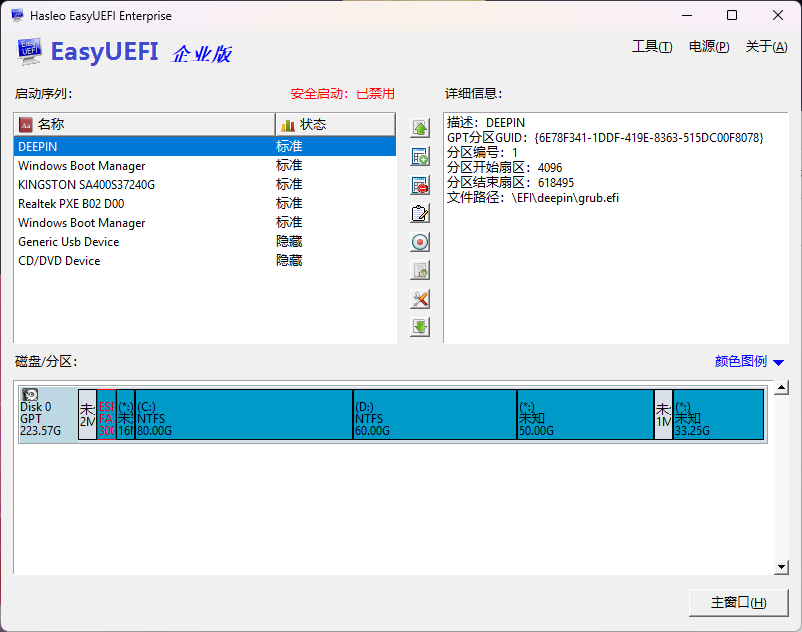
2025-11-05 13:29 deepin 使用EasyUEFI把deepin的启动菜单加进来,然后放在第一位。
Reply Like 0 View the author
 deepin
 使用EasyUEFI把deepin的启动菜单加进来,然后放在第一位。

 deepin
 bios里设一下
deepin bios里设一下
没用
 deepin
 用live启动修复grub
bios里设一下
就是把deepin启动项在bios中排在第一位。

 deepin
 谢谢楼上几位的解答,这些方法都试了没用,最后用了个笨办法:把efi分区的efi\deepin下的所有文件复制到/EFI/Microsoft/Boot/下,把bootmgfw.efi文件名改为bootmgfw.efi1,shimx64.efi文件名改为bootmgfw.efi,重启进入deepin ,修改/boot/grub/grub.cfg文件中的chainloader /EFI/Microsoft/Boot/bootmgfw.efi为chainloader /EFI/Microsoft/Boot/bootmgfw.efi1并顺便修改了默认启动系统为win10,菜单显示时间为3秒,保存,重启试用,成功。
Popular Events
More


 WhatsApp doesn't work in the official Deepin browser!
启动时,通过uefi shell 加载grubx64.efi能正确启动,esp分区文件如图
