
[other] 如果不需要系统备份,可以删除备份文件嘛
Tofloor
poster avatar
南巢云马
deepin
2025-11-04 10:50
Author

/persistent/ostree/repo/objects/ 这个目录下是系统备份文件吧,看起来很多。

如果不需要备份,能否删除呢?

image.png

Reply Favorite View the author
All Replies
deepin流云
Super Moderator
Community OP
2025-11-04 11:27
#1

清理系统备份

a. 查看备份列表

deepin-immutable-ctl admin status

b. 删除冗余备份

sudo deepin-immutable-ctl admin undeploy 1  # 数字对应备份编号

操作规则

  • 每次仅能删除 1个备份(不含标记 *的活跃备份)
  • 重复执行清理其他备份:
    sudo deepin-immutable-ctl admin undeploy 2 #示例:删除编号为2的备份
    

这个文件夹下的文件没法直接手动删除,另外可以再看看备份还原工具里面有没有自己的备份文件。
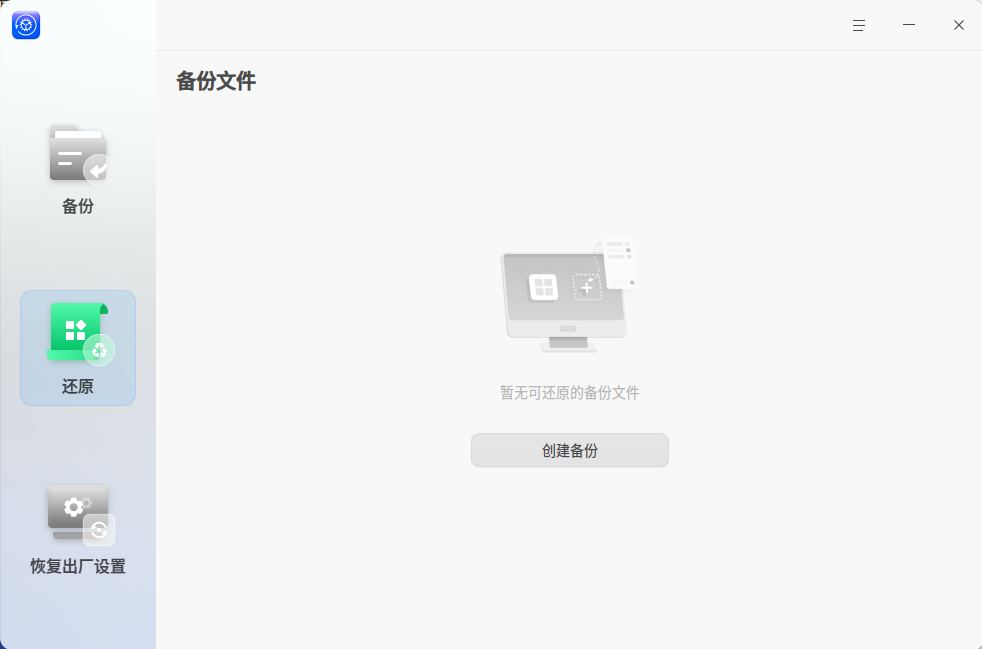
企业微信截图_17622267235024.png

Reply View the author
我是昵称
deepin
2025-11-04 17:55
#2
deepin流云

清理系统备份

a. 查看备份列表

deepin-immutable-ctl admin status

b. 删除冗余备份

sudo deepin-immutable-ctl admin undeploy 1  # 数字对应备份编号

操作规则

  • 每次仅能删除 1个备份(不含标记 *的活跃备份)
  • 重复执行清理其他备份:
    sudo deepin-immutable-ctl admin undeploy 2 #示例:删除编号为2的备份
    

这个文件夹下的文件没法直接手动删除,另外可以再看看备份还原工具里面有没有自己的备份文件。

企业微信截图_17622267235024.png

status只显示列表,怎么看每条的详情?比如时间

Reply View the author
deepin流云
Super Moderator
Community OP
2025-11-04 18:39
#3
我是昵称

status只显示列表,怎么看每条的详情?比如时间

现在最多就显示两个备份,0带星号的是当前正在使用的备份(上一次更新的自动),1再上一次更新前的

deepin-immutable-ctl admin status -h

加个-h指令,就能看到备份状态的全部命令了,比如你要看时间和详情:

deepin-immutable-ctl admin status -d all
Reply View the author
WangZhongyun
deepin
2025-12-01 21:57
#4
deepin流云

现在最多就显示两个备份,0带星号的是当前正在使用的备份(上一次更新的自动),1再上一次更新前的

deepin-immutable-ctl admin status -h

加个-h指令,就能看到备份状态的全部命令了,比如你要看时间和详情:

deepin-immutable-ctl admin status -d all

deepin-immutable-ctl admin status

  • (index: 0)
    ExtCommitIdIdx: fe94d6d2e36d6b22f4707f3cdd96e9c5d0f594c616fc07c09bd5789f70dff8d4.0
    BaseCommitIdIdx: 23d4c627c1ebce9018eec33495a97f350d3ace97274cd21a7aa509f99ca4b5e9.1

    (index: 1)
    ExtCommitIdIdx: 06af70c474c3ca9f0dc08327064ed06b6c09f686183fcc20959a184604e3e84d.0
    BaseCommitIdIdx: 23d4c627c1ebce9018eec33495a97f350d3ace97274cd21a7aa509f99ca4b5e9.0

deepin-immutable-ctl admin undeploy 1
Permission denied: fork/exec /usr/sbin/deepin-immutable-ctl: operation not permitted

关闭了磐石,这样的情况要怎样删除备份了?

Reply View the author
deepin流云
Super Moderator
Community OP
2025-12-02 13:35
#5
WangZhongyun

deepin-immutable-ctl admin status

  • (index: 0)
    ExtCommitIdIdx: fe94d6d2e36d6b22f4707f3cdd96e9c5d0f594c616fc07c09bd5789f70dff8d4.0
    BaseCommitIdIdx: 23d4c627c1ebce9018eec33495a97f350d3ace97274cd21a7aa509f99ca4b5e9.1

    (index: 1)
    ExtCommitIdIdx: 06af70c474c3ca9f0dc08327064ed06b6c09f686183fcc20959a184604e3e84d.0
    BaseCommitIdIdx: 23d4c627c1ebce9018eec33495a97f350d3ace97274cd21a7aa509f99ca4b5e9.0

deepin-immutable-ctl admin undeploy 1
Permission denied: fork/exec /usr/sbin/deepin-immutable-ctl: operation not permitted

关闭了磐石,这样的情况要怎样删除备份了?

用我一楼的命令可以删除的,带上sudo

Reply View the author
WangZhongyun
deepin
2025-12-02 13:58
#6
deepin流云

用我一楼的命令可以删除的,带上sudo

好的,谢谢!

Reply View the author