

 中文
中文 
yanbing deepin
2025-10-29 22:45 deepin 
Reply Like 0 View the author
 deepin
 deepin
刚刚看到有更新我命令行更新了,结果黑了。后面重启又好了。
deepin 刚刚看到有更新我命令行更新了,结果黑了。后面重启又好了。
不是吧,这个更新我在终端一直看不到,只有在控制中心才有。
deepin 不是吧,这个更新我在终端一直看不到,只有在控制中心才有。
就是系统设置通知弹窗看到的,只是没有用系统设置的更新,效果一样的。
sudo apt update && sudo apt dist-upgrade -y

 deepin
 黑屏不要担心,用重启大法。当然在重启前多等待一些时间,15分钟还是要的。
deepin 就是系统设置通知弹窗看到的,只是没有用系统设置的更新,效果一样的。
sudo apt update && sudo apt dist-upgrade -y
一直在用,但查不到就是查不到。
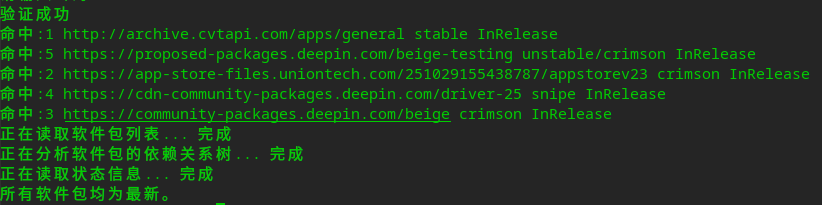
deepin 搞笑了,25.08时用控制中心升级这个一直是失败,25.09用控制中心升级这个提示成功,但是进了系统后又显示这个更新,唉,算了,不折腾了,睡觉去。
 deepin
 搞笑了,25.08时用控制中心升级这个一直是失败,25.09用控制中心升级这个提示成功,但是进了系统后又显示这个更新,唉,算了,不折腾了,睡觉去。
sudo apt update && sudo apt -f install && sudo apt dist-upgrade -y

我的龙电脑成功升级

搞笑了,25.08时用控制中心升级这个一直是失败,25.09用控制中心升级这个提示成功,但是进了系统后又显示这个更新,唉,算了,不折腾了,睡觉去。
你这个源是啥?把这个源注释掉或者在控制中心把三方源更新取消掉试试看


 deepin
 我也遇到了同样的问题,大概率是官方源的问题,安装成功之后还是会提示有更新,不管了,不耽误用随它去
我也遇到了同样的问题,大概率是官方源的问题,安装成功之后还是会提示有更新,不管了,不耽误用随它去
用命令更新下看看到底是哪几个包,如果是仓库的我找研发再处理下
deepin 用命令更新下看看到底是哪几个包,如果是仓库的我找研发再处理下
终端输入命令提示已经全部是最新的,没有更新,那个更新只在控制中心显示。
终端输入命令提示已经全部是最新的,没有更新,那个更新只在控制中心显示。
欧克,我转给研发排查下
 deepin
 我有一计,不如把设置中心的升级按钮设置成“唤醒终端并输入'sudo apt update && sudo apt -f install && sudo apt dist-upgrade -y'”,这样既可以保证正常升级,也免去每次要输入命令的繁琐操作。
deepin 你这个源是啥?把这个源注释掉或者在控制中心把三方源更新取消掉试试看
在控制中心把三方源更新取消掉也没有用。
deepin 难受!
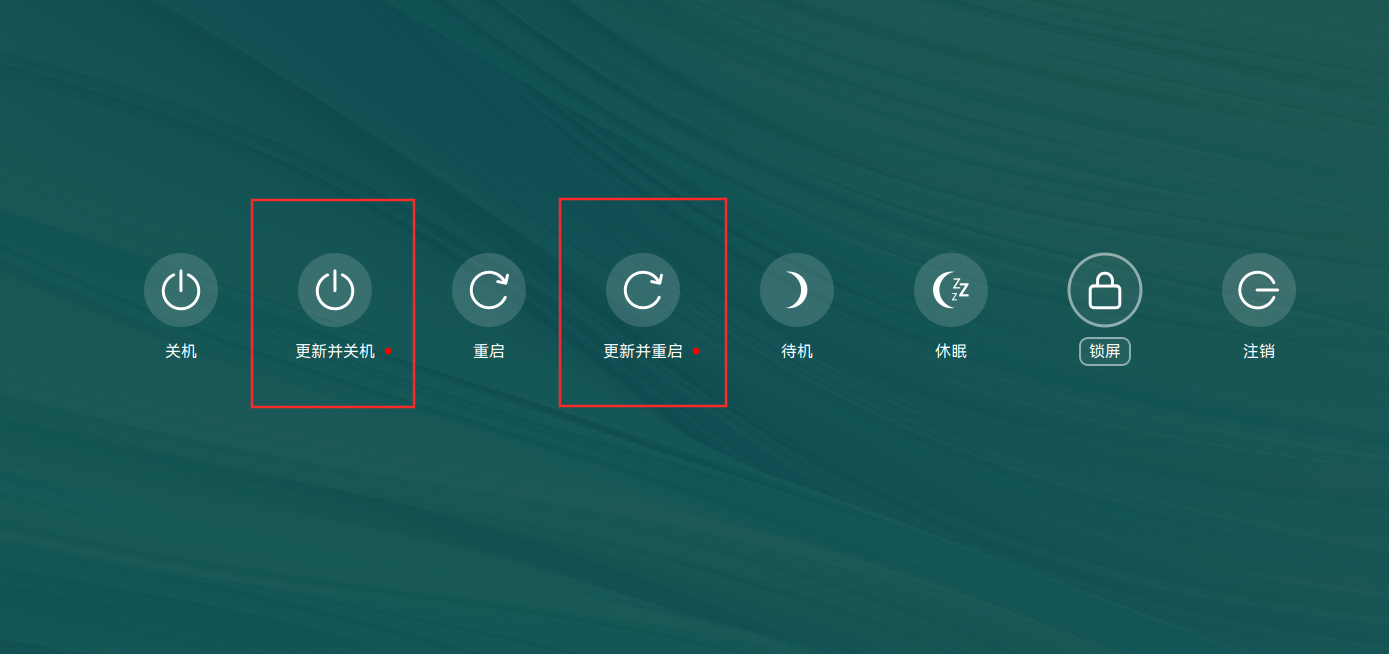
deepin 用命令更新下看看到底是哪几个包,如果是仓库的我找研发再处理下
有 11 个软件包可以升级。请执行 ‘apt list --upgradable’ 来查看它们。
正在列表... 完成
com.sogou.ime.ng.fcitx5.deepin/未知 10.0.10.0-1164 amd64 [可从该版本升级:10.0.10.0-1164]
cpis-base/未知 10.0.10.0-1788-deb11u1 amd64 [可从该版本升级:10.0.10.0-1788-deb11u1]
fonts-gb-fs/未知,未知 1.5-deepin1 all [可从该版本升级:1.5-deepin1]
fonts-gb-ht/未知,未知 1.5-deepin1 all [可从该版本升级:1.5-deepin1]
fonts-gb-kt/未知,未知 1.5-deepin1 all [可从该版本升级:1.5-deepin1]
fonts-gb-st-super/未知,未知 1.5-deepin1 all [可从该版本升级:1.5-deepin1]
fonts-gb-st/未知,未知 1.5-deepin1 all [可从该版本升级:1.5-deepin1]
fonts-gb-xbs/未知,未知 1.5-deepin1 all [可从该版本升级:1.5-deepin1]
fonts-gb/未知,未知 1.5-deepin1 all [可从该版本升级:1.5-deepin1]
libexiv2-27/未知 0.27.6-1 amd64 [可从该版本升级:0.27.6-1]
sogou-ime-ng/未知 10.0.10.0-1164 amd64 [可从该版本升级:10.0.10.0-1164]
 deepin
 用命令更新下看看到底是哪几个包,如果是仓库的我找研发再处理下
我的也是这样
一直提示更新

Popular Events
More


 WhatsApp doesn't work in the official Deepin browser!
搞笑了,25.08时用控制中心升级这个一直是失败,25.09用控制中心升级这个提示成功,但是进了系统后又显示这个更新,唉,算了,不折腾了,睡觉去。