[Internal testing communication] deepin23.1一键升级到deepin25.07 Resolved
Tofloor
poster avatar
LiuYongzhang
deepin
2025-10-24 20:00
Author

image.png

使用说明:
将脚本 deepin23upgrade25.sh.txt下载后重命名 deepin23upgrade25.sh 去除.txt和deepin23前面的数字_。

image.png

在脚本所在文件夹右击 选择 在终端打开

image.png

授予执行权限:
chmod +x deepin23upgrade25.sh

image.png

运行脚本:
sudo ./deepin23upgrade25.sh

image.png

image.png

重要注意事项:
⚠️ 脚本会自动覆盖以下文件:

/etc/apt/sources.list
/etc/apt/sources.list.d/driver.list
/etc/apt/sources.list.d/appstore.list
系统升级过程可能导致:

软件兼容性问题
系统配置变更
硬件驱动失效
系统无法启动(小概率)
建议在操作前:

创建系统快照(如Timeshift)
准备Live USB启动盘

确保电源稳定(笔记本接电源)

任何系统升级操作均有风险,请谨慎操作。

image.png

Reply Favorite View the author
All Replies
2 / 2
To page
176******99
deepin
2025-10-28 19:41
#21
LiuYongzhang

感谢提出的问题,发现是在处理冲突时删除了桌面相关组件,批处理已经修正,会自动重新安装。

sudo apt install dde-clipboard deepin-desktop-environment-core deepin-desktop-environment-extras -y

现在的命令是修正后的么

Reply View the author
LiuYongzhang
deepin
2025-10-28 20:55
#22
176******99

现在的命令是修正后的么

是的,不用再用上面的命令修复了,已经加入到了下面的批处理里面了

点击deepin23upgrade25.sh.txt

下载就可以了,下载后重新命名一下

Reply View the author
syqiven
deepin
2025-10-30 13:25
#23
LiuYongzhang
或者换个内核版本试试

换成最新内核后重启好了,多谢

Reply View the author
大漠刀客
deepin
2025-10-30 19:09
#24

通过这个方法从23.1升级到25.07今天又升级到25.09,结果出现了任务栏假死,只能断电重启,明天准备重装25.01了

Reply View the author
反了方向
deepin
2025-11-23 17:31
#25

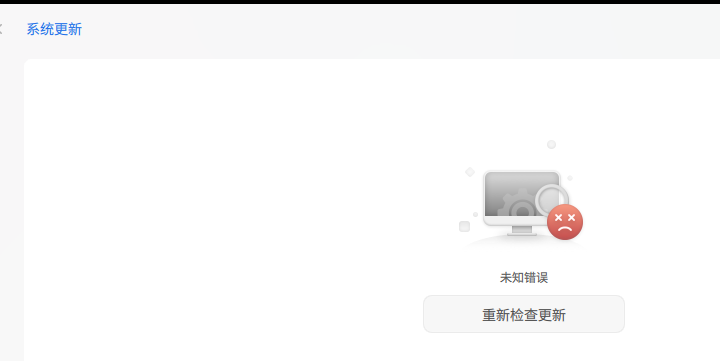
感谢大佬,今天刚升级成功了,系统版本是v25.0.9,不过系统更新界面提示:未知错误,不知什么原因。

升级安装过程中系统盘占用多了10G,有没有办法清理v23的旧数据,释放空间?

Reply View the author
反了方向
deepin
2025-11-23 17:47
#26
反了方向

感谢大佬,今天刚升级成功了,系统版本是v25.0.9,不过系统更新界面提示:未知错误,不知什么原因。

升级安装过程中系统盘占用多了10G,有没有办法清理v23的旧数据,释放空间?

sudo apt autoclean

sudo apt autoremove

sudo apt clean

Reply View the author
LiuYongzhang
deepin
2025-11-23 19:15
#27
反了方向

感谢大佬,今天刚升级成功了,系统版本是v25.0.9,不过系统更新界面提示:未知错误,不知什么原因。

升级安装过程中系统盘占用多了10G,有没有办法清理v23的旧数据,释放空间?

因为升级过来没有磐石,通过控制中心更新会报错,最好备份数据重新安装

Reply View the author
反了方向
deepin
2025-11-23 21:28
#28
LiuYongzhang

因为升级过来没有磐石,通过控制中心更新会报错,最好备份数据重新安装

看了大佬的贴子,就是为了去掉盘石才重装v23.1,再升级的😄

没事,现在这样也挺好

Reply View the author
linu
deepin
2025-12-03 23:06
#29

升级后 grub 不能找到内核生成启动项,只能手写启动项

系统更新也提示错误

image.png

Reply View the author
LiuYongzhang
deepin
2025-12-04 03:48
#30
linu

升级后 grub 不能找到内核生成启动项,只能手写启动项

系统更新也提示错误

image.png

sudo apt update && sudo apt reinstall deepin-immutable-ctl -y

因为没有磐石所以会检查错误,建议备份数据全新安装

Reply View the author
2 / 2
To page