[Feedback on issues] photoshop不支持打开.jpg的图片
Tofloor
poster avatar
AikonChu
deepin
2025-10-19 15:31
Author

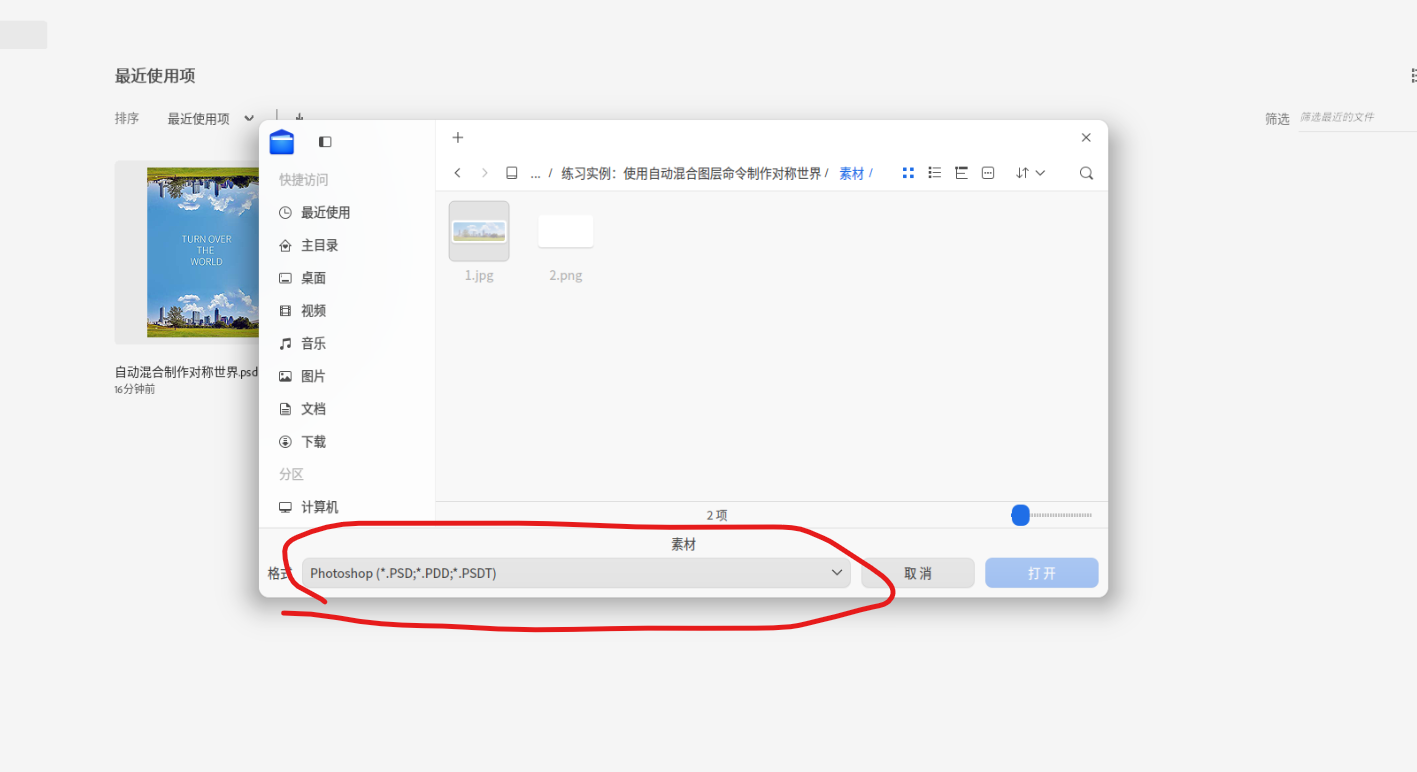
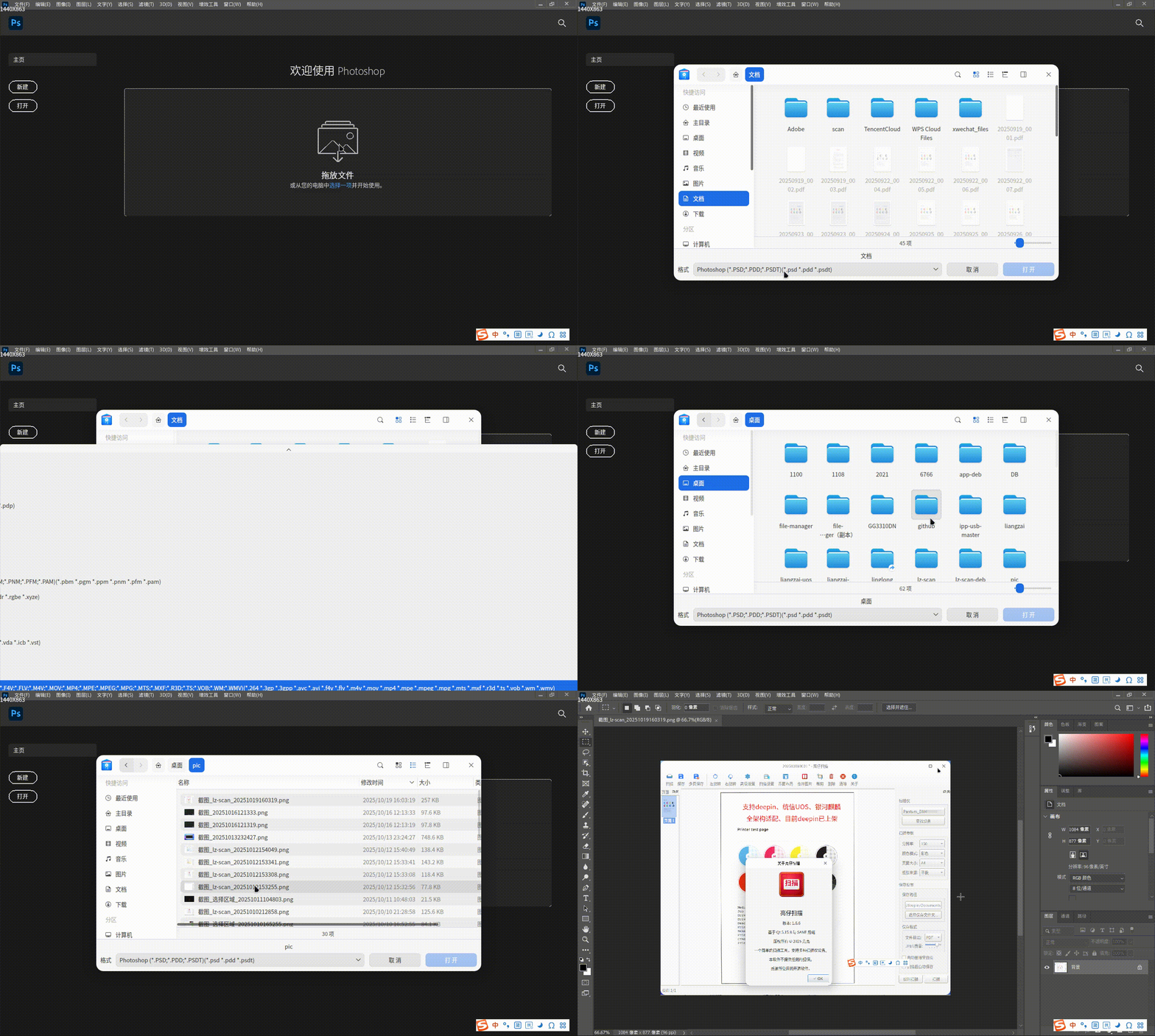
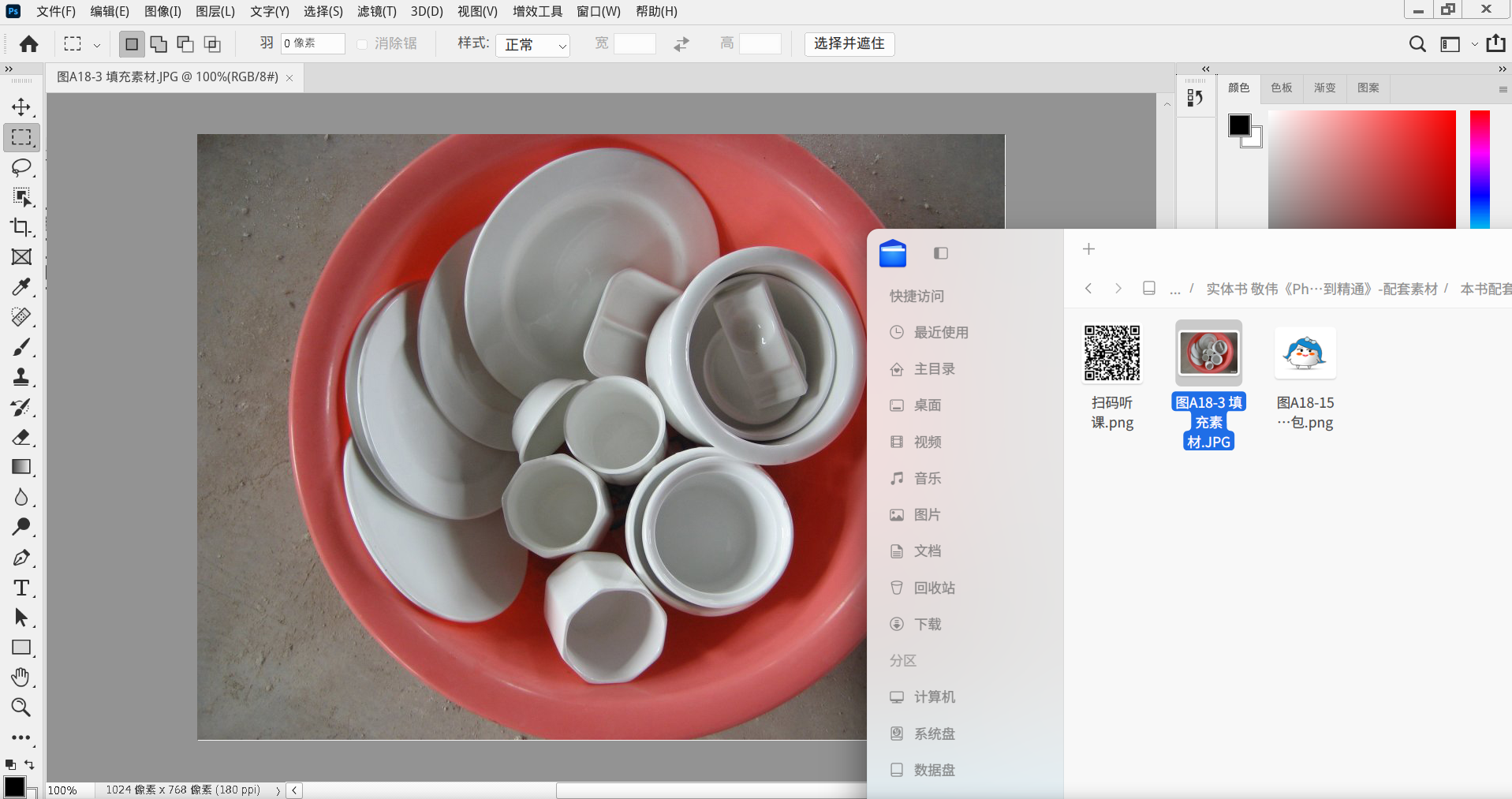
看到deepin25可以安装运行win应用激动万分,安装PS2021只后,发现不支持打开.jpg的图片,但这张图片在系统文件夹里是可以打开的。

然后把图片修改成jpge格式,在PS里还是打不开。

如果不支持PS,只好暂时在win和deepin之间切换使用了,GIMP用起来很别扭。

请问这个问题有办法解决吗?

e3e7ae513568e5b93d95b0e6a7b2daea.jpg

06f1df756362b7a973497baca0c5a3d9.jpg

30f71afc4803d2481b8732cb18dc9f09.jpg

c203879a138fc43d467a8219fba04298.jpg

Reply Favorite View the author
All Replies
1 / 2
To page
LINUX小白菜
deepin
2025-10-19 15:34
#1

问题加1,我的也是如此。

Reply View the author
AikonChu
deepin
2025-10-19 15:40
#2
LINUX小白菜

问题加1,我的也是如此。

原来这是个普遍问题

Reply View the author
穿西装的万斯在统亻言
deepin
Backbone of ecological co-construction group
2025-10-19 15:47
#3

安装完gimp可以再加装一个photogimp就变成跟ps一样的布局了。

Reply View the author
骑木马的哥哥
deepin
2025-10-19 17:29
#4

把图片的过滤器,画红圈部分,展开看看呢。
image.png

Reply View the author
克亮
Moderator
2025-10-19 18:26
#5
骑木马的哥哥

把图片的过滤器,画红圈部分,展开看看呢。
image.png

楼上正解,因为格式分类很多,你可以选择最底下的哪个。所有通配符。

录屏_photoshop.exe_20251019182437.gif

Reply View the author
兆兆嘟嘟嘟
Moderator
2025-10-19 19:12
#6

格式列表展开就知道了。

Reply View the author
𰻞𰻝面
deepin
2025-10-19 21:21
#7

这是个不错的选择

image.png

Reply View the author
AikonChu
deepin
2025-10-19 22:49
#8
克亮

楼上正解,因为格式分类很多,你可以选择最底下的哪个。所有通配符。

录屏_photoshop.exe_20251019182437.gif

非常感谢!明天到班上试试看。有了PS,deepin就可以长期使用了。祝深度系统越来越好!

Reply View the author
yippeeghost
deepin
2025-10-20 10:20
#9

试试悟空~

Reply View the author
AikonChu
deepin
2025-10-20 14:33
#10
克亮

楼上正解,因为格式分类很多,你可以选择最底下的哪个。所有通配符。

录屏_photoshop.exe_20251019182437.gif

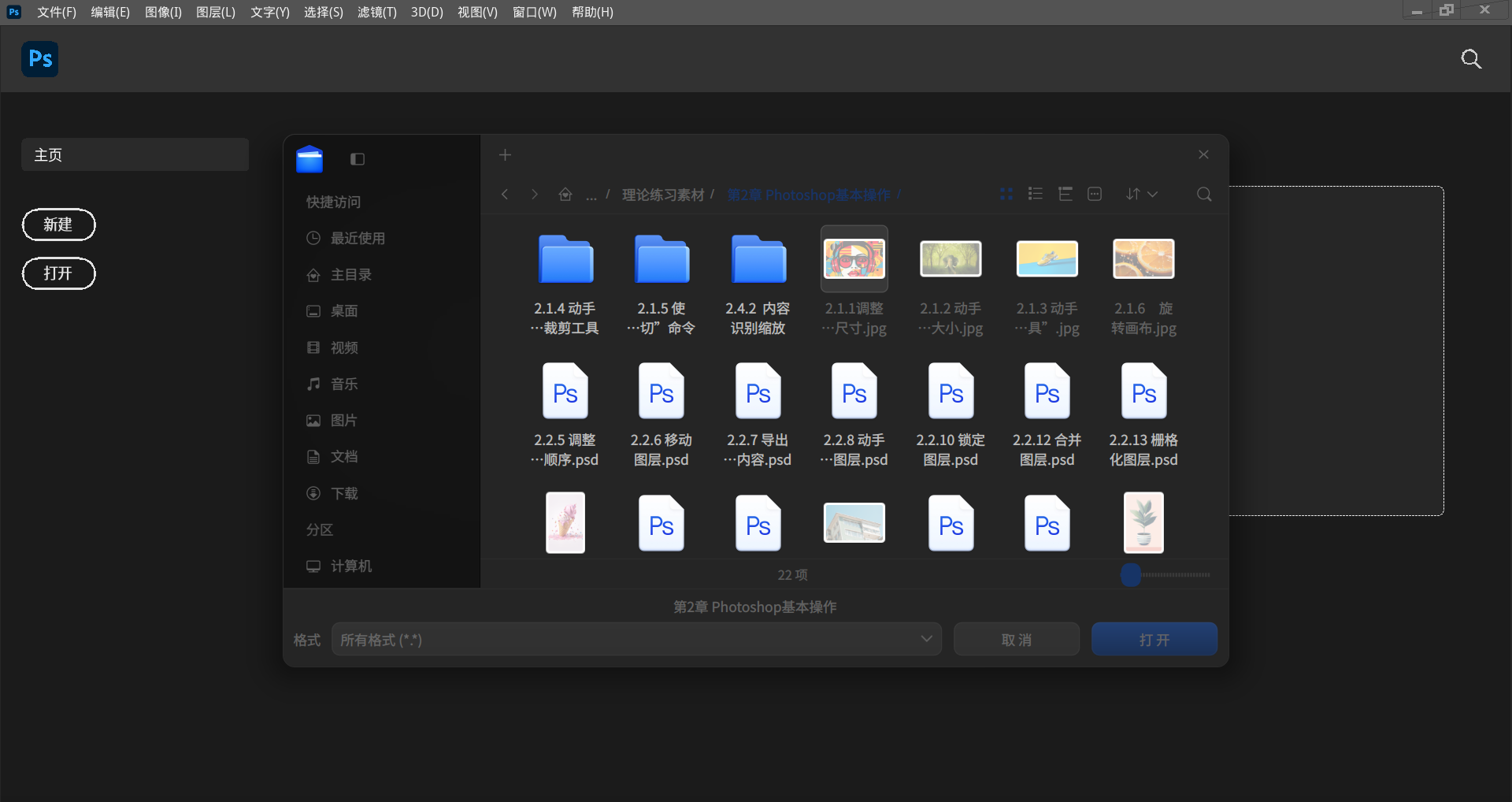
试过了,还是无法识别jpg图片😭

image.png

Reply View the author
AikonChu
deepin
2025-10-20 14:33
#11
yippeeghost

试试悟空~

请问什么是悟空?

Reply View the author
buyike
deepin
2025-10-20 16:33
#12
AikonChu

请问什么是悟空?

悟空图像别去想了,太烂了,用他还不如用gimp,或者使用网页版本的假PS,然后在浏览器中创建本地图标。

个人认为在linux进行图片PS最简单的方式,欢迎讨论。https://bbs.deepin.org.cn/post/287794
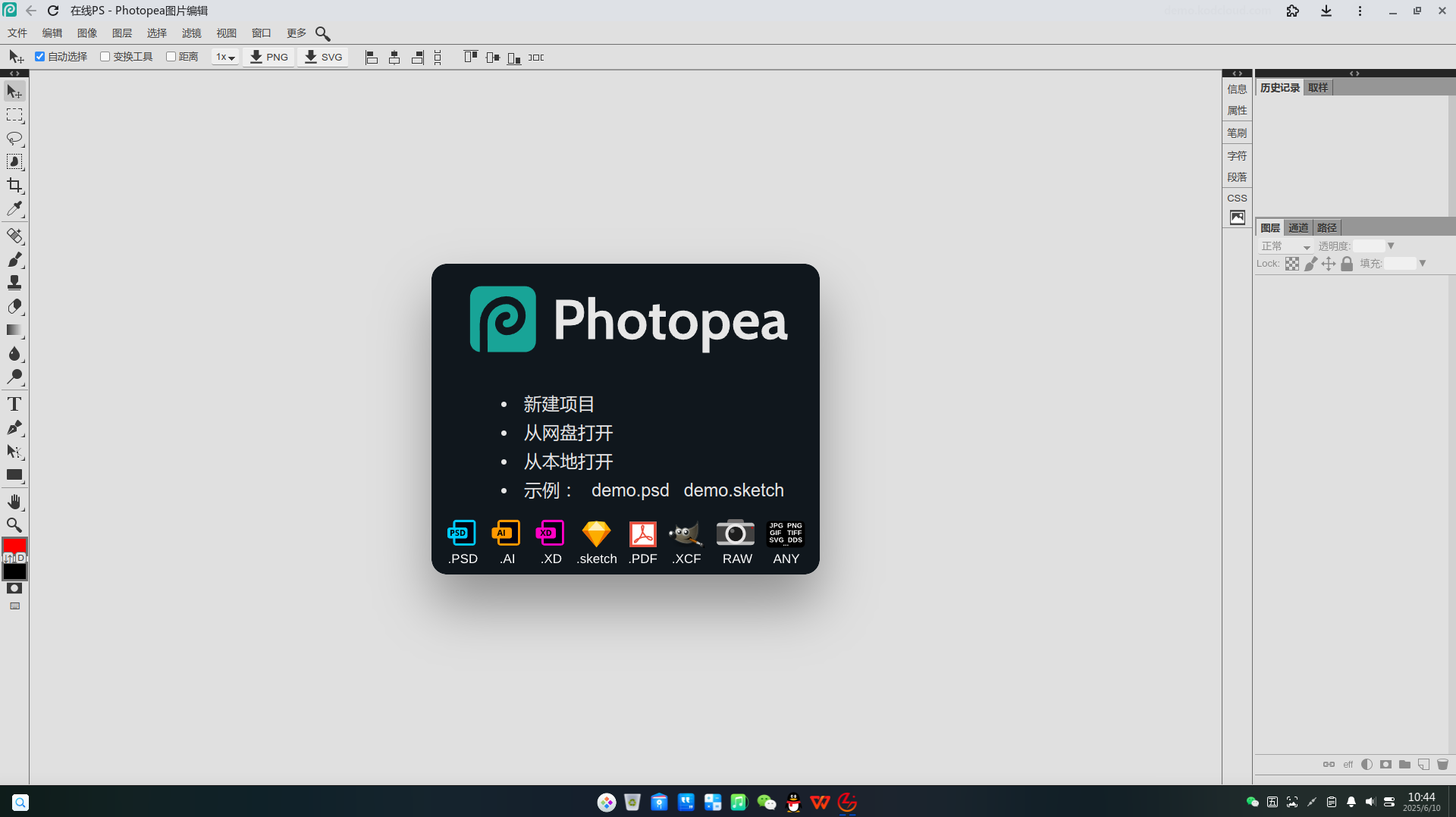
image.png

WINE的PS也不靠谱,6.0还能日常,其他的总有这样那样的问题。

Reply View the author
yippeeghost
deepin
2025-10-20 17:45
#13
AikonChu

请问什么是悟空?

悟空图像,商店有,下载试试~

Reply View the author
RucLinux
deepin
2025-10-21 10:02
#14

右键看看图片的权限

Reply View the author
AikonChu
deepin
2025-10-21 15:05
#15

我又在另一块硬盘装回win11了,缺了PS,deepin还是不能日用,拿来玩还可以。

Reply View the author
UOS小白
deepin
2025-10-26 11:44
#16

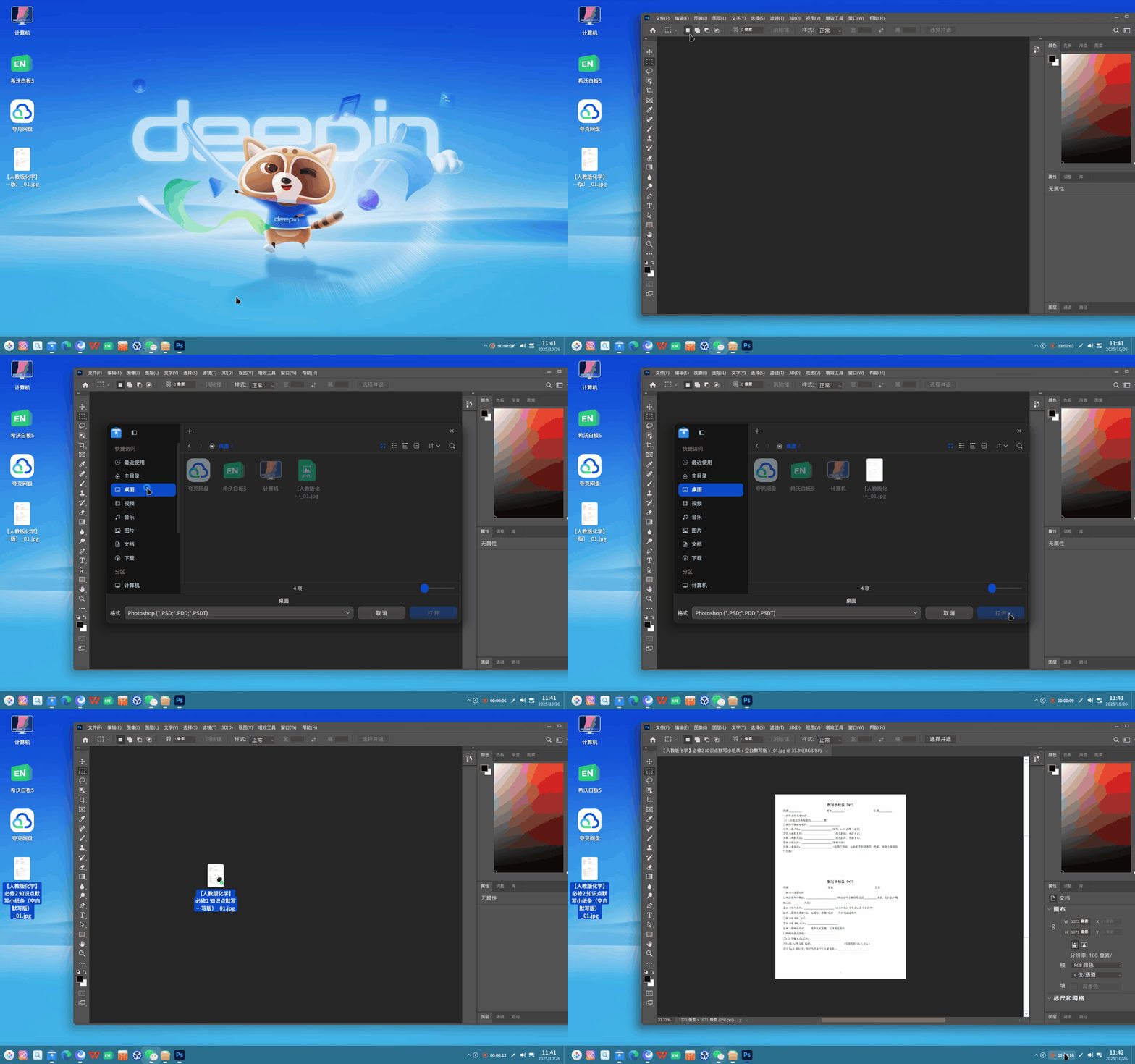
现在不知道是什么原因,不能直接打开JPG格式的,即使是格式选择了所有格式,还是没办法直接打开。

但是也不用win系统和deepin来回切换,因为虽然不能直接打开jpg格式的图片,但是你把JPG格式的图片直接拖进去是可以打开的。
录屏_dde-shell_20251026114145.gif

Reply View the author
AikonChu
deepin
2025-10-29 18:49
#17
UOS小白

现在不知道是什么原因,不能直接打开JPG格式的,即使是格式选择了所有格式,还是没办法直接打开。

但是也不用win系统和deepin来回切换,因为虽然不能直接打开jpg格式的图片,但是你把JPG格式的图片直接拖进去是可以打开的。
录屏_dde-shell_20251026114145.gif

谢谢分享,直接拖进去真的可以打开!!

image.png

Reply View the author
R
deepin
2025-12-25 17:20
#18
骑木马的哥哥

把图片的过滤器,画红圈部分,展开看看呢。
image.png

没有用,选择所有格式也不行

Reply View the author
R
deepin
2025-12-25 17:22
#19
克亮

楼上正解,因为格式分类很多,你可以选择最底下的哪个。所有通配符。

录屏_photoshop.exe_20251019182437.gif

我的选择所有也打不开!

Reply View the author
R
deepin
2025-12-25 17:31
#20
AikonChu

试过了,还是无法识别jpg图片😭

image.png

我的选择所有通配符,也是打不开

Reply View the author
1 / 2
To page