

 中文
中文 
晚秋(lateautumn)
2025-10-10 10:47 Moderator
刚试了一下,没有问题呀。我的还是龙v25呢。
Reply Like 0 View the author

刚试了一下,没有问题呀。我的还是龙v25呢。

 deepin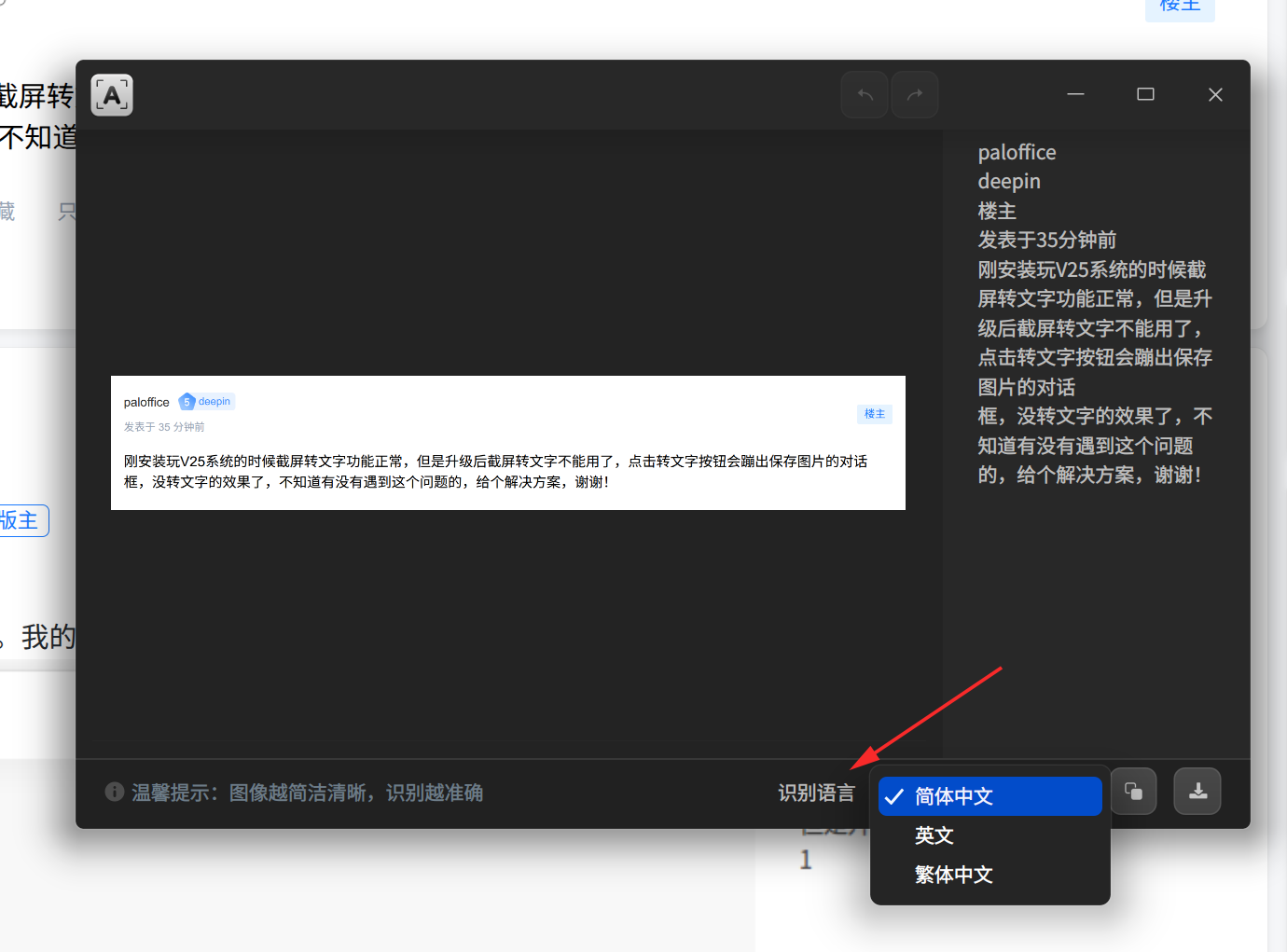
语言那里看一下

 deepin
语言那里看一下
这个界面直接就不出来,点击转文字直接就跳出保存图片了
deepin 重新安装了一下截屏也是不好用,点击转文字直接成了存图片了
 deepin
 这个界面直接就不出来,点击转文字直接就跳出保存图片了
我记得这个问题,后面已经通过系统更新修复了。你先更新一下系统,再打开软件商店检查一下有没有应用更新吧。

 deepin
 我记得这个问题,后面已经通过系统更新修复了。你先更新一下系统,再打开软件商店检查一下有没有应用更新吧。
我也有这个问题,apt update也已经没有东西可以更新了,应用商店也没有
 deepin
 我装回了v23可以使用
deepin 我也有这个问题,apt update也已经没有东西可以更新了,应用商店也没有
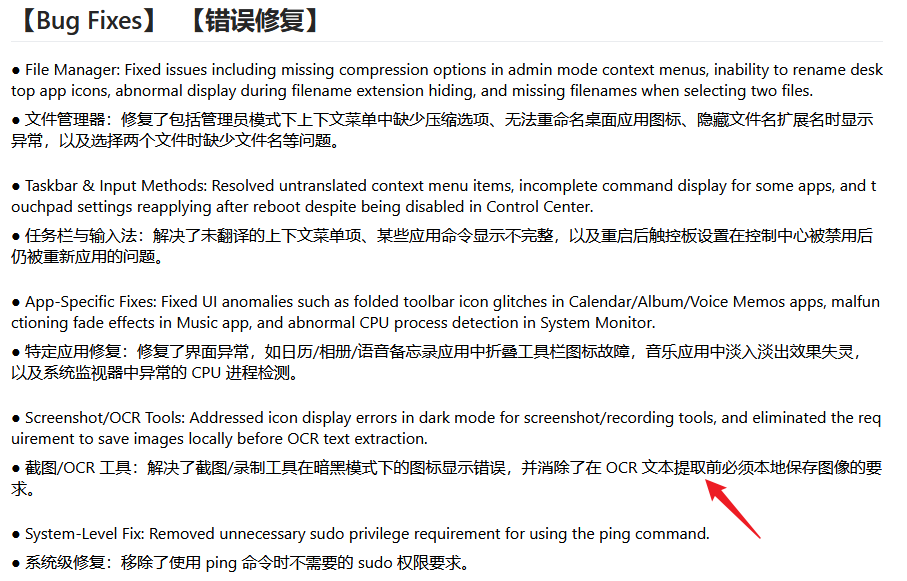
哦,我记错了,这个是 deepin 25.1 Beta 版本的修复信息,这个版本目前新增的问题有点多,推荐你还是先等等官方的正式推送吧。
deepin 我这里已经升到最新版,保存图片之后,才会弹出识别内容
 deepin
deepin 我这里已经升到最新版,保存图片之后,才会弹出识别内容
是这样的,看来只能等新版本更新了
deepin 使用了apt autoremove 命令,给出这样的结果
下列软件包将被【卸载】:
coinor-libcbc3 coinor-libcgl1 coinor-libclp1 coinor-libcoinmp1v5 coinor-libcoinutils3v5 coinor-libosi1v5
deepin-dvsrv deepin-screen-recorder-plugin fonts-opensymbol jfsutils libabw-0.1-1 libargon2-1
libboost-locale1.83.0 libbox2d2 libcdr-0.1-1 libclucene-contribs1v5 libclucene-core1v5 libcmis-0.6-6
libcolamd3 libdframeworkdbus2 libe-book-0.1-1 libeot0 libepubgen-0.1-1 libetonyek-0.1-1
libexttextcat-2.0-0 libexttextcat-data libfreehand-0.1-1 liblangtag-common liblangtag1 libmhash2
libmspub-0.1-1 libmwaw-0.3-3 libmythes-1.2-0 libnumbertext-1.0-0 libnumbertext-data libodfgen-0.1-1
liborcus-0.18-0 liborcus-parser-0.18-0 libpagemaker-0.0-0 libqtermwidget6-2 libqxp-0.0-0 librasqal3
librdf0 librevenge-0.0-0 libssh-gcrypt-4 libstaroffice-0.0-0 libsuitesparseconfig7 libuno-cppu3
libuno-cppuhelpergcc3-3 libuno-purpenvhelpergcc3-3 libuno-sal3 libuno-salhelpergcc3-3 libutf8proc3
libvisio-0.1-1 libwpd-0.10-10 libwpg-0.3-3 libwps-0.4-4 libxmlsec1-nss libzmf-0.0-0 libzxcvbn0 lp-solve
qdbus-qt6 qtermwidget-data uno-libs-private uos-license-content ure
升级了 0 个软件包,新安装了 0 个软件包,要卸载 66 个软件包,有 7 个软件包未被升级。
解压缩后将会空出 66.9 MB 的空间。
当前卸载操作涉及系统关键软件包,继续执行可能导致系统运行异常。
以下是系统关键软件包:
• deepin-screen-recorder-plugin
• deepin-dvsrv
您希望继续执行吗? [Y/n]
其中有一个关于截屏的软件包,deepin-screen-recorder-plugin不知道删除后会不会有效果,因为有警告提示所以也没敢轻举妄动
这个界面直接就不出来,点击转文字直接就跳出保存图片了
已知bug新版本已经优化了,如果还是旧版本,可以去设置内把保存方式改成指定位置,就不会弹出询问框了
deepin 已知bug新版本已经优化了,如果还是旧版本,可以去设置内把保存方式改成指定位置,就不会弹出询问框了
但是这样的话就会每次都自动保存一个文件,而且如果不保存文件的话好像截屏也没成功,不像以前我可以直接在word里面粘贴就可以
deepin 我也重新删除了截屏工具,再安装了一遍也是一样的问题
Popular Events
More



 WhatsApp doesn't work in the official Deepin browser!
刚安装玩V25系统的时候截屏转文字功能正常,但是升级后截屏转文字不能用了,点击转文字按钮会蹦出保存图片的对话框,没转文字的效果了,不知道有没有遇到这个问题的,给个解决方案,谢谢!