

 中文
中文 
TangentSky85954 deepin
2025-06-29 02:07 deepin 我的系统盘占用只有5.9GB,分区方案是/、/boot/efi、/persistent,第一个和第三个用BTRFS开压缩
Reply Like 0 View the author
 deepin
 我的系统盘占用只有5.9GB,分区方案是/、/boot/efi、/persistent,第一个和第三个用BTRFS开压缩

 deepin
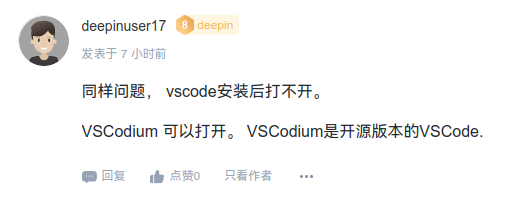
 同样问题, vscode安装后打不开。
VSCodium 可以打开。 VSCodium是开源版本的VSCode.

非常不错,内部用vscode 还蛮稳定,也可以直接官网下载安装。
 deepin
 非常不错,内部用vscode 还蛮稳定,也可以直接官网下载安装。
不是,你们在说什么,是一个频道吗?我为什么看不懂了?



 deepin
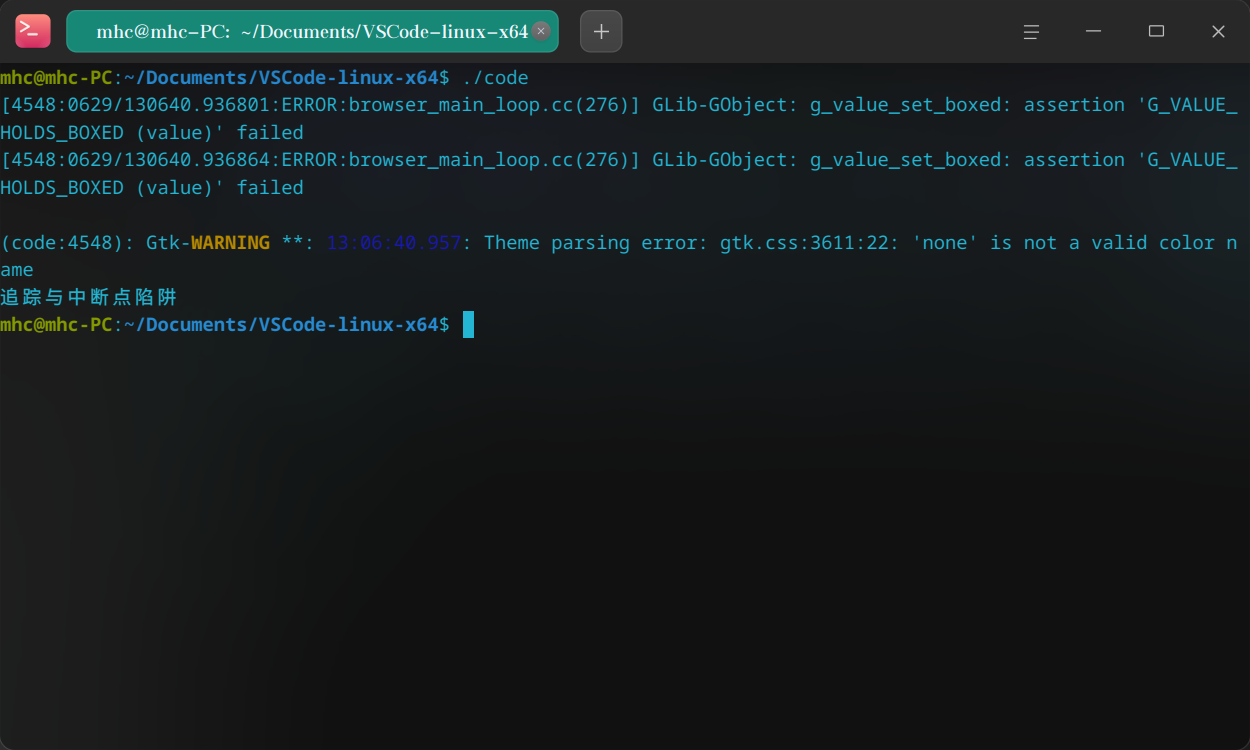
 可以用啊,

你终端里面执行一下,看看输出什么报错
 deepin
 可以用啊,
你终端里面执行一下,看看输出什么报错
deepin 可以用啊,
你终端里面执行一下,看看输出什么报错
sudo ./code --no-sandbox可以运行
deepin sudo ./code --no-sandbox可以运行
那你改一改desktop文件的exec好了
 deepin
 一样打不开,官网下的也不行
 deepin
怎么会呢,都能到打开呢,不行装个星火应用商店,里面也有VScode和其他很多软件~
 deepin
 我的系统盘占用只有5.9GB,分区方案是/、/boot/efi、/persistent,第一个和第三个用BTRFS开压缩
能问一下怎么开btrfs 压缩吗?在哪里修改配置?
 deepin
 系统盘不用那么大,我的是100G左右
deepin 系统盘不用那么大,我的是100G左右
1t的硬盘,以后再不准备换系统了,重装太麻烦就分大一点了
deepin linux 的硬盘分区程序会⾃动为 root 或指定的⽤⼾保留⼀定的磁盘空间默认是5%。可以通过 manmkfs.ext4 ⼿册看到:
-m reserved-blocks-percentage
Specify the percentage of the filesystem blocks reserved for the
super-user. This avoids fragmenta‐
tion, and allows root-owned daemons, such as syslogd(8), to
continue to function correctly after
non-privileged processes are prevented from writing to the
filesystem. The default percentage is 5%.
也就是说,ext⽂件系统,包括ext2、ext3、ext4都会默认预留5%的磁盘空间,留给root⽤⼾维护
系统或者记录系统关键⽇志的时候使⽤(⽐如 磁盘使⽤空间已经100%的情况下的处理),这也就
是导致普通⽤⼾⽆法使⽤部分磁盘空间的原因了。 分区越大,这个维护空间越大也就浪费的越多。
deepin linux 的硬盘分区程序会⾃动为 root 或指定的⽤⼾保留⼀定的磁盘空间默认是5%。可以通过 manmkfs.ext4 ⼿册看到:
-m reserved-blocks-percentage
Specify the percentage of the filesystem blocks reserved for the
super-user. This avoids fragmenta‐
tion, and allows root-owned daemons, such as syslogd(8), to
continue to function correctly after
non-privileged processes are prevented from writing to the
filesystem. The default percentage is 5%.
也就是说,ext⽂件系统,包括ext2、ext3、ext4都会默认预留5%的磁盘空间,留给root⽤⼾维护
系统或者记录系统关键⽇志的时候使⽤(⽐如 磁盘使⽤空间已经100%的情况下的处理),这也就
是导致普通⽤⼾⽆法使⽤部分磁盘空间的原因了。 分区越大,这个维护空间越大也就浪费的越多。

Popular Ranking
ChangePopular Events
More


 My 2 apps rewritten, submitted to store
由于刚毕业一直在实习,有很长时间没有关注过deepin了,前几天看见deepin25发布正式版了,下班就装上试了一下体验不错。今天打算用deepin25做生产力,全盘格式化了。安装后磁盘占用倒是挺高的,不过分的盘够大,这点占用无所谓了。
糟糕的是我安装了应用商店的vscode,发现打不开,不知道大家有没有同样的问题。
目前打算用deepin25做主要生产力,希望deepin25不要让我失望,也祝贺deepin25正式版顺利发布