

 中文
中文 
deepin流云
2025-05-28 09:55 Super Moderator
Community OP
该问题属于Fcitx上游问题 ,已经给上游提过,需上游修复。
Reply Like 0 View the author

该问题属于Fcitx上游问题 ,已经给上游提过,需上游修复。

 deepin
 该问题属于Fcitx上游问题 ,已经给上游提过,需上游修复。
好像是deepin-fcitx5configtool-plugin这个包的问题吧。
我额外装了个fcitx5-config-qt,这个是能改成功。
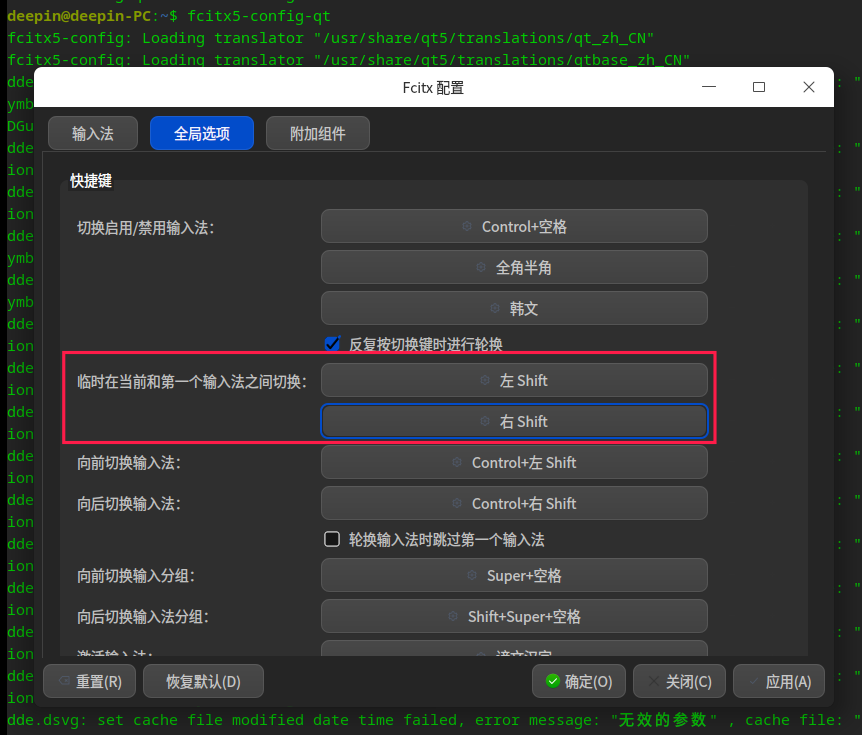
好像是deepin-fcitx5configtool-plugin这个包的问题吧。
我额外装了个fcitx5-config-qt,这个是能改成功。
我们再转给研发测试同事看看

 deepin deepin
 好像是deepin-fcitx5configtool-plugin这个包的问题吧。
我额外装了个fcitx5-config-qt,这个是能改成功。
你的办法奏效了,感谢
deepin 你的办法奏效了,感谢
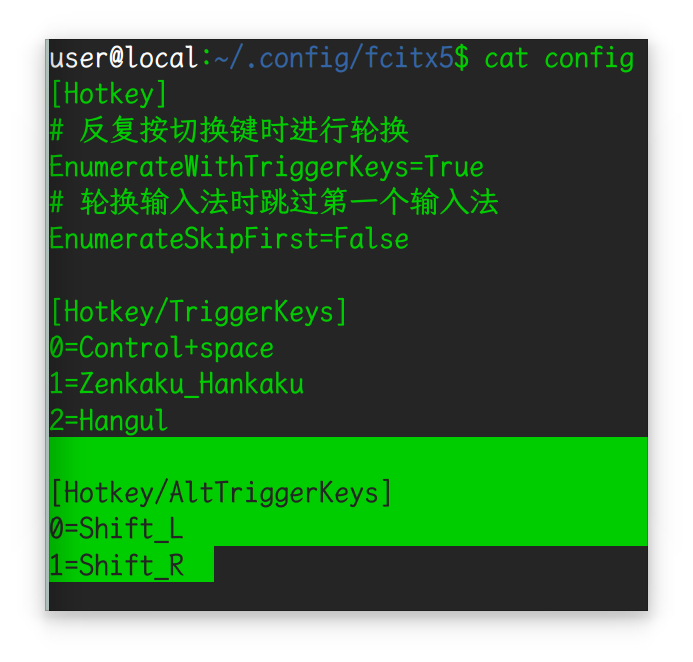
昨天我把v25重装了一遍,不想额外多装软件包,我直接改了配置文件,试着也行。
配置文件位置:“主目录/.config/fcitx5/config”
修改配置项(修改后重启下输入法):
[Hotkey/AltTrggerKeys]
0=Shift_L
1=Shift_R
deepin 昨天我把v25重装了一遍,不想额外多装软件包,我直接改了配置文件,试着也行。
配置文件位置:“主目录/.config/fcitx5/config”
修改配置项(修改后重启下输入法):
[Hotkey/AltTrggerKeys]
0=Shift_L
1=Shift_R
你这办法也可以,特意去尝试了
 deepin
 你这办法也可以,特意去尝试了
失效了,没用
 deepin
 昨天我把v25重装了一遍,不想额外多装软件包,我直接改了配置文件,试着也行。
配置文件位置:“主目录/.config/fcitx5/config”
修改配置项(修改后重启下输入法):
[Hotkey/AltTrggerKeys]
0=Shift_L
1=Shift_R
失效了,最新的25.0.1不行
deepin 失效了,最新的25.0.1不行
deepin
我的意思是,能修改,但是没有效果
deepin 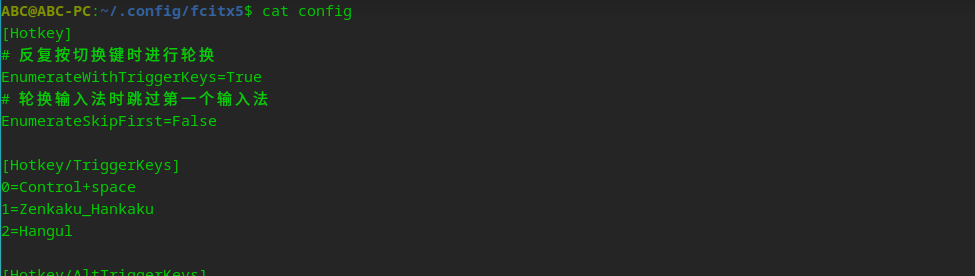
用fcitx5-config-qt修改后如图
deepin
用fcitx5-config-qt修改后如图
我电脑现在系统版本是25.0.7,目前看着是生效的
Popular Ranking
ChangePopular Events
More


 My 2 apps rewritten, submitted to store
设置之后,它会自动跳回去