

 中文
中文 
离 deepin
2025-05-17 09:00 deepin 我都不知道有这么多驱动23333。
Reply Like 0 View the author
deepin 我都不知道有这么多驱动23333。

 deepin
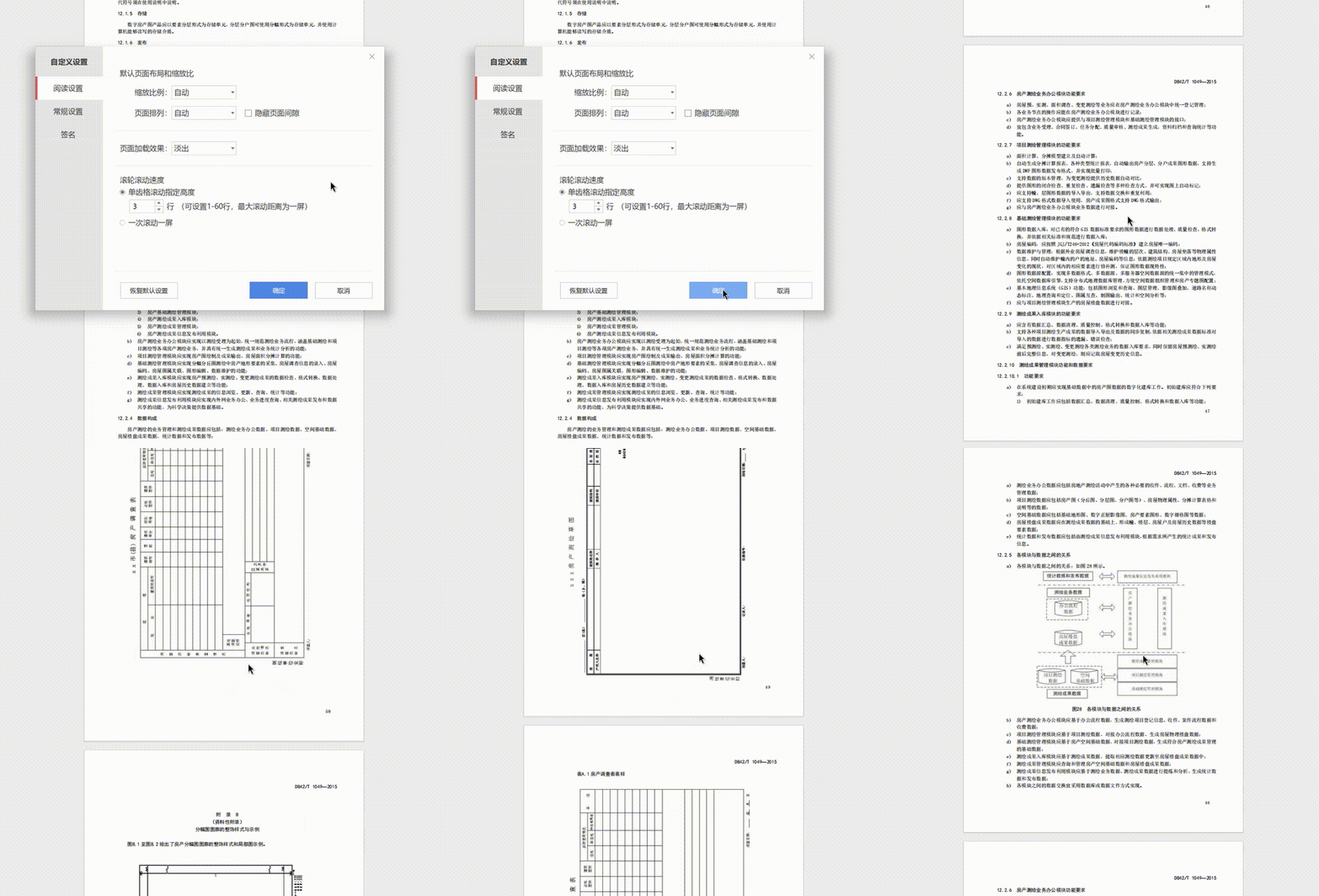
 怎么更改鼠标驱动,wps看PDF文档,滚动鼠标很难受
 deepin
 怎么更改鼠标驱动,wps看PDF文档,滚动鼠标很难受
我是在/etc/X11/xorg.conf.d/里新建了30-evdev.conf
Section "InputClass"
Identifier "Force Evdev for Mouse"
MatchProduct "INSTANT USB GAMING MOUSE "
MatchIsPointer "on"
Driver "evdev"
Option "ButtonMapping" "1 2 3 4 5 6 7 8 9"
EndSection
鼠标名称那里需要修改,或者删掉
另外安装那个好像叫xserver-xorg-input-evdev的包
 deepin
 确实被wpspdf的这个问题难受到了。。。
deepin 我是在/etc/X11/xorg.conf.d/里新建了30-evdev.conf
Section "InputClass"
Identifier "Force Evdev for Mouse"
MatchProduct "INSTANT USB GAMING MOUSE "
MatchIsPointer "on"
Driver "evdev"
Option "ButtonMapping" "1 2 3 4 5 6 7 8 9"
EndSection
鼠标名称那里需要修改,或者删掉
另外安装那个好像叫xserver-xorg-input-evdev的包
非常感谢,借助你的帖子解决了长久依赖存在的一个问题。
使用WPS PDF查看PDF文件的滚动翻页速度终于正常了!
解决步骤:
1.安装 xserver-xorg-input-evdev 驱动:
sudo apt install xserver-xorg-input-evdev
2.在 /etc/X11/xorg.conf.d目录下创建配置文件:
sudo tee /etc/X11/xorg.conf.d/30-evdev.conf > /dev/null <
3.重启系统。
写成的脚本如下:
使用evdev驱动以解决WPS-PDF鼠标滚动异常的问题.zip
deepin 怎么更改鼠标驱动,wps看PDF文档,滚动鼠标很难受
执行我写的这个脚本就可以了,非常方便。

 deepin
 非常感谢,借助你的帖子解决了长久依赖存在的一个问题。
使用WPS PDF查看PDF文件的滚动翻页速度终于正常了!
解决步骤:
1.安装 xserver-xorg-input-evdev 驱动:
sudo apt install xserver-xorg-input-evdev
2.在 /etc/X11/xorg.conf.d目录下创建配置文件:
sudo tee /etc/X11/xorg.conf.d/30-evdev.conf > /dev/null <
3.重启系统。
写成的脚本如下:
使用evdev驱动以解决WPS-PDF鼠标滚动异常的问题.zip
优秀,感谢大佬
用了你的方法设置成功了
Popular Ranking
ChangePopular Events
More


 My 2 apps rewritten, submitted to store
wpspdf的设置里,有关于鼠标滚轮每次滚动多远的设置
但最近发现,如果鼠标默认用的是libinput驱动,则上面的设置无效
如果改用evdev驱动,则有效
另外如果使用libinput驱动,xmodmap、xbindkeys、imwheel等关于滚轮的设置都对wpspdf无效
猜测应该是wpspdf的问题