

 中文
中文 
shinepreventer deepin
2025-05-07 14:59 deepin 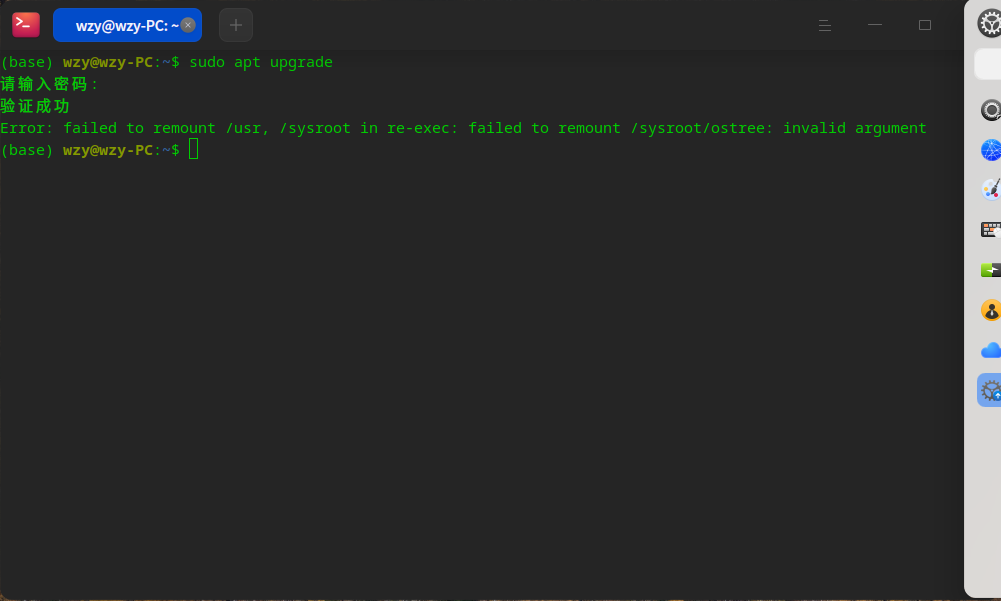

Reply Like 0 View the author
deepin

 deepin
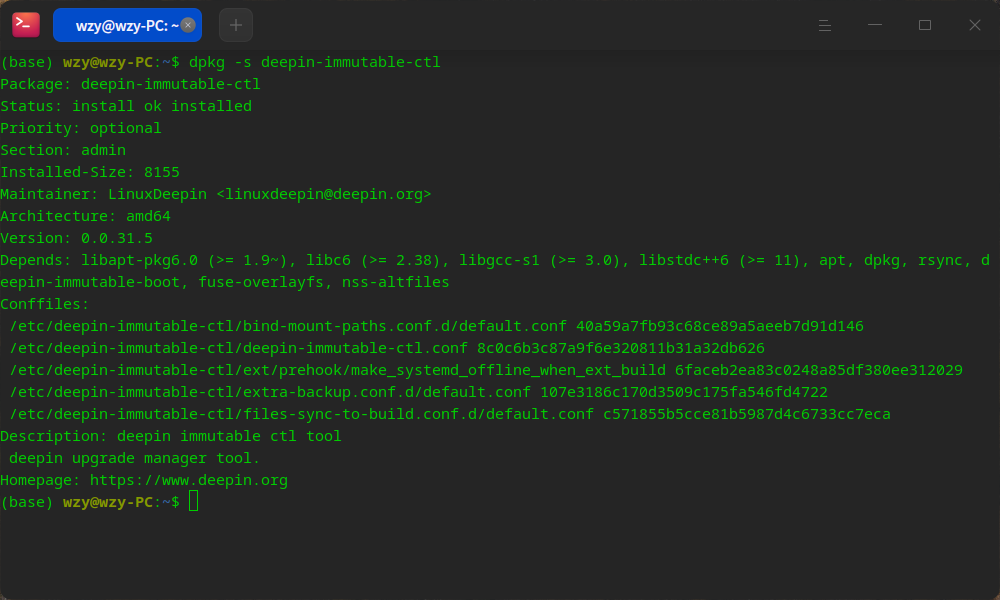
 查看软件包版本:
dpkg -s deepin-immutable-ctl
deepin 这可能是磐石系统早期的bug,如果不能升级了,可以考虑重装系统,安装 deepin 25 alpha (最新)镜像。
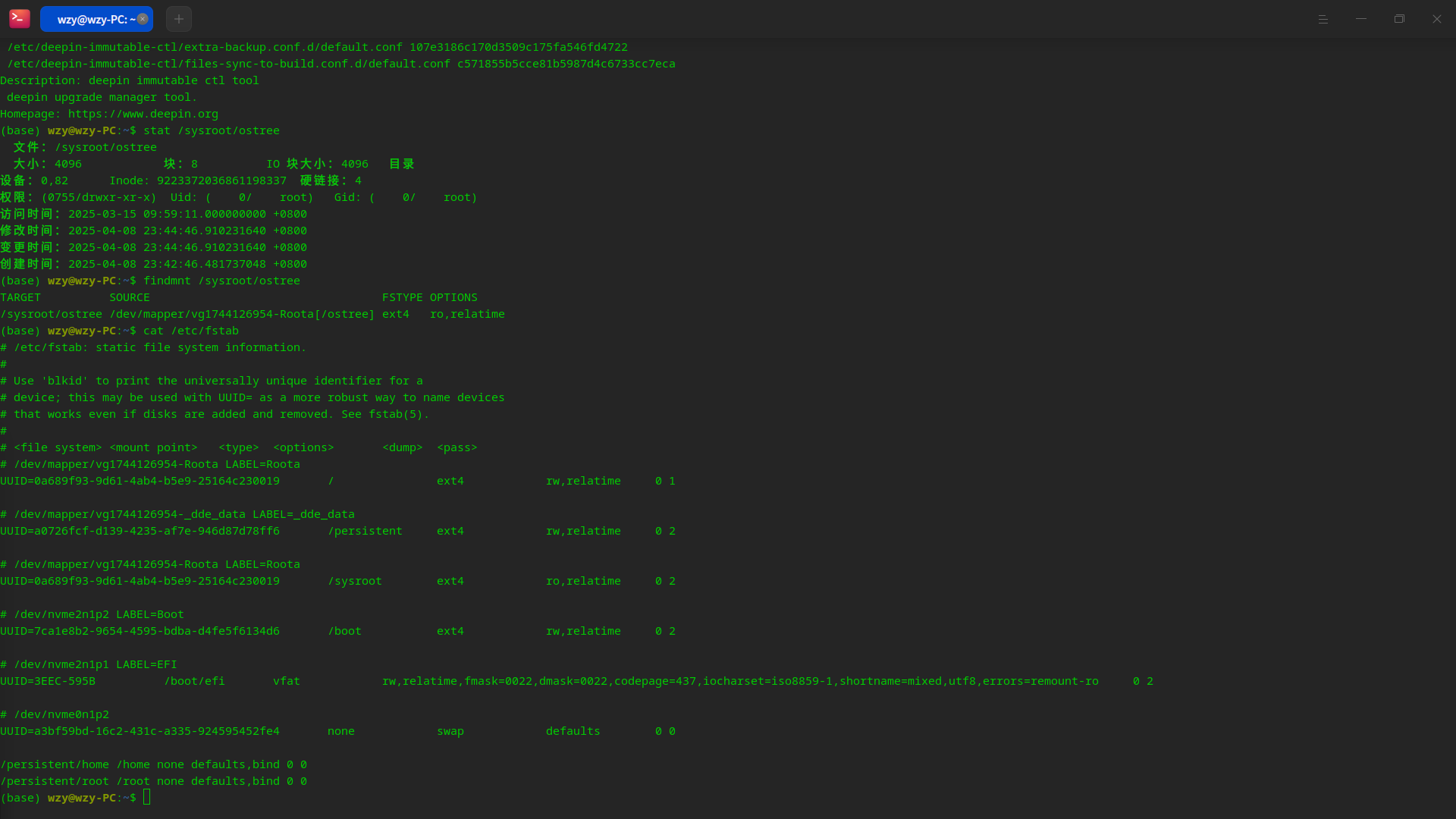
deepin 查看一下 /sysroot/ostree 的状态,执行如下命令:
stat /sysroot/ostree
findmnt /sysroot/ostree
查看 /etc/fstab 文件
cat /etc/fstab
deepin @electricface 似乎没什么问题,但就是显示无法挂载
deepin 磐石系统直接不见了
(base) wzy@wzy-PC:$ sudo apt upgrade$ sudo deepin-immutable-writable enable -d /usr
请输入密码:
验证成功
Error: failed to remount /usr, /sysroot in re-exec: failed to remount /sysroot/ostree: invalid argument
(base) wzy@wzy-PC:
sudo: deepin-immutable-writable:找不到命令
(base) wzy@wzy-PC:~$ deepin-immutable-ctl ota upgrade
Error: unknown command "ota" for "deepin-immutable-ctl"
deepin deepin-immutable-ctl 的 ota upgrade 子命令被废弃了。
deepin-immutable-ctl 命令还在的。
deepin deepin-immutable-ctl 的 ota upgrade 子命令被废弃了。
deepin-immutable-ctl 命令还在的。
好吧,没辙了,我已经第n次重装系统了


sudo apt update && sudo apt install aptss -y && sudo aptss update && sudo aptss full-upgrade -y
Error: failed to remount /usr, /sysroot in re-exec: failed to remount /sysroot/ostree: invalid argument
全掉了,内核6.12.9