[Seek Help] 显示有uos ai,但是到处都找不到图标,我如何打开它
Tofloor
poster avatar
199******82
deepin
2025-04-07 20:51
Author

image.png

我的系统中显示有uos ai,但是到处都找不到图标,包括左下角、右下角和任务栏,我如何打开它呢,谢谢

Reply Favorite View the author
All Replies
199******82
deepin
2025-04-07 20:53
#1

系统版本是V25 alpha

Reply View the author
LiuYongzhang
deepin
2025-04-07 21:28
#2

无论23还是25都可以在这里找到

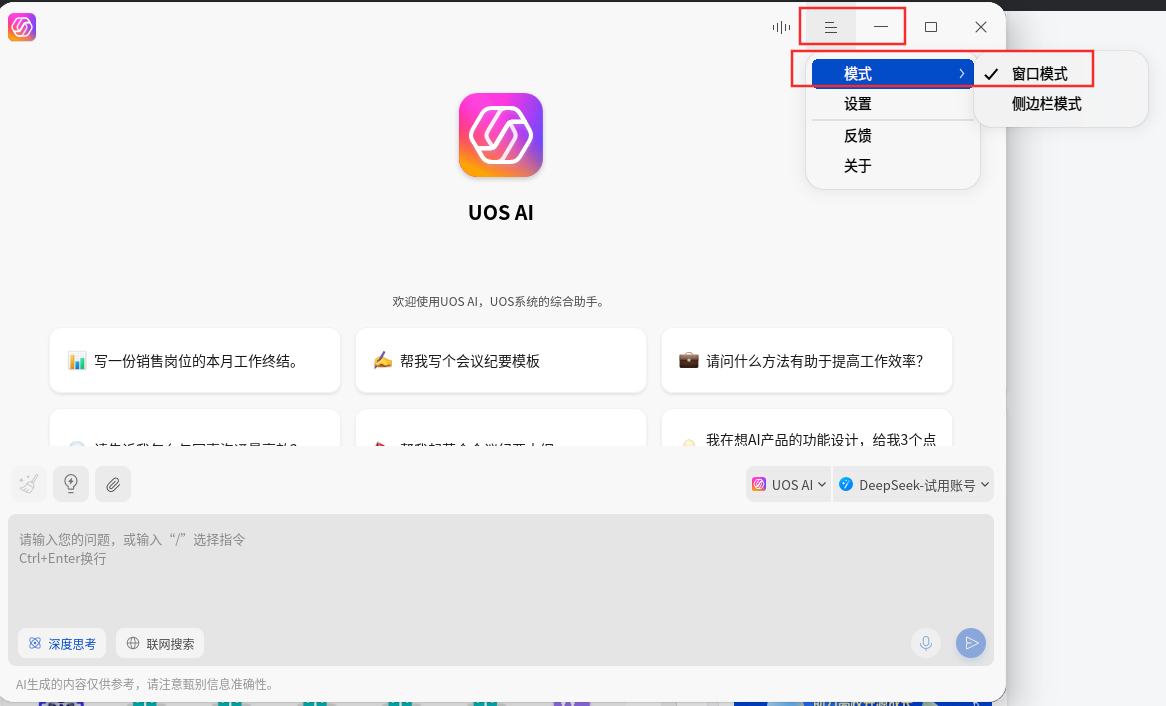
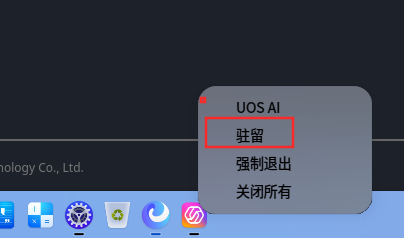
打开后可以设置为窗口模式,然后在任务栏右击ai图标选择-驻留

/usr/share/applications/uos-ai-assistant.desktop
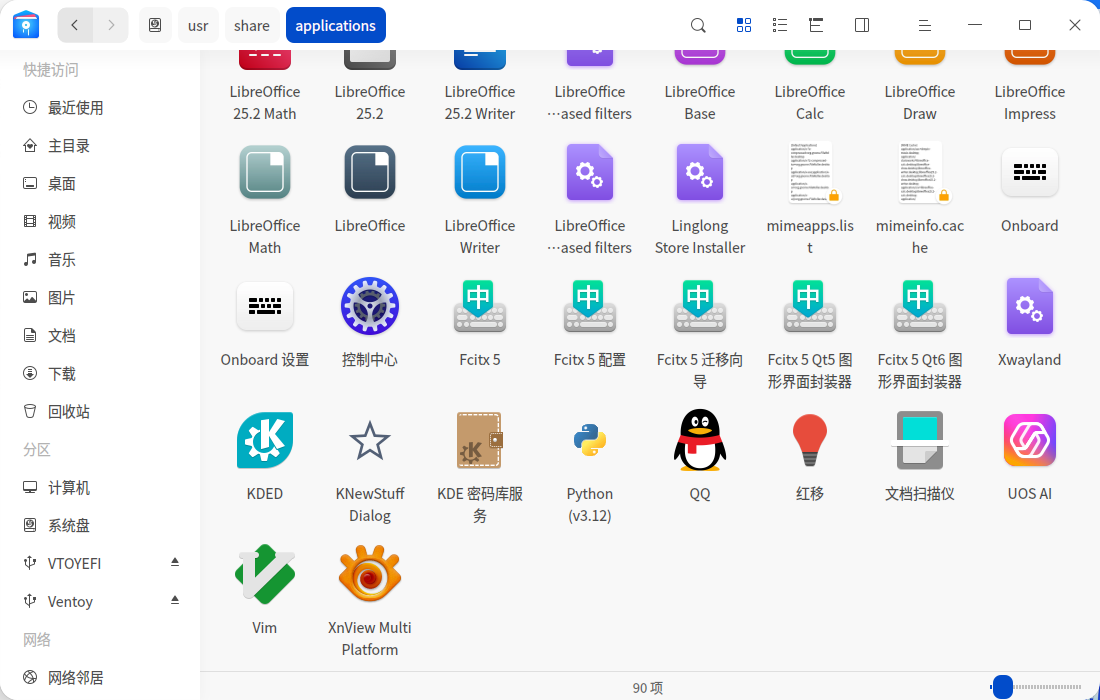
image.png

image.png

image.png

Reply View the author
观摩
deepin
2025-04-07 22:44
#3

你能想象这个官方的应用 uos ai 用官方的全局搜索搜不到嘛

joy

Reply View the author
deepin流云
Super Moderator
Community OP
2025-04-08 10:14
#4
It has been deleted!
deepin流云
Super Moderator
Community OP
2025-04-08 10:24
#5
199******82

系统版本是V25 alpha

抱歉没注意是25Alpha,它正常默认应该是开启了AI Bar常驻任务栏左下角的,如果自行关闭了,试试二楼的方法,找到那个启动路径之后,打开UOS AI设置,拉到最底下的任务栏 AI Bar选项,看看是不是功能关闭了,开启即可。

Reply View the author
Merlin
deepin
2025-04-08 21:36
#6

23版本控制中心里面有插件选择。

Reply View the author
199******82
deepin
2025-04-09 08:58
#7

谢谢各位帮助,已用2楼方法解决问题👍 👍👍

Reply View the author
deepin流云
Super Moderator
Community OP
2025-04-09 09:52
#8

正常25的AI Bar是在左下角常驻的,是做过什么操作移除了么?

Reply View the author
199******82
deepin
2025-04-09 10:06
#9
deepin流云

正常25的AI Bar是在左下角常驻的,是做过什么操作移除了么?

我从v23升级v25后uos ai图标是正常的,中间升级过一次,再开机图标就没了。

我在论坛上看到有一部分和我类似的情况,具体原因不知道。

Reply View the author
189******13
deepin
2025-04-09 10:52
#10

WIN+C

Reply View the author