

 中文
中文 
LiuYongzhang deepin
2025-03-28 08:05 deepin sudo apt reinstall hplip libssl*
然后通过系统自带的打印机管理器安装打印机
记得选择3.22.10版本的驱动
3.22.12的驱动会安装一大堆hp的东西
Reply Like 1 View the author
 deepin
 sudo apt reinstall hplip libssl*
然后通过系统自带的打印机管理器安装打印机
记得选择3.22.10版本的驱动
3.22.12的驱动会安装一大堆hp的东西

 deepin
 sudo apt reinstall hplip libssl*
然后通过系统自带的打印机管理器安装打印机
记得选择3.22.10版本的驱动
3.22.12的驱动会安装一大堆hp的东西
现在只看到3.23.12这一个选项了
deepin 现在只看到3.23.12这一个选项了
那就使用这个就行,只不过会安装几个hp的软件。不影响使用
deepin 那就使用这个就行,只不过会安装几个hp的软件。不影响使用
还是报错:
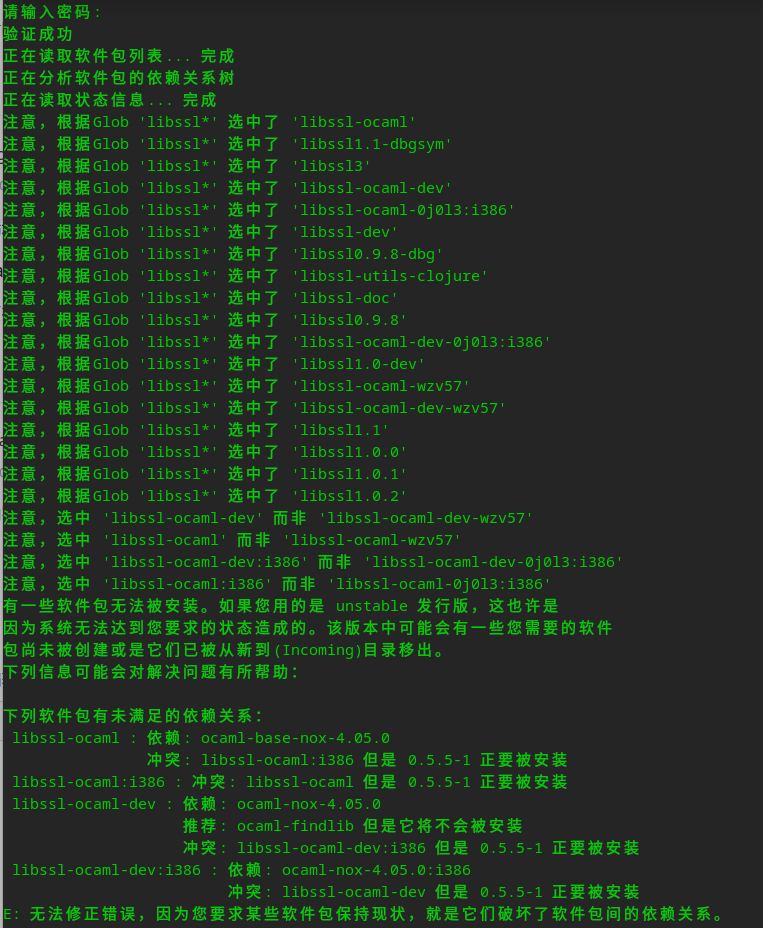
deepin sudo apt install libssl1.1
 deepin
 sudo apt install libssl1.1
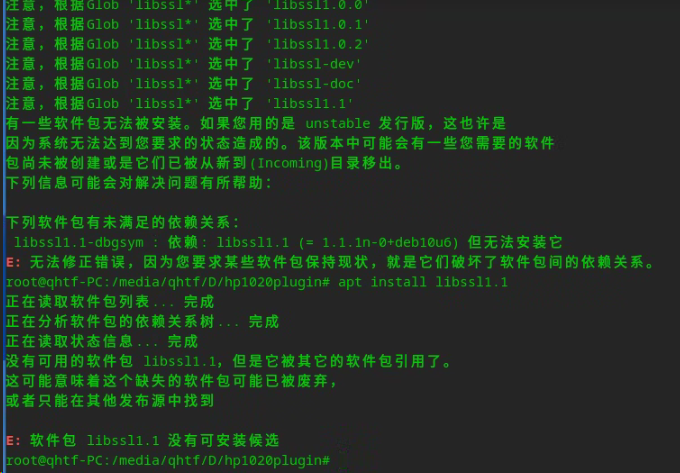
我也是HP1020装不上,找到这个帖子,按照上面的方法,
apt install libssl1.1
装不上,还是不行😭
deepin 我也是HP1020装不上,找到这个帖子,按照上面的方法,
apt install libssl1.1
装不上,还是不行😭
25源里没有1.1,建议先安装星火应用商店然后 在终端运行 sudo aptss update && sudo aptss reinstall hplip libssl1.1 然后重新添加打印机,驱动版本选择3.22.10


我先是在终端执⾏:sudo apt install hplip hplip-gui 时成功
然后在终端执⾏: hp-setup或者 sudo hp-plugin -i 均出错:
1、hp-setup时无论是选择本地的USB还是网络的都不行,提示没有找到设备
2、sudo hp-plugin -i则在选择D 进行下载后在经过一段时间的运行后提示:
warning: deepin distro is not found in AUTH_TYPES
Plugin installation failed
error: Plugin installation failed
请问怎么解决