[Feature Requests & Feedback] deepin 25 alpha 刚刚装好的新系统,发现无法安装 vmware Resolved
Tofloor
poster avatar
阿里巴巴
deepin
2025-03-26 14:16
Author

下载的是 VMware-Workstation-Full-17.6.3-24583834.x86_64.bundle(昨天下载的最新版)

Reply Favorite View the author
All Replies
阿里巴巴
deepin
2025-03-26 14:28
#1

下载的是 VMware-Workstation-Full-17.6.3-24583834.x86_64.bundle(昨天下载的最新版)

安装流程:

sudo chmod +x VMware-Workstation-Full-17.6.3-24583834.x86_64.bundle

sudo ./VMware-Workstation-Full-17.6.3-24583834.x86_64.bu

image.png

image.png

没有生成快捷启动图标

image.png

就是安装失败了,但是看不出来问题

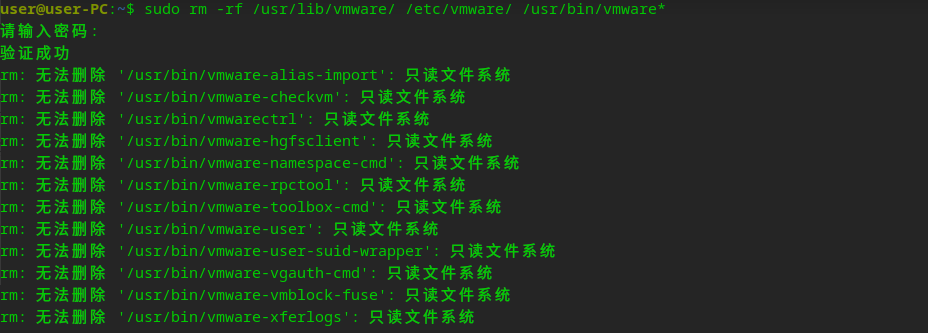
执行卸载重装也无法卸载成功

image.png

image.png

Reply View the author
deepin流云
Super Moderator
Community OP
2025-03-26 18:20
#2

VMware安装需要关掉磐石之后才行,另外就是最新版本的VMware不支持6.12内核,据研发说是没支持最新的

Reply View the author
阿里巴巴
deepin
2025-03-27 10:57
#3
deepin流云

VMware安装需要关掉磐石之后才行,另外就是最新版本的VMware不支持6.12内核,据研发说是没支持最新的

image.png

无法关闭磐石,怎么关闭磐石呢

Reply View the author
deepin流云
Super Moderator
Community OP
2025-03-27 11:06
#4
阿里巴巴

image.png

无法关闭磐石,怎么关闭磐石呢

命令如下:

#进入系统后,关闭只读保护功能:
sudo deepin-immutable-ctl disable-system-protect enable
#注意:开启或关闭此功能,都需要重启才能生效。
#如果想开启只读保护,只需运行:
sudo deepin-immutable-ctl disable-system-protect disable
#通过以下命令查询功能的开启状态:
sudo deepin-immutable-ctl disable-system-protect status
Reply View the author
阿里巴巴
deepin
2025-03-27 13:40
#5
deepin流云

命令如下:

#进入系统后,关闭只读保护功能:
sudo deepin-immutable-ctl disable-system-protect enable
#注意:开启或关闭此功能,都需要重启才能生效。
#如果想开启只读保护,只需运行:
sudo deepin-immutable-ctl disable-system-protect disable
#通过以下命令查询功能的开启状态:
sudo deepin-immutable-ctl disable-system-protect status

image.png

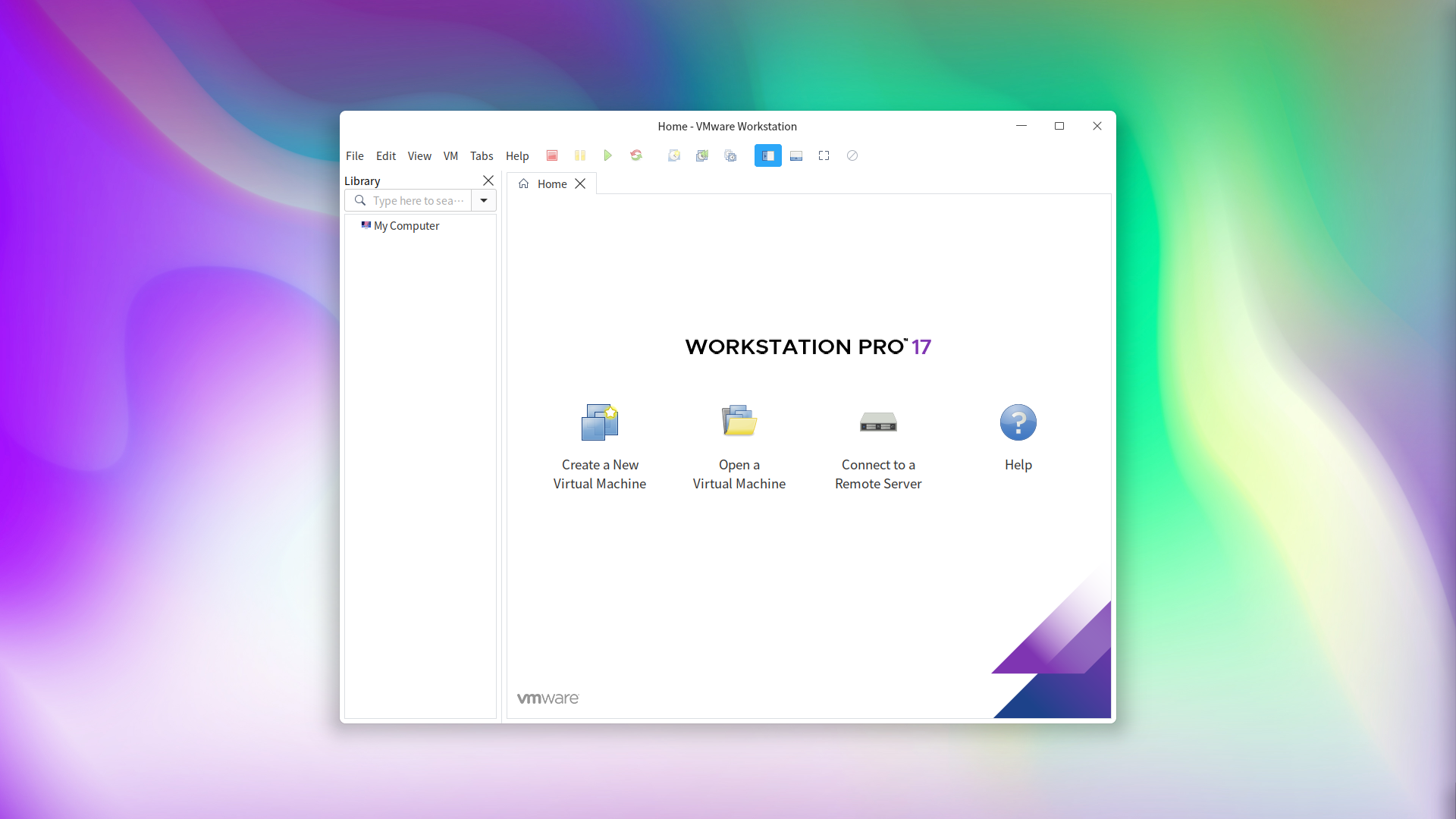
执行 sudo deepin-immutable-ctl disable-system-protect enable 关闭只读模式命令后重启电脑,然后直接 sudo ./VMware-Workstation-Full-17.6.3-24583834.x86_64.bundle 安装成功了,仍然是最新版VMware,可以安装成功,也不需要卸载之前安装生成的文件

非常感谢!

image.png

Reply View the author
deepin流云
Super Moderator
Community OP
2025-03-27 14:11
#6
阿里巴巴

image.png

执行 sudo deepin-immutable-ctl disable-system-protect enable 关闭只读模式命令后重启电脑,然后直接 sudo ./VMware-Workstation-Full-17.6.3-24583834.x86_64.bundle 安装成功了,仍然是最新版VMware,可以安装成功,也不需要卸载之前安装生成的文件

非常感谢!

image.png

解决了就好~因为它上一次安装实际都没解压成功,所以不需要卸载或者删除任何文件,不知道咋的就报了安装成功😂

Reply View the author
Hideaway(StatTrak™)
deepin
2025-04-18 13:35
#7

我装了之后服务启动不起来

sudo systemctl restart vmware.service

Job for vmware.service failed because a timeout was exceeded.
See "systemctl status vmware.service" and "journalctl -xeu vmware.service" for details.

网卡也有问题,虚拟机里面网卡状态为down,启动不了:

sudo vmware-modconfig --console --install-all [AppLoader] GLib does not have GSettings support. Stopping VMware services: VMware Authentication Daemon done Virtual machine monitor done modprobe: FATAL: Module vmnet is in use. rmmod: ERROR: Module vmnet is in use Unable to stop services

Reply View the author
阿里巴巴
deepin
2025-05-20 17:01
#8
Hideaway(StatTrak™)

我装了之后服务启动不起来

sudo systemctl restart vmware.service

Job for vmware.service failed because a timeout was exceeded.
See "systemctl status vmware.service" and "journalctl -xeu vmware.service" for details.

网卡也有问题,虚拟机里面网卡状态为down,启动不了:

sudo vmware-modconfig --console --install-all [AppLoader] GLib does not have GSettings support. Stopping VMware services: VMware Authentication Daemon done Virtual machine monitor done modprobe: FATAL: Module vmnet is in use. rmmod: ERROR: Module vmnet is in use Unable to stop services

解决虚拟机中网络问题可以参考这个🔗

https://bbs.deepin.org/zh/post/277244

启动的话直接使用安装成功后生成的图标可以启动,安装vmware后会有一些桌面应用问题,比如无法使用系统默认快捷键,不能用命令启动应该也是这些问题中的一种

Reply View the author