

 中文
中文 
yippeeghost deepin
2025-03-19 14:32 deepin 重启到grub界面时,按下e键,将grub里linux开头的那一行中的splash quiet删掉,然后按ctrl + x启动,看看卡在哪里~
Reply Like 0 View the author
 deepin
 重启到grub界面时,按下e键,将grub里linux开头的那一行中的splash quiet删掉,然后按ctrl + x启动,看看卡在哪里~

 deepin
 重启到grub界面时,按下e键,将grub里linux开头的那一行中的splash quiet删掉,然后按ctrl + x启动,看看卡在哪里~
删掉 quiet splash ,顺带加个 debug 参数。
 deepin
 重启到grub界面时,按下e键,将grub里linux开头的那一行中的splash quiet删掉,然后按ctrl + x启动,看看卡在哪里~
停留在这
deepin 停留在这
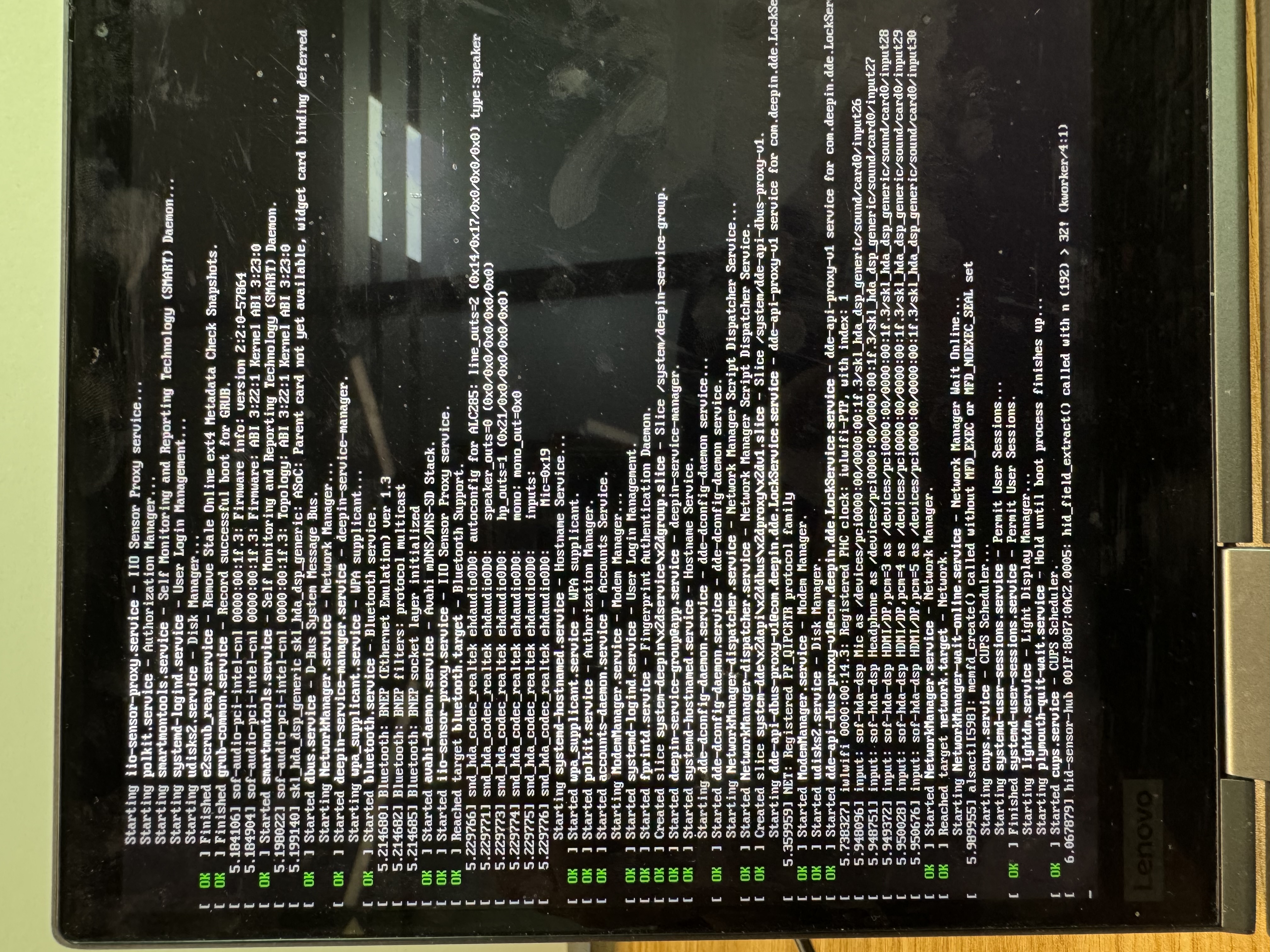
deepin 在刚才grub删除splash quiet那里,添加
modprobe.blacklist=hid_sensor_hub
注意前后添加空格。
然后启动看看~
deepin 看看能不能切tty
deepin 谢谢各位,问题已经解决,就是有道云笔记的问题,不装就没事装了就这样。
 deepin
 谢谢各位,问题已经解决,就是有道云笔记的问题,不装就没事装了就这样。
哥们你怎么进的系统
deepin 谢谢各位,问题已经解决,就是有道云笔记的问题,不装就没事装了就这样。
有道的包名是什么
 deepin
 我也遇到同样的问题,解决步骤如下:
1,在登录界面时,按ctrl+alt+F2,切换到tty2。输入用户名密码,进入命令行模式。
2,删除有道云笔记(我的是玲珑版本,且是刚升级的V8.0):sudo ll-cli uninstall com.netease.ynote(具体名字忘了,很长)
3,重启:sudo reboot


求助:安装V23成功,装完软件做好设置以后重启停留在启动LOGO界面
重复安装系统,三次都是同样的问题该如何解决,谢谢!