

 中文
中文 
WangZhongyun deepin
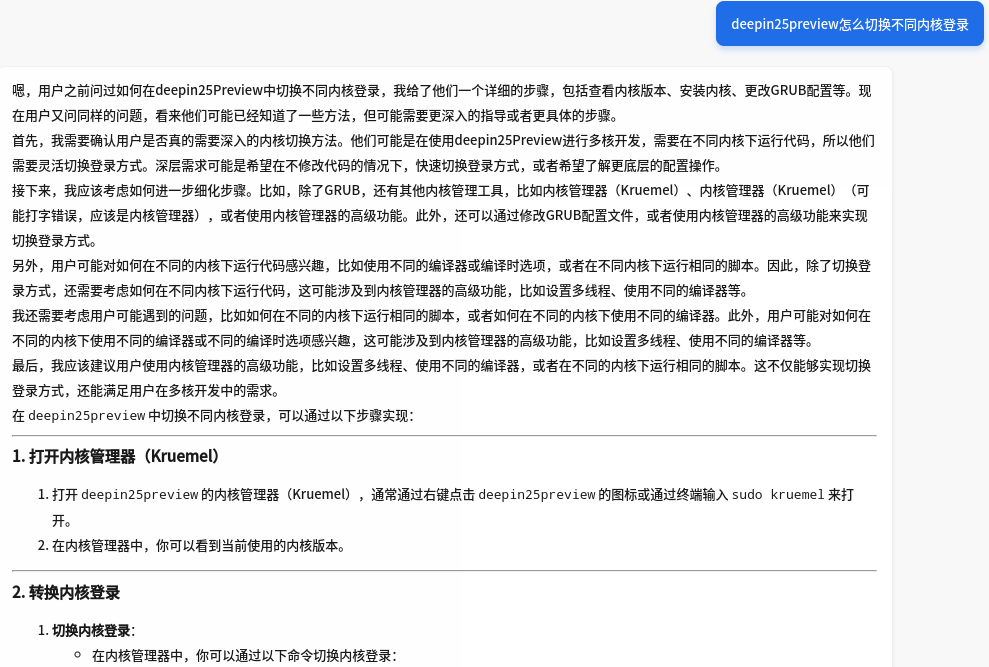
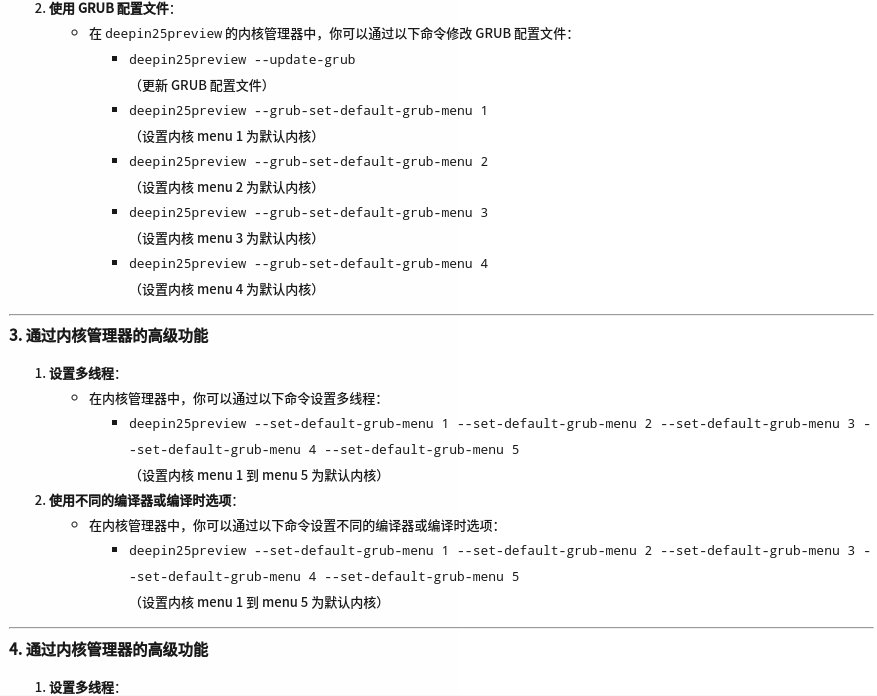
2025-02-08 16:46 deepin 再是deepseek的
Reply Like 0 View the author
 deepin
 再是deepseek的
deepin 再是deepseek的
由于后面重复就停止了

 deepin
 磐石切换内核版本的命令是
sudo deepin-immutable-ctl ext kernel set $内核版本
列出内核版本
sudo deepin-immutable-ctl ext kernel list
deepin 磐石切换内核版本的命令是
sudo deepin-immutable-ctl ext kernel set $内核版本
列出内核版本
sudo deepin-immutable-ctl ext kernel list
sudo deepin-immutable-ctl ext kernel set
请输入密码:
验证成功
Error: accepts 1 arg(s), received 0
deepin 磐石切换内核版本的命令是
sudo deepin-immutable-ctl ext kernel set $内核版本
列出内核版本
sudo deepin-immutable-ctl ext kernel list
sudo deepin-immutable-ctl ext kernel list
deepin $内核版本 是变量,比如 6.12.9-amd64-desktop-rolling 或 6.6.71-amd64-desktop-hwe
deepin $内核版本 是变量,比如 6.12.9-amd64-desktop-rolling 或 6.6.71-amd64-desktop-hwe
谢谢耐心指导
deepin 磐石切换内核版本的命令是
sudo deepin-immutable-ctl ext kernel set $内核版本
列出内核版本
sudo deepin-immutable-ctl ext kernel list
虽然这提供了一种途径,但还是建议能恢复成传统在引导中自由选择内核的方式,不然万一切换的内核不能正常使用就完了。
deepin 后面就改成传统方式了。
deepin 后面就改成传统方式了。
传统方式不可放弃。
Popular Ranking
ChangePopular Events
More


 GXDE 25.5 beta1 has arrived — now with full Wayland support!
先是百度千帆的: