

 中文
中文 
liuhongwei11 deepin
2025-01-20 08:59 deepin 学习了,谢谢分享!
Reply Like 1 View the author
 deepin
 学习了,谢谢分享!

 deepin

 deepin

 deepin

优秀,才刚开始,就能玩出花~
deepin 用原生DEBIAN安装QGIS只需要一行命令😂
 deepin
 太厉害了,论坛就需要楼主这样的大佬
 deepin
 应用商店跟上呀,这个是linux上最好用的gis软件。
 deepin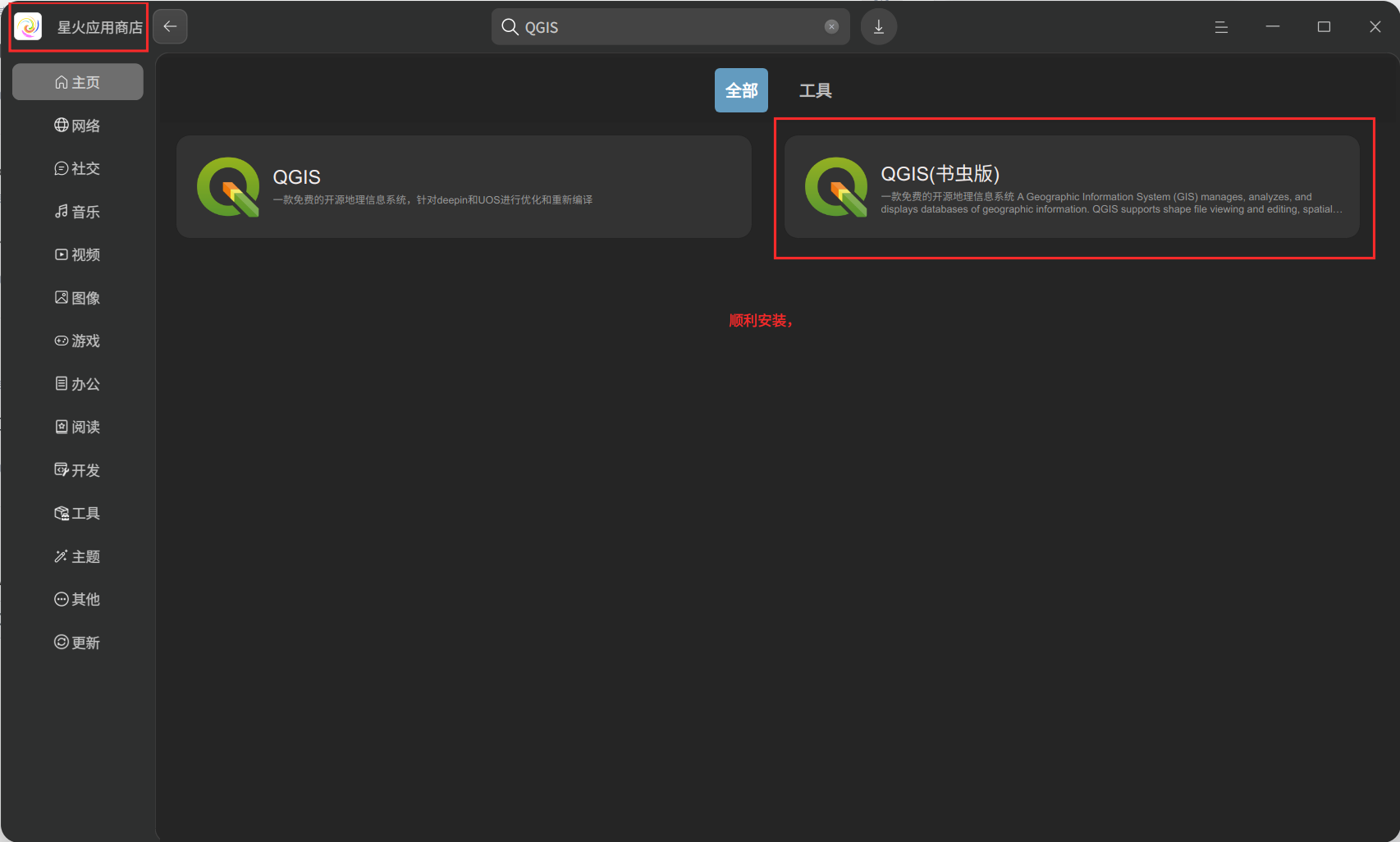

 deepin
我还真去试了一下星火商店的QGIS,有以下几个问题:
1.因为deepin25的 apt 已经不是原来的apt了,从星火商店直接安装应用,始终是 “安装失败”;
2.在星火商店缓存目录把deb复制出来,手动安装,表面上是可以安装成功,但是因为/usr目录只读,实际上是运行不了;
3.星火商店的QGIS 3.32这个版本,版本已经比较旧了,问题很多,之前在UOS商店有,现在下架了。
deepin 我还真去试了一下星火商店的QGIS,有以下几个问题:
1.因为deepin25的 apt 已经不是原来的apt了,从星火商店直接安装应用,始终是 “安装失败”;
2.在星火商店缓存目录把deb复制出来,手动安装,表面上是可以安装成功,但是因为/usr目录只读,实际上是运行不了;
3.星火商店的QGIS 3.32这个版本,版本已经比较旧了,问题很多,之前在UOS商店有,现在下架了。
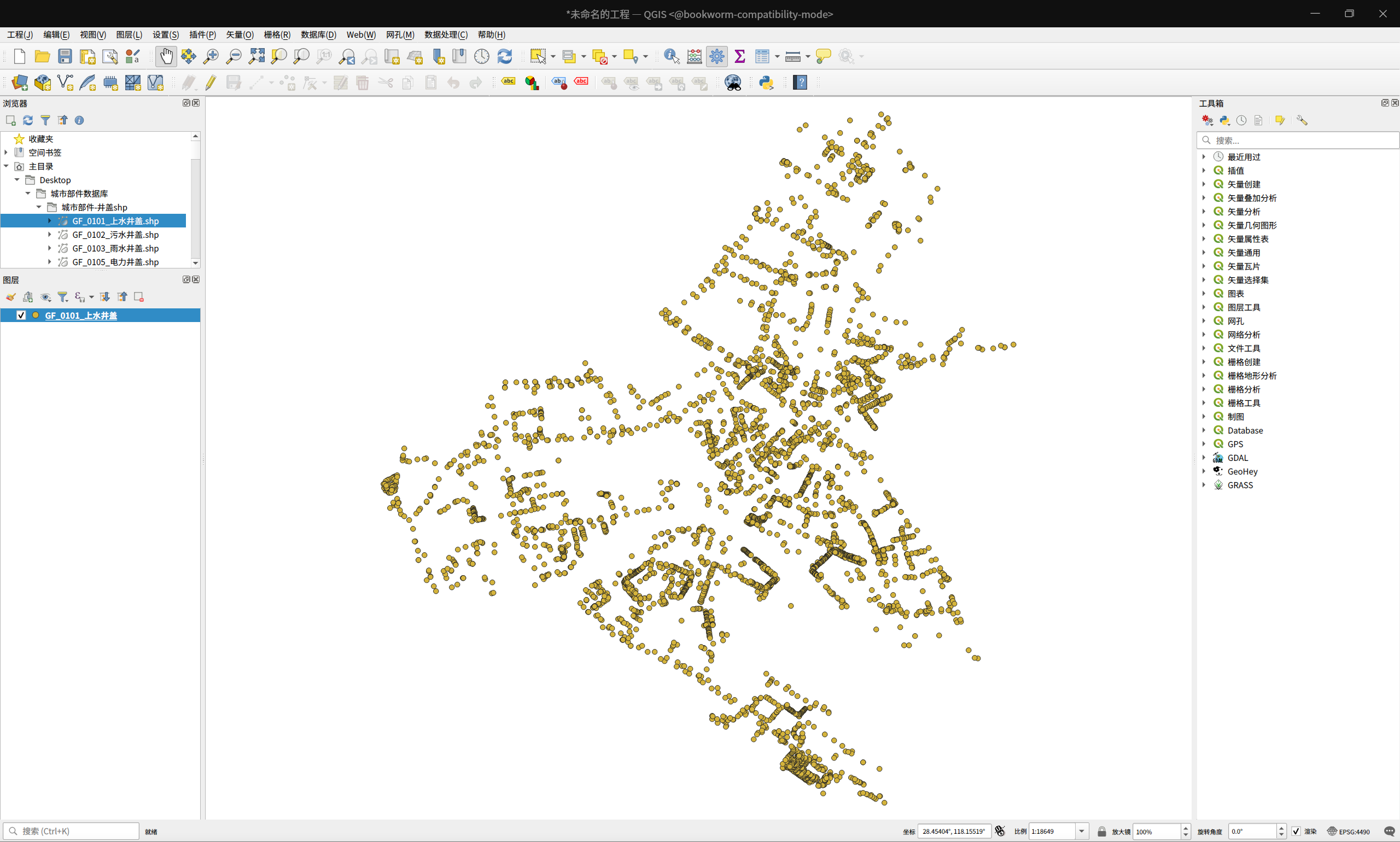
我仔细看了下我安装的QGIS发现也是您发的这种方式安装的,是子系统的,不是安装在本机的,只是星火应用商店那个书虫版的QGIS帮我顺利安装了。
Popular Ranking
ChangePopular Events
More


 GXDE 25.5 beta1 has arrived — now with full Wayland support!
2025.05.01更新:
QGIS的LTR及Stable分支现已打包成如意玲珑格式,并上架深度商店,请直接在商店下载安装。
=================================
2025.04.17 更新:
经过测试,在Intel 9代 CPU平台上,deepin或者UOS系统中,无论是使用distrobox子系统,还是使用ACE-Bookworm兼容环境安装的QGIS,在使用过程中会出现不明原因的严重卡顿。在此,推荐使用玲珑格式的QGIS-Stable 或者 QGIS-LTR,使用起来非常流畅,不存在卡顿的问题。
=================================
2025.03.05 更新:
安装QGIS最新稳定版(QGIS-Latest):subsystem-install-qgis-latest-20250305.zip
安装QGIS长期支持版(QGIS-LTR):subsystem-install-qgis-ltr-20250305.zip
2025.03.05更新:中文语言输入支持命令修改为apt install fcitx5-frontend-qt5 --no-install-recommends -y,再次减少安装空间占用。
2025.02.23更新:由于QGIS 3.40.4修复了中文语言界面的问题,现在去除压缩包里面的中文补丁qgis-chinese-language_3.40.3_amd64.deb。
2025.02.13更新:解决在QGIS中无法输入中文的问题,不再需要安装整个fcitx5,只需安装fcitx5-frontend-qt5即可,从而减少500MB+的硬盘占用。
使用方法:
一、在应用商店,或者使用命令 "sudo apt install org.deepin.distrobox.debian.bookworm -y" 安装Debian12子系统的镜像包;
二、运行1-host-deploy-debian12-subsystem.sh,部署Debian12子系统,并安装QGIS-LTR;
三、运行2-host-integrate-mimetype.sh,向宿主机中集成QGIS的文件关联;
四、运行3-host-enable-service.sh,使用systemd用户模式,安装Debian12子系统的自启动服务,并将Debian12子系统的容器主机名设置为bookworm,与宿主机的主机名区分开,增加辨识度。
五、删除子系统,请运行remove-debian12-subsystem.sh。
关于重点部分的讲解:
本来不想折腾distrobox,之前不是很了解这个,以前只学过一点点RHEL9里面的podman,但是现在shenmo大佬的ACE兼容环境在deepin25不可变系统里面用不了了,只能拿distrobox临时顶上了。
1.deepin25使用的distrobox,是以podman为后端。podman的那一套命令,很多都可以借来用。
2.在应用商店安装的org.deepin.distrobox.debian.bookworm这个包,本质上是一个podman的tar格式的镜像。可以用下面的命令自行部署子系统,这样会生成一个名称为debian-12的podman容器。
3.将QGIS程序启动方式添加到桌面,并且将文件关联集成到宿主机:
截图: