

 中文
中文 
库罗靡靡 deepin
2023-12-14 05:57 deepin 你用e2fsck去修复ntfs吗? 不如装个ntfs-3g,应该就可以挂载了 。按说v23 自带了ntfs-3g的。 你可以用分区工具 或者blkid来检查一下分区是否对应正确,分区类型是不是对的。
Reply Like 0 View the author
 deepin
 你用e2fsck去修复ntfs吗? 不如装个ntfs-3g,应该就可以挂载了 。按说v23 自带了ntfs-3g的。 你可以用分区工具 或者blkid来检查一下分区是否对应正确,分区类型是不是对的。


首先我是安装了双系统
这是在window中的截图这里有3块硬盘。硬盘1是安装deepinv23系统的硬盘,
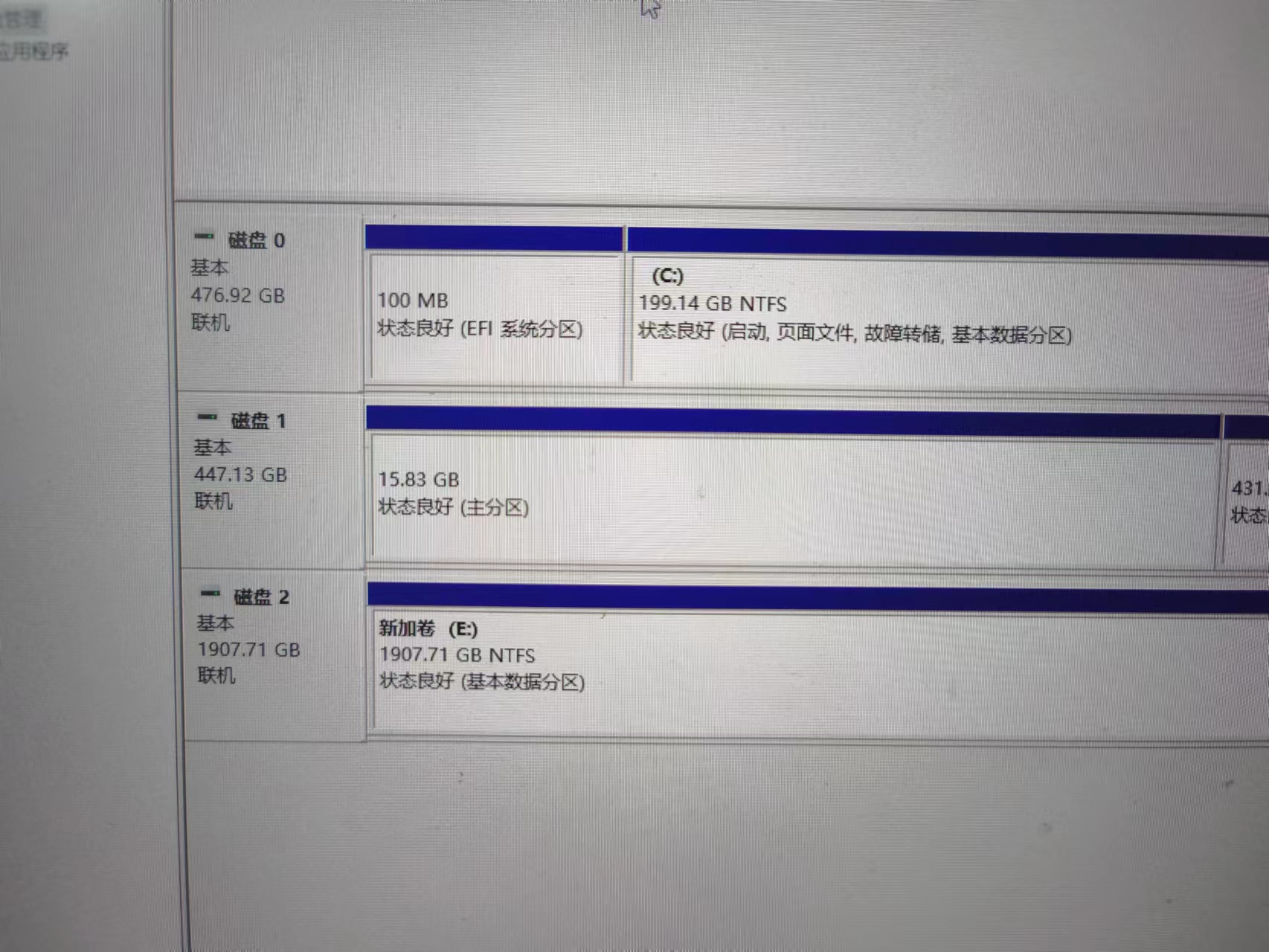
现在的问题是硬盘2在deepin中无法识别。我想要在deepin中识别硬盘2中的分区到deepin系统中
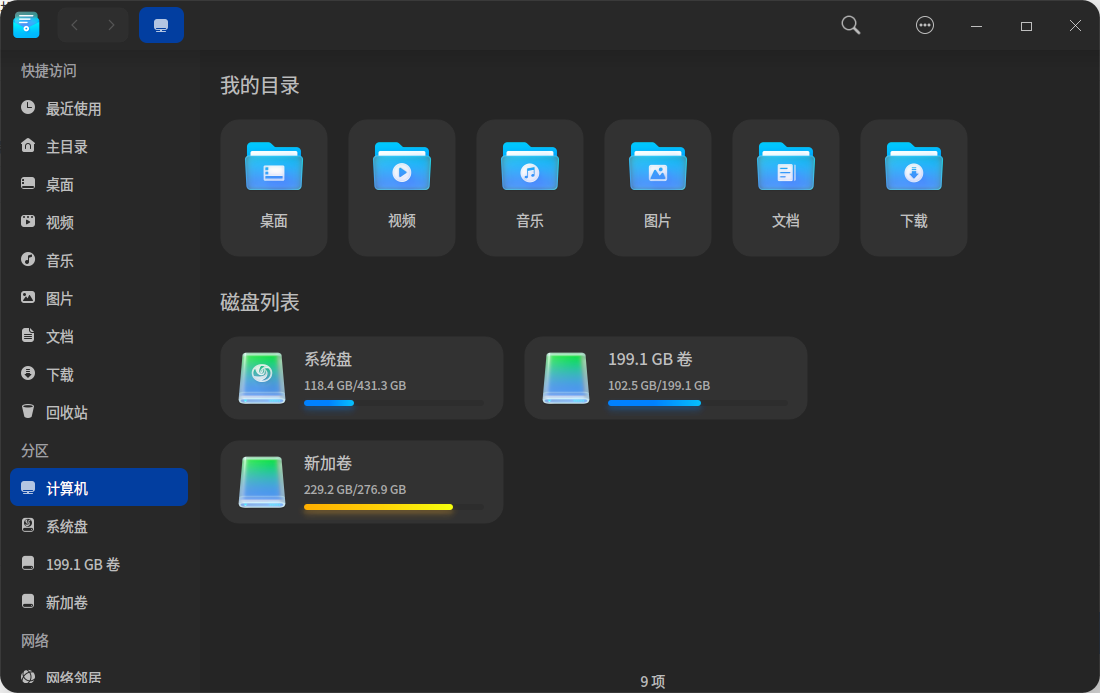
这是deepin的截图,这里看不懂硬盘2的分区
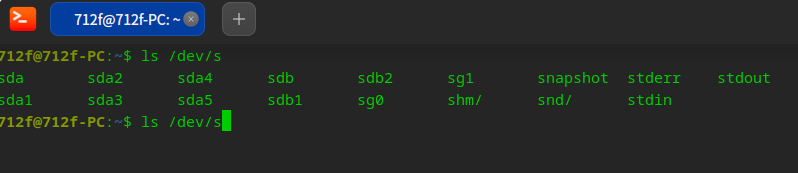
这里是终端查看的设备,可以看到有 /dev/sg1 我猜测是这个
这里是尝试挂载但是失败
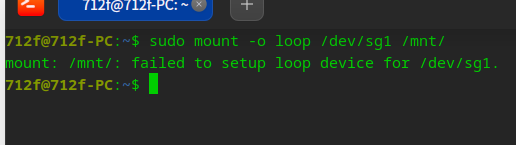
报错内容:mount: /mnt/: failed to setup loop device for /dev/sg1.
这里是使用fsck命令查看硬盘信息
打印信息:
fsck from util-linux 2.38
e2fsck 1.47.0 (5-Feb-2023)
fsck.ext2: 非法 seek 操作 while trying to open /dev/sg1
The superblock could not be read or does not describe a valid ext2/ext3/ext4
filesystem. If the device is valid and it really contains an ext2/ext3/ext4
filesystem (and not swap or ufs or something else), then the superblock
is corrupt, and you might try running e2fsck with an alternate superblock:
e2fsck -b 8193
or
e2fsck -b 32768