

 中文
中文 
Ligocut光剪视频剪辑软件 deepin
2023-06-14 09:15 deepin Backbone of ecological co-construction group
可以具体说说是什么软件吗?
你可以打开终端把文件拖进去 按回车看看出现什么信息
Reply Like 0 View the author
 deepin
 可以具体说说是什么软件吗?
你可以打开终端把文件拖进去 按回车看看出现什么信息

 deepin
 如果是appimage或者bin或者sh文件等,需要给可执行权限
1.命令法:chmod +x 文件名
2.属性法:右键属性 - >权限->最下方->可执行权限
如果是可安装软件包deb,需要用软件包安装器

 deepin
 是哪个软件打不开了?
 deepin
 可执行程序,该不会是windows的exe程序吧?

楼主你好,linux环境下运行编译好的可执行程序,需要添加权限:chmod +X 二进制可执行程序,然后./二进制可执行程序
linux环境下执行exe程序,需要通过商店安装wine运行器来辅助完成哈
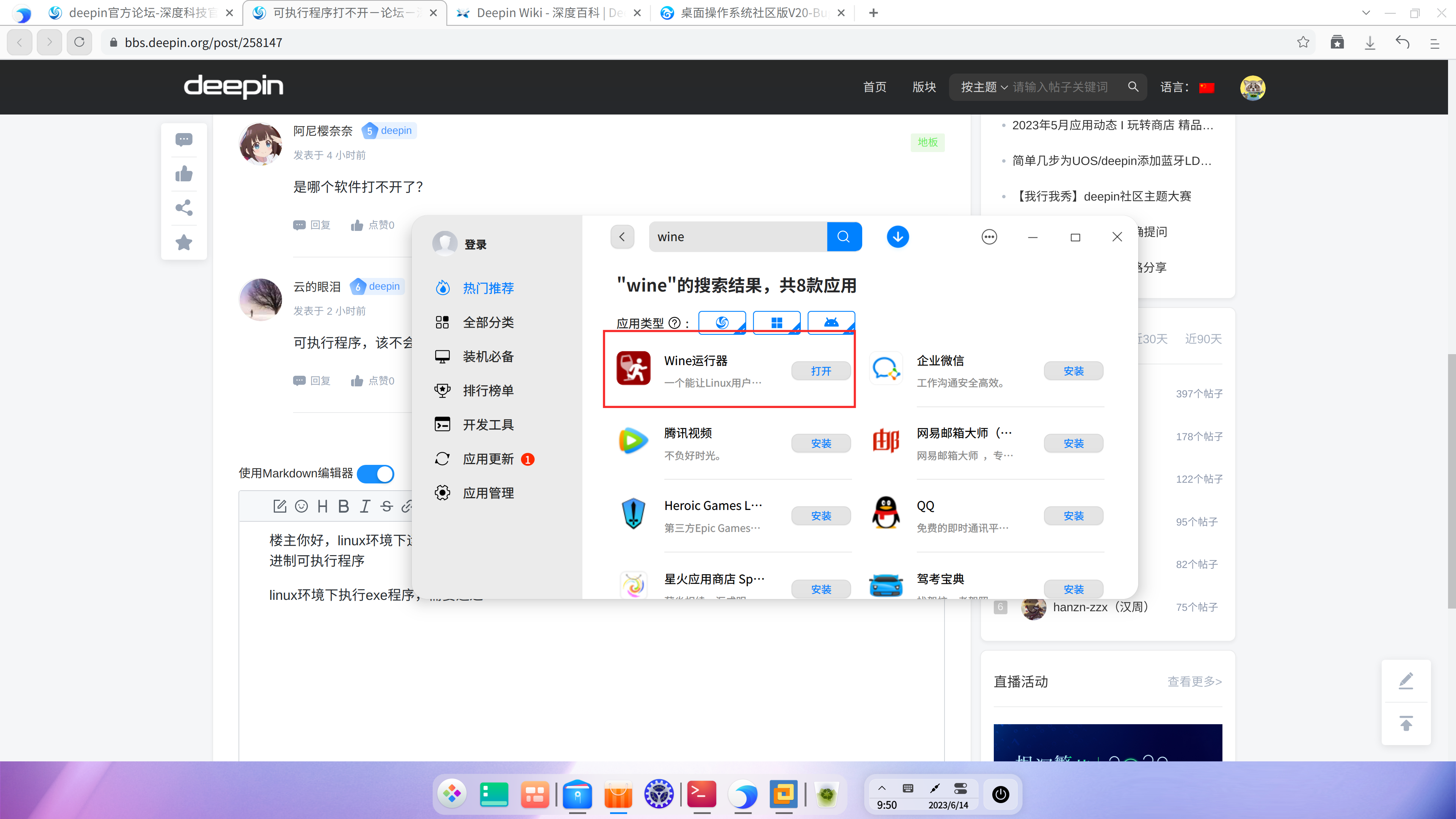

可执行程序,该不会是windows的exe程序吧?
大概率是exe文件

 deepin
 可以具体说说是什么软件吗?
你可以打开终端把文件拖进去 按回车看看出现什么信息
inochi-session和inochi-creater,我記不得終端打開可執行程序的代碼了,網上查的都沒有反應
deepin 如果是appimage或者bin或者sh文件等,需要给可执行权限
1.命令法:chmod +x 文件名
2.属性法:右键属性 - >权限->最下方->可执行权限
如果是可安装软件包deb,需要用软件包安装器
不是deb,是這樣的程序
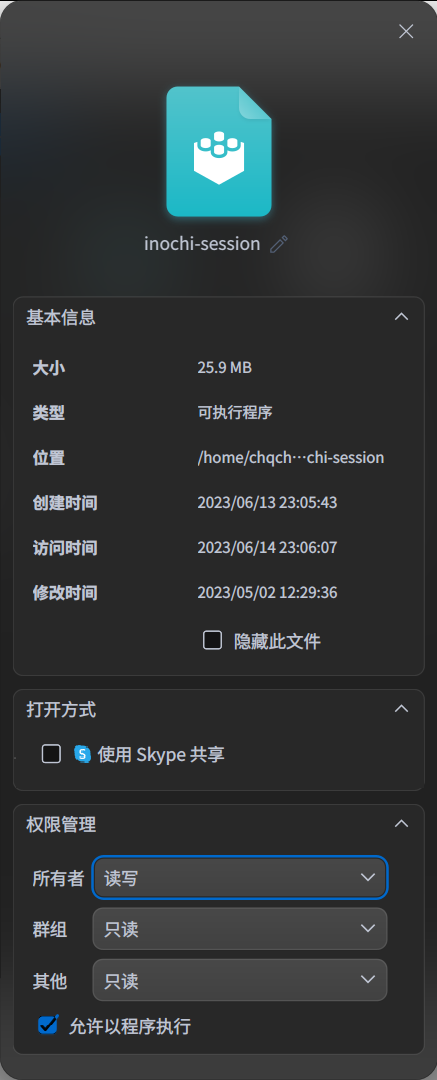
deepin 是哪个软件打不开了?
inochi-session和inochi-creater
deepin 可执行程序,该不会是windows的exe程序吧?
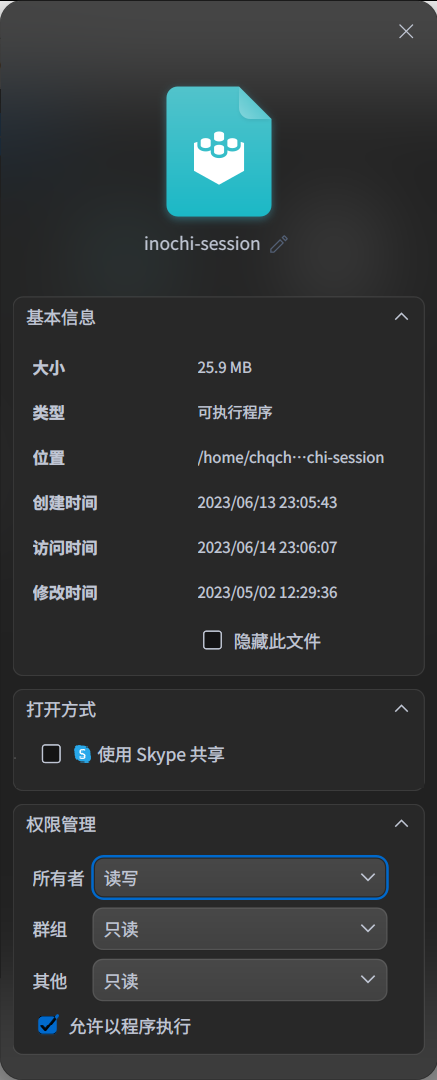
不是,我在官網下載的linux版,雖然官網說是applmage文件,但下載的是zip壓縮文件,解壓後也沒有applmage文件,是這種文件
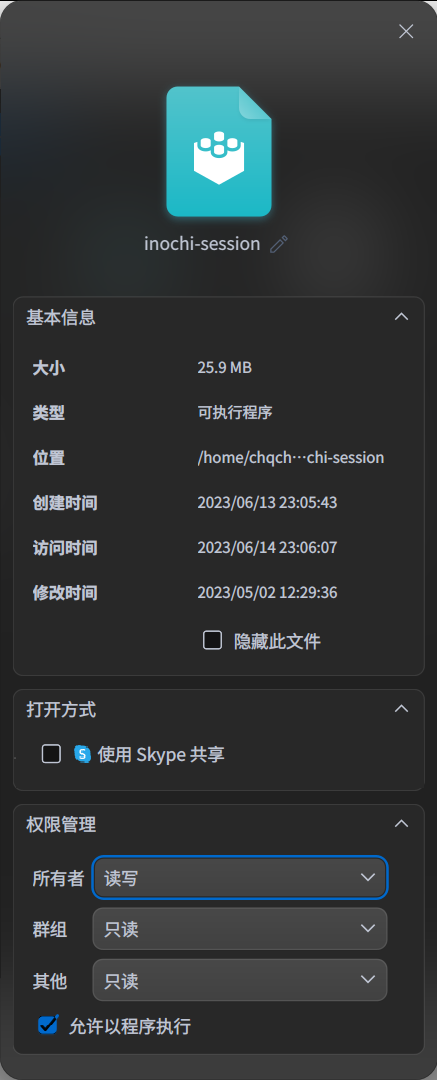
deepin 楼主你好,linux环境下运行编译好的可执行程序,需要添加权限:chmod +X 二进制可执行程序,然后./二进制可执行程序
linux环境下执行exe程序,需要通过商店安装wine运行器来辅助完成哈
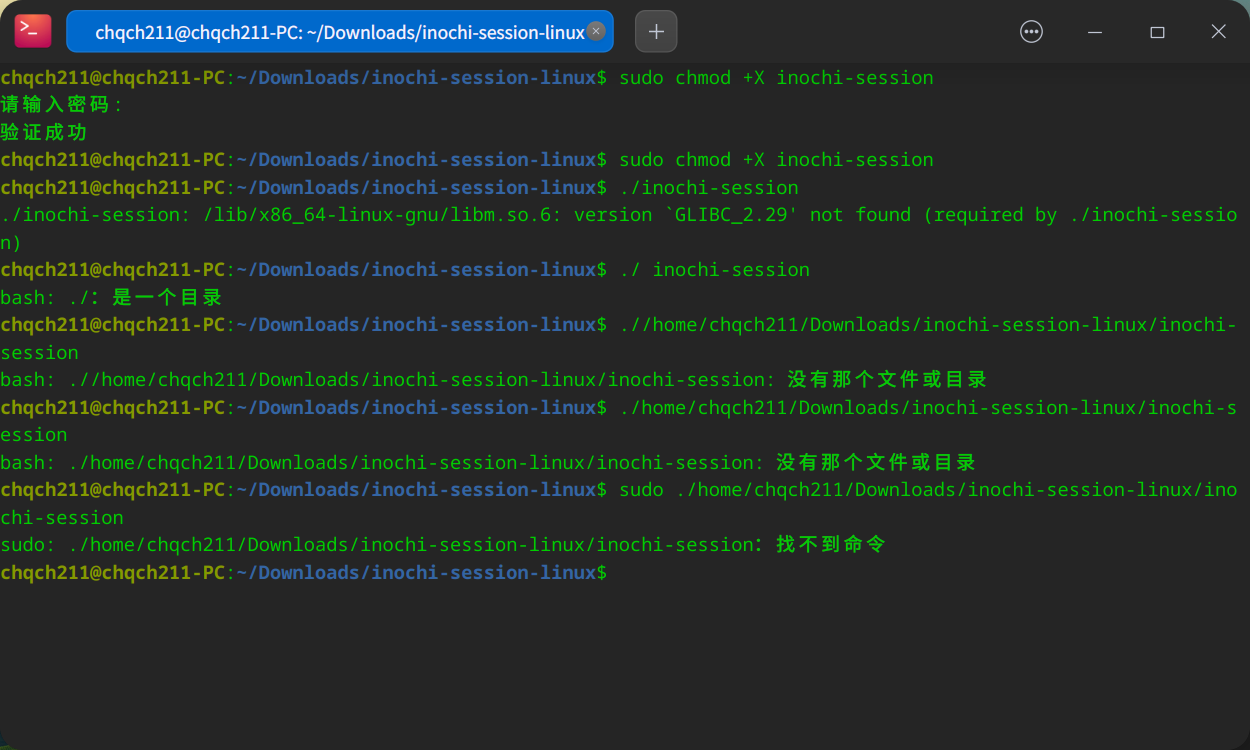
這樣子的情況,不確定是否是二進制編譯程序,應該不是exe
deepin release下载zip后,解压完直接creator就可以运行啊,文件本来就给了可执行权限
inochi-creator本身就是appimage格式,没有后缀而已,直接双击运行就ok,其他mo是翻译语言文件
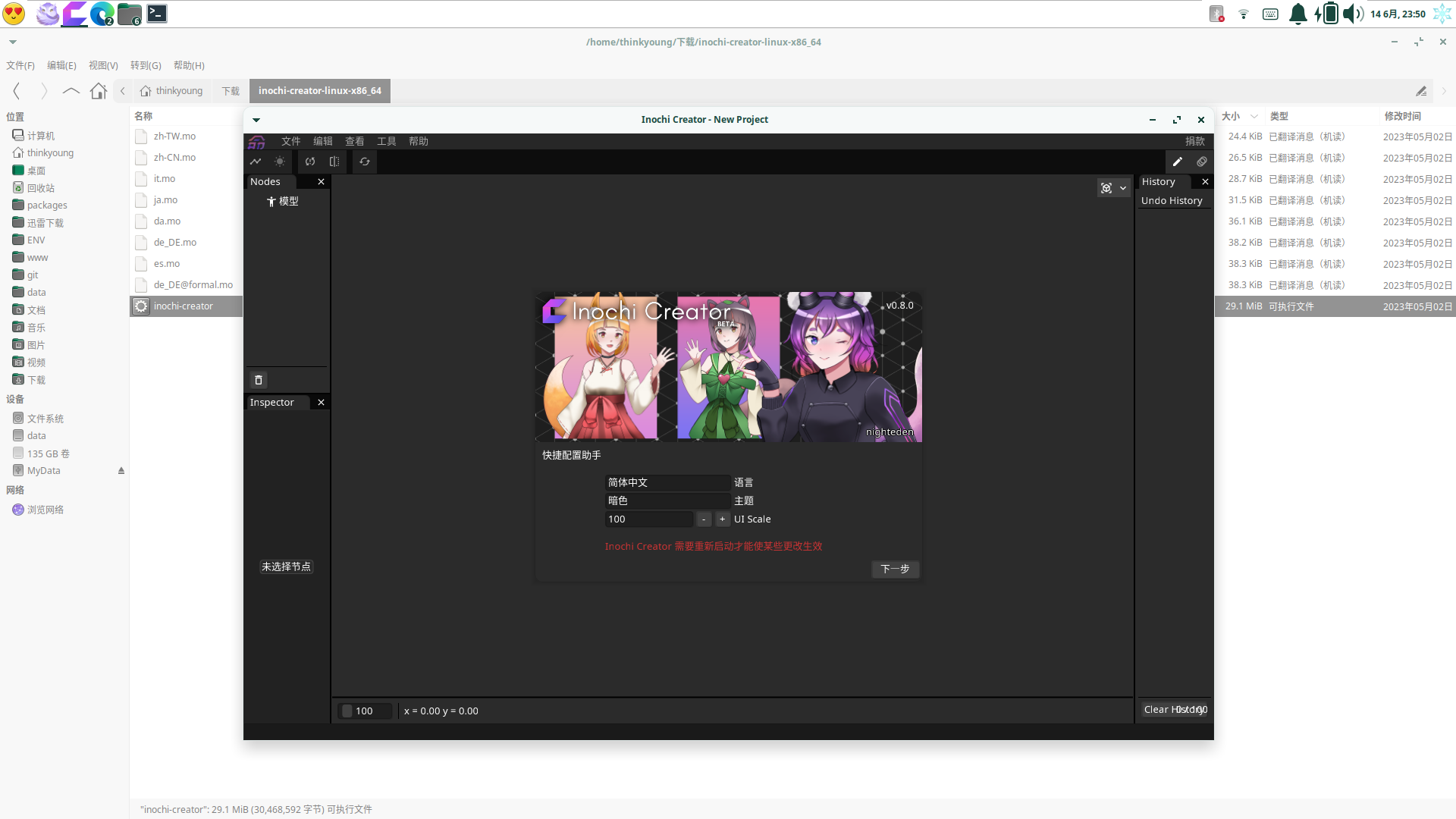
deepin release下载zip后,解压完直接creator就可以运行啊,文件本来就给了可执行权限
inochi-creator本身就是appimage格式,没有后缀而已,直接双击运行就ok,其他mo是翻译语言文件
还原系统时保留的文件可以打开,但新下载的执行后都没有反应,应用商店下的applmage安装工具也不识别😭
Popular Ranking
ChangePopular Events
More


 NVIDIA graphics driver are not working with enabled secure boot
下载的可执行程序点击打开无运行反应,以及如何让可执行程序出现于桌面或菜单里,是常用软件。