

 中文
中文 
阿尼樱奈奈 deepin
2023-06-09 17:28 deepin 要想在V23安装搜狗输入法,需要卸载Fcitx5,安装Fcitx。终端执行:
sudo apt autoremove fcitx5*
sudo apt install fcitx
Reply Like 1 View the author
 deepin
 要想在V23安装搜狗输入法,需要卸载Fcitx5,安装Fcitx。终端执行:
sudo apt autoremove fcitx5*
sudo apt install fcitx

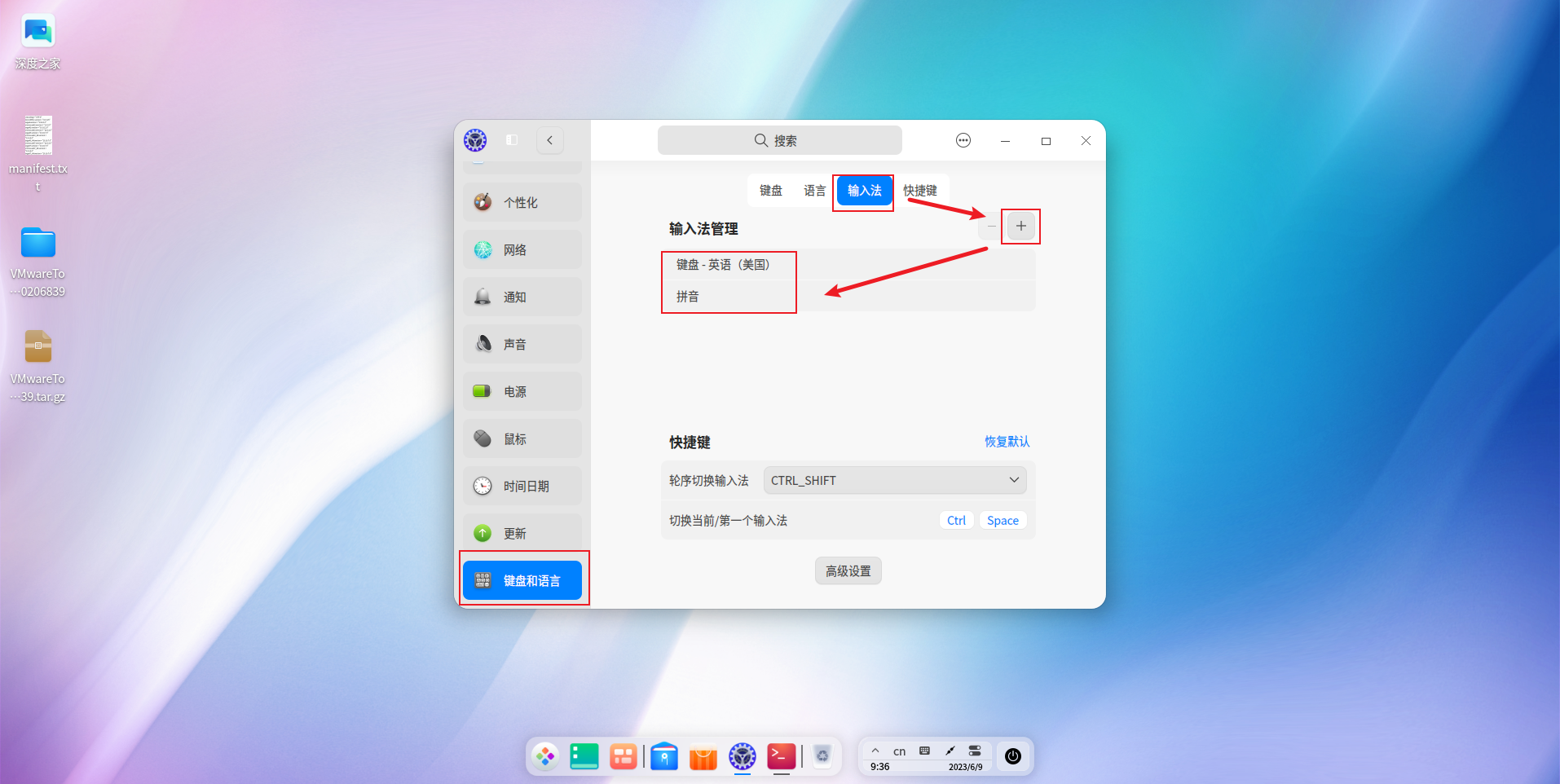
看看在这里是否能添加上拼音,然后通过ctrl + shift切换后使用:
 deepin
 谢谢啦!
是不是搜狗都无所谓啦
现在是关键什么输入法都没有,啥都输入不了
deepin 谢谢啦!
是不是搜狗都无所谓啦
现在是关键什么输入法都没有,啥都输入不了
输入法全没了,看看是不是和下图情况一样:
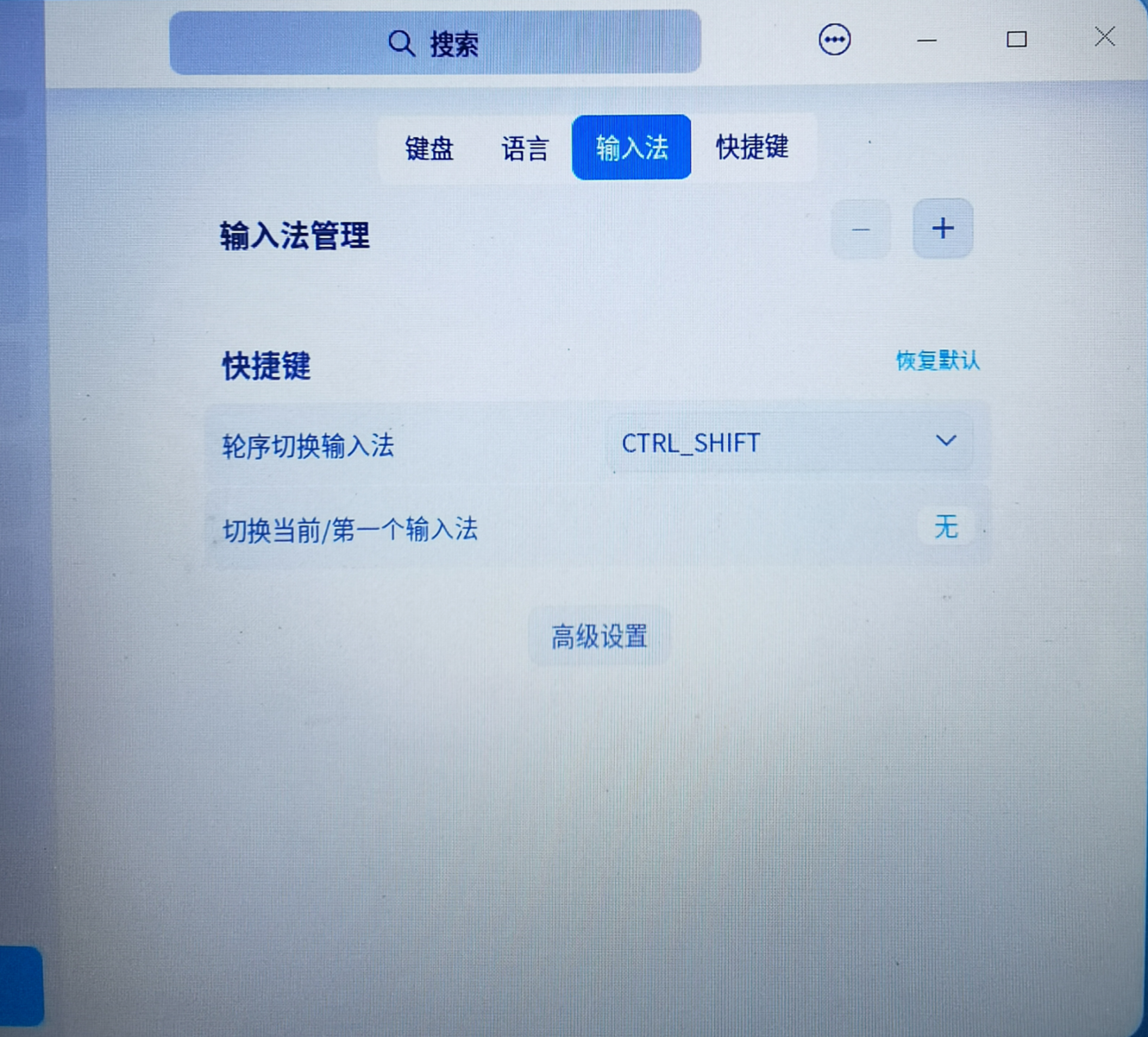
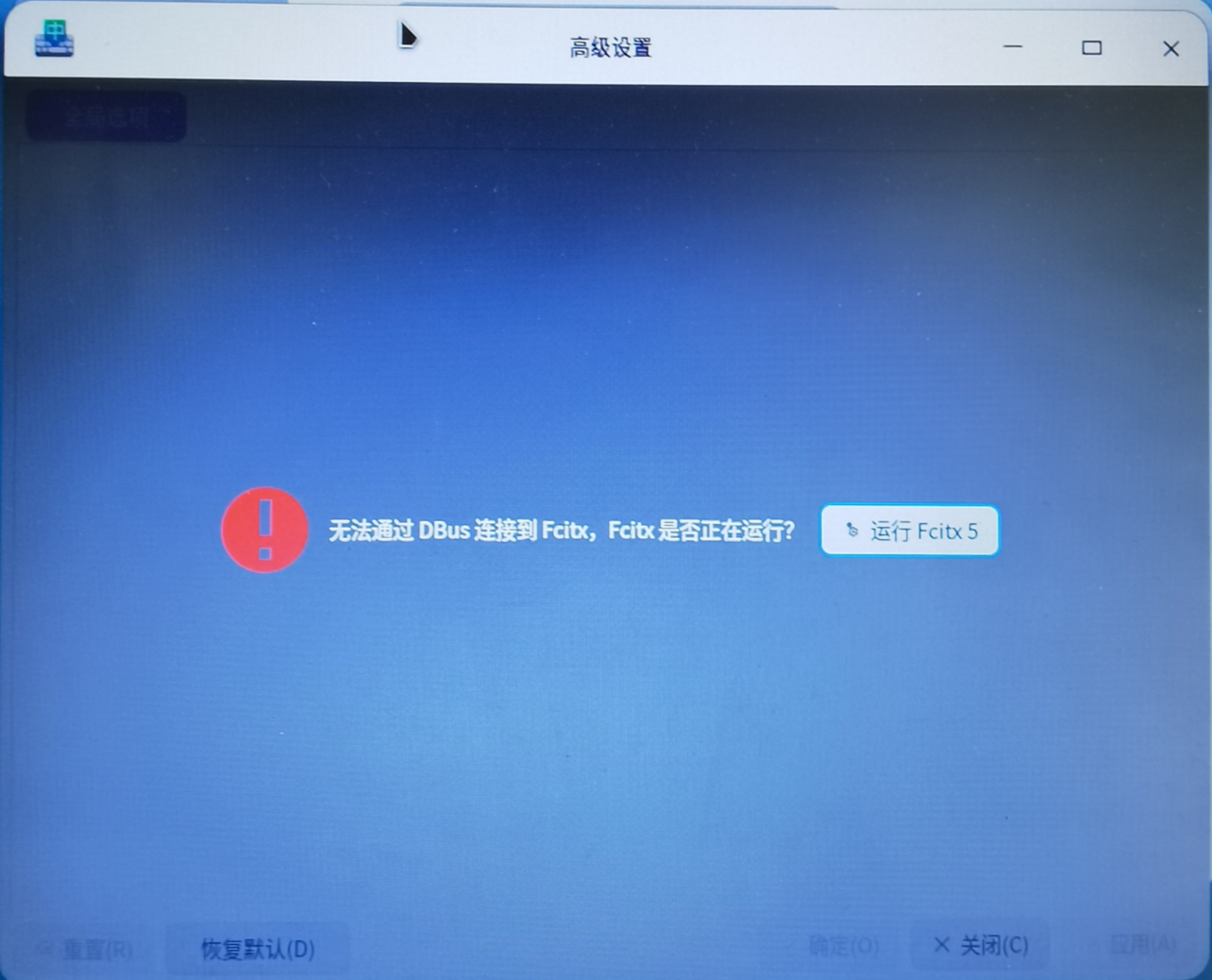
deepin 输入法全没了,看看是不是和下图情况一样:
👍 太对了
就是这个样子的
那怎么解决呢
deepin 看看在这里是否能添加上拼音,然后通过ctrl + shift切换后使用:
点过了
不是这个样子
加不了

 deepin
 http://blog.shenmo.tech/post/%E5%9C%A8deepin%E4%B8%8A%E4%BD%BF%E7%94%A8fcitx5/
这样可以吗
deepin http://blog.shenmo.tech/post/%E5%9C%A8deepin%E4%B8%8A%E4%BD%BF%E7%94%A8fcitx5/
这样可以吗
OK,谢谢啊!
晚上到家试一下
deepin OK,谢谢啊!
晚上到家试一下
谢谢!
亲测可以的,现在可以输入文字了
Popular Ranking
ChangePopular Events
More


 NVIDIA graphics driver are not working with enabled secure boot
V23输入法没有了,怎么办?
前段时间把系统升级到V23,输入法就只剩一个fcitx5了,就习惯性的安装搜狗输入法,没有成功。
关键是重启后,所有的输入法都没有,现在没法输入中文了(这还是到windows写的)
deepin的商店里没有输入法啊
这怎么办啊?
哪位大神指教一下,跪谢!