

 中文
中文 
doodo deepin
2023-06-07 23:22 deepin It has been deleted!
 deepin
 deepin
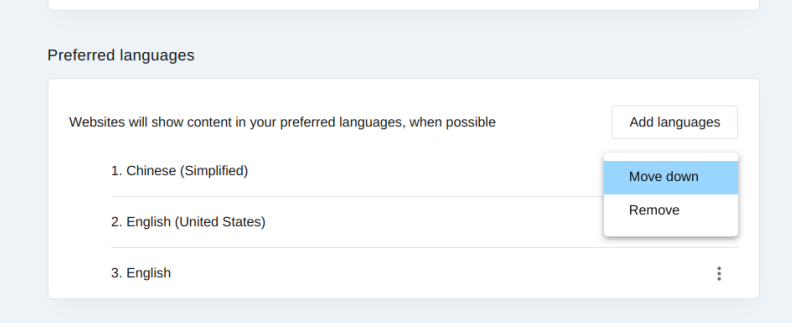
 没用过,盲猜设置语言首选项。中文包边上三个点点开有什么吗?感觉应该在里面。
或者是不是要重启一下系统?
 deepin
 旧版本可以,新版好像不行

 deepin
 没用过,盲猜设置语言首选项。中文包边上三个点点开有什么吗?感觉应该在里面。
或者是不是要重启一下系统?
只有置顶与删除
重启也不起作用
deepin 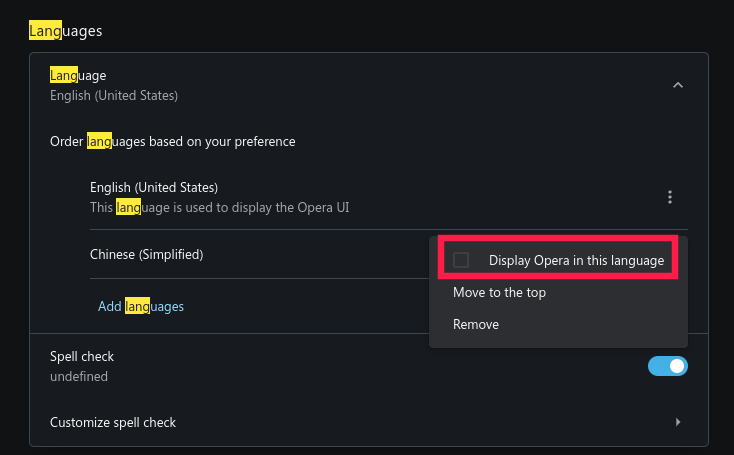
**版本:**87.0.4390.45
 deepin
 修改桌面入口文件opera.desktop,在其Exec所在行增加参数“--lang=zh-CN”。
Exec=/opt/apps/com.opera.browser/files/opera/opera %U修改为 Exec=/opt/apps/com.opera.browser/files/opera/opera --lang=zh-CN %U参考链接:https://forums.opera.com/topic/60750/no-translation-to-polish-in-ubuntu/2

 deepin
 修改桌面入口文件opera.desktop,在其Exec所在行增加参数“--lang=zh-CN”。
Exec=/opt/apps/com.opera.browser/files/opera/opera %U修改为 Exec=/opt/apps/com.opera.browser/files/opera/opera --lang=zh-CN %U参考链接:https://forums.opera.com/topic/60750/no-translation-to-polish-in-ubuntu/2
感谢提供思路,我们后续适配的时候注意下
deepin 修改桌面入口文件opera.desktop,在其Exec所在行增加参数“--lang=zh-CN”。
Exec=/opt/apps/com.opera.browser/files/opera/opera %U修改为 Exec=/opt/apps/com.opera.browser/files/opera/opera --lang=zh-CN %U参考链接:https://forums.opera.com/topic/60750/no-translation-to-polish-in-ubuntu/2
多谢你的教程,改成中文后,看着就是顺眼,为便于像我一样的新手,我例牌整理一下:
在终端输入 sudo deepin-editor /opt/apps/com.opera.browser/entries/applications/opera.desktop
编辑Exec所在行内容,即第10行,在参数中增加语言设定“--lang=zh-CN”。即由原来的 Exec=/opt/apps/com.opera.browser/files/opera/opera %U
修改为 Exec=/opt/apps/com.opera.browser/files/opera/opera --lang=zh-CN %U
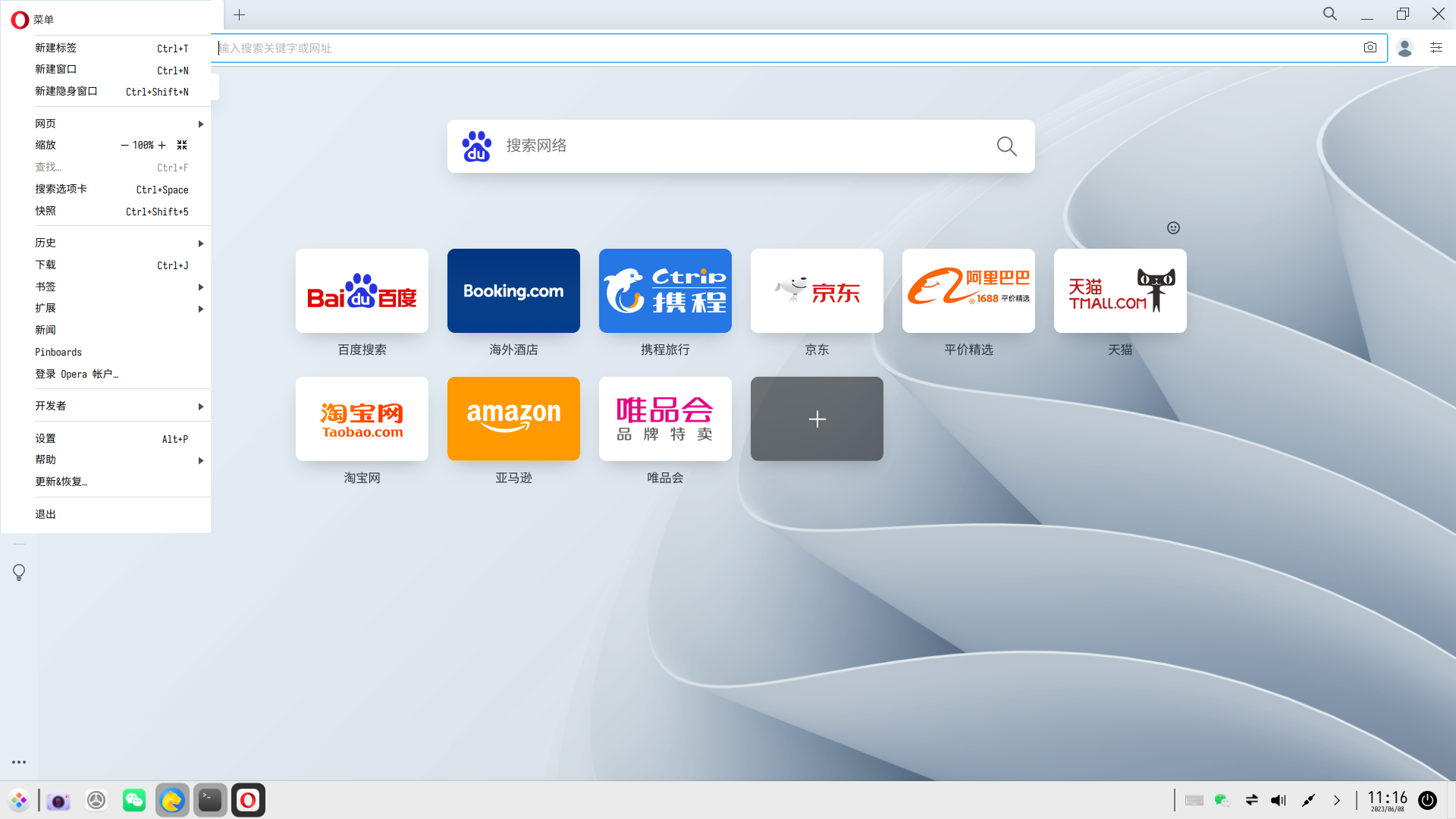
保存,接着打开Opera应该可以看到中文的界面了
Popular Ranking
ChangePopular Events
More


 NVIDIA graphics driver are not working with enabled secure boot
我在应用商店下载了Opera浏览器,但界面是英文的,用起来总觉得没有中文顺手,也添加了中文语言,但就是不能显示为中文界面,有知道如何设置的吗?我折腾了好久还是铩羽而归,请好心人指教一下