

 中文
中文 
阿尼樱奈奈 deepin
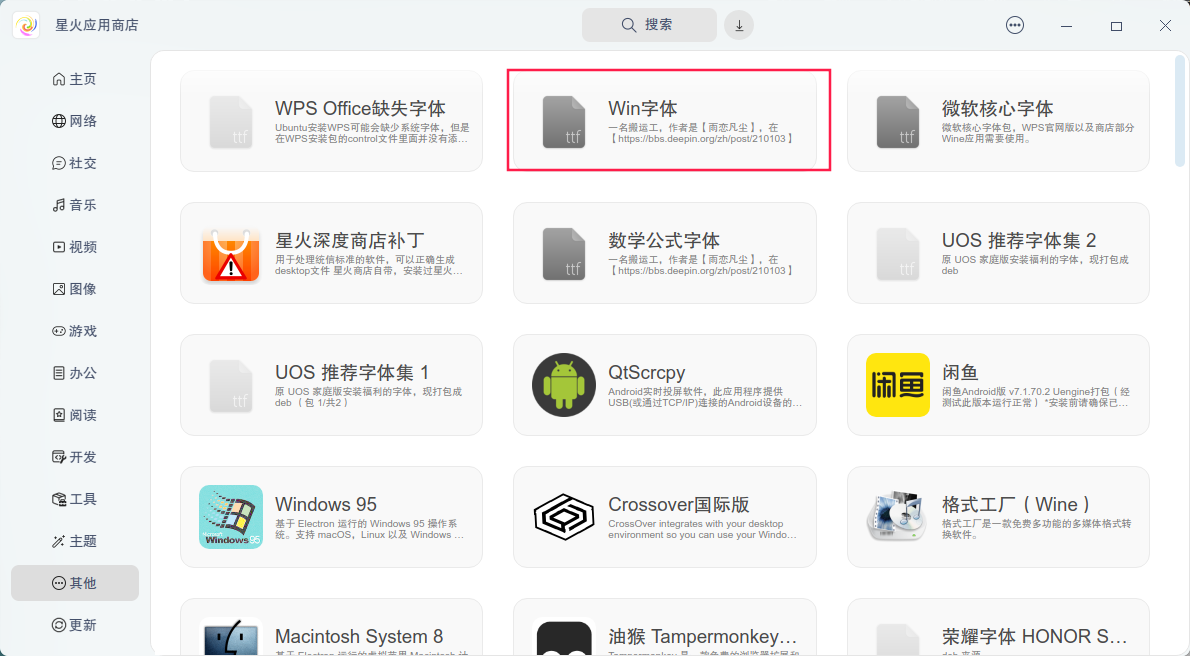
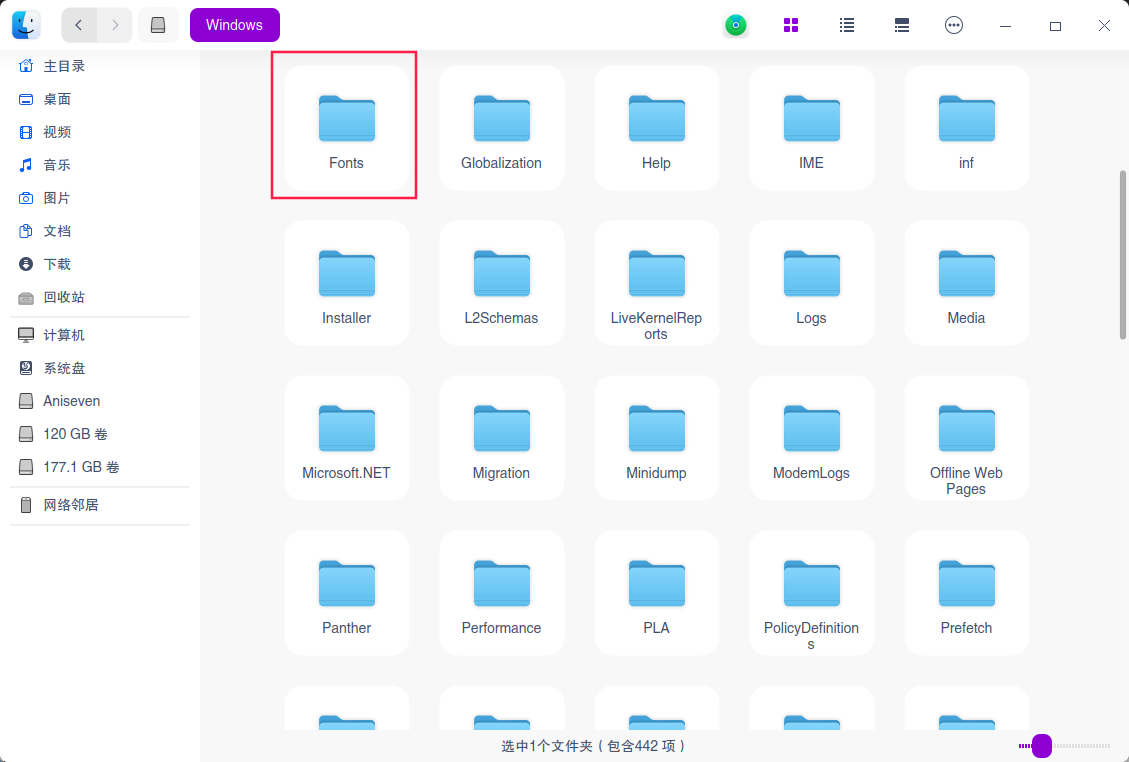
2023-06-06 06:12 deepin 可能是字体问题导致的。按照https://bbs.deepin.org/phone/zh/post/254701下载安装星火应用商店,然后安装左侧“其他”分类的win字体;或者安装Windows的fonts文件夹的字体。
Reply Like 0 View the author
 deepin
 可能是字体问题导致的。按照https://bbs.deepin.org/phone/zh/post/254701下载安装星火应用商店,然后安装左侧“其他”分类的win字体;或者安装Windows的fonts文件夹的字体。

 deepin
 对的,最后切换Windows11上再改一波😓
deepin 可能是字体问题导致的。按照https://bbs.deepin.org/phone/zh/post/254701下载安装星火应用商店,然后安装左侧“其他”分类的win字体;或者安装Windows的fonts文件夹的字体。
不只是字体的问题,有些功能大致一样,细节就是不同👁
deepin 不只是字体的问题,有些功能大致一样,细节就是不同👁
比如打印的时候,Windows版的WPS打印出来的排版和Linux版的WPS可能不同。
 deepin
  deepin
 字体设对,存的格式也要存成word的就没问题了。
 deepin
 关键还是字体问题,尤其是simsun字体,安装了windows一样的字体后就没有变化了
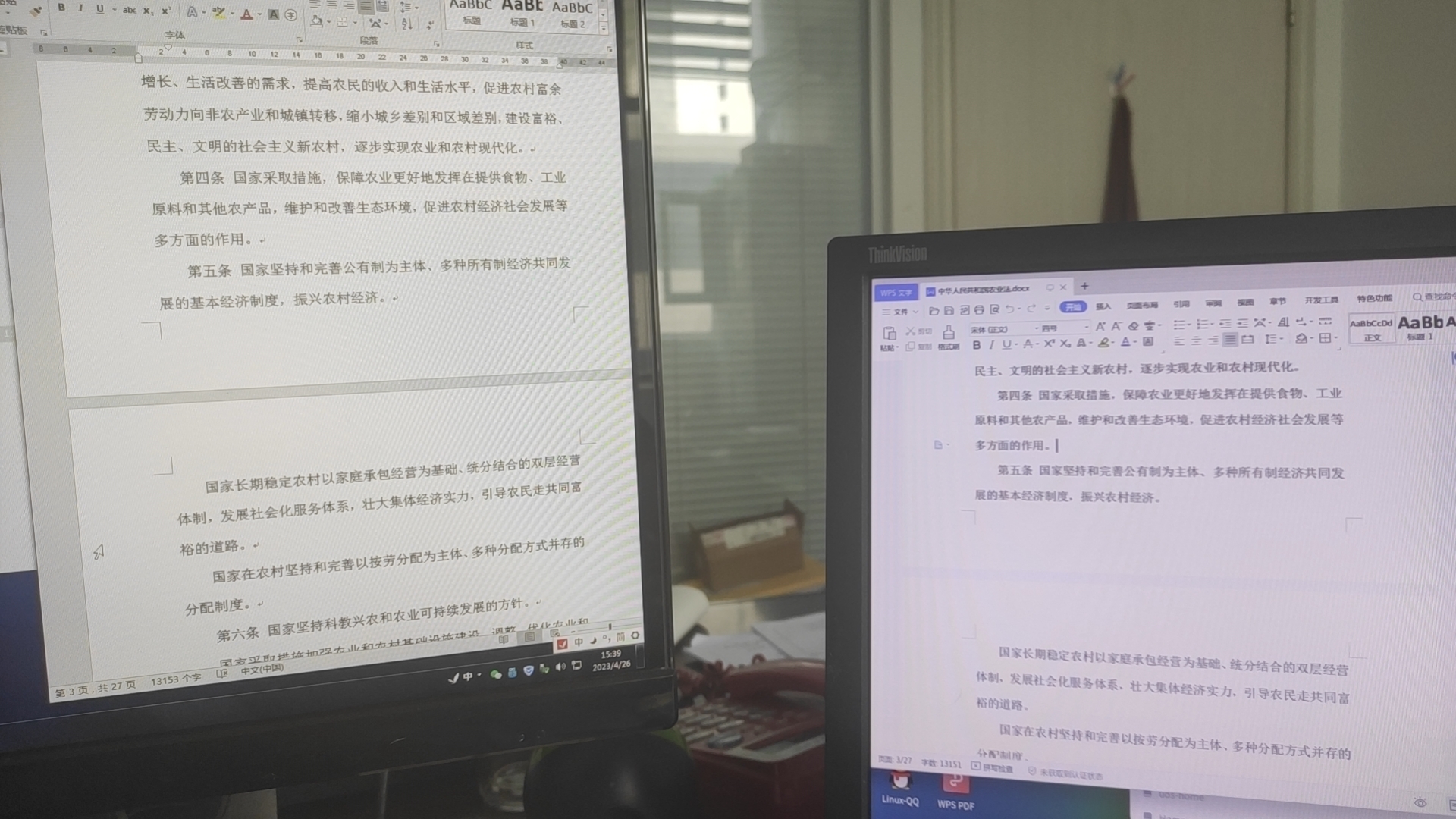
下面是对照图,左边是WIN7系统,WPS;右边是deepin20.9,WPS。可以看到分页、排版是一样的。
deepin 安装相应字体

 deepin
 他们确实不一样,LINUX的WPS不能打开EPUB和OFD

 deepin
 做毕设的时候,不应该软件版本都跟老师用的一致嘛。。。
不一致的软件版本完全给自己找不自在啊
实在不行上虚拟机吧,别折腾了
 deepin
 做毕设的时候,不应该软件版本都跟老师用的一致嘛。。。
不一致的软件版本完全给自己找不自在啊
实在不行上虚拟机吧,别折腾了
这才是中肯的建议👍
deepin 这个解决不难啊,查看wps的字体替代少了那些字,装上就行了。
 deepin
 回答的都有所偏差了吧,主要是希望wps linux版追上win版(或持平,这样就不存在系统差异了。
deepin 这年头毕设不是都交pdf了嘛😂 ,惨。如果真要交word文档建议使用win的office来做,这样兼容性会好很多
Popular Ranking
ChangePopular Events
More


 NVIDIA graphics driver are not working with enabled secure boot
刚刚做毕设,很烦
deepin上的wps和windows上wps格式不同(字体或者回多出一些空行),家里里网吧又有点远,老师又10点让交,崔的急,真的是一点办法没有,后面找朋友勉强,改了一波,,,