

 中文
中文 
jjcui8595 deepin
2023-05-26 23:57 deepin 我一直在deepin下用VirtualBox,没发现这个问题。是不是虚拟Windows系统里安装的增强包跟VirtualBox版本不一致造成的?
Reply Like 0 View the author
 deepin
 我一直在deepin下用VirtualBox,没发现这个问题。是不是虚拟Windows系统里安装的增强包跟VirtualBox版本不一致造成的?

我一直在deepin下用VirtualBox,没发现这个问题。是不是虚拟Windows系统里安装的增强包跟VirtualBox版本不一致造成的?
我刚装好,但不知道如何连接网络以及访问V23的其它分区,瘟疫7运行还是很流畅的。
deepin 我刚装好,但不知道如何连接网络以及访问V23的其它分区,瘟疫7运行还是很流畅的。
虚拟机访问主机分区需要设置共享文件夹,并通过终端命令挂载
虚拟机访问主机分区需要设置共享文件夹,并通过终端命令挂载
能具体点吗?我这个大白比较笨,共享知道,但在终端执行什么命令就不会了
虚拟机访问主机分区需要设置共享文件夹,并通过终端命令挂载
共享了,下一步如何操作?
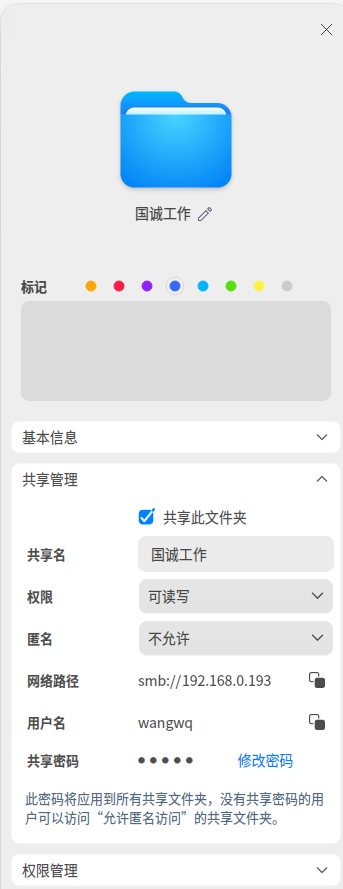
deepin 能具体点吗?我这个大白比较笨,共享知道,但在终端执行什么命令就不会了
sudo mount -t vboxsf aaa(共享文件夹名) /mnt(挂载位置)
deepin 共享了,下一步如何操作?
不是在这里共享,而是通过VirtualBox虚拟机设置
deepin 共享了,下一步如何操作?
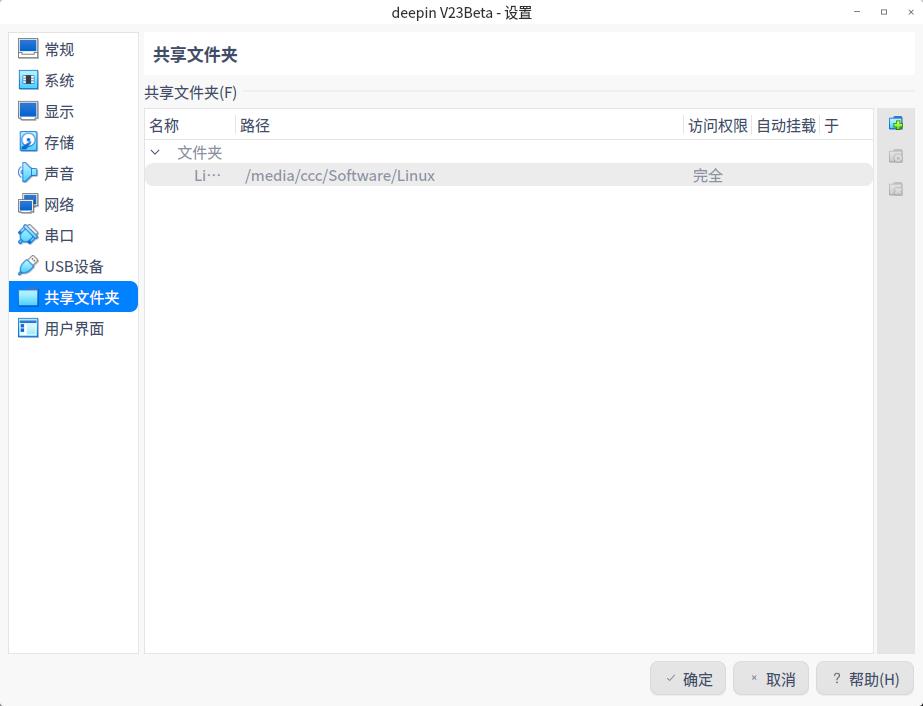
 deepin
 host中,需要把当前用户添加至两个vbox群组,
vbox用户组和vbox共享组(vboxusers和vboxsf),vm里面才有访问host目录足够权限。

 deepin
 这个问题也许和 virtualbox 升级到 7.0.8 有关系吧!星火应用商店自动升级的。
Mint 中 VirtualBox 版本是:7.0.4 ,回头降到 7.0.4 试试。
在实际工作中使用深度系统,这种莫明其妙的问题非常烦人 
Popular Ranking
ChangePopular Events
More


 necesito ayuda
同样的虚拟机(复制的)Windows 11,在 Mint 下运行正常,在深度系统下频频死机。
为什么会这样呢?
加上打印机驱动的问题,算了,我还是回到 Mint 吧!