

 中文
中文 
阿尼樱奈奈 deepin
2023-05-25 00:05 deepin 你这显卡需要升级到6.2以上内核才能正常驱动。
装这个别人编译的6.3内核试试:https://bbs.deepin.org/post/256839
Reply Like 0 View the author
 deepin
 你这显卡需要升级到6.2以上内核才能正常驱动。
装这个别人编译的6.3内核试试:https://bbs.deepin.org/post/256839

 deepin
 按帖子里面的信息,升级内核到6.3.3+ 还是无法驱动显卡
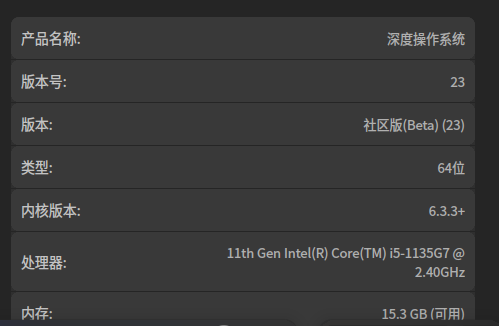
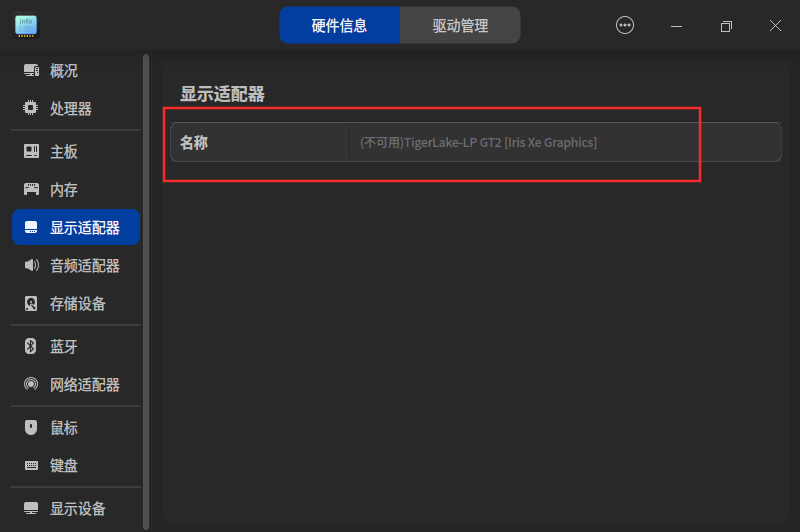
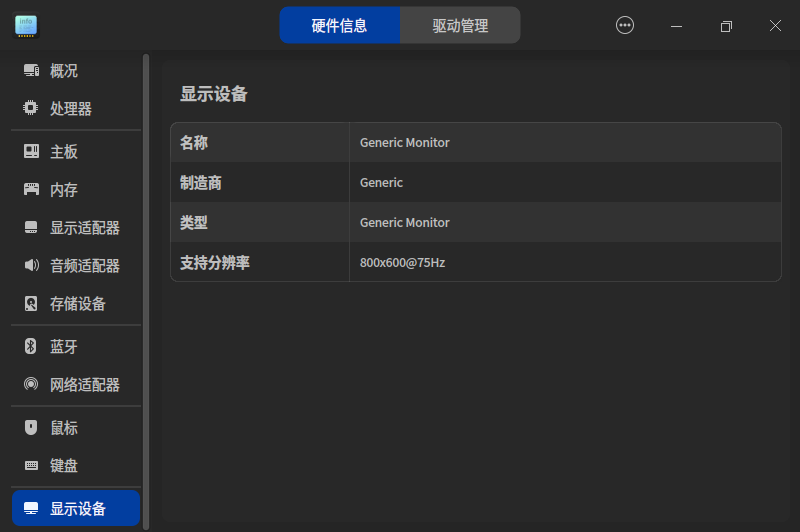
 deepin
 是核显吗?
deepin 是核显吗?
是的 核显
deepin 是的 核显
试试装i915驱动。我这边核显驱动是i915。捣鼓显卡事先备份好重要资料。
以下是ai的回答供参考。
i915驱动是Intel集成显卡的驱动,通常在Linux系统中已经默认安装了该驱动。如果你的系统中没有安装该驱动,可以按照以下步骤进行安装:
复制sudo apt-get update
复制sudo apt-get install xserver-xorg-video-intel
如果你使用的是其他Linux发行版,可以参考对应发行版的文档或者官方网站获取安装方法。
Popular Ranking
ChangePopular Events
More


 necesito ayuda
问题/建议描述
问题如何重现
nuc 11 直接安装,无法进行显示设置
系统信息
问题重现频率