

 中文
中文 
wcs4221 deepin
2023-05-22 05:10 deepin 文本编辑器---v23b没有内置哟
Reply Like 0 View the author
 deepin
 文本编辑器---v23b没有内置哟

 deepin
 右键选择打开方式

 deepin
 安装这个deb包的试试:sudo apt install deepin-editor

 deepin
  deepin
 20.9也遇到这样,比如你们试试修改grub。cfg
 deepin
 是V23?
把默认的玲珑版本卸了。玲珑的权限有限制,没法访问根目录(/)。
卸载方式:启动器右键卸载,或 ll-cli uninstall (我也不清楚文本编辑器的appid)
然后如三楼所示,安装deb版本,sudo apt install deepin-editor
deepin 安装这个deb包的试试:sudo apt install deepin-editor
要v23b--日构版上装好文本编辑器ok,试用ok
支持了✌️
deepin 20.9也遇到这样,比如你们试试修改grub。cfg
文本编辑器的玲珑包和deb包不能共存,因为两者的启动命令(desktop文件里的Exec后执行的程序)是同一个(deepin-editor),如果在20.9安装了玲珑版文件编辑器会被覆盖的。
没有装玲珑版文本编辑器也还出现这个问题,那就不知道什么原因了
 deepin
 最简单的方法,就是在应用商店安装一个第三方的文本编辑器
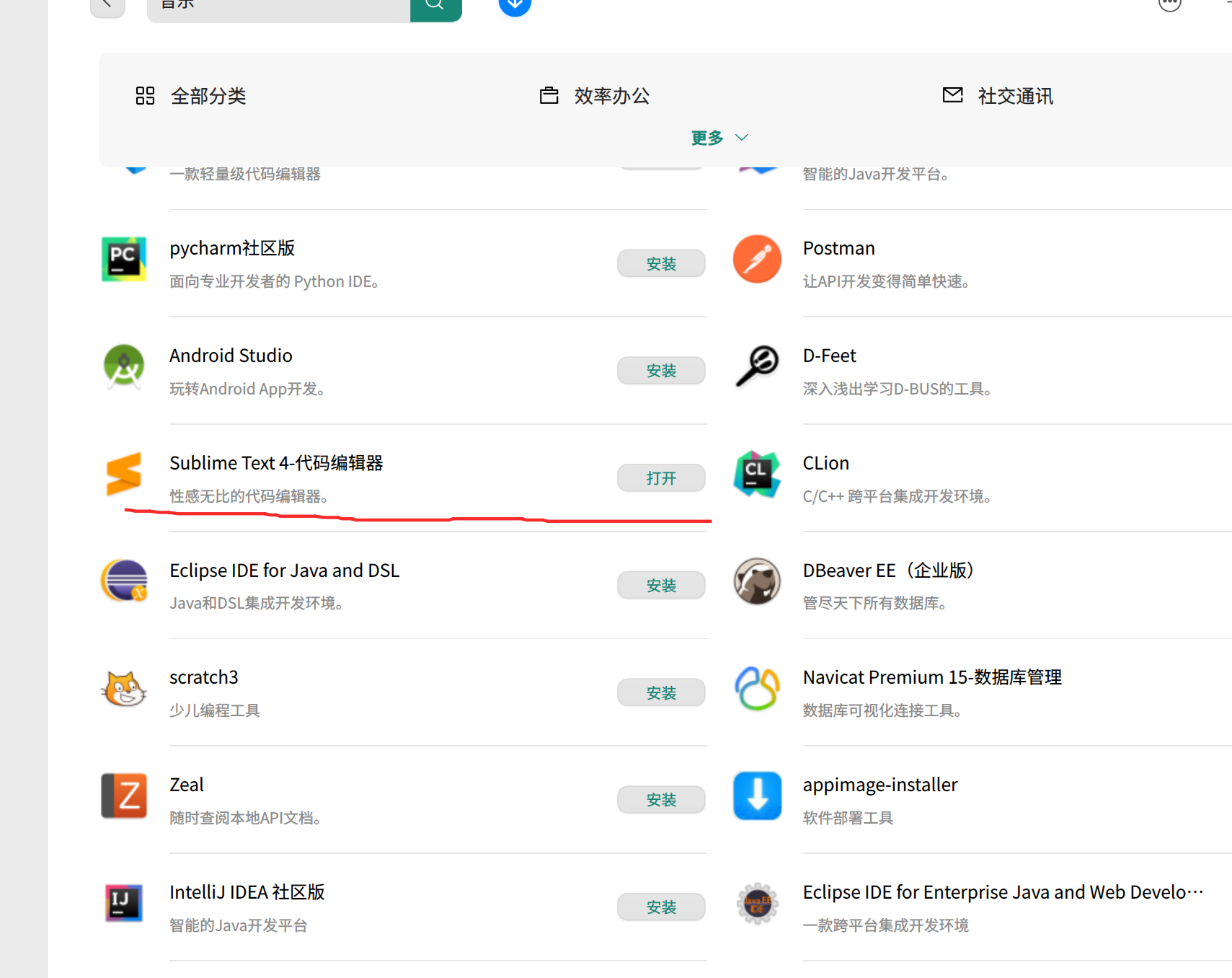
在管理员下就用它哦
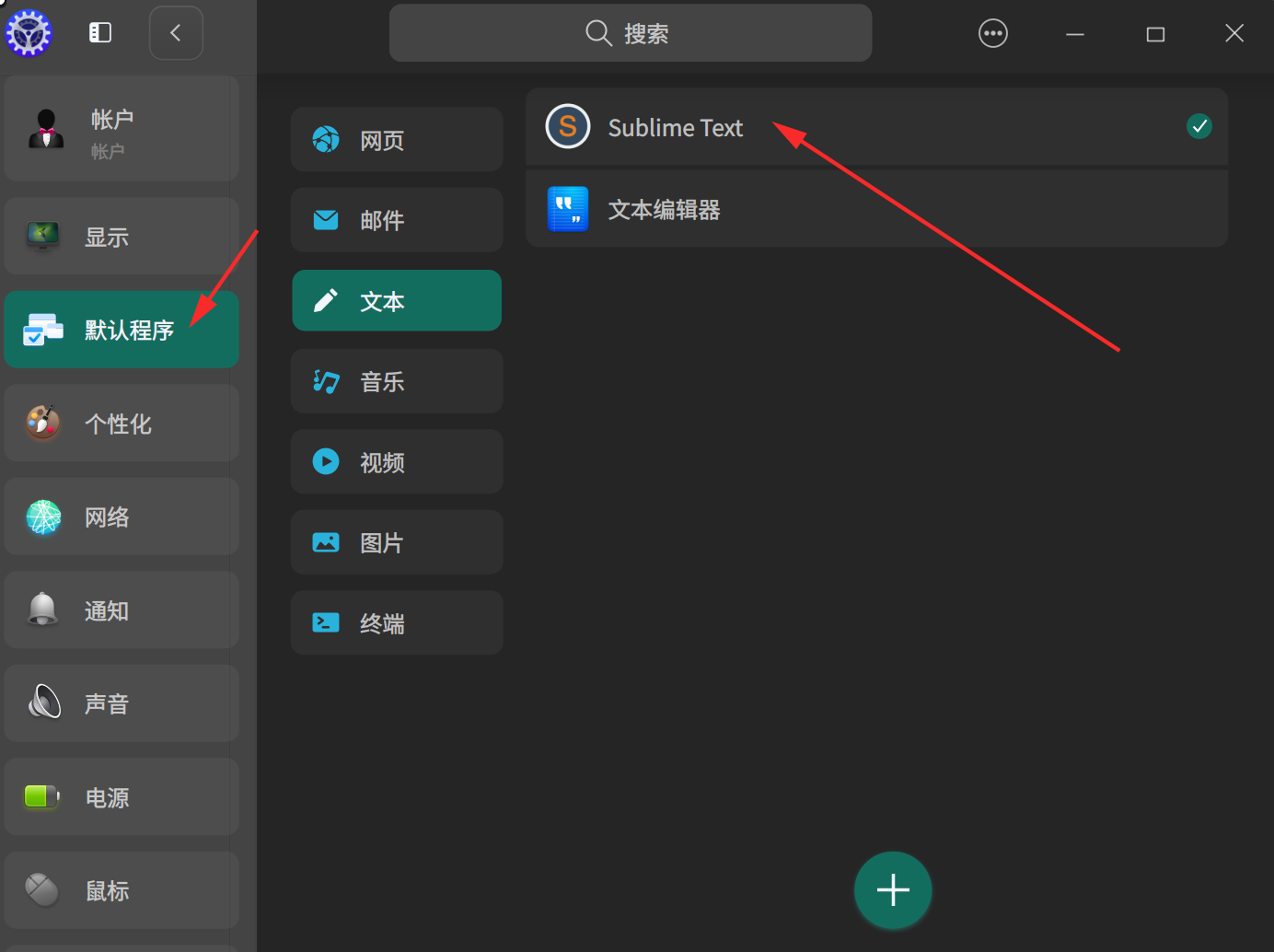
 deepin
 root用户有自己的一套默认程序配置。配置文件应该在 /root/.config/mimeapps.list
修改该文件即可。

 deepin
 文本编辑器---v23b没有内置哟
有内置吧?
deepin 有内置吧?
官版装不了?我装的是0521日构版。内置无文本用截图件!

我也发现了这个问题,执行完 sudo apt install deepin-editor 好象可以了。
Popular Ranking
ChangePopular Events
More


 necesito ayuda
管理员状态下,要修改一些文件,经常默认是wps,而找不到文本编辑器
这怎么破