

 中文
中文 
落日 deepin
2023-05-22 01:19 deepin v23有deepin-prime么,可以试试这个
Reply Like 0 View the author
 deepin
 v23有deepin-prime么,可以试试这个

 deepin
 v23有deepin-prime么,可以试试这个
安装了怎么启动
deepin 安装了怎么启动
sudo prime-select可以看选项
deepin v23有deepin-prime么,可以试试这个
sudo prime-select get-current
No driver configured.
NVIDIA/Intel video card selection for NVIDIA Optimus laptops.
usage: prime-select nvidia|intel|amd|offload|unset|get-current|log-view|log-clean
nvidia: use the NVIDIA proprietary driver
intel: use the Intel card with the "modesetting" driver
amd: use the Amd card with the "modesetting" driver
offload PRIME Render Offload possible with >= 435.xx NVIDIA driver
unset: disable effects of this script and let Xorg decide what driver to use
get-current: display driver currently configured
log-view: view logfile
log-clean: clean logfile
bbswitch not loaded
If you want energy saving bbswitch should be loaded in intel mode.
For this package 'bbswitch' needs to be installed on your system.
Or make use of DynamicPowerManagement on Turing GPUs or later by
switching to suse-prime's 'offload' or 'nvidia' mode.
sudo prime-select intel
intel catched
Preparing first configuration
bbswitch not loaded
If you want energy saving bbswitch should be loaded in intel mode.
For this package 'bbswitch' needs to be installed on your system.
Or make use of DynamicPowerManagement on Turing GPUs or later by
switching to suse-prime's 'offload' or 'nvidia' mode.
Logout to switch graphics
aoc@aoc-PC:~$ sudo prime-select get-current
Driver configured: intel
bbswitch not loaded
If you want energy saving bbswitch should be loaded in intel mode.
For this package 'bbswitch' needs to be installed on your system.
Or make use of DynamicPowerManagement on Turing GPUs or later by
switching to suse-prime's 'offload' or 'nvidia' mode.
这样就可以了吧
deepin deepin 有点奇怪,deepin-prime有个on-demand选项可以动态调用独显,你这是nvidia的prime吧
deepin 有点奇怪,deepin-prime有个on-demand选项可以动态调用独显,你这是nvidia的prime吧
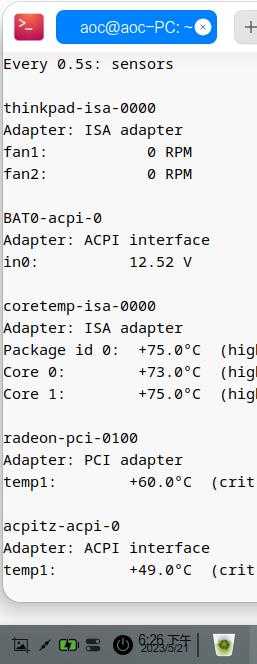
温度没那么高了,应该可以了吧,
谢谢你,开了三个帖子,你这个最优解
deepin 星火商店上有人移植了,说是23的alpha2也能用
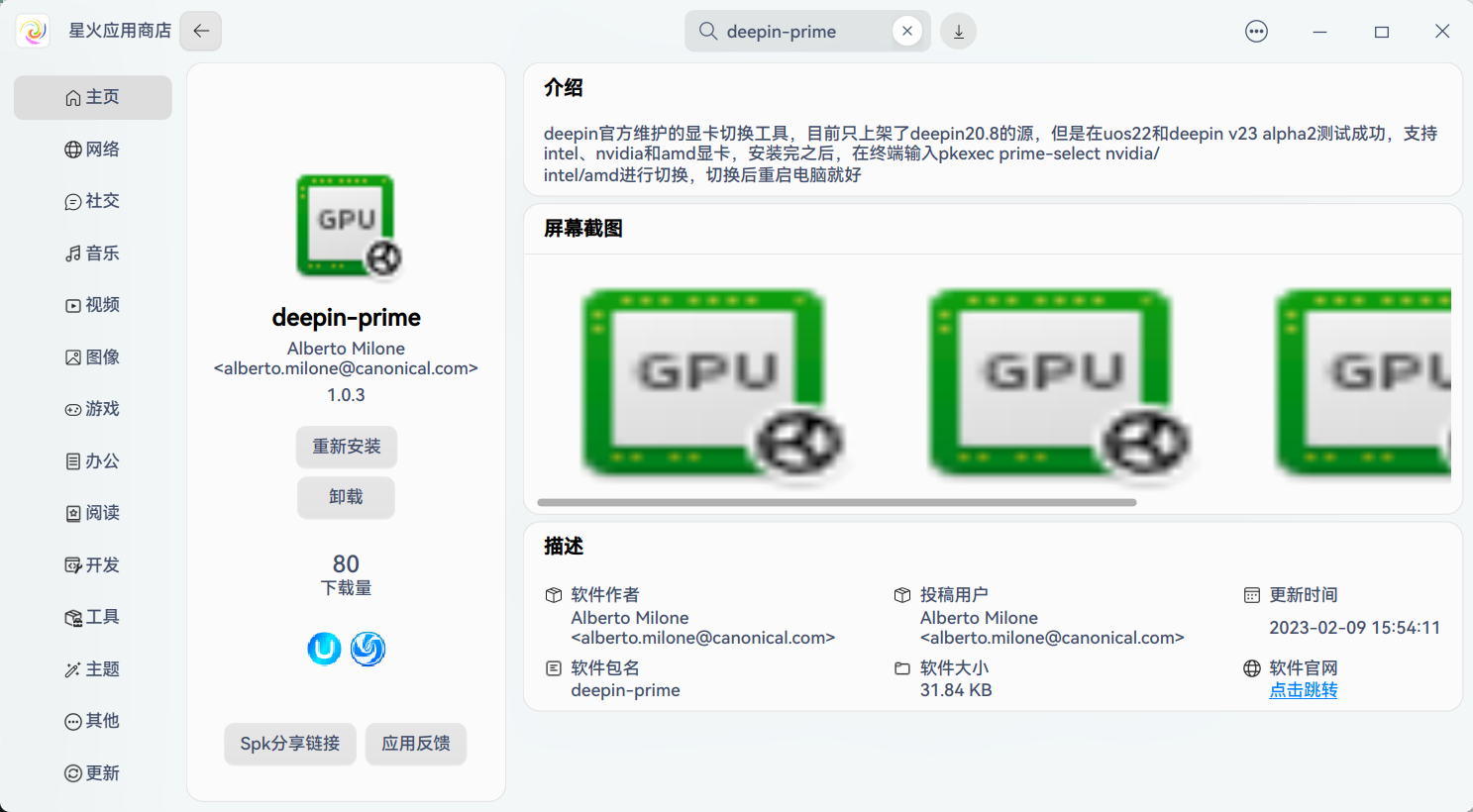
deepin 有点奇怪,deepin-prime有个on-demand选项可以动态调用独显,你这是nvidia的prime吧
AMD的,先禁用了
deepin AMD的,先禁用了
彳亍口巴
 deepin
 这个可以在BOS中禁用吧。
deepin 这个可以在BOS中禁用吧。
有的没有,或则看不懂
不管怎么说,今天又解决了一个问题
deepin V23上两个工具最后没有效果,看启动随机出现,
https://bbs.deepin.org/post/257341?id=257341&type_id=187&forum_name=deepinV23
deepin 有点奇怪,deepin-prime有个on-demand选项可以动态调用独显,你这是nvidia的prime吧
我是AMD和intel的
deepin 我是AMD和intel的
但是nvidia的prime你居然用着没啥问题
deepin 自己总结下备忘
sudo apt-get install fancontrol read-edid i2c-tools好像是依赖
sudo apt-get install lm-sensors必须安装才能watch -n 0.5 sensors
sudo apt-get install deepin-prime-run_1.0_amd64.deb必须安装
Usage: /usr/bin/prime-select nvidia|intel/amd|on-demand|query
prime-select query查询
deepin-prime有个on-demand选项可以动态调用独显
deepin 但是nvidia的prime你居然用着没啥问题
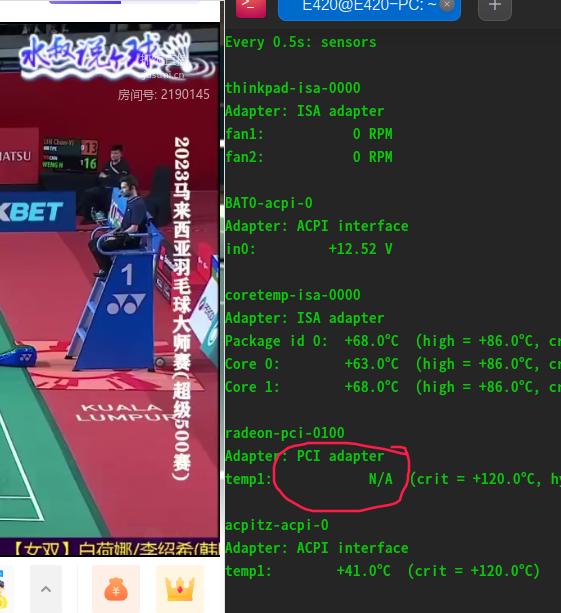
V23里面可以显示显卡温度,20.9没有显示
目前是on-demand选项
deepin 都说独显跑得快,就是有点费电,还能怎么费电?能切换最好,切换不了我宁肯让独显一直工作。
deepin 都说独显跑得快,就是有点费电,还能怎么费电?能切换最好,切换不了我宁肯让独显一直工作。
发热严重,只好禁掉独显,只用核显。
网上有工具,但是在我这边好像没成功,后来又好像成功了。
因为我现在不知道用的是独显还是核显,哈哈哈
deepin 发热严重,只好禁掉独显,只用核显。
网上有工具,但是在我这边好像没成功,后来又好像成功了。
因为我现在不知道用的是独显还是核显,哈哈哈
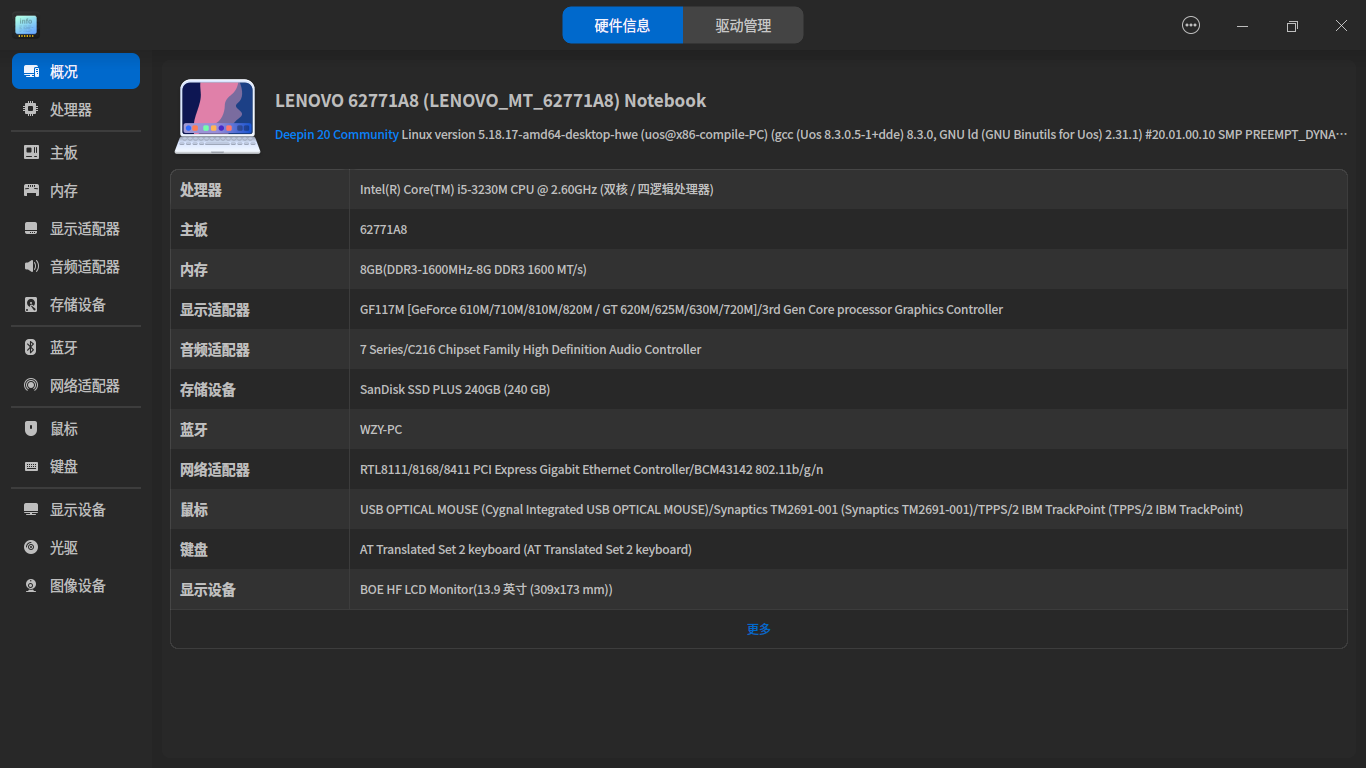
23版是自己搞的根社区,比较臃肿速度慢,除此之外跟20.9也差不多。但23版不支持我的N卡了。20.9对硬件全支持,就是不知道怎么切换和使用。
Popular Ranking
ChangePopular Events
More


 necesito ayuda
双显卡本本,V23怎么禁用AMD独立显卡