

 中文
中文 
Jokul deepin
2023-05-15 08:22 deepin 打开/etc/hosts文件里看看有没有
127.0.0.1 localhost
Reply Like 0 View the author
 deepin
 打开/etc/hosts文件里看看有没有
127.0.0.1 localhost

 deepin
 localhost不行就试试127.0.0.1,应该是一样的
 deepin
 打开/etc/hosts文件里看看有没有
127.0.0.1 localhost
有的
deepin localhost不行就试试127.0.0.1,应该是一样的
也不行
 deepin
 您好,请问您具体在学习什么前端框架?能否提供更多相关资料如框架官网的链接及报错信息?
若欲透过 localhost 网址访问自己本地搭建的网站,首先需要启动本地的 HTTP(S) web 服务器,然后打开浏览器访问 http://localhost/ 或 https://localhost/ ,或者倘若使用开发时常用的端口如 8080/tcp、8443/tcp 则造访 http://localhost:8080/ 或 https://localhost:8443/ 等等,具体 URL 按情况而定
deepin 您好,请问您具体在学习什么前端框架?能否提供更多相关资料如框架官网的链接及报错信息?
若欲透过 localhost 网址访问自己本地搭建的网站,首先需要启动本地的 HTTP(S) web 服务器,然后打开浏览器访问 http://localhost/ 或 https://localhost/ ,或者倘若使用开发时常用的端口如 8080/tcp、8443/tcp 则造访 http://localhost:8080/ 或 https://localhost:8443/ 等等,具体 URL 按情况而定
我现在学习Vue框架,自己写的前端文件在chrome浏览器调试,发现无法访问localhost。
deepin 我现在学习Vue框架,自己写的前端文件在chrome浏览器调试,发现无法访问localhost。
好的,报错截图请发一下论坛,以及如果在跟哪个网上教程也请把相关链接发一下
deepin 好的,报错截图请发一下论坛,以及如果在跟哪个网上教程也请把相关链接发一下
OK,我用vscode作为IDE.launch.json如下。
{
"version": "0.2.0",
"configurations": [
{
"type": "chrome",
"request": "launch",
"name": "Launch Chrome against localhost",
"url": "http://localhost:8080",
"webRoot": "${workspaceFolder}"
}
]
}
控制台报错
crbug/1173575, non-JS module files deprecated.
浏览器报错
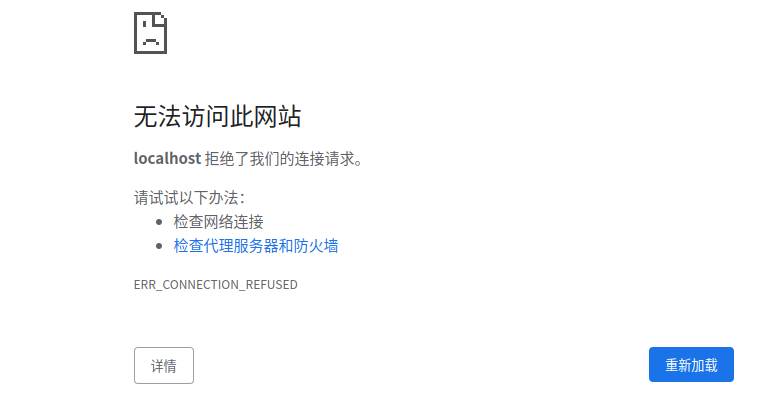
我用的是chrome浏览器。deepin提供的浏览器也一样。和浏览器无关。
deepin 好的,报错截图请发一下论坛,以及如果在跟哪个网上教程也请把相关链接发一下
这是/etc/hosts文件的内容。不知道有没有问题
127.0.0.1 localhost
localhost 127.0.0.1
::1 localhost ip6-localhost ip6-loopback
fe00::0 ip6-localnet
ff00::0 ip6-mcastprefix
ff02::1 ip6-allnodes
ff02::2 ip6-allrouters
Popular Ranking
ChangePopular Events
More


 necesito ayuda
目前在学习前端需要用的localhost调试模式,希望大家帮助一下