

 中文
中文 
忘记、过去 deepin
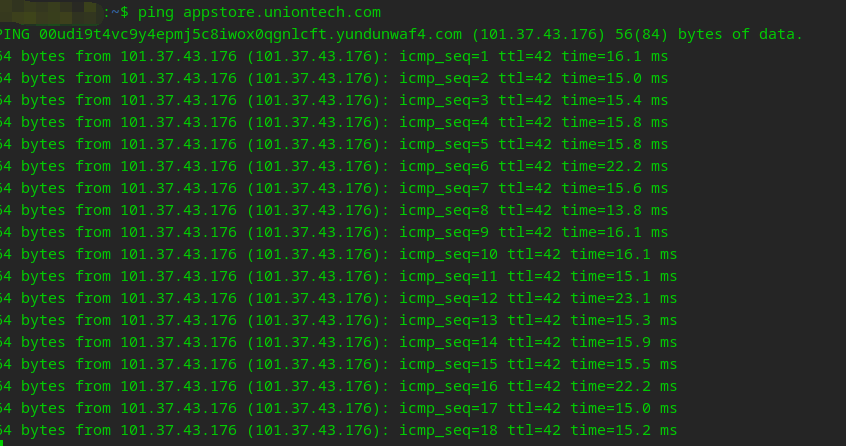
2023-05-10 01:43 deepin 自行检查网络代理设置,看看能不能正常 ping 通域名 appstore.uniontech.com
Reply Like 1 View the author
 deepin
 自行检查网络代理设置,看看能不能正常 ping 通域名 appstore.uniontech.com
 deepin
 自行检查网络代理设置,看看能不能正常 ping 通域名 appstore.uniontech.com

 deepin
 试试终端sudo apt update后还会不会有这些问题

 deepin
 检查系统时间
 deepin
 你用的是旧版的商店吗?
deepin 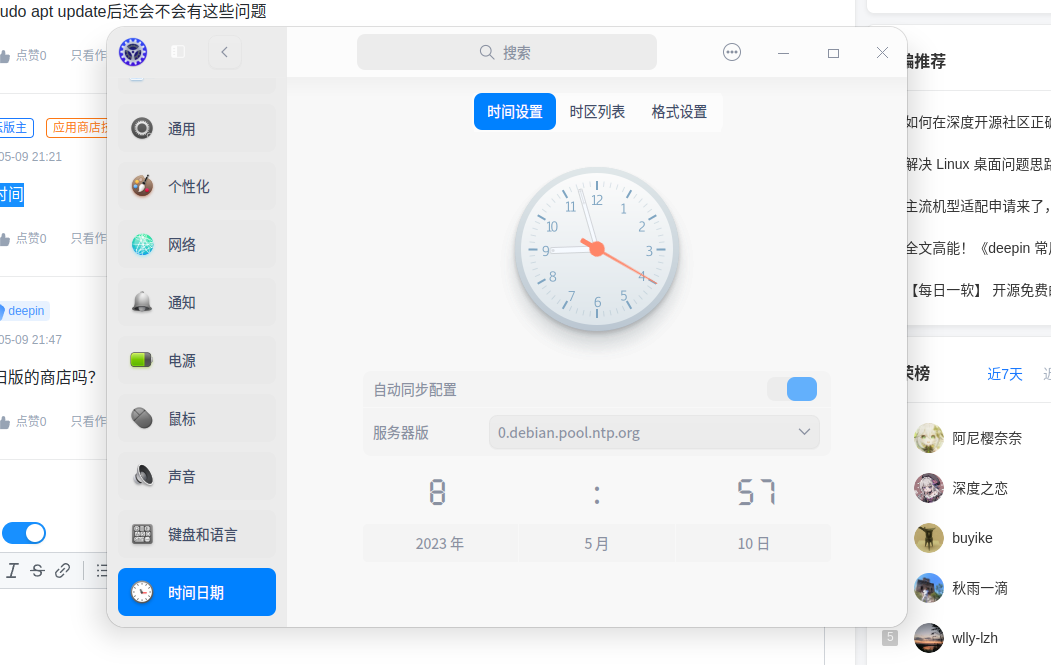
deepin 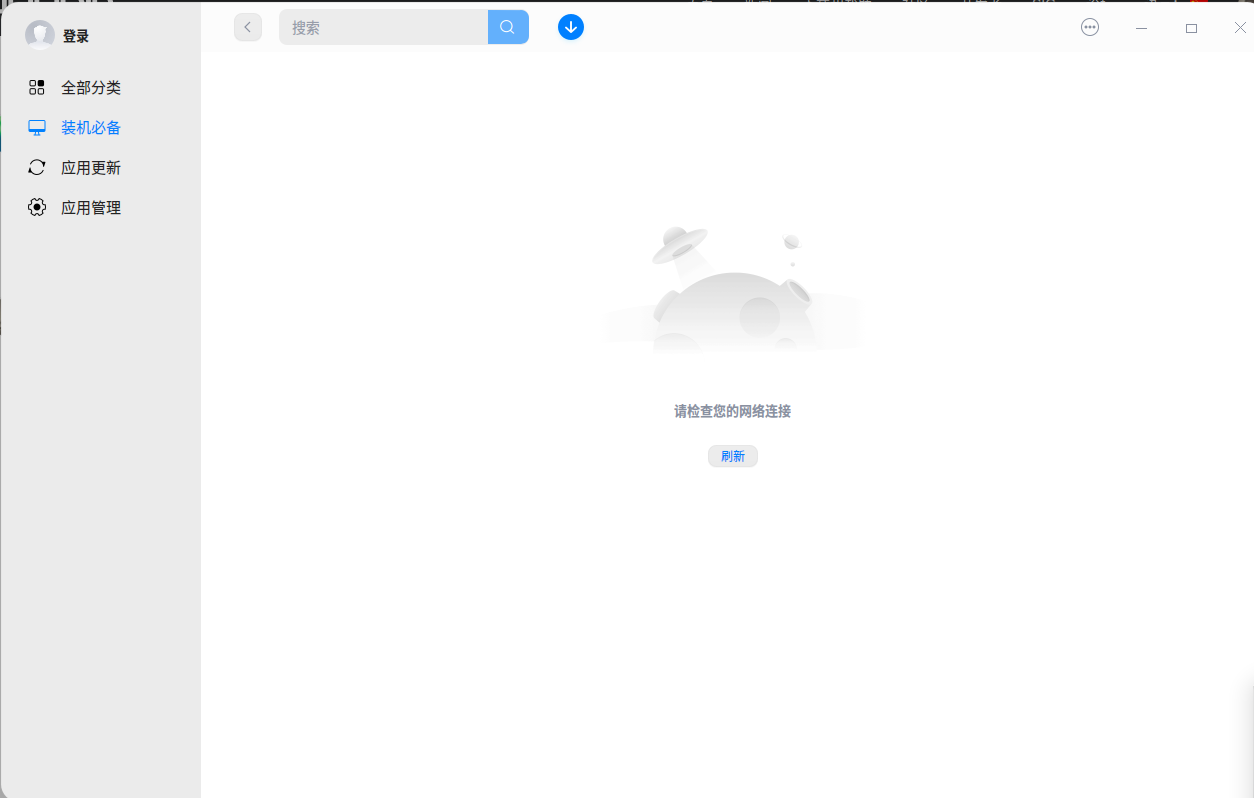
 deepin
 不行的话,下载个星火商店代替吧
deepin 不行的话,下载个星火商店代替吧
星火商店也是一样的问题
deepin 目前现象是应用商店、深度之家等应用均无法正常联网,日志显示 QSslSocket::connectToHostEncrypted: TLS initialization failed。尝试重新安装相关依赖库 libssl3 openssl libcurl4-gnutls-dev 等无效果 
坐等哪位大佬知道应该咋解决...... 
deepin 检查下自己有没有在 /usr/local/lib 里面安装了 libssl1.1 或者 openssl 之类的动态库文件,优先级太高,把系统默认的 libssl3 覆盖了,会导致所有需要使用系统动态库的应用全都无法联网。
P.S. 多数都是装了宝塔面板之类的应用导致的......
Popular Ranking
ChangePopular Events
More


 necesito ayuda
问题/建议描述
应用商店无法联网,查询软件,但是可以下载
问题如何重现
不知道
问题重现频率
重装了好几次,都会出现这个问题