中文
中文 
fuuko deepin
2023-05-09 16:42 deepin 退出去,然后用sudo启动它
Reply Like 0 View the author
 deepin
 退出去,然后用sudo启动它

 deepin
 我也想用sudo启动它,但是找不到可执行文件。这个认证程序是跟随vnc Server主程序跳出来的,启动Vnc Server主程序的时候,已经输入过管理员账户密码了。
deepin realVNC?
sudo vnclicense -add WHJRK-UXY7V-Q34M9-CZU8L-8KGFA
sudo systemctl start vncserver-x11-serviced.service
sudo systemctl enable vncserver-x11-serviced.service

 deepin
 直接安装 x11vnc,自己配置 service 开机自启也可以啊,VNC Viewer 也可以连上的
deepin tigervnc

 deepin
 老虎VNC比这个好用
deepin 老虎VNC比这个好用
但我一直找不到能用的配置文件,迫不得已在arm64用了realvnc
其他vnc无一例外,没有dock栏,甚至只能显示一个壁纸,打开任何程序都不显示(但在本地机已经打开了)
deepin 但我一直找不到能用的配置文件,迫不得已在arm64用了realvnc
其他vnc无一例外,没有dock栏,甚至只能显示一个壁纸,打开任何程序都不显示(但在本地机已经打开了)
我用的tiger,蛮好用的
反而是real安装不了

 deepin
 一直使用 x11vnc
[Unit]
Description="x11vnc"
Requires=display-manager.service
After=display-manager.service

[Service]
Type=simple
ExecStart=/usr/bin/x11vnc -xkb -noxrecord -nomodtweak -noxdamage -ncache_cr -loop -repeat -nap -shared -capslock -auth /var/run/lightdm/root/\:0 -rfbauth /home/**YourLoginName**/.vnc/passwd -rfbport 5900 -display :0
ExecStop=/usr/bin/killall x11vnc
Restart=on-failure
Restart-sec=2

[Install]
WantedBy=multi-user.target
realVNC?
sudo vnclicense -add WHJRK-UXY7V-Q34M9-CZU8L-8KGFA
sudo systemctl start vncserver-x11-serviced.service
sudo systemctl enable vncserver-x11-serviced.service
你的命令确实有用。但是出现新问题,如何用管理员启动realvnc server?不然出现option无法修改。
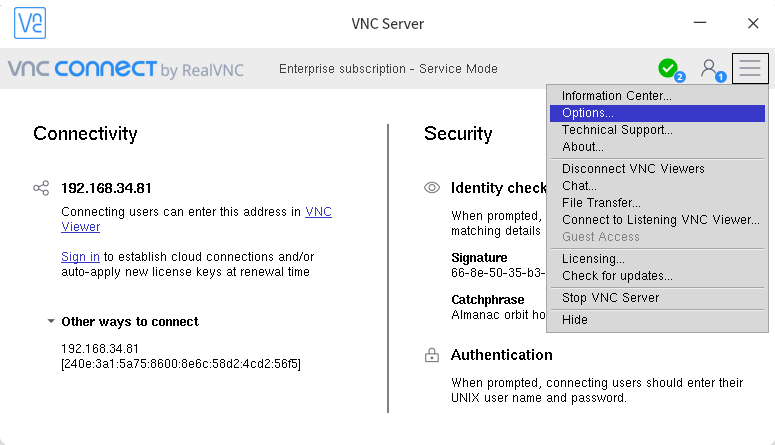
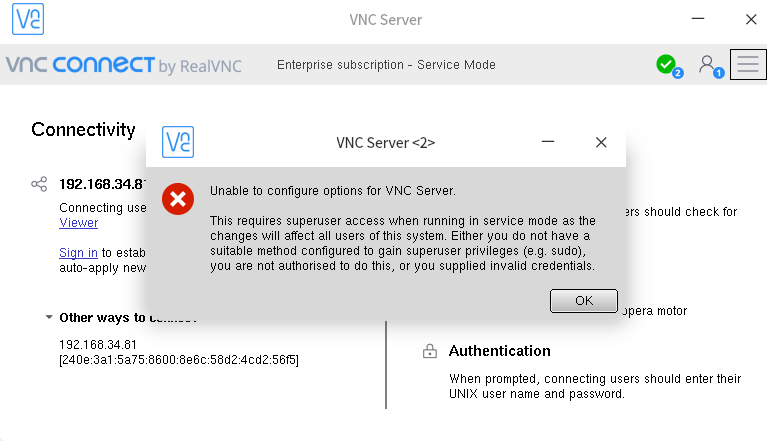
deepin 你的命令确实有用。但是出现新问题,如何用管理员启动realvnc server?不然出现option无法修改。
是的,我也无法打开选项设置,但这跟权限无关,这是以服务启动的,肯定是root的
我还没找到无法设置的原因。另外因为我在用的是arm64的机器,而realVNC并没有官方arm64,我用的是树莓派的版本,还不清楚和x86的有没有啥不同。
反正我是内网自己用,也就凑合着
而且这毕竟是随便找了个序列号,或许是破解问题也说不定
deepin 看来目前只能作罢,还好默认是用户名+密码的方式,倒也不影响使用。
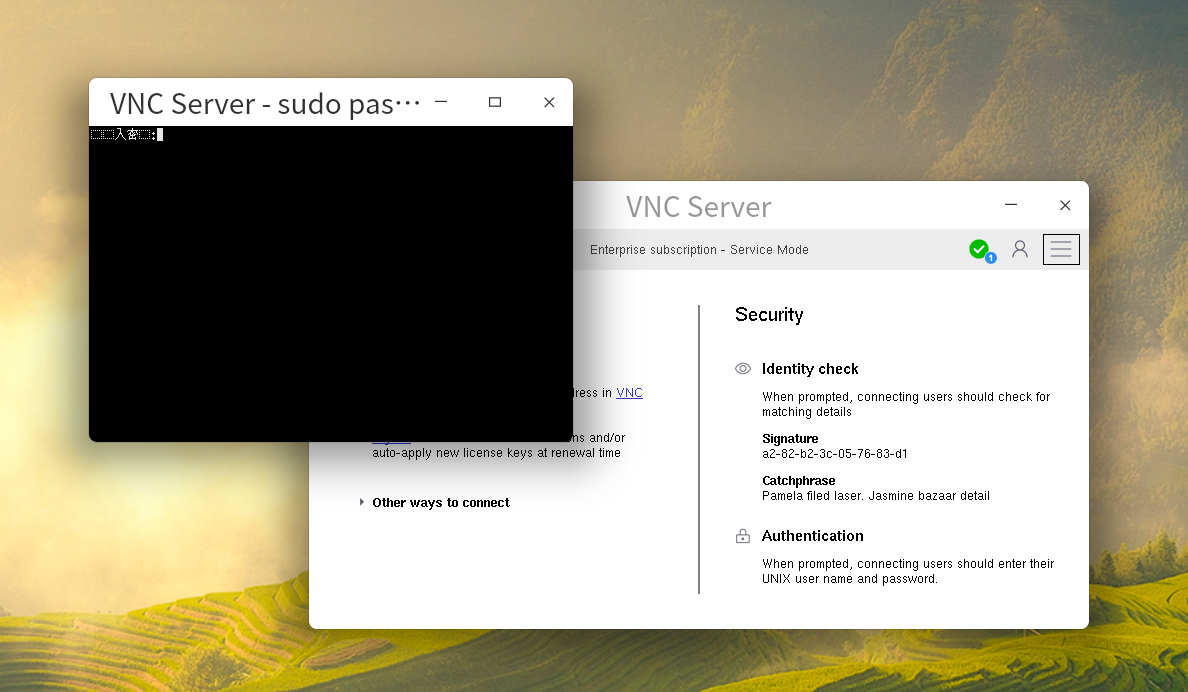
deepin 奇了怪了,今天我按照https://bbs.deepin.org/post/245322的方法装了vnc server,然后remove,再安装realvnc官网上下载的VNC-Server-6.10.1-Linux-x64.deb,在认证cdkey阶段居然正常了,点击Apply,跳出密码输入框,点击option,也会跳出密码输入框。
Popular Ranking
ChangePopular Events
More


 necesito ayuda
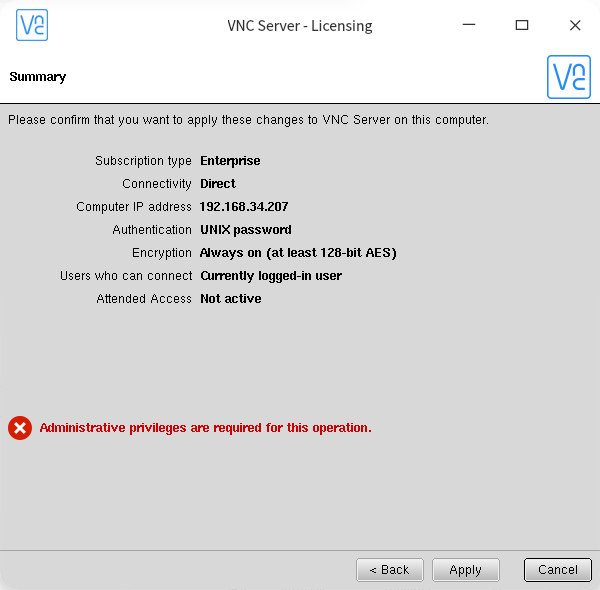
安装后,到输入cdkey阶段,最后一步,就出现红色字,缺少权限,可是怎么办呢?