

 中文
中文 
阿尼樱奈奈 deepin
2023-05-07 04:41 deepin 任务栏右键-任务栏设置-“显示桌面”右边的圆圈点一下,打勾。
Reply Like 0 View the author
 deepin
 任务栏右键-任务栏设置-“显示桌面”右边的圆圈点一下,打勾。

 deepin
 任务栏右键-任务栏设置-“显示桌面”右边的圆圈点一下,打勾。
你好,没有这个相关设置哦,我的是23
deepin 你好,没有这个相关设置哦,我的是23
那就打开“控制中心”-“个性化”-上面的“桌面”-如图所示,“显示桌面”右边圆圈打勾
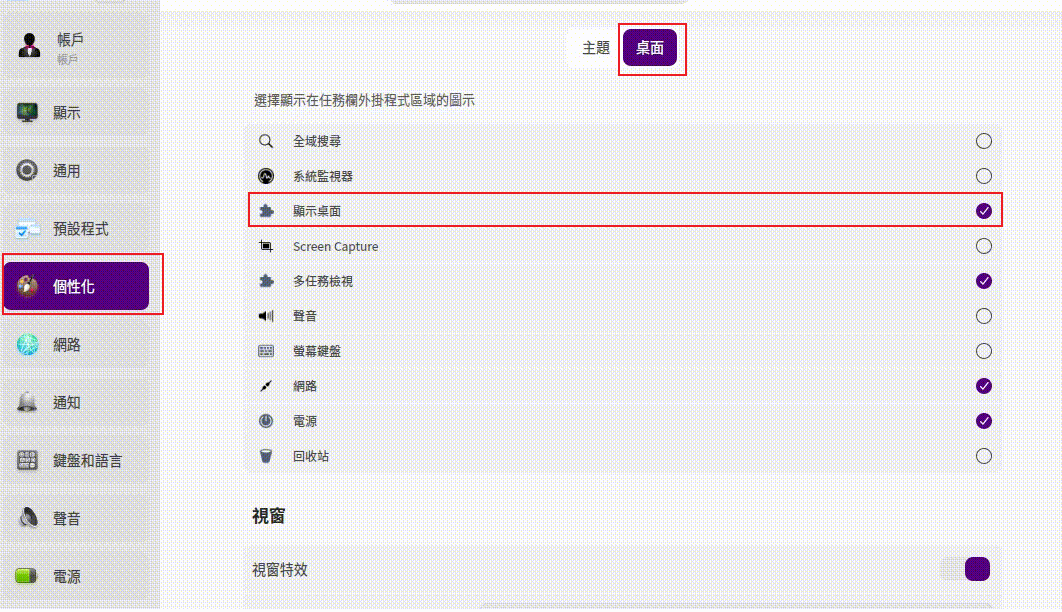
deepin 那就打开“控制中心”-“个性化”-上面的“桌面”-如图所示,“显示桌面”右边圆圈打勾
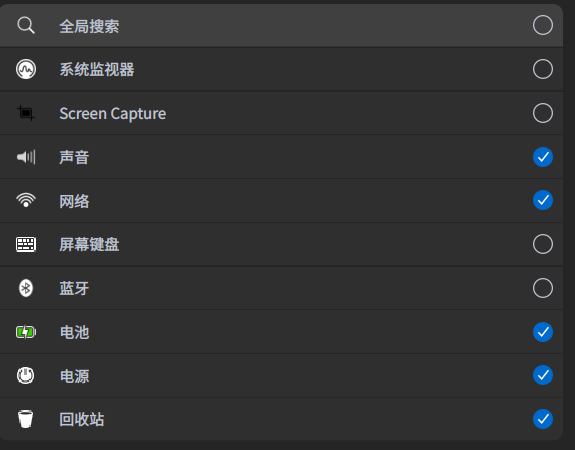
你好,你看这是我的界面
Popular Ranking
ChangePopular Events
More


 necesito ayuda
显示桌面不小心移除了怎么添加?求大神指点