

 中文
中文 
jjcui8595 deepin
2023-05-06 23:49 deepin 先从应用商店下载并安装一款输入法
Reply Like 0 View the author
 deepin
 先从应用商店下载并安装一款输入法
 deepin
 先从应用商店下载并安装一款输入法
没有用。还是找不回系统的。
 deepin
 重装一下fcitx试试。
sudo apt purge *fcitx*
sudo apt install fcitx
deepin 应用商店里有五笔和五笔拼音
 deepin
 输入法管理器(系统)藏起来了,我之前的情况是:下载了搜狗输入法,输入法管理器(设置)删除其它输入法,后面升级搜狗输入法失败,重装也不行,系统直接没有输入法了。解决方法:商店下载电脑上之前没有安装过的输入法,我下载的是讯飞输入法,下载完成后,输入法管理器(系统)!!!这个管理器被自动调用起来,然后我把搜狗和系统自带添加回来。
deepin 重装一下fcitx试试。
sudo apt purge *fcitx*
sudo apt install fcitx
用了之后成这样了,但输入法还在。
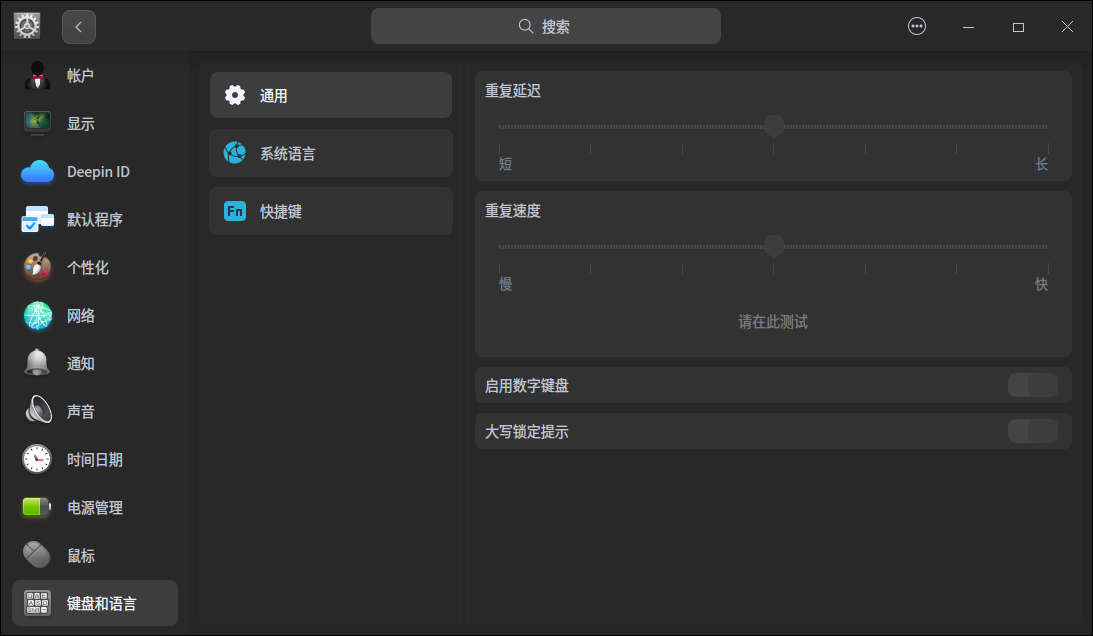
deepin deepin 用了之后成这样了,但输入法还在。
执行一下:sudo apt install deepin-fcitxconfigtool-plugin
deepin 执行一下:sudo apt install deepin-fcitxconfigtool-plugin
谢谢呀,可以了,只是还是加不了系统自带的。不过可以正常使用了。
deepin 输入法管理器(系统)藏起来了,我之前的情况是:下载了搜狗输入法,输入法管理器(设置)删除其它输入法,后面升级搜狗输入法失败,重装也不行,系统直接没有输入法了。解决方法:商店下载电脑上之前没有安装过的输入法,我下载的是讯飞输入法,下载完成后,输入法管理器(系统)!!!这个管理器被自动调用起来,然后我把搜狗和系统自带添加回来。
😃 有效果,管理器是回来了,但是原来自带的还是没有。
deepin 应用商店里有五笔和五笔拼音
没有系统自带的。

 deepin
 终端输入
fcitx-configtool
出现界面以后点击左下脚的加号+
deepin 重装一下fcitx试试。
sudo apt purge *fcitx*
sudo apt install fcitx
你这么折腾迟早给楼主dde给整没的

deepin 如果楼主用了楼上某些命令已经把系统的输入法删没了,试试
sudo apt install deepin-fcitxconfigtool-plugin fcitx fcitx-bin fcitx-config-common fcitx-config-gtk fcitx-data fcitx-frontend-gtk2 fcitx-frontend-gtk3 fcitx-frontend-qt5 fcitx-implugin fcitx-module-dbus fcitx-module-kimpanel fcitx-module-lua fcitx-module-x11 fcitx-modules fcitx-pinyin fcitx-sunpinyin fcitx-table fcitx-table-wubi fcitx-ui-classic libfcitx-config4 libfcitx-core0 libfcitx-gclient1 libfcitx-qt5-1 libfcitx-qt5-data libfcitx-utils0

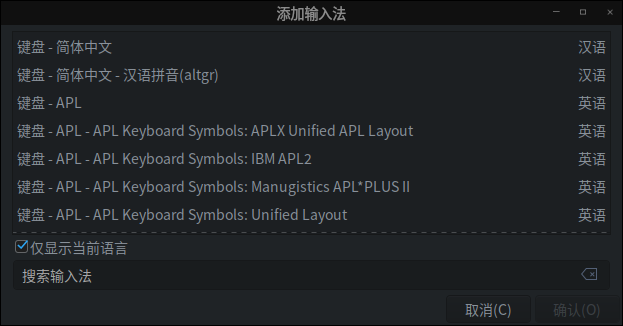
应用商店里搜“输入法”,有个叫“Sunpinyin-输入法”的,那是系统自带的输入法
deepin 你这么折腾迟早给楼主dde给整没的

 deepin
 楼主可以参考我的帖子,我认为是个BUG
**
[控制中心] Deepin20.8键盘与语言→输入法→高级设置→输入法配置BUG
https://bbs.deepin.org/post/253885
deepin 楼主可以参考我的帖子,我认为是个BUG
**
[控制中心] Deepin20.8键盘与语言→输入法→高级设置→输入法配置BUG
https://bbs.deepin.org/post/253885
看了你第五楼办法,一样解决不了,应该是BUG了。
deepin 应用商店里搜“输入法”,有个叫“Sunpinyin-输入法”的,那是系统自带的输入法
他只有拼音吧。
deepin 恭喜楼主,谁让你随便执行不知道后果的命令,很明显输入法的组件都被删没了,楼主使用最高权限时,看着那么一大堆东西会被删除的时候都没有感觉到危险吗,下次可难说有人能从全新安装的系统中帮你把所有删掉的包名都找回来。

Popular Ranking
ChangePopular Events
More


 necesito ayuda
V23很容易,但是20.9我是醉了,按照手册根本找不回,我在这里一个一个看了,也搜索了,没有。
搜狗的在软件中,经常假死。我用五笔。