

 中文
中文 
阿尼樱奈奈 deepin
2023-05-06 18:36 deepin It has been deleted!
 deepin
 deepin
 但是如何把enter改成shift,并且按了shift之后可以自动切换的英文输入法?
 deepin
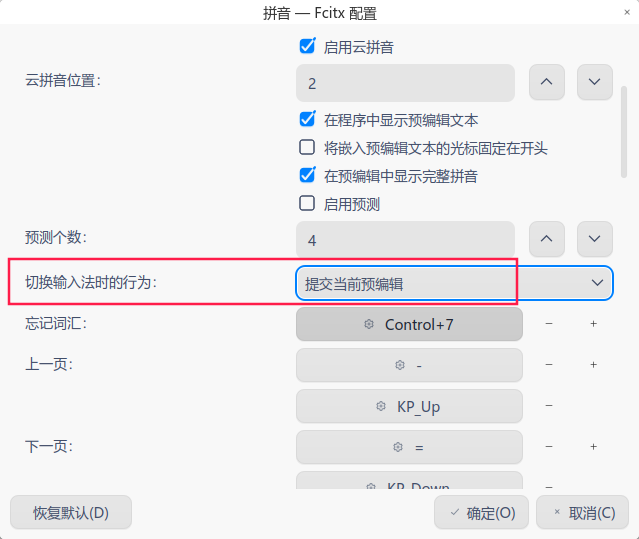
 v23默认了fctix5,那个版本有切换时上屏操作
如果是v20,安装better-dde的fcitx5也可以如此
默认的输入法,就别想了,搜狗也挺香的
deepin v23默认了fctix5,那个版本有切换时上屏操作
如果是v20,安装better-dde的fcitx5也可以如此
默认的输入法,就别想了,搜狗也挺香的
大佬看看呢,对于deepin开发人员来说应该不难吧,同样作为开发人员你们应该也有这个问题吧,难道你们用的也是搜狗?

 deepin
 我记得fcitx也是有切换到英文自动上屏的。
sunpinyin是仅提供拼音输入功能的。英文输入是fcitx的默认输入模块提供。所以跟sunpinyin没啥关系。

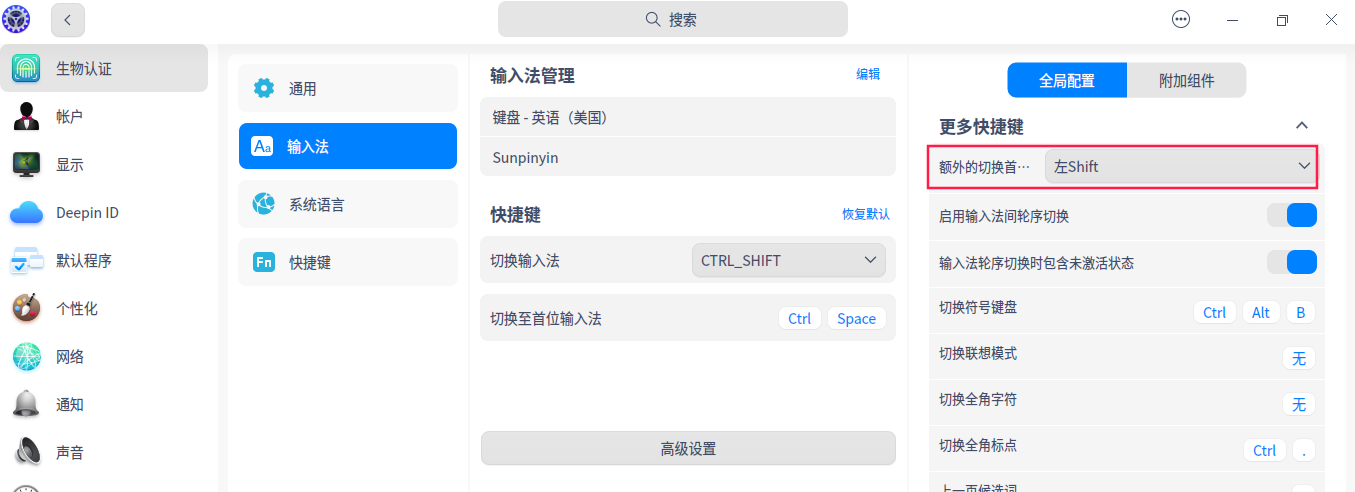
设置->键盘和语言->输入法->高级设置->更多快捷键->额外的切换首位输入法快捷键 选择左Shift
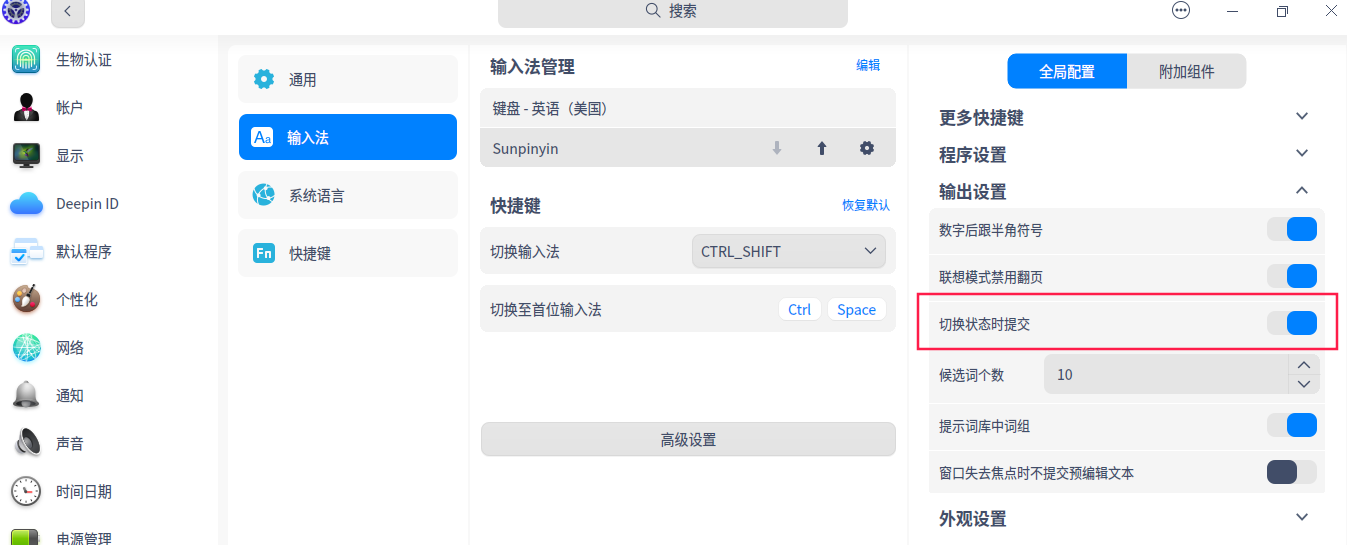
设置->键盘和语言->输入法->高级设置->输出设置->切换状态时提交 打开
V25
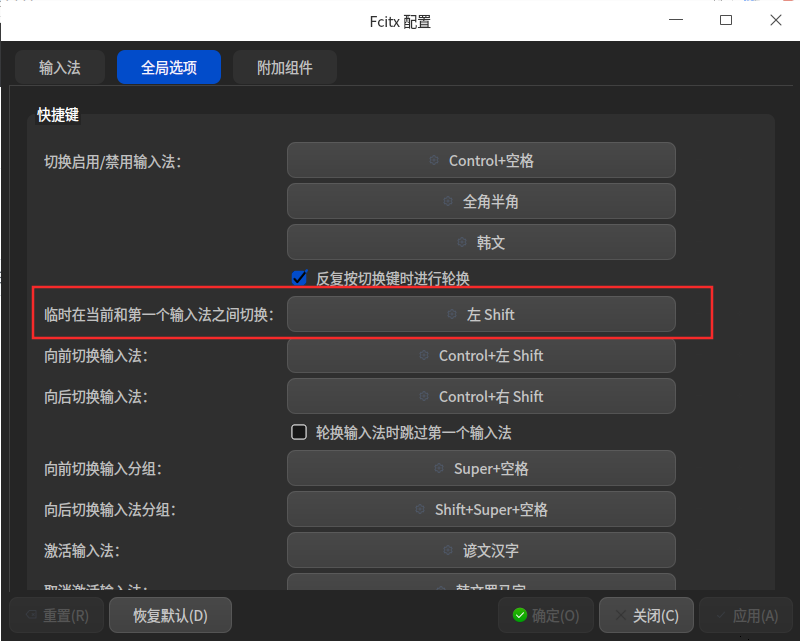
sudo apt-get install fcitx5-config-qt
然后终端输入fcitx5-config-qt
参考如下配置
Popular Ranking
ChangePopular Events
More


 necesito ayuda
在sunpingyin中文状态下,输入了英文,如何让英文打在屏幕上?我知道按enter可以,但是如何把enter改成shift,并且按了shift之后可以自动切换的英文输入法?感觉太难了。用搜狗输入法就可以按shift 切换到英文输入。