

 中文
中文 
青稚 deepin
2023-04-23 23:36 deepin 进Pe看看有没有D盘,就是其他磁盘空间
Reply Like 0 View the author
 deepin
 进Pe看看有没有D盘,就是其他磁盘空间

 deepin
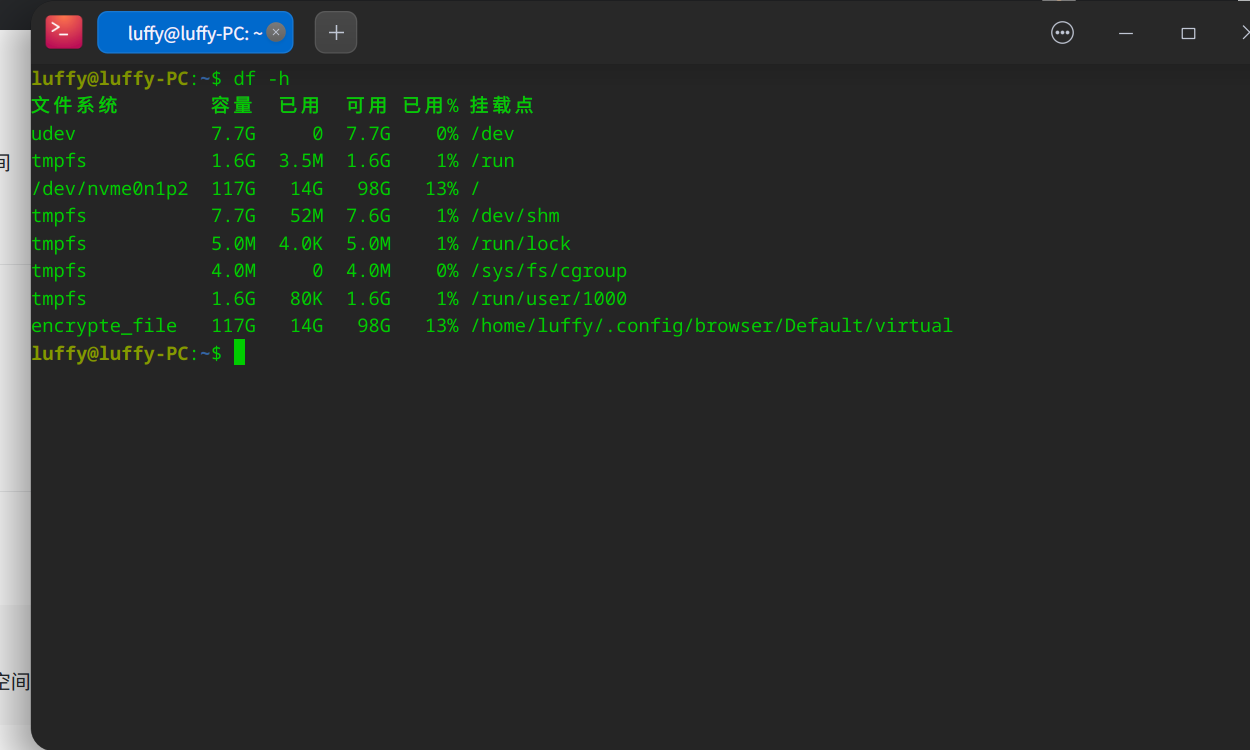
 终端执行df -h能看到东西吗?

 deepin
 进Pe看看有没有D盘,就是其他磁盘空间
咋进?
deepin 终端执行df -h能看到东西吗?
没有D盘

 deepin
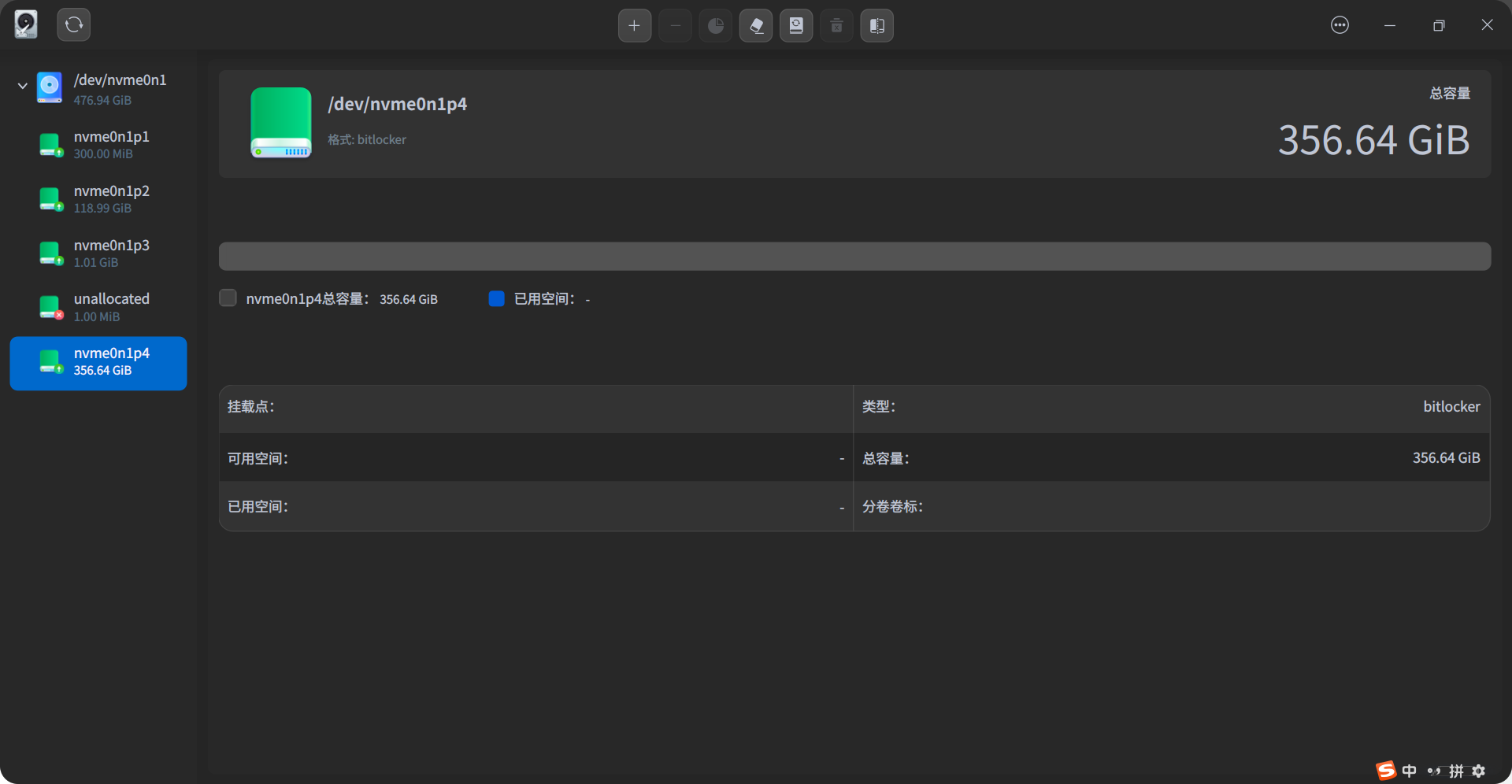
 进磁盘管理器里面找找,看有没有,还有就是你应该知道你的硬盘空间大小是多少,这里只显示了119g,
deepin 没有D盘
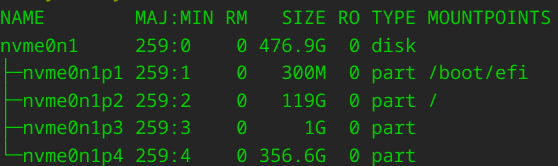
lsblk看下
deepin lsblk看下
deepin 进磁盘管理器里面找找,看有没有,还有就是你应该知道你的硬盘空间大小是多少,这里只显示了119g,
deepin
应该是这个nvme0n1p4分区,它没有被挂载
你执行:
mkdir -p ~/Documents/data
sudo mount /dev/nvme0n1p4 ~/Documents/data
试试看
deepin 应该是这个nvme0n1p4分区,它没有被挂载
你执行:
mkdir -p ~/Documents/data
sudo mount /dev/nvme0n1p4 ~/Documents/data
试试看
大哥 D盘数据不会丢吧
 deepin
 完了完了,你在WIN11中对D盘进行也bitlocker加密,现在不好弄了。
deepin 应该是这个nvme0n1p4分区,它没有被挂载
你执行:
mkdir -p ~/Documents/data
sudo mount /dev/nvme0n1p4 ~/Documents/data
试试看

deepin 完了完了,你在WIN11中对D盘进行也bitlocker加密,现在不好弄了。
但是之前是解开的状态呀
deepin 但是之前是解开的状态呀
解密状态只对当前账户有效
重装win,用备份的密钥解密,或者登录微软账号解密
deepin 大哥 D盘数据不会丢吧
我估计就是因为你加密了,所以没有挂载成功
deepin 但是之前是解开的状态呀
用个pe看看能不能解开这个盘的加密
deepin 解密状态只对当前账户有效
重装win,用备份的密钥解密,或者登录微软账号解密
我如果登录微软账号解密了 那这次还能继续用么?还是说必须全部重新再来一遍?
deepin
这个是加密文件系统,手动挂载不上
那应该是你安装好系统之后,文管自动挂载也无法挂载此盘,所以你文管看不到
deepin deepin 我如果登录微软账号解密了 那这次还能继续用么?还是说必须全部重新再来一遍?
我觉得你只要把盘解密成正常的ntfs,应该就可以挂载了
Popular Ranking
ChangePopular Events
More


 necesito ayuda
各位大师好,我是新手哈,麻烦问下 安装分区时 我不想全盘格式化了 所以选的手动分区,我将原win11的c盘设置成了根分区,原win11 D盘没敢动,点下一步时光提醒了一句 未挂载啥东西来着 忘了,可能会影响性能,我看也没说可能会导致全盘格式化呀,点了下一步后就正常安装重启了,结果打开·文件管理器 后 就只有系统盘了。
请问我原win D盘怎么找回?数据咋办?我没备份``主要时数据太多了 ,跪求 在线等